
We may earn a commission if you buy through links on this page. It never changes a score or a ranking. How we make money
The bottom line
A handy font finder for small teams, with a $49 one-time price and licensing details to confirm.
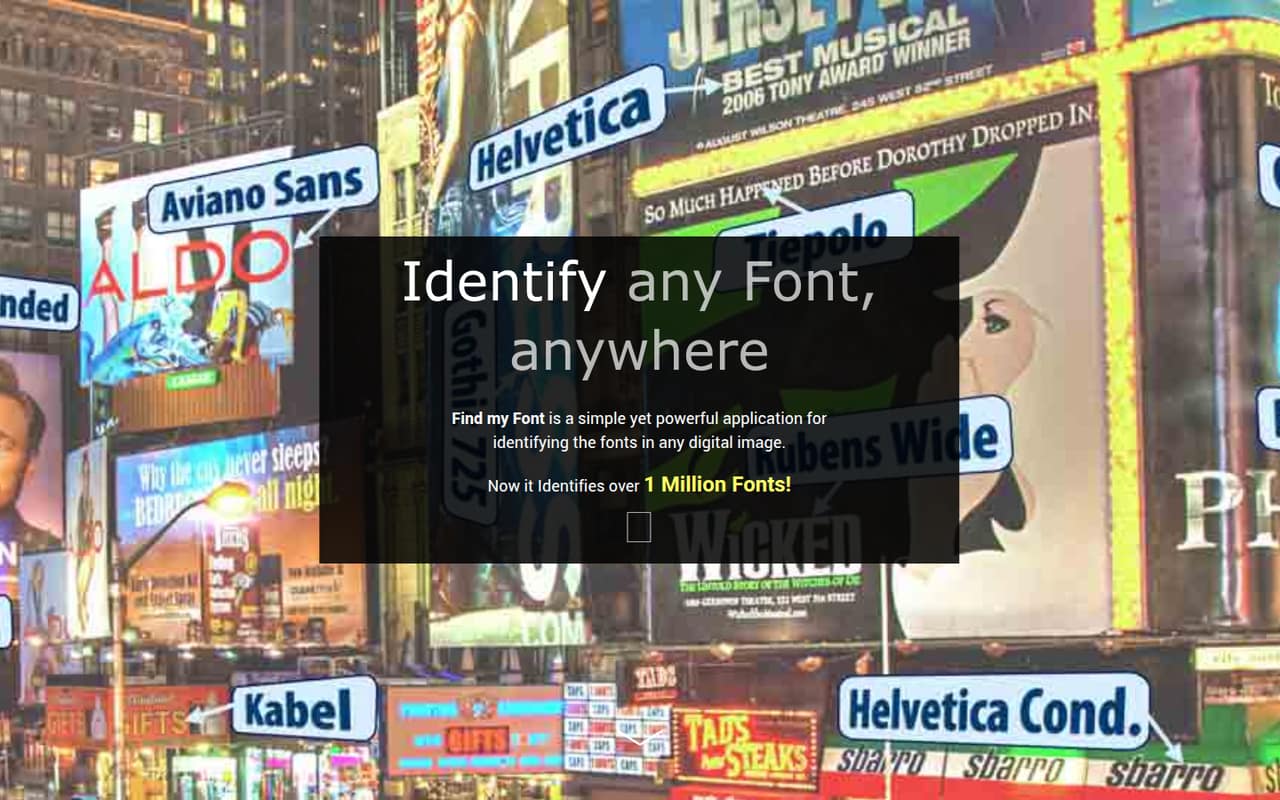
Find My Font identifies typefaces in digital images on PC or mobile. Its PC edition can also scan fonts on your computer, while the online database includes commercial and free fonts.
The 30-day trial includes 900 local fonts. Pro Edition is listed at a one-time $49, but team and multi-device licensing terms are not published, so check those before buying for several people.
Good fit if
- Designers identifying fonts from images
- Small teams with occasional font searches
- PC users checking local fonts
Skip it if
- Teams needing published seat pricing
- Buyers wanting a monthly plan
- Teams seeking a shared font workflow
ScoresHow it rates
What works
- Identifies fonts in digital images on PC or mobile.
- Searches online for commercial and free fonts.
- PC edition scans local fonts, including fonts not installed.
- Returns exact matches and visually similar alternatives.
- Homepage says its database includes over 1 million fonts.
What doesn't
- The free trial lasts 30 days.
- The trial listing names 900 local fonts; its scope is unclear.
- Pro Edition requires a $49 upfront payment.
- Monthly and annual prices are not published.
- Team and multi-device licensing terms are not published.
01Who Find My Font is for
Find My Font suits a solo designer or a small team of roughly one to five people that occasionally needs to identify type from an image. That could mean checking a logo, a graphic published by a client, or a reference image before choosing a similar typeface. It is a focused tool, not a general design suite.
The software searches an online database of commercial and free fonts. The PC edition can also scan fonts on the computer, including fonts that are not installed, and return exact matches or similar options. The homepage says it identifies over 1 million fonts. For a budget-conscious team, the main appeal is the one-time Pro Edition price rather than a recurring subscription. But the vendor does not publish team licensing terms, so a studio buying for multiple people should confirm whether each person needs a separate copy.
02Find My Font free plan and trial
The listed Free Trial (Free Version) lasts 30 days and includes 900 local fonts. That gives a designer a short window to try the software before deciding whether to pay for Pro Edition. The listing does not explain whether 900 is a cap, a selection, or how it relates to the online font database.
Treat it as a trial rather than an ongoing free plan: the listed period is 30 days. After that, Pro Edition is listed at a one-time $49. The vendor does not publish monthly or annual prices. If your team identifies fonts only occasionally, the trial may be enough for a one-off project; for continued use, check the Pro terms and team licensing before purchasing.
03What a small team pays for Find My Font
The pricing page lists Pro Edition at a one-time $49. That is $49 for one person if one copy is all you need; there is no monthly or annual price listed. The Free Trial (Free Version) runs for 30 days and includes 900 local fonts.
For a team, the arithmetic depends on licensing. If each person needs a separate $49 copy, three people would cost $147 once and five would cost $245 once. Those are per-copy calculations, not a published team quote: the vendor does not publish whether one purchase covers multiple people or devices. Ask before buying for a shared workstation or a team.
No add-ons are listed in the pricing information. The costs to check are therefore the number of licenses your team needs and whether the trial’s 900 local fonts meet your needs. There is no recurring monthly or annual charge listed for Pro Edition.
04Getting started with Find My Font
The core job is clear: identify a typeface in a digital image, then review exact or visually similar matches. For the PC edition, you can also scan fonts on the computer, including fonts that are not installed. That makes the PC option relevant if your team wants to compare an image against fonts it already has.
The product details do not publish setup steps, supported image formats, or specific system requirements, so check those before installing it on a work machine. They also do not name integrations. A small team may not need integrations for this narrow task, but confirm whether the software fits your image-handling process. The 30-day trial gives one person a chance to assess the workflow before the $49 purchase; team setup and shared-use terms are worth asking about first.
05When small teams outgrow Find My Font
A team may outgrow Find My Font when it needs more than identifying fonts from images and scanning local fonts on the PC edition. The product details focus on matching and similar typefaces; they do not describe shared team libraries, approval workflows, or collaboration features. If those are important, ask the vendor whether they are available before buying.
The other likely pressure point is licensing. Pro Edition is listed at $49 once, but the vendor does not publish team or multi-device terms. A growing team cannot calculate its true cost per person without that answer. The trial is also limited to 30 days and lists 900 local fonts. That may be enough for occasional checks, but teams that need ongoing use should confirm the font scope and licensing. No usage-volume limit is published, so ask the vendor if your workload is unusually high.
Questions people ask
Is Find My Font free?
The listed Free Trial (Free Version) is free for 30 days and includes 900 local fonts. The listing does not describe it as a permanent free plan. Pro Edition is listed at a one-time $49 for continued use.
How much does Find My Font cost?
The pricing page lists Pro Edition at a one-time $49. Monthly and annual prices are not published. If several people need copies, ask the vendor about team and multi-device licensing before multiplying the price by your headcount.
Can Find My Font identify a font from an image?
Yes. Find My Font identifies fonts used in digital images on PC or mobile and returns exact matches and visually similar typefaces. Its online search includes commercial and free fonts.
Can Find My Font scan fonts already on my computer?
The PC edition can scan fonts on the computer, including fonts that are not installed. The product details do not specify system requirements or how the scan is configured, so check those before installing it.
How many fonts are in Find My Font’s database?
The homepage says Find My Font identifies over 1 million fonts. The trial listing separately names 900 local fonts; the vendor does not explain how that figure relates to the online database.