
We may earn a commission if you buy through links on this page. It never changes a score or a ranking. How we make money
The bottom line
Good for polished interactive PDFs; team access and clean branding raise the bill quickly.
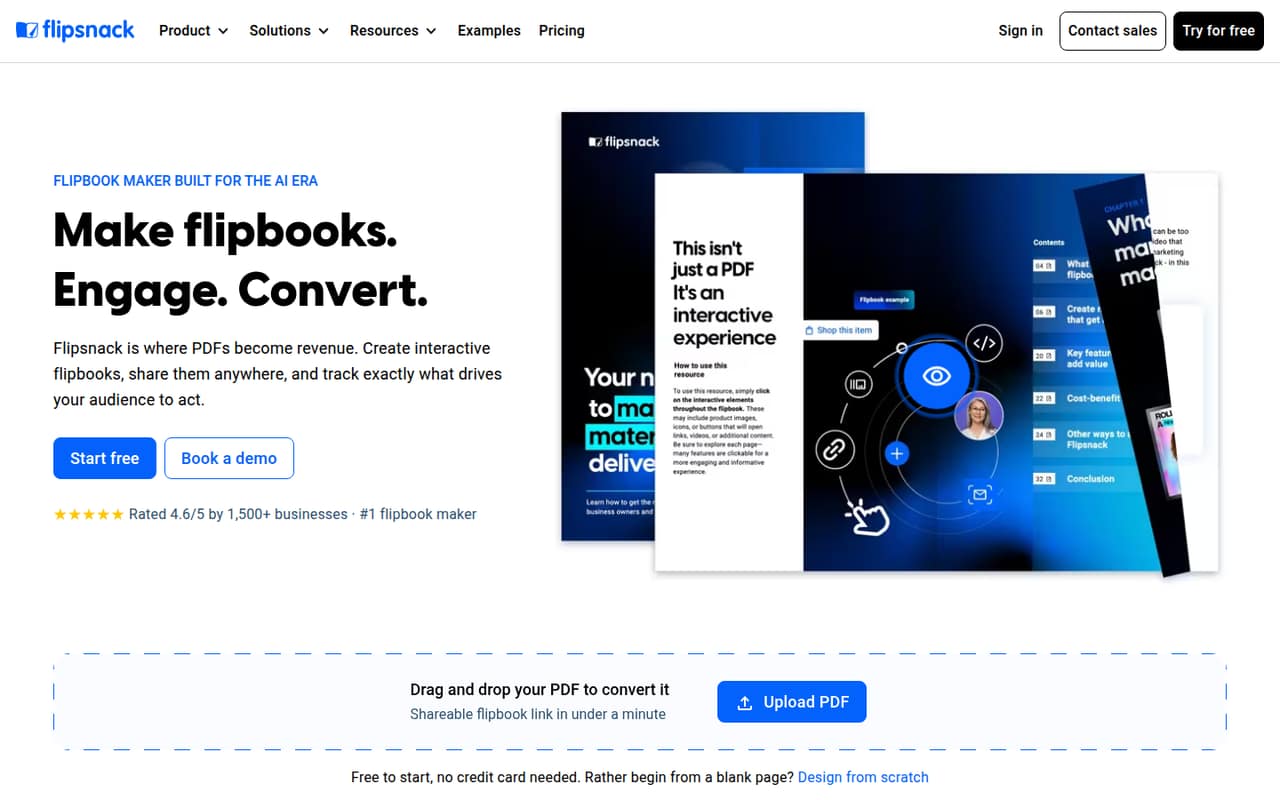
Flipsnack turns PDFs or new designs into shareable flipbooks, with interactive elements, branding, access controls, lead forms and reader analytics. A small team can try basic publishing free, but the free plan adds Flipsnack branding and caps each flipbook at 15 pages.
For one person, Lite starts at $14 per month with annual billing or $24 month to month. A three- or five-person team needs Business, which starts at $85 per month for one user and charges extra for additional seats.
Good fit if
- Small teams publishing branded PDFs
- Catalogs with interactive elements
- Marketing teams tracking reader engagement
Skip it if
- Teams needing several free seats
- Occasional PDF sharing without interactivity
- Teams larger than five on a fixed budget
ScoresHow it rates
What works
- Free plan includes five flipbooks
- Converts PDFs into HTML5 flipbooks
- Supports video, links, GIFs and slideshows
- Offers password protection and restricted access
- Tracks views, clicks and reading time
What doesn't
- Free flipbooks carry Flipsnack branding
- Free plan limits each flipbook to 15 pages
- Lite, Pro and Business include one user
- Business extra seats cost $25 or $32 monthly
- Several business add-on prices are not published
01Who Flipsnack is for
Flipsnack is for teams that want a PDF to feel more like an interactive publication than a file attachment. It converts PDFs or designs made from scratch into shareable flipbooks, with options for video, links, slideshows, GIFs, branding and reader analytics.
For a one-person marketing or publishing operation, Lite is the first paid plan for documents without Flipsnack branding. For a team of three to five, Business is the relevant plan because it allows up to five users. That makes the tool a better fit when a team publishes catalogs, brochures or magazines regularly and can justify the seat cost. If your team mainly sends static PDFs, the free plan or a regular PDF link may be enough. Teams above five should ask about Enterprise pricing before building a workflow around Flipsnack.
02Flipsnack free plan and trial
The Free plan includes five flipbooks, with up to 15 pages per flipbook. It has Flipsnack branding on links and embeds, but the pricing information says there is no credit card requirement and no expiry. That makes it a reasonable way to try basic flipbook publishing before committing to a subscription.
The limits are noticeable if you publish longer documents or need a clean branded link. The free plan’s listed allowances do not include paid-plan user counts, AI credits or trackable links. Flipsnack does not list a separate free trial; the ongoing Free plan is the way in. If you need up to 30 pages per flipbook and no Flipsnack branding, Lite starts at $14 per month with annual billing, or $24 month to month.
03What a small team pays for Flipsnack
For one user, Lite costs $14 per month with annual billing ($168 per year) or $24 month to month. It includes 10 flipbooks, 30 pages per flipbook and 100 AI credits per month. Pro is $38 per month with annual billing or $52 month to month, for one user; it adds 50 flipbooks, 200 pages per flipbook and 50 trackable links.
For multiple seats, Business includes one user and costs $85 per month with annual billing or $109 month to month. A three-person team pays $135 per month with annual billing ($1,620 per year), or $173 month to month. A five-person team pays $185 per month with annual billing ($2,220 per year), or $237 month to month. Those totals add $25 per extra user on annual billing or $32 on monthly billing. Business tops out at five users. Central brand control, reader SSO and several integrations are add-ons with prices not published.
04Getting started with Flipsnack
The basic workflow is straightforward in concept: upload a PDF or start a design, add interactive elements if needed, apply branding, then share or embed the flipbook. The listed sharing options include links, embeds, email and QR codes; access can be password-protected or restricted. That should suit a small team with an existing PDF and a clear publishing job.
The learning curve is likely to depend on how much you customize. Uploading and sharing a document is a smaller task than building reusable branded templates, setting access rules, adding lead forms and configuring analytics. Flipsnack lists CRM lead sending, but the available pricing details do not name specific CRM integrations or explain their setup. One Reddit post about downloading HTML5 flipbooks discusses retaining animations and interactive elements, while commenters ask about the downloaded file structure. Plan time to check the export workflow if offline use matters.
05When small teams outgrow Flipsnack
The first pressure point is document length: Free stops at 15 pages per flipbook, Lite at 30, Pro at 200 and Business at 500. The next is seats. Lite and Pro include one user, while Business includes one and allows up to five total, with each added user costing $25 per month on annual billing or $32 month to month. Teams needing more than five users move into custom Enterprise pricing.
Growing teams may also need paid-plan features such as trackable links, more flipbooks or additional AI credits. Business and Enterprise buyers can face extra costs for brand controls, SSO, integrations and other add-ons, whose prices are not published. Reddit discussions show practical questions around downloading HTML5 flipbooks and converting online flipbooks to PDFs; they are not a broad review consensus, but they are a reminder to confirm export and print needs before making Flipsnack your document archive.
From the threadsWhat users say
The Reddit material is limited and mostly practical rather than a clear verdict from a large group of customers. It mentions the appeal and price of flipbooks, alongside questions about offline files and converting flipbooks back to PDFs.
Flipbooks have become popular among zine makers, because they offer up that homespun feel, and are cheap as chips to run
Flipsnack – Starts at $14/mo
Unlike PDFs, HTML5 flipbooks keep animations and interactive elements, which is great if you want an offline version that still feels dynamic
i need to convert it to a pdf somehow
Questions people ask
Is Flipsnack free to use?
Yes. The Free plan includes five flipbooks with up to 15 pages each, and Flipsnack branding on links and embeds. The listed plan has no credit card requirement or expiry. If you need a clean branded publication, Lite starts at $14 per month with annual billing or $24 month to month.
Can I add interactive content to a Flipsnack flipbook?
Flipsnack lists videos, links, slideshows, GIFs and other interactive elements as options. Its pricing information does not specify which interactive features are available on each plan, so check the plan details with the vendor if a particular element is essential.
How can I share a Flipsnack flipbook?
Flipsnack lists sharing by link, embed, email or QR code. It also offers password protection and restricted access. The right settings depend on whether the document is public or intended for a defined audience.
Can readers print or download a Flipsnack flipbook as a PDF?
The vendor’s listed features do not specify a print or PDF-download workflow for readers. Reddit users have asked how to convert online Flipsnack flipbooks to PDF, so confirm the official options with Flipsnack if readers need a printable copy.
What analytics does Flipsnack provide?
Flipsnack lists document analytics for views, clicks and reading time, plus AI-powered insights and heatmaps. Pro also lists 50 trackable links. Check with the vendor which analytics and insight features are included in the plan you are considering.