
We may earn a commission if you buy through links on this page. It never changes a score or a ranking. How we make money
The bottom line
A capable Mac file manager for small teams willing to pay once and manage updates later.
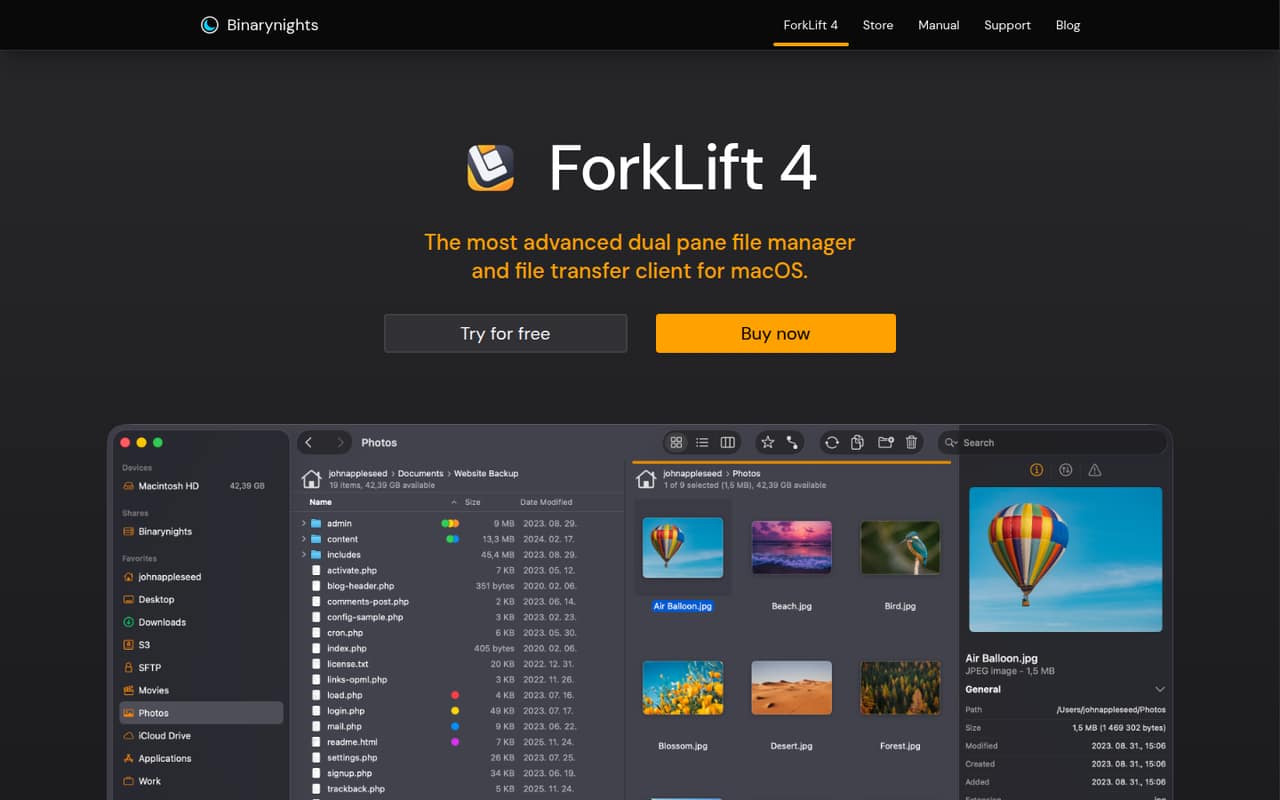
ForkLift combines a dual-pane file manager with remote transfers, folder syncing, previews, search, tags, and Git tools. It’s a good fit when Finder alone doesn’t cover your team’s local and server-file work.
There’s no free plan or trial listed. A Single user license starts at $19.95, while one Small Business license costs $69.95 and covers up to five office Macs. You can keep using the version your license covers, but new updates beyond the included period require another license.
Good fit if
- Mac teams managing remote files
- Small offices with up to five Macs
- People who prefer dual-pane workflows
Skip it if
- Teams needing a free file manager
- Windows or Linux teams
- Offices with more than five Macs
ScoresHow it rates
What works
- Dual-pane local and remote file management
- Connects to SFTP, FTP, S3, Dropbox, SMB, and NFS
- One-way and two-way folder synchronization
- Searches files and remote servers
- One-time Small Business license covers five Macs
What doesn't
- No free plan or trial is listed
- Mac-only
- Small Business license stops at five Macs
- Updates are included for one or two years
- Some Reddit users report crashes or file problems
01Who ForkLift is for
ForkLift suits solo Mac users and small offices that regularly move files between Macs, servers, and cloud storage. Its dual-pane layout puts two locations side by side, which can make copying and organizing files less fiddly than switching between windows. It also handles folder syncing, remote search, previews, tags, and Git actions.
For a one-person setup, the Single user license starts at $19.95. For an office of up to five Macs, the Small Business license starts at $69.95. Those are one-time license prices, not recurring monthly subscriptions, though the included update period is limited. That makes ForkLift a reasonable fit for a budget-conscious team that needs its file tools, rather than every employee simply wanting a Finder replacement.
It is not a fit for a mixed-platform team: ForkLift is for macOS. If you only move local files occasionally, the purchase may be hard to justify.
02ForkLift free plan and trial
ForkLift has no free plan or free trial listed in its pricing information. That means there is no no-cost tier to use indefinitely and no published trial period to evaluate before paying.
The cheapest listed way in is the Single user license: $19.95 for one year of free updates, or $34.95 for two years of free updates. Both are one-time prices. The license lets you install ForkLift on your Mac; the pricing information does not list a free version with reduced features.
After the included update period, Reddit commenters say you can continue using the version covered by your license, but you need to buy a new license to receive later updates. If you need a free tool, ForkLift may not be the right starting point. If you need its Mac file-management and transfer features, the single-user license is the least expensive listed option.
03What a small team pays for ForkLift
The pricing page lists one-time prices, not monthly or annual subscriptions. One person can choose Single user at $19.95 with one year of free updates or $34.95 with two years. There is no monthly billing price to compare.
For three or five office Macs, one Small Business license covers the group: $69.95 with one year of updates or $119.95 with two years. That works out to $13.99 or $23.99 per Mac for those update periods, respectively, if all five included installs are used. A three-person team pays the same license price, since the listing is based on Macs covered, not a per-seat subscription.
The listing says the Small Business license covers up to five office Macs. A team with ten Macs would need two licenses, or $139.90 for one-year update coverage or $239.90 for two years. The pricing page lists no add-ons. Keep in mind that the purchase includes a defined update period, not free updates forever.
04Getting started with ForkLift
The vendor does not publish a setup-time estimate, so we wouldn’t budget for a specific number of minutes or hours. The basic job is to install the Mac app, then set up the locations your team needs to manage. ForkLift supports SFTP, FTP, Amazon S3, Dropbox, SMB, and NFS connections, as well as local files.
A team using only local folders can start with the dual-pane view. Teams working with remote servers will need connection details and should decide which locations belong in each person’s workflow. Folder sync can compare local or remote folders and run one-way or two-way, so agree on the direction before syncing shared work.
There is more to learn if your team plans to use transfer conflict rules, bandwidth limits, remote search, or Git actions. Reddit comments show that some users adopt ForkLift as a Finder replacement, while others use it mainly for transfers. The right learning curve depends on how many of those tools your team needs.
05When small teams outgrow ForkLift
The clearest limit is the Small Business license’s five-Mac allowance. A six-to-ten-Mac office needs more than one license; the listed price for two licenses is $139.90 with one year of updates or $239.90 with two. That remains a one-time purchase, but the cost rises in blocks of five Macs rather than tracking a monthly per-seat plan.
ForkLift may also stop fitting if your team needs a free tier, a Windows or Linux client, or ongoing updates without another purchase. The listed license includes one or two years of free updates. Reddit commenters clarify that you can keep using the version covered by your license, but new updates after that period require a new license.
User reports are mixed. One long-time user says they have had no major problems, while another says an older version still works fine. A commenter also reports abandoning ForkLift after files were mishandled, and a pricing discussion mentions crashes. Treat those as individual experiences, not a guarantee of what your team will encounter.
From the threadsWhat users say
Reddit users praise ForkLift’s versatility and some report years of use without major problems. Others describe crashes, file issues, or frustration about the boundary between a lifetime license and the update period.
For me, ForkLift is a more versatile solution - both for managing files and transferring them
I have been using the paid version for many years and have never encountered any major problems
This is why I stuck with version 3.5.8. It still works fine for me
I abandoned Forklift after it munged files too many times
Questions people ask
Does ForkLift have a free plan or trial?
ForkLift has no free plan or free trial listed. The cheapest listed license is Single user at $19.95, a one-time price that includes one year of free updates. The pricing page does not list a reduced-feature free edition or a trial period.
How much does ForkLift cost for a small office?
The Small Business license costs $69.95 with one year of free updates or $119.95 with two years. It covers up to five Macs in the office. Those are one-time prices, not monthly or annual subscriptions.
Does a ForkLift license include lifetime updates?
No. The listed license is a one-time purchase, but it includes either one or two years of free updates. Reddit commenters say you can keep using the version covered by your license afterward; receiving later updates requires buying a new license.
What connections does ForkLift support?
ForkLift supports SFTP, FTP, Amazon S3, Dropbox, SMB, and NFS, along with local files. Its tools include file transfers, folder synchronization, previews, remote search, tags, and Git actions such as add, commit, push, and pull.
Can I install ForkLift on more than one Mac?
The Single user listing says you can install it on your Mac. The Family license covers all Macs in your household, and the Small Business license covers up to five Macs in the office. Ask the vendor which license fits if your installation setup does not match those cases.