
We may earn a commission if you buy through links on this page. It never changes a score or a ranking. How we make money
The bottom line
A generous-looking AI toolkit, with a 10-map free limit and unclear seat billing to check first.
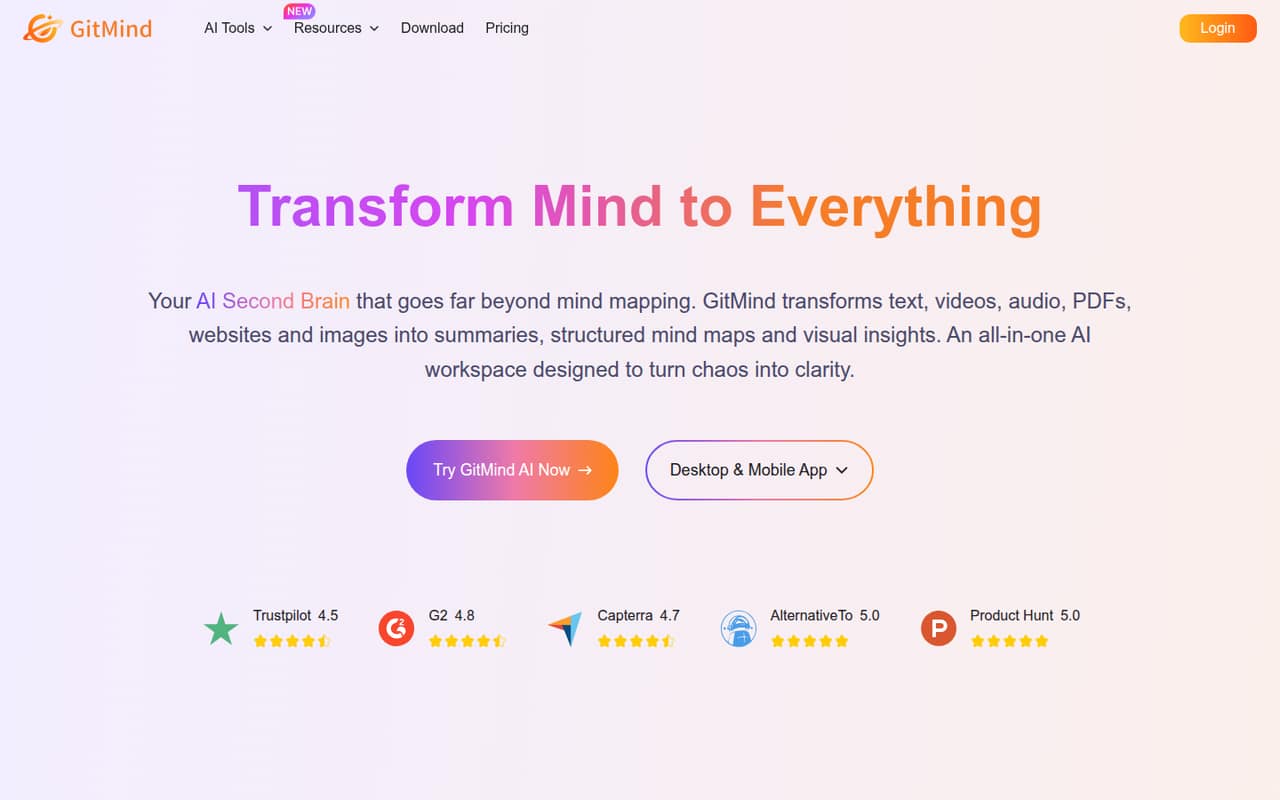
GitMind turns documents, links, videos, audio and images into summaries, mind maps and visual outputs. Its free Basic plan covers up to 10 maps or whiteboards, which is enough to try the core mapping workflow.
Paid plans start at $9 monthly or $4.08 per month billed annually. The plans list team membership limits, but don’t explain whether one subscription covers every member—confirm that before budgeting for a few seats.
Good fit if
- Small teams making visual summaries
- People mapping mixed content formats
- Teams trying mind maps for free
Skip it if
- Teams needing clear seat pricing
- Workflows dependent on named integrations
- Teams needing published security details
ScoresHow it rates
What works
- Free plan includes up to 10 maps or whiteboards
- Works with text, videos, audio, PDFs, websites and images
- Creates summaries and structured mind maps
- Includes AI diagrams, transcription, OCR and chat
- Annual plan lists a $4.08 monthly equivalent
What doesn't
- Free plan limits maps and whiteboards to 10
- Paid seat billing is not explained
- AI credits have no published price
- The 3 Years offer is listed at $79 per month
- Public user discussion includes concerns about map limits
01Who GitMind is for
GitMind fits a small team that needs to turn scattered material into something easier to scan: a summary, mind map, diagram or visual outline. It handles text, videos, audio, PDFs, websites and images, with tools for transcription, OCR and AI chat alongside mapping.
For a one-to-five-person team on a tight budget, Basic is a reasonable place to see whether the mapping workflow is useful. The free plan allows up to 10 maps or whiteboards, and one planet with up to five members. That may suit occasional planning or research, rather than a team that maps every project and keeps a large library.
It’s less obviously a fit if the job depends on specific integrations, detailed security assurances or predictable per-seat billing. GitMind’s listed features don’t name integrations, and the plan details don’t explain how paid seats are charged. Ask about those before moving team work into it.
02GitMind free plan and trial
GitMind’s Basic plan costs $0 and includes up to 10 mind maps or whiteboards, 10 whiteboard images and 30 mind map images. It also lists one planet with up to five members. That gives a small team room to try collaborative mapping, though the image and map allowances put a ceiling on regular use.
The paid Monthly and Annual plans remove the map and whiteboard count limit, but still list caps of 30 whiteboard images and 500 mind map images. The free plan is therefore a practical starting point, not an unlimited workspace. The pricing details list a free plan but no separate free trial. A Reddit user reported encountering a 10-map limit without subscribing, which lines up with the Basic plan’s stated cap.
03What a small team pays for GitMind
The Monthly plan is $9 per month. The Annual plan lists $4.08 per month, billed annually. That is $48.96 per person for a year at the listed monthly equivalent. If each person needs an individual paid plan, one person costs $9 monthly or $4.08 per month on annual billing; three cost $27 or $12.24 per month; five cost $45 or $20.40 per month. Annual equivalents are billed yearly, not month to month.
There’s an important catch: paid plans list up to 30 members per planet, but GitMind doesn’t say whether one subscription covers those members or how seats are billed. Confirm the team price before relying on the per-person examples above.
Both paid plans include unlimited maps and whiteboards, HD export and priority support. A 3 Years offer is listed at $79 per month and described as a non-subscription offer, so ask GitMind to clarify that price before buying. Credits, education pricing and volume pricing are available by contacting the vendor; prices aren’t published.
04Getting started with GitMind
The basic workflow is easy to understand: bring in content or start from a topic, then use GitMind’s AI tools to make a summary, map or diagram. Its listed input types include text, videos, audio, PDFs, websites and images. The workspace also includes transcription, OCR and chat, so a team can try several tasks without choosing a separate tool for each one.
We’d expect little process design to get a first map started, but the amount of setup for accounts, shared workspaces and importing team material isn’t specified in the plan details. GitMind’s feature list doesn’t name integrations either, so check whether it connects to the services your team already uses.
One Reddit user said they used GitMind from a work laptop, home PCs and Android devices, and valued that their work PC blocked many cloud services. That’s one person’s report, not a guarantee of access on every company network. Ask your IT contact to confirm access if your team has restrictions.
05When small teams outgrow GitMind
The clearest reason to upgrade is hitting Basic’s 10-map or 10-whiteboard limit. Monthly and Annual remove that cap, but keep limits on images: 30 whiteboard images and 500 mind map images. Teams that make visual assets frequently should check whether those allowances match their workload.
The next pressure point is team pricing. Paid plans list five planets with up to 30 members per planet, but don’t explain whether members need separate subscriptions. That makes it hard to forecast the cost of a growing team from the plan price alone. Credits and education or volume pricing also require contacting GitMind; their prices aren’t published.
One Reddit thread reports that a user found a 10-map limit had been applied without a subscription. Another commenter rejected web-based products generally, while a different user valued access across work and home devices. That’s limited, mixed feedback rather than a broad verdict. If your team needs clear seat costs, named integrations or documented security requirements, resolve those questions before making GitMind a shared workspace.
From the threadsWhat users say
The small amount of Reddit discussion is mixed: one user values access across devices, while another reports the free map cap and a commenter is wary of web-based products. It’s not enough discussion to establish a broad user consensus.
limit of 10 seems to have been applied to the number of maps you can have without subscribing
something I could use from my work laptop as well as home PCs and from Android devices
GitMind was one of the few sites that I could use
This is why I will never even try a web-based product, no matter how good they claim it is
Questions people ask
Is GitMind free?
Yes. GitMind’s Basic plan costs $0 and includes up to 10 mind maps or whiteboards, 10 whiteboard images and 30 mind map images. It also lists one planet with up to five members. The pricing details list a free plan, but no separate free trial.
How much does GitMind cost for a small team?
The Monthly plan is $9 per month, while the Annual plan lists $4.08 per month billed annually. If every person needs an individual plan, three people would cost $27 monthly or $12.24 per month on the annual equivalent. GitMind doesn’t explain whether one subscription covers multiple members, so confirm seat billing.
What does GitMind’s free plan include?
Basic includes up to 10 mind maps or whiteboards, 10 whiteboard images and 30 mind map images. It also lists one planet with up to five members. The paid Monthly and Annual plans allow unlimited maps and whiteboards, while keeping image limits.
Can GitMind summarize videos and audio?
Yes. GitMind lists summaries and transcription for audio and video, including recordings, YouTube videos and podcasts. It also lists text, PDFs, websites and images among the content it can process. The specific allowances or credit costs for these AI tasks aren’t published in the plan details.
Is GitMind safe for company information?
The feature and pricing details don’t explain security controls or how uploaded company content is handled. If you plan to use confidential material, ask GitMind about data retention, access controls, encryption and whether content is used to train AI models. Have your company’s IT or security lead review the answers before adoption.