
We may earn a commission if you buy through links on this page. It never changes a score or a ranking. How we make money
The bottom line
A capable free agent if your team can choose and supply its own model access.
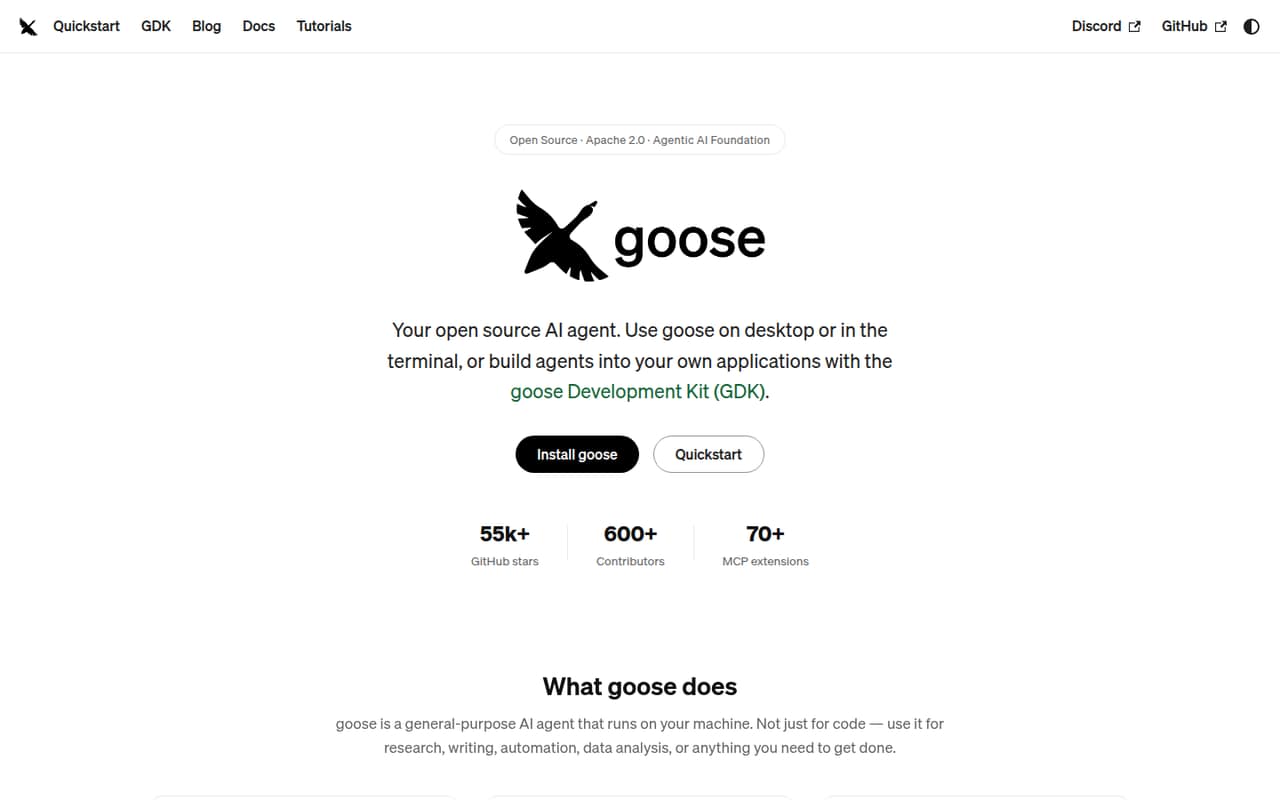
Goose is a general-purpose AI agent with desktop, CLI, and API options for research, writing, automation, analysis, and coding. Its Open Source plan costs $0 to run, but your team brings its own model provider or API keys, and seat and usage limits aren’t published.
For a small team on a tight budget, the price is appealing; the tradeoff is configuration and uncertainty around limits and support. Reddit users praise its flexibility, while some raise concerns about the GUI, setup, and earlier experiences.
Good fit if
- Budget-conscious teams with model access
- Teams that want desktop and CLI options
- Technical teams building repeatable workflows
Skip it if
- Teams wanting published seat limits
- Buyers expecting managed support
- Teams that need a ready-made canvas
ScoresHow it rates
What works
- Open Source plan is free to run
- Supports desktop, CLI, and API workflows
- Works with 15+ model providers
- Can use eligible subscriptions through ACP
- Includes recipes and MCP Apps
What doesn't
- Seat and usage limits aren’t published
- Your team must bring model access
- Annual billing details aren’t published
- Support terms aren’t published
- Some setup and provider choices fall to your team
01Who Goose is for
Goose fits a small team of one to ten people that wants an AI agent for more than coding and is comfortable making a few technical choices. It can help with research, writing, automation, data analysis, coding, and other tasks, through a desktop app, CLI, or API.
The budget case is strong: the Open Source plan is free to run. But free software doesn’t mean free model usage. Your team supplies a provider or API keys, or uses an eligible subscription through ACP, so your actual spend depends on that choice. The vendor doesn’t publish seat or usage limits, so ask about those before rolling it out to a group.
Goose makes most sense for teams that want to connect tools and shape workflows themselves. If you need a managed, ready-to-use team workspace with clear per-seat pricing, published limits, and support terms, check those requirements before committing.
02Goose free plan and trial
The Open Source plan costs $0 to run and includes the Apache 2.0 open-source software. The listed plan is for teams comfortable providing their own LLM keys; it also lets you bring your own LLM provider. Goose supports API keys and eligible subscriptions through ACP, according to the product details.
The vendor doesn’t publish seat or usage limits, so we can’t confirm how many people or how much activity the free plan covers. The pricing details don’t list a free trial or paid plan, and annual billing isn’t published. They also don’t specify whether model-provider charges are included; because you bring your own provider or keys, check that provider’s billing separately. The cheapest way in is the Open Source plan at $0 to run.
03What a small team pays for Goose
The listed Open Source price is $0 per month to run. That means the listed Goose charge is $0 for one person, a three-person team, or a five-person team. This isn’t published as a per-seat price, and the vendor doesn’t publish seat or usage limits, so those totals don’t confirm that every team size or usage level is covered.
Annual billing isn’t published, so there’s no supported annual total to compare. The listed plan asks you to bring your own LLM provider or API keys; any provider charges depend on your setup, and the pricing details don’t give a dollar amount for them. Available pricing details list no add-ons. We’d budget for the model access your team chooses, then ask the vendor whether the plan has practical team or usage caps before making Goose part of a shared workflow.
04Getting started with Goose
Plan for some configuration rather than a one-click team rollout. Your first choices are how to run Goose—desktop app, CLI, or API—and which of its 15+ providers to connect. You’ll need to supply API keys or confirm that your subscription is eligible through ACP. The product also offers extensions and portable YAML recipes, so teams can add tools and save repeatable workflows as they become familiar with it.
The feature set has room to grow: the Development Kit is for building agents for native apps, servers, and browsers, and MCP Apps can show interactive elements in the desktop app. Those options may take extra setup compared with simply asking questions in a chat tool.
One Reddit user reported that Goose requested Keychain access on Mac and chose not to use it. That’s an individual report, not a description of every setup. Review permission prompts and tool access before connecting Goose to team data.
05When small teams outgrow Goose
Goose may stop fitting when your team needs clear administrative limits, predictable model costs, or a defined support path. The vendor doesn’t publish seat or usage limits, annual billing, or support terms in the listed plan details. Before you standardize on it, ask what applies to your intended team size and workload, and whether your chosen model provider’s costs work for your budget.
A team may also want a more polished, consistent interface across roles. One Reddit user wanted more GUI updates and noted a gap between GUI and CLI project availability; another described using Goose with a local model. Those are individual experiences, not guaranteed product limits, but they point to areas worth checking in your own workflow. A commenter also said an earlier version “sucked,” while other users recommended Goose as a general agent.
If you need published service commitments or a simpler managed setup, compare alternatives before your workflows depend on Goose.
From the threadsWhat users say
Reddit sentiment is mixed but leans positive on Goose’s flexibility as a general agent. Users also flag setup and GUI concerns, and one commenter criticized an earlier experience.
I recommend it to people when they seem to want a general agent
i used it when it first came out like 9 months ago or w/e and it sucked
I just want more updates to Goose GUI though
On Mac, not sure about the other OS's, but it requested keychain access. It's a security risk
Questions people ask
Is Goose free for a small team?
The Open Source plan is listed at $0 per month to run and includes the Apache 2.0 software. The vendor doesn’t publish seat or usage limits, so confirm whether your team’s size and workload fit. You also need to bring your own LLM provider or API keys.
Can Goose use my existing AI subscription?
Goose supports eligible subscriptions through ACP, as well as API keys and multiple LLM providers. Not every subscription is necessarily eligible, so check whether your provider and subscription work with ACP before planning around them.
Does Goose work for non-coding tasks?
Yes. Goose is described as a general-purpose agent for research, writing, automation, data analysis, coding, and other tasks. It offers a desktop app, CLI, and API, so teams can choose among a graphical app, terminal workflows, or embedding it through the API.
How much setup does Goose need?
Expect to choose a way to run Goose and connect a provider or API key. Extensions and YAML recipes can support additional tools and repeatable workflows. How much setup your team needs will depend on the provider, tools, and tasks you want to use.
Does Goose have published team or usage limits?
The vendor doesn’t publish seat or usage limits for the Open Source plan. The plan is listed as free to run, but that doesn’t establish how many people or how much usage it covers. Ask the vendor about limits for your expected team size and workload.
Sources
- Goose homepage
- Goose pricing, compiled via web search from origami.sa, freeaiforthat.com, aitoolanalysis.com
- Reddit: tried a bunch of open models with goose
- Reddit: Anyone using Hermes with Goose?
- Reddit: "goose is a general-purpose AI agent that runs on your machine. Not just for code — use for research, writing, automation, data analysis, anything you need to get done. A native desktop app for macOS, Linux, and Windows. A full CLI for terminal workflows. An API to embed it anywhere." ➡️ useful?
- Reddit: Anyone using Goose GUI? CLI?