
We may earn a commission if you buy through links on this page. It never changes a score or a ranking. How we make money
The bottom line
A strong fit for client meetings; unclear seat pricing makes the real team cost harder to judge.
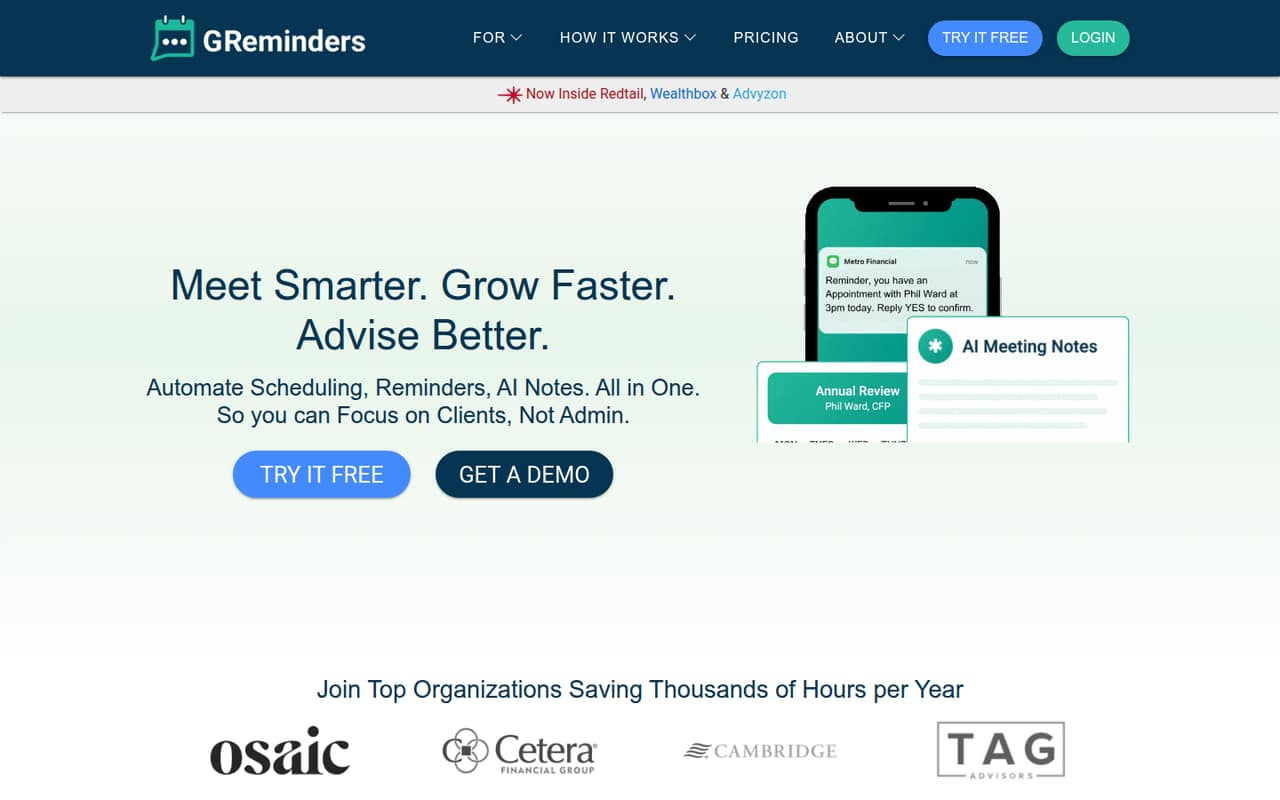
GReminders combines appointment scheduling, automated SMS, email, and voice reminders, plus AI meeting notes, briefs, and follow-up drafts. That mix may suit financial advisors and other teams that want client meetings and follow-up work in one platform.
The pricing page lists Essentials at $69 per month and Business at $132 per month, but does not say whether those starting rates are per seat or per account. There’s no free plan, and annual prices aren’t published. Reddit users report positive experiences with the AI notes and Wealthbox workflow, though those accounts are individual opinions.
Good fit if
- Financial advisors with recurring client reviews
- Teams combining scheduling and AI notes
- Client-facing businesses using CRMs
Skip it if
- Teams that need a free plan
- Buyers needing clear per-seat pricing
- Teams without recurring client meetings
ScoresHow it rates
What works
- Combines scheduling, reminders, and AI notes
- Essentials includes 160 monthly SMS/voice credits
- Supports individual and account-team bookings
- AI can draft briefs and follow-ups
- A Reddit user reports useful Wealthbox syncing
What doesn't
- No free plan is listed
- Starting rates aren't identified as per-seat or account-wide
- Annual prices and discounts aren't published
- Onboarding package prices aren't published
- Included SMS/voice credits vary by plan
01Who GReminders is for
GReminders is aimed at teams that schedule client meetings and need reminders and follow-up work afterward. Financial advisors are a clear fit: the product focuses on client-facing businesses, and a Reddit user describes using it to arrange recurring client reviews through Wealthbox. It also supports individual or account-team bookings and connects with calendars, CRMs, document tools, and workflow platforms.
For a solo advisor, Essentials is the least expensive listed option at $69 per month. A small team should check whether that starting rate covers one account or each user before budgeting: the pricing page gives monthly starting rates but doesn’t publish the billing unit per seat. Essentials includes two calendars per user, 10 event types per user or team, five reminder templates per user, and 160 monthly SMS/voice credits. If your team mainly needs occasional meetings or a free scheduler, this bundle may be more than you need. It makes the most sense when scheduling, client reminders, and meeting notes are all regular work.
02GReminders free plan and trial
GReminders doesn’t list a free plan. The vendor also doesn’t publish free-trial terms on its pricing page. Some Reddit users say they started a free trial, but their comments don’t establish how long it lasts, what features it includes, or whether it’s available to every buyer. Ask GReminders to confirm current trial access and any limits before you plan around one.
The cheapest listed way in is Essentials, starting at $69 per month. It includes two calendars per user, 10 event types per user or team, five reminder templates per user, up to 100 participants per event, and 160 monthly SMS/voice credits. Those included limits may be enough for a solo advisor or a small practice, but there’s no free tier for testing the workflow without paying. Confirm whether the starting price is per user or account-wide.
03What a small team pays for GReminders
The pricing page lists Essentials at a starting rate of $69 per month and Business at $132 per month. It labels both as monthly prices, but doesn’t say whether those rates are per seat or for an account. So the listed starting cost for one person is $69 per month on Essentials; the total for three or five people isn’t published and can’t be calculated reliably from the listed rate. Ask for a written quote that spells out seat costs and any minimum seats.
Annual billing and discounts aren’t published, so there’s no verified annual total to compare. Essentials includes 160 monthly SMS/voice credits; Business includes 320. Business also raises the limits to 10 calendars per user, unlimited event types and reminder templates, and 250 participants per event. The vendor offers Standard and Premier Onboarding packages, but doesn’t publish their prices. Ask whether SMS or voice use beyond the included credits costs extra, and whether onboarding is optional, before comparing your full bill.
04Getting started with GReminders
The core setup is connecting the calendars and CRM your team uses, then setting up booking options and reminder templates. GReminders says it syncs with calendars and CRMs and also connects with document tools and workflow management platforms. The published feature details don’t name every supported integration or spell out a step-by-step setup, so confirm compatibility and the setup process with the vendor before committing.
The learning curve will depend on how many booking types, reminder rules, and CRM workflows you want to configure; the vendor doesn’t publish a setup-time estimate. One Reddit user describes using Wealthbox tags to organize review schedules and having clients book into set windows. Another says meeting summaries, tasks, and email recaps import into Wealthbox. Those reports suggest CRM configuration is part of the value, but they’re examples from individual users, not a guarantee of the same workflow for every team. Ask who handles calendar and CRM setup, and whether an onboarding package is needed.
05When small teams outgrow GReminders
A growing team may need Business when Essentials’ limits become restrictive: Essentials has two calendars per user, 10 event types per user or team, five reminder templates per user, 100 participants per event, and 160 monthly SMS/voice credits. Business lists 10 calendars per user, unlimited event types and templates, 250 participants per event, and 320 monthly credits. Its starting rate is $132 per month, compared with $69 for Essentials, but the vendor doesn’t publish the per-seat total for a larger team.
Teams needing Enterprise SSO, SCIM/SAML, unlimited API access, custom AI, or custom data retention may need Enterprise; its price isn’t published. Teams might also outgrow the product if they need a confirmed integration or support arrangement that GReminders hasn’t specified publicly. Reddit feedback is encouraging but mixed: users praise meeting summaries and calendar context, while one commenter found the interface less appealing and another was still comparing note-taking options. Confirm the features and total cost you’ll need before upgrading.
From the threadsWhat users say
Reddit comments are mostly positive about GReminders’ scheduling workflows and AI meeting summaries, including one account of notes syncing into Wealthbox. Feedback is limited and not unanimous: commenters also mention interface preferences and uncertainty about how the AI note-taking features will develop.
It’s perfect for what I need
The meeting summary, tasks, and email recap is amazing!
less pretty of an interface
right now I'm leaning towards jump for the notetaker
Questions people ask
Does GReminders have a free plan?
GReminders doesn’t list a free plan. The pricing page also doesn’t publish free-trial terms, though Reddit users report starting trials. Ask the vendor whether a trial is currently available, how long it lasts, and which features or usage limits apply.
How much does GReminders cost for a small team?
The pricing page lists Essentials starting at $69 per month and Business starting at $132 per month. It doesn’t say whether those rates are per user or account-wide, so a three- or five-person total isn’t published. Request a quote that confirms seat pricing and any minimum seats.
What does Essentials include?
Essentials includes two calendars per user, 10 event types per user or team, five reminder templates per user, up to 100 participants per event, and 160 monthly SMS/voice credits. It’s the lowest-priced listed plan, starting at $69 per month.
Can GReminders send AI meeting notes to my CRM?
GReminders says its AI meeting notes and task summaries can sync back to a CRM. A Reddit user reports meeting summaries, tasks, and email recaps importing into Wealthbox. Check with the vendor to confirm your CRM and the exact fields or workflow supported.
What happens when I need more than Essentials?
Business adds more calendars per user, unlimited event types and reminder templates, a higher participant limit, and more monthly SMS/voice credits. Enterprise lists features such as SSO, SCIM/SAML, unlimited API access, custom AI, and custom data retention. Enterprise pricing isn’t published.