
We may earn a commission if you buy through links on this page. It never changes a score or a ranking. How we make money
The bottom line
A generous free spreadsheet-database, with paid seats and self-hosted SSO trade-offs to weigh.
Most teams don’t need a custom spreadsheet-based app until their shared sheets start causing access, tracking, or workflow headaches. Grist is worth considering when you want spreadsheet familiarity plus linked records, forms, and row- or column-level access rules.
The hosted Free plan covers up to 10 team members and 5,000 records per document. That’s a meaningful starting point; Pro begins at $8 per user per month with annual billing. Reddit discussion raises concerns about the removal of SSO from Community edition, so technical teams planning to self-host should check which edition includes the controls they need.
Good fit if
- Teams turning spreadsheets into workflows
- Small teams with modest data needs
- Builders who want granular access rules
Skip it if
- Teams requiring self-hosted Community SSO
- Users who need a published setup guide
- Organizations needing support on a tight budget
ScoresHow it rates
What works
- Free hosted plan allows 10 team members
- Unlimited documents on the Free plan
- Forms, charts, summaries, and flexible layouts
- Access rules can target rows and columns
- Python formulas work alongside familiar Excel functions
What doesn't
- Free documents are capped at 5,000 records
- Pro is charged per user
- Business has a five-user minimum
- AI Assistant credits are limited by plan
- Reddit users object to Community edition SSO changes
01Who Grist is for
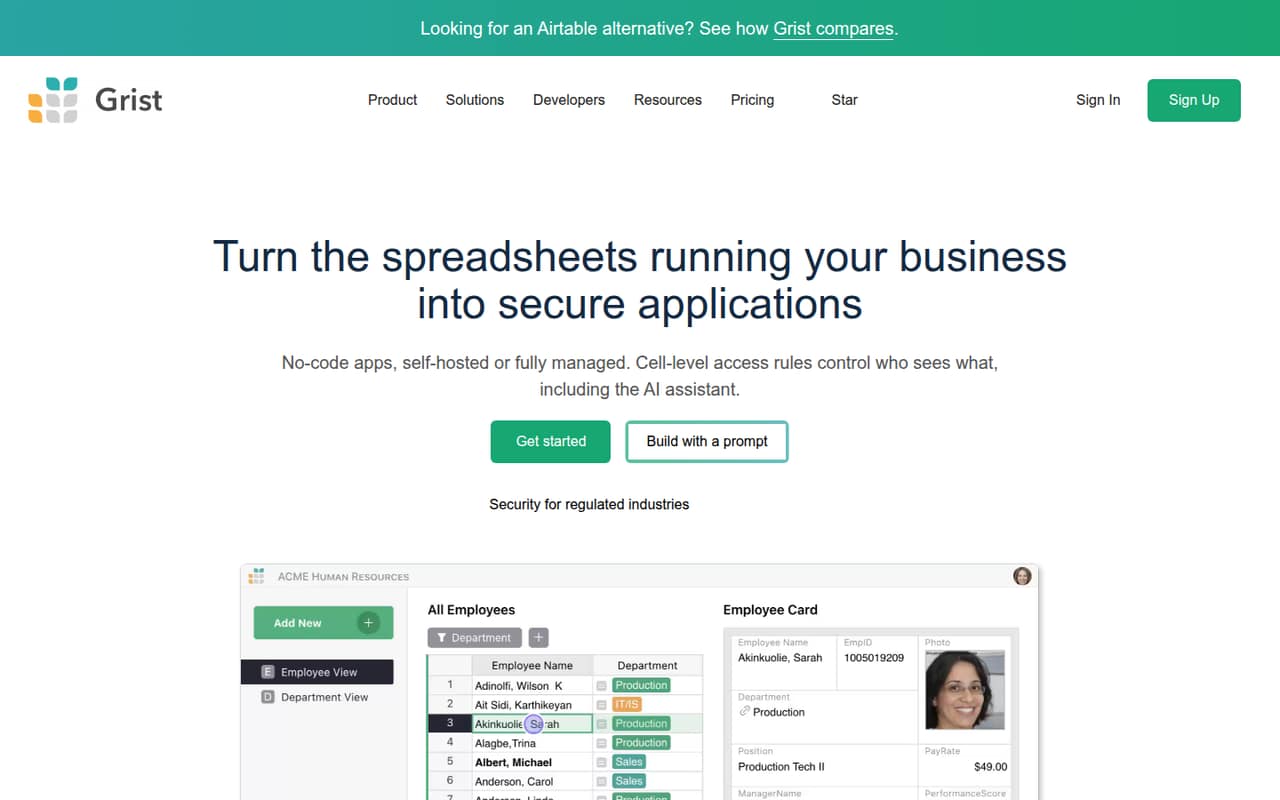
Grist suits a solo operator or a small team of up to 10 people that has outgrown a pile of disconnected spreadsheets but isn’t ready to buy or build a larger business application. It combines a spreadsheet interface with relational data tools, so teams can link records, make forms, and create custom views without giving up rows and columns.
It is a practical fit for tracking work, collecting submissions, or organizing information that needs more structure and access control than a shared sheet. The hosted Free plan is a reasonable starting point for a budget-conscious team, with 5,000 records per document and 10 team members. A team that needs more records or AI Assistant credits will likely look at Pro, listed at $8 per user per month with annual billing. Grist may be a harder sell if the team wants a simple spreadsheet and no learning curve.
02Grist free plan and trial
The hosted Free plan includes unlimited documents, up to 5,000 records per document, 30 days of snapshot history, and 10 team members. Each document can also have two free guests. That is enough to try a workflow with a small team without paying for seats, though the record cap applies separately to each document.
The main limits are the 5,000-record ceiling and shorter snapshot history than paid hosted plans. The pricing page lists 30-day trials for Pro and Business, so a team can also evaluate those plans before paying. Pro raises the document limit to 100,000 records and includes 100 AI Assistant credits per month. If the team needs more than that, confirm the current credit options and expected usage before upgrading.
03What a small team pays for Grist
Pro (hosted) is the cheapest paid hosted plan for a small team. The pricing page lists it at $10 per user per month, or $8 per user per month with annual billing. That works out to $10 monthly or $8 annually for one person; $30 or $24 for three; and $50 or $40 for five. The annual figures are monthly equivalents, billed annually, and the page says annual billing saves 20%.
Business (hosted) starts at five users, at $30 per user per month or $24 with annual billing. A five-person team would pay $150 monthly or $120 per month on annual billing. It includes automations and priority email support, which Pro’s listed features don’t include.
Guests are free, up to two per document. AI Assistant credits beyond a plan’s allowance cost $10 monthly for 500 credits or $29 for 2,000. Add those only if the team expects to use them; they can change the value calculation for a small group.
04Getting started with Grist
Grist’s spreadsheet interface gives people a familiar place to start, while linked records, layouts, and access rules add concepts beyond a basic sheet. Teams can also build forms and use Python formulas alongside familiar Excel functions. That combination can handle more involved workflows, but it means the person setting up a document should be comfortable thinking about how records relate and who should see or edit them.
The vendor doesn’t publish a setup-time estimate. It also doesn’t publish a named integration list in the pricing details; ask Grist to confirm the specific connections your team needs before you commit. For a first project, keep the scope small: bring in one workflow, decide who needs access, and test the form or views with a few teammates. Reddit discussion focuses more on edition and SSO policy than on setup difficulty, so it offers little guidance on onboarding effort.
05When small teams outgrow Grist
The first upgrade trigger is data volume: Free stops at 5,000 records per document, while Pro raises that to 100,000. Other reasons to move up include needing more than 100 AI Assistant credits per month, longer snapshot history, or Business features such as automations and priority email support. Business requires at least five seats, so a smaller team should compare its needs with the per-seat minimum before choosing it.
A different limit may matter to self-hosters. Reddit users in a self-hosting discussion objected to SSO being removed from Community edition and questioned the change’s effect on trust. The listed self-hosted paid plan includes custom SSO and audit log streaming at $24 per user per month annually, or $30 monthly. If SSO is essential, confirm the edition and licensing terms before building around Community edition. Larger organizations may need a managed Enterprise plan with custom limits and governance features.
From the threadsWhat users say
Reddit discussion is notably critical of the Community edition SSO change, with some commenters also questioning the company’s trustworthiness. The Reddit threads we read gives little evidence about everyday use or hosted-plan satisfaction, so sentiment is best read as mixed-to-negative rather than a broad verdict on the product.
Grist lost my trust before I even used it
it gave me that typical "open source" bait & switch vibe
Grist removed SSO from Community Edition
La Suite Numérique of the French Government is using Grist with SSO since they have SAML
Questions people ask
Is Grist free for a small team?
Yes. The hosted Free plan includes unlimited documents, up to 5,000 records per document, 30 days of snapshot history, and 10 team members. It also allows two free guests per document. Teams that need more records, longer history, or additional features can compare the paid hosted plans.
How much does Grist cost for three people?
Pro (hosted) costs $10 per user per month, or $8 per user per month with annual billing. For three seats, that is $30 monthly or $24 per month on an annual plan, billed annually. The Free plan may work if its 5,000-record-per-document limit is enough.
Does Grist have a free trial?
The pricing page lists 30-day trials for Pro (hosted) and Business (hosted). The hosted Free plan is also available at no cost, with limits including 5,000 records per document and 30 days of snapshot history.
Can I self-host Grist for free?
Grist Community edition is free and open-source, with community support. The listed paid Grist (self-hosted) plan includes admin controls, an MCP server and AI Assistant, automations, custom SSO, and audit log streaming. Reddit users report concern about SSO no longer being supported in Community edition.
What happens when a Grist document reaches 5,000 records?
The Free hosted plan allows up to 5,000 records per document. Pro raises that limit to 100,000 records per document, and Business raises it to 150,000. If you expect a document to exceed its current plan’s limit, compare the upgrade cost and confirm your data needs with Grist.