
We may earn a commission if you buy through links on this page. It never changes a score or a ranking. How we make money
The bottom line
Worth a look for teams building AI workflows, if $37/month fits the budget.
Gumloop is for building AI agents and automations across business tools, not for making full apps. Its listed Pro plan includes unlimited seats, 20,000 monthly credits, and a 14-day trial, but there’s no free plan.
Good fit if
- Small teams automating repeat work
- Teams that need browser-based agents
- Nontechnical staff building workflows
Skip it if
- Teams that need a free plan
- People building full customer-facing apps
- Teams needing published annual pricing
ScoresHow it rates
What works
- Pro includes unlimited agents, seats, and teams
- 400+ connectors listed in product details
- Browser agents can click, type, and upload
- Human handoffs support sign-ins and approvals
- Agents can work through workplace apps and messaging
What doesn't
- No free plan
- Pro starts at $37/month
- Annual billing and discounts are not published
- Extra-credit pricing is not published
- Reddit users report quirks and a learning curve
01Who Gumloop is for
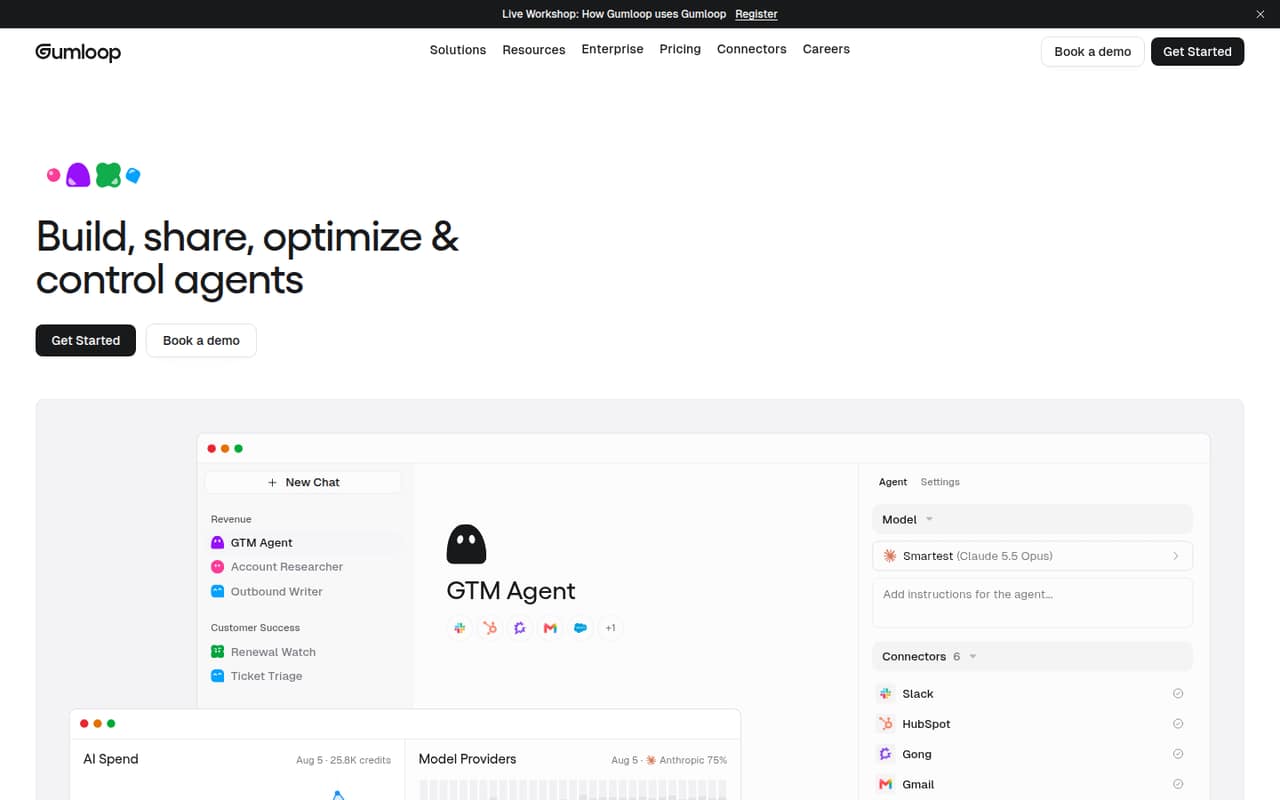
Gumloop is aimed at small teams that want AI agents to handle repeat work across their business tools. Think of a team of one to ten people trying to automate tasks such as gathering website data, moving information between apps, or responding through workplace messaging. Gumloop describes its agents as tools that can understand business context and work across connected services.
It is an automation and agent builder, not a full app builder: a Reddit commenter made that distinction when discussing Gumloop alongside AI app-building tools. The product lists 400+ connectors, browser automation, and collaboration through Slack, Microsoft Teams, email, and messaging channels. Pro starts at $37/month and includes unlimited seats, so a small team does not face a listed per-seat charge. That makes it worth considering if your workflows use enough of its 20,000 monthly credits to justify paying from the start.
02Gumloop free plan and trial
Gumloop does not list a free plan. The pricing page lists a 14-day free trial, but it does not publish the trial’s credit allowance, feature restrictions, or what happens when the trial ends. Check those details with Gumloop before building a workflow your team depends on.
After the trial, the listed entry plan is Pro, starting at $37/month. It includes unlimited agents, seats, and teams, 35+ models, and 20,000 credits per month. The plan also lists five concurrent workflow runs and 25 concurrent agent chats. Those numbers help set expectations, but the pricing page does not explain how credits are spent or what happens when they run out. If you only need occasional experiments, the trial is the only no-cost option listed; a continuing free tier is not available.
03What a small team pays for Gumloop
The pricing page lists Pro starting at $37/month. It includes unlimited seats, so the listed starting-price math is $37/month for one person, $37/month for three, and $37/month for five—not $37 per seat. These are calculations from the published starting price, not a guarantee that every account will have the same final bill. Annual billing and discounts are not published.
Pro includes 20,000 monthly credits, 35+ models, five concurrent workflow runs, and 25 concurrent agent chats. Gumloop does not publish the price of extra credits or explain the charges, if any, when usage exceeds the included amount. Ask how your expected workflows consume credits before committing.
Enterprise is custom-priced for organizations needing custom controls, connector policies, guardrails, or concurrency limits. The pricing page also lists an embedded Gumloop expert and a virtual private cloud as Enterprise options, but their prices are not published. For most small teams, Pro is the listed starting point; Enterprise costs require a quote.
04Getting started with Gumloop
Gumloop says team members can build agents around tasks they understand without a learning curve. That is the product’s positioning, not a guarantee that every workflow is simple. Its Reddit feedback is mixed: one commenter called it easy to build and run, while another reported quirks that made it tricky to use.
A practical first step is to pick one repetitive task and identify the apps or websites it touches. Gumloop lists 400+ connectors, browser automation for sites with or without an API, and handoffs to a person when a site needs sign-in or approval. Its browser sessions can be recorded step by step, with passwords masked. Agents can also work through Slack, Microsoft Teams, email, and other listed messaging channels.
The product details do not specify setup time or publish a step-by-step onboarding estimate. For day one, confirm that the connectors your workflow needs are available, then check credit usage and concurrency requirements before expanding the build.
05When small teams outgrow Gumloop
A growing team may hit Gumloop’s listed Pro limits before it runs into a seat cap: Pro includes five concurrent workflow runs, 25 concurrent agent chats, and 20,000 monthly credits. The pricing page does not publish extra-credit prices or a higher self-serve tier, so ask Gumloop what happens when your usage exceeds those allowances. More seats alone do not require an upgrade under the listed Pro terms, which include unlimited seats.
Teams needing organization-wide connector policies, guardrails, custom concurrency, or custom proxy support may need Enterprise. That plan is custom-priced, and the pricing page does not publish its cost. It lists an embedded expert and virtual private cloud as optional Enterprise offerings, also without prices.
Reddit feedback points to a different kind of growing pain: one commenter described Gumloop as easy to build and run but more expensive, while another said quirks made it tricky. A commenter also characterized it as better suited to automations than full apps. If you need more complex workflow control or a different cost model, compare alternatives against your actual tasks and expected usage.
From the threadsWhat users say
Reddit comments are mixed and anecdotal. Some describe Gumloop as easy to build and run, while others mention quirks or consider it more expensive.
Gumloop : Easy to build, easy to run but little more expensive
Gumloop has some weird quirks that have made it tricky for me to use
Gumloop is more for automations/workflows than full apps
Gumloop : Easy to build, easy to run but little more expensive
Questions people ask
Is Gumloop free?
No. Gumloop does not list a free plan. The pricing page lists a 14-day free trial, but does not publish the trial’s credit allowance or feature restrictions. After the trial, Pro starts at $37/month.
How much does Gumloop cost for a small team?
Pro starts at $37/month and includes unlimited seats. Based on that listed starting price, the starting-price math is $37/month for one, three, or five seats. Annual billing, discounts, and extra-credit pricing are not published.
What does Gumloop Pro include?
The pricing page lists unlimited agents, seats, and teams; 35+ models; 20,000 monthly credits; five concurrent workflow runs; and 25 concurrent agent chats. Pro also has an 8% orchestration fee listed.
Can Gumloop automate websites without an API?
Gumloop’s product details say agents can use a real browser to click, type, upload, and pull data from websites, with or without an API. The product also describes secure handoffs when a site requires a person to sign in or approve an action.
Does Gumloop support team collaboration?
Yes. Gumloop describes collaboration through Slack, Microsoft Teams, email, text message, iMessage, RCS, or SMS. Pro includes unlimited seats and teams, according to the pricing page.