
We may earn a commission if you buy through links on this page. It never changes a score or a ranking. How we make money
The bottom line
Powerful AI deployment options, but custom pricing and setup make it a stretch for many small teams.
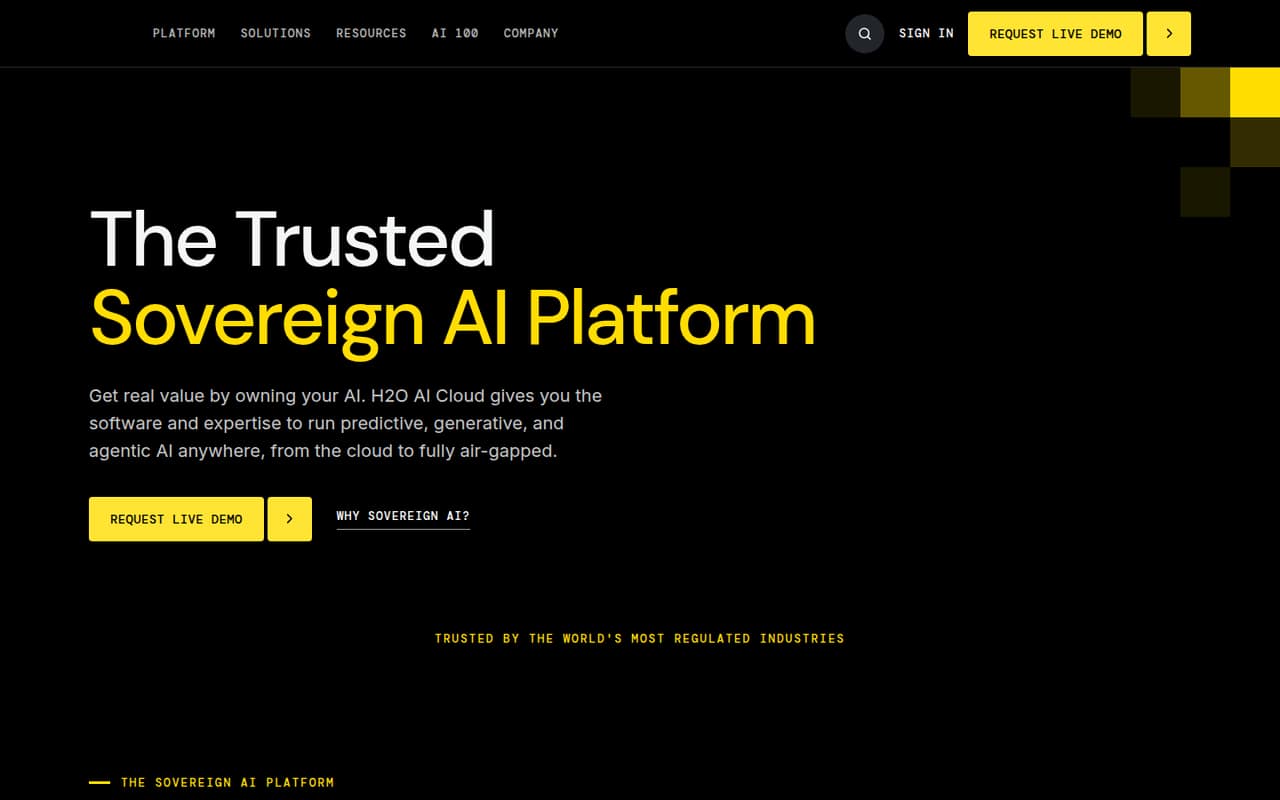
H2O AI Cloud brings predictive, generative, and agentic AI together with observability, coordinated by the H2O AI Super Agent. It can run in a cloud, private cloud, on-premises, or air-gapped environment, giving teams choices about where models and data stay.
For a team watching every subscription, the catch is price certainty: commercial plans use custom annual licensing based on compute and memory, and seat limits and monthly rates aren’t published. H2O-3 Core is free and open source, but it’s a self-hosted foundation, not a published free tier of the complete managed platform.
Good fit if
- Teams with strict deployment requirements
- AI groups combining multiple workloads
- Organizations able to budget annually
Skip it if
- Teams needing predictable monthly pricing
- Small teams seeking a turnkey setup
- Buyers who need published seat limits
ScoresHow it rates
What works
- Combines predictive, generative, and agentic AI
- Super Agent coordinates platform capabilities
- Supports cloud and private cloud deployment
- Can run on-premises or air-gapped
- H2O-3 Core is free and Apache 2.0 licensed
What doesn't
- Commercial pricing is custom and annual
- Monthly commercial rates aren’t published
- Seat and usage limits aren’t published
- Trial scope and terms aren’t published
- H2O-3 Core is self-hosted, not the full managed platform
01Who H2O AI Cloud is for
H2O AI Cloud is aimed at teams that need to run several kinds of AI while controlling where their models and data live. The platform combines predictive, generative, and agentic AI with observability, coordinated by the H2O AI Super Agent. Deployment options listed on the homepage include cloud, private cloud, on-premises, and air-gapped environments.
For a team of 1–10, it makes most sense when AI is central to the work and deployment requirements justify a custom annual contract. It’s less suited to a small team that wants one simple monthly subscription or a quick, low-cost way to try AI. Commercial licensing is based on compute and memory, but seat and usage limits aren’t published, so ask H2O for a quote that spells out the capacity and people included. Teams wanting a self-hosted open-source starting point can look at H2O-3 Core, but it isn’t the same as the full managed platform.
02H2O AI Cloud free plan and trial
H2O-3 Core is the free option listed: it is open source under the Apache 2.0 license and self-hosted. That makes it a no-license-cost starting point for teams prepared to run the software themselves. The vendor doesn’t publish seat or usage limits for it, so confirm what your intended workload requires before adopting it.
The pricing information also lists a 90-day free trial, but it doesn’t specify which plan or features the trial covers, whether payment details are required, or what happens when it ends. Don’t assume it includes a full H2O AI Cloud deployment without checking. For the complete managed or hybrid commercial platform, the cheapest option and any trial-to-paid terms require a vendor quote; commercial plans are custom annual licenses.
03What a small team pays for H2O AI Cloud
For the full commercial platform, a solo user, a team of three, and a team of five all need a custom quote. H2O AI Managed Cloud and H2O AI Hybrid Cloud are licensed annually based on compute and memory; the vendor doesn’t publish a per-seat rate, seat minimum, or monthly price. That means we can’t give a reliable per-person total or calculate what three or five seats cost. Ask for a quote covering your team size, expected compute and memory, and deployment needs.
H2O AI Cloud for Government also uses custom enterprise licensing, for government teams needing FedRAMP High environments. The free H2O-3 Core option costs $0 in license fees, but it is self-hosted and shouldn’t be treated as the price of the managed platform. Add-on and overage costs aren’t published. Before signing, ask whether the quote includes deployment, support, usage beyond the licensed capacity, and any required add-ons.
04Getting started with H2O AI Cloud
Setup effort depends on the deployment you choose. The platform is listed for cloud, private cloud, on-premises, or air-gapped use; the latter options mean your team will need to plan for its own environment and coordinate deployment requirements with H2O. Commercial licenses are based on compute and memory, so those needs should be part of the initial conversation.
The product description names predictive, generative, and agentic workflows, observability, and agent orchestration, but doesn’t publish a step-by-step setup guide or a list of required integrations. For a small team, confirm which workloads are included, what infrastructure you must provide, and how the Super Agent connects to your tools before committing. We can’t put a reliable number on implementation time from the published details. A team without dedicated AI or infrastructure support should ask the vendor to outline setup responsibilities and ongoing maintenance in writing.
05When small teams outgrow H2O AI Cloud
H2O AI Cloud doesn’t publish seat or usage limits, so there’s no clear public threshold at which a team must upgrade. The likely pressure point is capacity: commercial licenses are based on compute and memory, and teams should ask how pricing changes when those needs grow. Add-on and overage costs aren’t published, so get those terms before usage expands.
A small team may also find that its needs have outgrown H2O-3 Core when it wants managed deployment or the wider platform rather than a self-hosted open-source foundation. Moving to H2O AI Managed Cloud or H2O AI Hybrid Cloud means entering custom annual licensing, not stepping up to a published per-seat plan. If you need predictable month-to-month costs or a simple seat-based upgrade path, ask H2O whether it can quote those terms—or compare tools that publish them.
Questions people ask
Does H2O AI Cloud have a free plan?
H2O-3 Core is listed as free and open source under the Apache 2.0 license, and it is self-hosted. H2O AI Cloud also has a listed 90-day trial, but the trial’s plan coverage and terms aren’t published. Ask H2O what the trial includes before relying on it.
How much does H2O AI Cloud cost per month?
The vendor doesn’t publish monthly rates for the commercial plans. H2O AI Managed Cloud and H2O AI Hybrid Cloud use custom annual licenses based on compute and memory. Ask for a quote that includes your deployment, team size, expected usage, and any add-ons.
Can H2O AI Cloud run on-premises?
Yes. H2O lists on-premises deployment for H2O AI Hybrid Cloud. The homepage also describes on-premises and fully air-gapped deployment options. Confirm infrastructure requirements and licensing details with H2O before choosing a deployment.
What is the difference between H2O-3 Core and H2O AI Cloud?
H2O-3 Core is the free, Apache 2.0-licensed, self-hosted option. H2O AI Cloud brings predictive, generative, and agentic AI together with observability and the H2O AI Super Agent. Confirm with H2O which commercial features and deployment options your team needs.
Is H2O AI Cloud suitable for a small team?
It can fit a small team with specific AI deployment needs and a budget for custom annual licensing. The challenge is that commercial prices, seat limits, and usage limits aren’t published, making costs hard to forecast. H2O-3 Core is a free starting point if self-hosting is acceptable.