
We may earn a commission if you buy through links on this page. It never changes a score or a ranking. How we make money
The bottom line
A construction-focused payroll and workflow suite, with pricing a small team must confirm before budgeting.
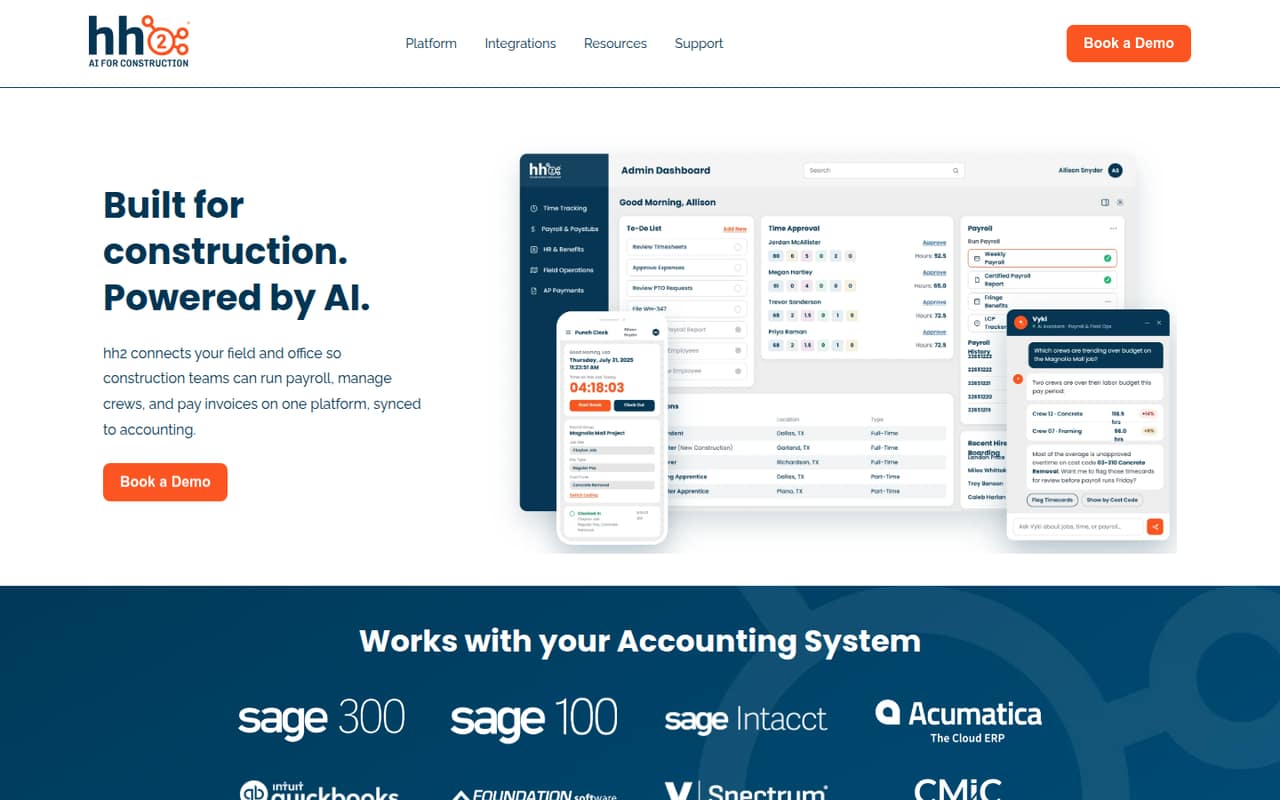
hh2 connects construction field and office workflows for payroll, HR, time tracking and accounts payable, with accounting integrations. Its features address construction-specific needs such as certified payroll, prevailing wage, union rules and job cost codes.
For a small team, the main drawback is the buying uncertainty: the pricing page lists Remote Payroll starting at $199, but the billing period and overall pricing are not published. There is no listed free plan, and implementation and support can add fees.
Good fit if
- Construction teams with complex payroll
- Crews needing field-to-office workflows
- Teams syncing work with accounting
Skip it if
- Teams that need a free plan
- Buyers requiring predictable seat pricing
- Businesses outside construction
ScoresHow it rates
What works
- Supports certified payroll and prevailing wage
- Handles union rules and overtime
- Offers online and offline time entry
- Connects payroll, HR, time and AP
- Includes construction-focused Vyki AI
What doesn't
- No free plan is listed
- Trial availability is not published
- Billing cadence is not published
- Plan limits are not published
- Training and implementation cost $250 per hour
01Who hh2 is for
hh2 is aimed at construction businesses that need field work, office administration and accounting to share information. It may fit a team of 1–10 people if payroll rules, crew time or invoice approvals are taking too much manual coordination. The product covers payroll, HR, time tracking and accounts payable, with accounting integrations intended to reduce duplicate entry.
The strongest case is a contractor dealing with certified payroll, prevailing wage, union rules, job phases or cost codes. Those needs make hh2 more relevant than a general-purpose payroll tool. A very small team with simple payroll may not need the broader suite, especially when the vendor’s pricing is custom. The pricing page lists Remote Payroll starting at $199, but does not state the billing period or total cost. Ask hh2 for a quote based on your users, products and payroll complexity before deciding whether it fits your budget.
02hh2 free plan and trial
The pricing page lists no free plan, and a free trial is not published. That means a small team should not count on testing the full workflow at no cost before buying. Ask hh2 whether it offers a trial or guided evaluation for the specific products you need.
The cheapest listed way in is Remote Payroll, which starts at $199 and is usage-based. The vendor does not publish the billing period, usage basis, plan limits or general billing cadence, so $199 is a starting figure rather than a usable monthly or annual budget. Get a written quote that spells out the covered users, payroll volume, included support and any required products. Training and implementation are listed separately at $250 per hour.
03What a small team pays for hh2
The pricing page lists Remote Payroll from $199, usage-based, but does not say whether that is monthly, annual or another billing period. It also does not publish a per-seat rate. So we cannot calculate a defensible cost for one person, three people or five people, or compare monthly and annual billing. The $199 starting price should not be treated as a per-person figure.
General pricing and plan limits are not published, and the product is sold by custom quote. Ask hh2 for itemized quotes for your actual team size, plus the payroll volume or other usage measures that affect the price. Check whether payroll, HR, time tracking, AP automation and accounting connections are priced together or separately.
The listed add-ons matter on a tight budget: training and implementation cost $250 per hour. Additional support incidents cost $150 per incident upfront; ongoing rates are $12.50 per incident per month for one or two annual incidents, or $10 per incident per month for three or more annual incidents. Confirm which support is included before signing.
04Getting started with hh2
The product spans payroll, HR, time tracking and accounts payable, so setup is likely to involve more coordination than switching on a standalone time clock. hh2’s listed capabilities include payroll rules, digital onboarding, time entry and invoice approval workflows. A small team should identify which of those it needs first, rather than assume every product is included in one package.
The vendor does not publish a standard setup timeline or a measure of the effort required. Training and implementation are listed at $250 per hour, so ask for an estimate and a clear scope before budgeting. For day one, confirm which accounting system hh2 can connect to and what data will sync; the published feature details describe accounting integrations but do not name supported systems. Also ask how crew records, cost codes and payroll rules are configured, and whether your quote includes help setting them up.
05When small teams outgrow hh2
hh2 is designed to cover several connected workflows, so a growing construction team may find room to add payroll, HR, time tracking or AP automation as its needs change. The pressure point is less a published seat ceiling than a lack of public limits: the vendor does not publish plan limits, per-seat pricing or general billing terms. That makes it difficult to forecast how costs will change as headcount, payroll volume or product use increases.
Before adding crews or modules, ask hh2 for a quote at your expected team size and usage, plus any thresholds that change the price. Ask whether accounting connections or support costs change as you scale. If your work remains simple and the custom quote is hard to justify, you may be paying for more construction-specific workflow than you need. If you need a fixed per-seat budget or published plan caps, hh2’s current pricing information may not give you enough certainty to commit.
Questions people ask
Does hh2 have a free plan?
The pricing information lists no free plan, and a free trial is not published. Ask hh2 whether it offers a trial or evaluation for the products you are considering. Remote Payroll is the lowest listed starting option at $199, but the vendor does not state its billing period or the usage details behind the price.
How much does hh2 cost for a small team?
The pricing page lists Remote Payroll starting at $199, usage-based, but does not publish the billing cadence or a per-seat rate. General pricing is by custom quote. Request itemized prices for your team size and usage, and ask whether payroll, HR, time tracking and AP automation are included or billed separately.
What does hh2 Remote Payroll include?
hh2’s listed payroll capabilities include automation for certified payroll, prevailing wage, overtime, union rules and tax setup. Remote Payroll starts at $199 and is usage-based, but the pricing information does not specify the billing period, plan limits or exactly which features come with that starting price. Confirm the scope with hh2.
Does hh2 integrate with accounting software?
Yes. hh2 lists accounting integrations that connect time, payroll, HR and accounts payable workflows with accounting systems. The specific supported systems are not named in the available product details. Before buying, ask hh2 to confirm that it supports your accounting software and which data syncs between the systems.
What extra fees should I budget for with hh2?
Training and implementation are listed at $250 per hour. Additional support incidents cost $150 per incident upfront; ongoing rates are $12.50 per incident per month for one or two annual incidents, or $10 per incident per month for three or more annual incidents. Ask which support is included in your quote and whether implementation is required.