
We may earn a commission if you buy through links on this page. It never changes a score or a ranking. How we make money
The bottom line
Good breadth for browser agents; budget around usage, not just the monthly plan.
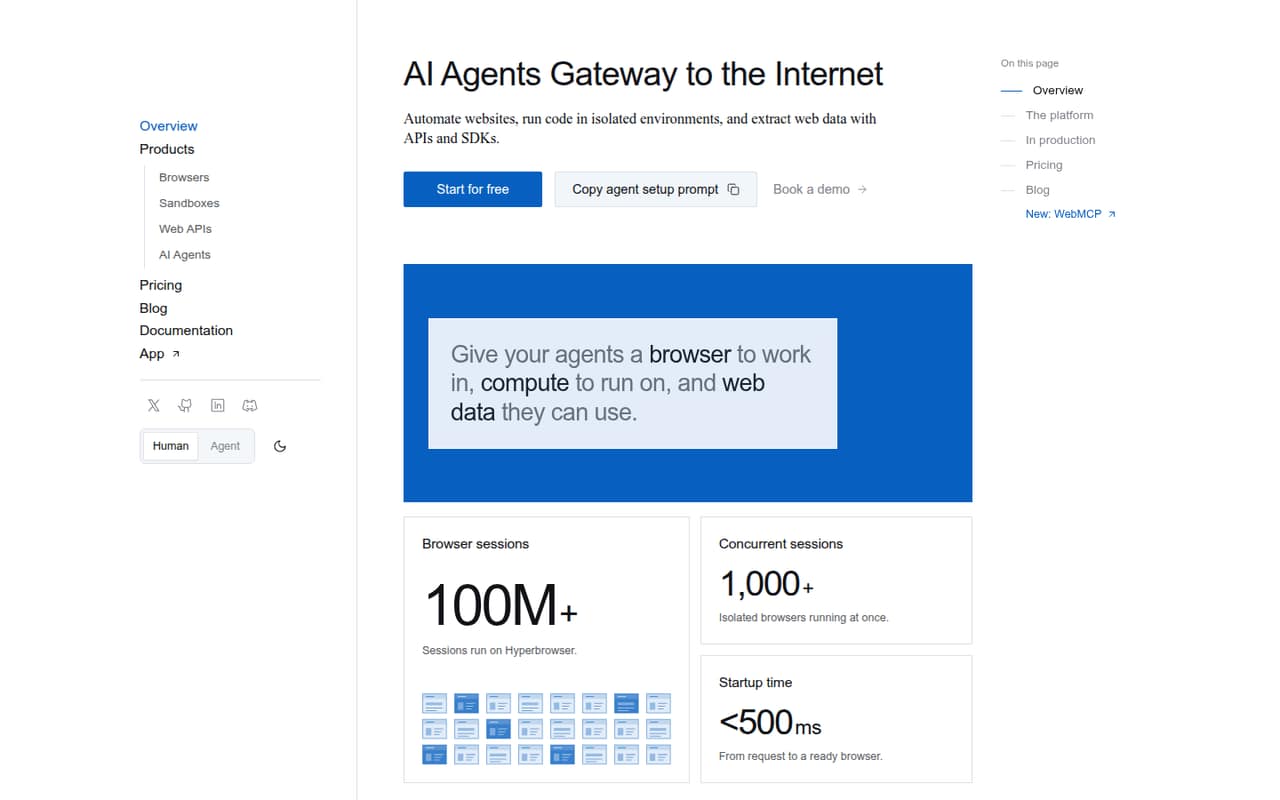
Hyperbrowser bundles cloud Chrome sessions, code sandboxes, web-data APIs, and prompt-run agents. Its free plan gives a small team a way to try all four products, while the first paid plan is $30 per month.
The main trade-off is that credits and usage-based charges can make the bill harder to predict. Reddit feedback on long-running sessions is mixed: one user reported better stability, but said it still was not perfect.
Good fit if
- Teams building browser agents
- Small-scale crawling and extraction
- Developers who need cloud sessions
Skip it if
- Teams wanting fixed, seat-based pricing
- No-code users avoiding technical setup
- High-volume scraping on a tight budget
ScoresHow it rates
What works
- Free plan includes all four products
- Cloud Chrome works with Playwright or Puppeteer
- Web API returns Markdown, HTML, screenshots, or JSON
- Saved profiles preserve cookies and logins
- Live sessions and recordings help debug runs
What doesn't
- Free plan is limited to 5,000 credits
- Only one concurrent session on Free
- Annual plan prices are not published
- Usage charges vary by product and consumption
- Paid-plan seat terms are not published
01Who Hyperbrowser is for
A small team of one to ten can consider Hyperbrowser if it is building AI agents that need to browse sites, collect web data, or run code in isolated environments. It combines cloud-hosted Chrome controlled with Playwright or Puppeteer, web APIs for fetching, crawling, and searching, and agents that can run tasks from prompts.
That range is useful when a team wants browser automation and web-data tools in one service. It is probably more than a small team needs for occasional manual research or a basic scraper. The free plan is a low-cost way to explore the workflows; Startup, at $30 per month, is the first paid option for scheduled jobs and small applications. The pricing page lists concurrent sessions and credits rather than a per-seat price, so teams should confirm how access is handled before budgeting around headcount. Expect to weigh the plan fee against usage charges for browser time, proxies, sandboxes, and API calls.
02Hyperbrowser free plan and trial
The pricing page lists a Free plan at $0 per month with 5,000 credits, one concurrent session, seven days of data retention, and access to all four products. That is enough to start trying cloud browsers, sandboxes, web-data APIs, and prompt-run agents, but the credit allowance and single-session limit put a ceiling on parallel or sustained work.
Paid plans can buy additional credits or enable auto-reload; the listed rate is $1 per 1,000 credits. The pricing page lists a 14-day trial for Enterprise, not as a general free-plan extension. If a team needs more capacity than Free provides, Startup is the cheapest listed paid plan at $30 per month, with 30,000 credits and 25 concurrent sessions.
03What a small team pays for Hyperbrowser
Startup costs $30 per month, with 30,000 credits, $30 of usage included monthly, 25 concurrent sessions, and 30 days of data retention. That is $30 for one person. Divided across three people, it works out to $10 each; across five, $6 each. Those are simple cost-per-person calculations, not published seat prices—the vendor does not publish seat terms, so ask how team access works.
At the listed monthly rate, Startup totals $360 over 12 months. The pricing page says annual-contract invoices are available, but annual prices are not published. Scale is $100 per month, or $20 each across five people before usage, with 100,000 credits and 100 concurrent sessions.
Watch the usage meter: browser time is $0.10 per hour, proxy data is $10 per GB, and sandbox compute is billed by vCPU-hour and GiB-hour. Fetch costs $0.001 per page; search costs $0.005 per query. Other options, including JSON output, location, and AI Extract, add charges.
04Getting started with Hyperbrowser
Setup effort depends on the workflow. A developer can control cloud Chrome through Playwright or Puppeteer, while a team that wants to avoid writing every browser action can run tasks through HyperAgent, Browser Use, or computer-use models. The web-data APIs cover fetch, crawl, and search tasks, and sandboxes provide isolated environments for running commands.
For a code-first team, expect some engineering work to connect its chosen browser or API workflow and manage credits and usage. Saved profiles can reuse cookies and logins; saved sandbox snapshots can restore an environment. Live sessions and recordings give teams a way to inspect runs and debug them. Those features offer practical visibility, but they do not remove the need to decide how the agent should navigate a site or handle failures. The product supports Playwright and Puppeteer; the vendor does not publish a seat-based setup path or an effort estimate.
05When small teams outgrow Hyperbrowser
The Free plan may stop fitting once a team needs more than one concurrent session, more than 5,000 credits, or longer than seven days of data retention. Startup raises those limits to 25 sessions, 30,000 credits, and 30 days; Scale offers 100 sessions and 100,000 credits for $100 per month. Enterprise is the listed route for custom credit allocations, 1,000 or more concurrent sessions, and 180 or more days of retention.
A growing team may also outgrow the budget when browser time, proxy data, sandbox compute, or API calls push costs beyond the included usage. There is no published seat price to make headcount-based forecasting straightforward, so ask the vendor about team access and expected usage. Reddit feedback on long-running workflows is mixed: one user said Hyperbrowser felt more stable with multiple tabs and logins, but also said it was not perfect. That is a reason to plan for retries and check your own workflow’s needs, not a guarantee of stability.
From the threadsWhat users say
Reddit feedback is mixed and limited. One user described better stability for longer runs but still noted imperfections; other posts show people comparing tools or looking for peers rather than offering a clear consensus.
Hyperbrowser felt a bit more stable in those cases, especially when I added multiple tabs and logins
though it still was not perfect
I’ve been testing different platforms for building a fully autonomous web automation agent that needs to run for hours without breaking
Want to have a discussion
Questions people ask
What does Hyperbrowser do?
Hyperbrowser provides cloud-hosted Chrome sessions, isolated environments for running code, and APIs to fetch, crawl, or search websites. It also runs browser tasks through HyperAgent, Browser Use, or computer-use models. Teams can save browser profiles and sandbox snapshots, and inspect or replay browser sessions.
Does Hyperbrowser have a free plan?
Yes. The pricing page lists a $0 Free plan with 5,000 credits, one concurrent session, seven days of data retention, and access to all four products. It is a limited starting point for trying workflows. Paid plans can buy additional credits or enable auto-reload.
How much does Hyperbrowser cost?
Startup costs $30 per month and Scale costs $100 per month. Enterprise pricing is custom. Annual-contract invoices are available, but annual prices are not published. Usage charges can apply for browser time, proxy data, sandbox compute, and web API calls, so the plan fee may not be the whole bill.
Can I use Hyperbrowser with Playwright?
Yes. Hyperbrowser’s cloud-hosted Chrome sessions can be controlled through Playwright or Puppeteer. The service also offers prompt-run browser agents and web-data APIs. Which route suits your team depends on whether you want to write browser automation code or use an agent workflow.
What happens when I use more than my plan includes?
The pricing page lists additional credits at $1 per 1,000 credits, and says paid plans can buy credits or enable auto-reload. It also lists separate usage rates for browser time, proxy data, sandbox compute, and API calls. Check the rates against your expected workload before choosing a plan.
Sources
- Hyperbrowser homepage
- Hyperbrowser pricing page
- Reddit: Anyone here compared Hyperbrowser with Browserbase or Playwright for long-running agent tasks?
- Reddit: Anyone using one of these? BrowserBase, Airtop.ai , Browser Use, Hyperbrowser or Anchor Browser
- Reddit: Follow up on Hyperbrowser, Playwright and Browserbase for long running automation