
We may earn a commission if you buy through links on this page. It never changes a score or a ranking. How we make money
The bottom line
A useful interactive-content builder, if its view limits and unpublished seat costs fit your budget.
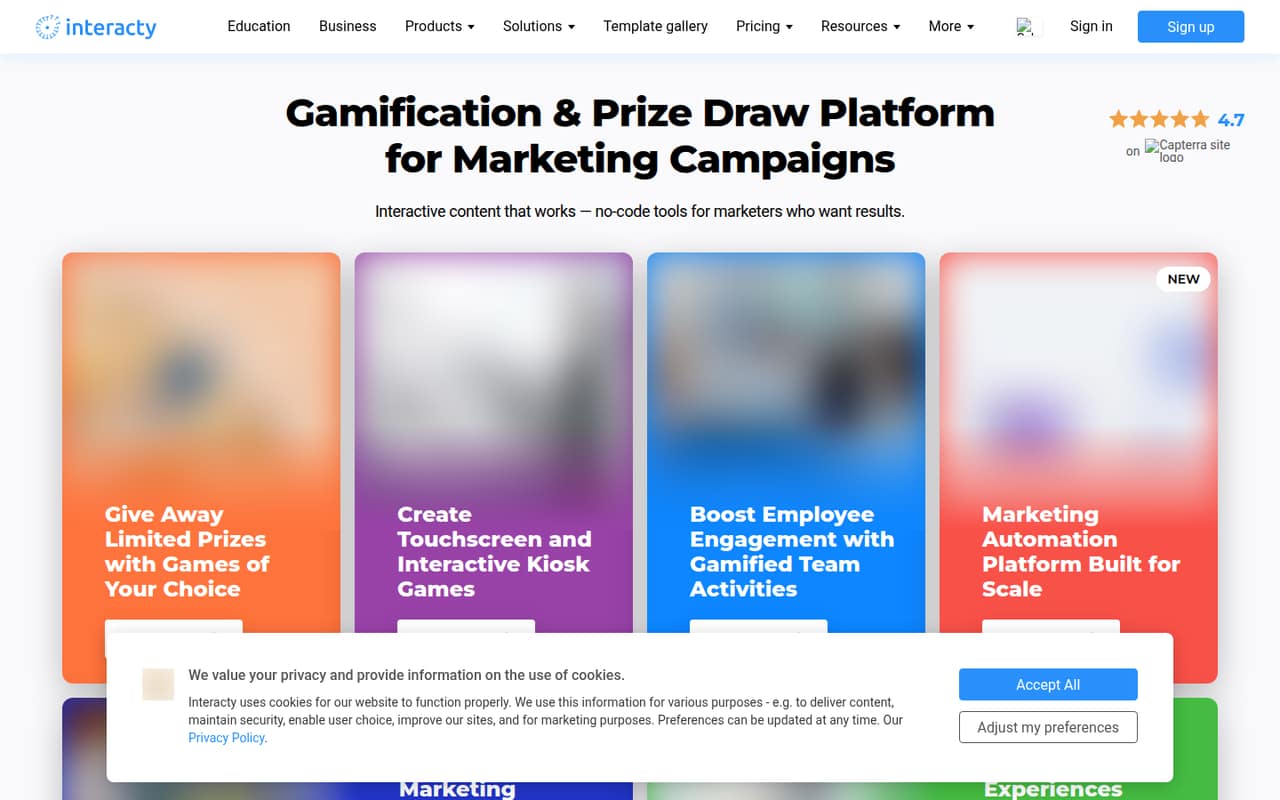
Interacty lets a small team build branded games, quizzes, lessons and other interactive projects from templates and customizable blocks. You can share or embed projects, collect leads with forms and run competitions with leaderboards. That makes it worth considering when interactive content is the job, rather than a tool every small team needs by default.
The listed free and $3-per-month Beginner plans are for education users. The free plan has 500 pageviews a month; Beginner raises the listed allowance to 1,000 project views and adds storage and project capacity. The pricing details don’t say whether paid pricing is per seat, and Beginner’s monthly-billing price isn’t published, so confirm total cost before adding teammates.
Good fit if
- Education teams testing interactive lessons
- Small teams making branded quizzes
- Campaigns that collect leads with forms
Skip it if
- Teams needing published seat pricing
- Projects with high monthly view volumes
- Teams seeking a general-purpose marketing suite
ScoresHow it rates
What works
- Templates and blocks help structure interactive projects
- Supports quizzes, games, slideshows and timelines
- Forms can collect leads from activities
- Projects can be embedded or shared by QR code
- Free Education plan requires no credit card
What doesn't
- Listed plan prices are for education users
- Free plan is limited to 500 pageviews monthly
- Beginner monthly-billing price is not published
- Seat pricing is not specified
- Integration details are not published in the pricing details
01Who Interacty is for
Interacty is for a small team that needs to make interactive content without building each experience from scratch. Its templates and customizable blocks cover quizzes, games, slideshows, timelines, interactive images and more. The editor supports design customization, including CSS styles, while forms and leaderboards add ways to collect responses or run competitions.
For a team of one to ten, it makes sense when branded activities are a regular part of education, marketing or audience engagement. A solo marketer or a small education team could start with one project and see whether the monthly view allowance is enough. It is less compelling if you only need a standard form or a static page; the extra game and quiz-building tools may go unused. The published plans here are education plans, so a non-education business should ask Interacty for applicable pricing before budgeting. Seat costs and team permissions are not specified in the listed pricing.
02Interacty free plan and trial
The Free (Education) plan costs $0 per month, requires no credit card and includes 500 pageviews a month and 100 MB of storage. That gives an education user a low-cost way to start building and sharing activities, but the 500-pageview allowance may be a constraint if projects attract regular traffic. The listed limit is pageviews, not a stated number of projects.
There is no free-trial offer listed. The cheapest paid option shown is Beginner (Education), at $3 a month when billed annually. It includes 1,000 project views a month, up to 100 projects and 500 MB of storage. The vendor does not publish a monthly-billing price for Beginner, and the listed details do not say whether the plans charge per user. Confirm both points before moving a team onto a paid plan.
03What a small team pays for Interacty
The listed prices are for education users. Free costs $0. Beginner costs $3 per month when billed annually, equivalent to $36 per year for the listed plan. Its monthly-billing price is not published. The pricing details do not say whether $3 is per account or per seat, so we can’t give a confirmed total for a team of three or five.
If Interacty confirms that Beginner is billed per user, the annual-billing equivalent would be $9 a month for three users, or $108 a year, and $15 a month for five, or $180 a year. Those are conditional calculations, not published team quotes. If $3 covers a whole account, the total would instead remain $3 a month when billed annually; confirm with the vendor before relying on that interpretation.
The listed Beginner allowance is 1,000 project views a month, 100 projects and 500 MB of storage. Free includes 500 pageviews and 100 MB. No add-ons are listed in the pricing details, so ask about overage charges and any extra costs before a campaign with substantial traffic.
04Getting started with Interacty
Interacty’s no-code approach, ready-made templates and customizable blocks point to a workflow built around assembling and styling projects rather than coding them from scratch. The platform supports activities such as quizzes, games, slideshows and interactive images. You can add forms or leaderboards, then share a project, embed it on a website or distribute it with a QR code.
The exact setup time and learning curve are not published, so a small team should allow time to choose a template, customize the design and check the finished activity on its intended sharing channel. The editor supports CSS styles, which may help when the standard design options are not enough, but CSS knowledge could be needed for custom styling.
The listed pricing details do not specify integrations. Before building a workflow around Interacty, ask whether your forms, CRM, analytics or other required tools connect natively, and what setup those connections involve.
05When small teams outgrow Interacty
The first clear sign to review your plan is traffic: Free includes 500 pageviews a month, while Beginner lists 1,000 project views a month. Those allowances use different labels, so ask Interacty how it counts views before comparing them or estimating campaign capacity. Beginner also caps projects at 100 and storage at 500 MB; Free includes 100 MB of storage.
A growing team may also need a confirmed answer on seats. The listed $3 Beginner price is monthly when billed annually, but the pricing details do not say whether it is per user or per account. That makes it hard to forecast the cost of adding collaborators. The monthly-billing price is also not published.
If your team needs more views, storage, projects, users or integrations, ask Interacty what a higher-capacity option costs and includes. The listed details do not describe another tier or overage rates, so don’t assume an upgrade will remove a specific limit without confirming it.
Questions people ask
Does Interacty have a free plan?
Yes. The Free (Education) plan is listed at $0 per month, requires no credit card and includes 500 pageviews a month and 100 MB of storage. The plan is labeled for education users. If your organization is not an education user, ask Interacty which free or paid options apply to you.
How much does Interacty cost?
The listed education plans are Free at $0 and Beginner at $3 per month when billed annually. Beginner’s monthly-billing price is not published. The pricing details also don’t say whether the $3 price is per user or per account, so confirm the billing basis before calculating a team budget.
What does Interacty Beginner include?
Beginner (Education) includes 1,000 project views a month, a maximum of 100 projects and 500 MB of storage. The listed price is $3 per month when billed annually. The free plan’s limit is described as pageviews, so ask Interacty how its view counts are measured before comparing the allowances.
Can I embed Interacty projects on my website?
Yes. Interacty supports embedding projects on websites. It also supports sharing projects and distributing them with a QR code. The listed pricing details don’t specify separate fees for these sharing methods, so confirm any plan restrictions with Interacty if embedding is central to your use.
Does Interacty pricing include team seats or integrations?
The listed pricing does not specify whether Beginner is priced per seat or per account, and it does not publish an integrations list. Ask Interacty to confirm the cost for your number of users and whether your required tools connect natively before you set up a team workflow.