
We may earn a commission if you buy through links on this page. It never changes a score or a ranking. How we make money
The bottom line
Useful AI editing tools for teams, with per-seat costs and credits to keep an eye on.
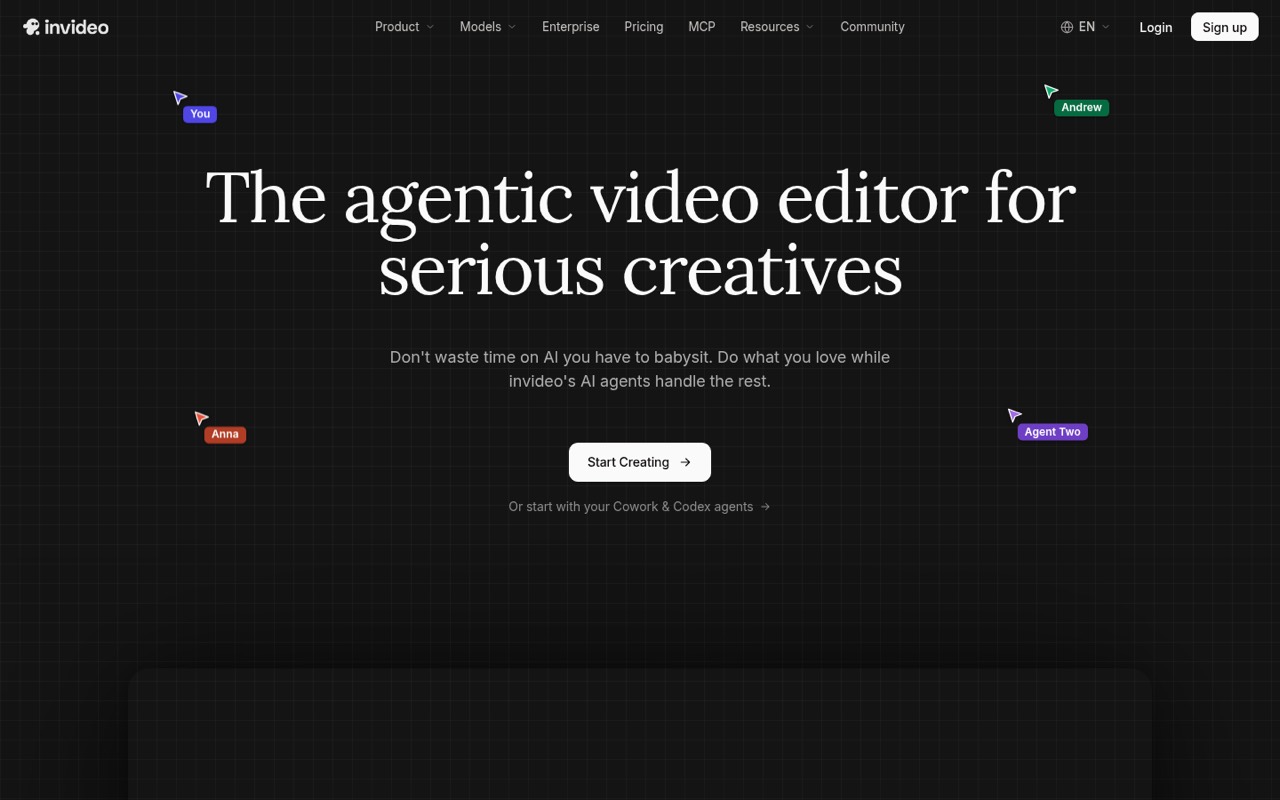
InVideo is aimed at people making video together: its AI can log footage, apply edits across clips, and collaborate on a multitrack timeline. Storyboarding, script help, and custom editing agents broaden the toolkit beyond basic video generation.
The pricing page lists no free plan or trial, and paid plans charge per seat. Starter is the least expensive entry point, but credits do not roll over. Reddit accounts include both frustration with instructions and credit use and one user who says results improved after learning the agent.
Good fit if
- Small teams editing video together
- Creators directing AI with plain language
- Teams using batch timeline edits
Skip it if
- People who need a free plan
- Teams with unpredictable credit needs
- Editors wanting a simple, low-cost tool
ScoresHow it rates
What works
- AI can log clips for description-based search
- One instruction can edit multiple timeline shots
- Real-time collaboration with live cursors
- Script and storyboard assistance are included
- Starter supports up to five seats
What doesn't
- No free plan or trial is listed
- Paid plans charge per seat
- Unused monthly credits do not roll over
- Starter excludes Seedance 2.5 and 2.0
- Reddit users report ignored instructions and credit concerns
01Who InVideo is for
InVideo suits a small creative team that makes videos regularly and wants AI involved in editing, not just in generating a first draft. The product is positioned for filmmaking, advertising, microdrama, and social content, with multiplayer editing for people working on the same timeline. A team of up to five can fit on Starter; teams needing more seats or more credits have higher plans.
The editing agent can log footage so a user can look for moments by describing them, then apply an instruction across multiple clips. Teams can also use AI storyboarding, script co-writing, and custom agent roles such as cinematographer or colorist. That breadth may appeal to teams with a repeatable video process. It is harder to justify for occasional edits or a team that mainly needs a basic editor: the pricing page lists no free plan, and credits and seat costs need to fit the budget.
02InVideo free plan and trial
The pricing information lists no free plan and no free trial. That means there is no listed free allowance to use for a first project; the cheapest listed way in is Starter at $10 per seat per month with annual billing, or $20 per seat per month with monthly billing. Starter includes 400 credits per seat each month and supports up to five seats.
A Reddit user said they had used a free plan, but that account may reflect a different offer or time. We would confirm any free access directly with InVideo before planning around it. The pricing details do not publish a trial period or a free-credit signup allowance. If you are considering a paid plan, check how your intended tasks use credits and whether your team can work within the monthly allotment.
03What a small team pays for InVideo
The pricing page lists Starter at $20 per seat monthly, or $10 per seat per month with annual billing. That works out to $20 or $10 for one person; $60 or $30 for three; and $100 or $50 for five. Starter supports up to five seats and includes 400 credits per seat each month.
Plus costs $60 per seat monthly or $30 with annual billing. Three seats cost $180 monthly or $90 at the annual rate; five cost $300 or $150. Plus includes 2,000 credits per seat, up to 10 paid seats, and 10 free guest seats with 190 credits each. Max is $250 per seat per month either way, so it is a substantial jump for a small team.
The plan lists estimate generations, not a fixed output count for every project. Unused credits do not roll over. Confirm the annual billing commitment and how the credits apply to your planned work before choosing a tier.
04Getting started with InVideo
The listed workflow asks users to direct an AI agent in plain language, review edits on a multitrack timeline, and collaborate with teammates. That gives the team room to control the result, but it also means people need to learn how to phrase requests and check what the agent changed. InVideo describes tools for logging clips, batch edits, storyboarding, script writing, and building custom agents; the pricing information does not publish a setup time or onboarding requirements.
Integration details for a small team's other software are not published in the information available to us. Ask the vendor about the specific apps, file workflows, and account setup your team needs before buying. One Reddit user who had trouble with a job said they became satisfied with results after learning how Agent One operated. Another said the AI ignored clear clip instructions. That points to a learning curve and a need to review agent work rather than assume it will follow every request.
05When small teams outgrow InVideo
A team can outgrow Starter when it needs more than five paid seats, more monthly credits, or access to Seedance 2.5 and 2.0, which Starter excludes. Plus raises the limits to 10 paid seats and includes 10 guest seats, each with 190 credits. Max goes to 20 paid seats and 20 guest seats, with 8,000 credits per paid seat. The listed prices make those capacity increases a real budget decision, especially when paid seats multiply the monthly bill.
Credit unpredictability can also be a reason to reconsider. Unused credits expire at the end of the month, and the pricing page does not promise that every project will use a fixed number. One Reddit poster complained that InVideo ignored clip instructions; another described running out of credits on a large job. A commenter said they became satisfied after understanding Agent One, so results may depend on the workflow. If your team needs predictable project costs or consistently precise edits, ask the vendor for a credit estimate and test a representative job before expanding.
From the threadsWhat users say
Reddit sentiment is mostly negative or wary, with complaints about instructions and credit use. One user reported better results after learning how the agent worked, so experiences are not uniformly poor.
It completely ignored my instructions
I’d say more but I’ve run out of credits
Once I started understanding how Agent One operated, I was satisfied with the results I were getting
before u pay anything, run the free plan hard for a week and it actually hits it limits
Questions people ask
Does InVideo have a free plan?
The current pricing information lists no free plan and no free trial. A Reddit user has mentioned using a free plan, so offers may vary over time or by account. Check with InVideo before relying on free access. The cheapest listed paid option is Starter, at $10 per seat per month with annual billing.
How much does InVideo cost for a small team?
Starter is listed at $20 per seat per month with monthly billing or $10 per seat per month with annual billing. Three seats cost $60 monthly or $30 at the annual rate; five seats cost $100 or $50. Plus and Max cost more per seat and raise the credit and seat limits.
Do InVideo credits roll over?
No. The pricing details say unused credits do not roll over to the next month. Starter includes 400 credits per seat monthly, while Plus includes 2,000 and Max includes 8,000. Since project credit use can vary, ask InVideo how your typical workflow is charged before committing.
Can a team collaborate in InVideo?
InVideo lists multiplayer editing with live cursors. Seat limits vary by plan: Starter supports up to five seats, Plus up to 10 paid seats and 10 free guest seats, and Max up to 20 paid seats and 20 free guest seats. Guest seats on Plus and Max include 190 credits each.
What does InVideo Starter include?
Starter includes 400 credits per seat per month, about 160 Nano Banana Pro generations or 15 Seedance 2 fast videos, up to five seats, and 200 GB of storage. The plan does not include access to Seedance 2.5 or Seedance 2.0. The generation counts are approximate.