
We may earn a commission if you buy through links on this page. It never changes a score or a ranking. How we make money
The bottom line
A strong free local option, if your team can manage its own hardware and accept project uncertainty.
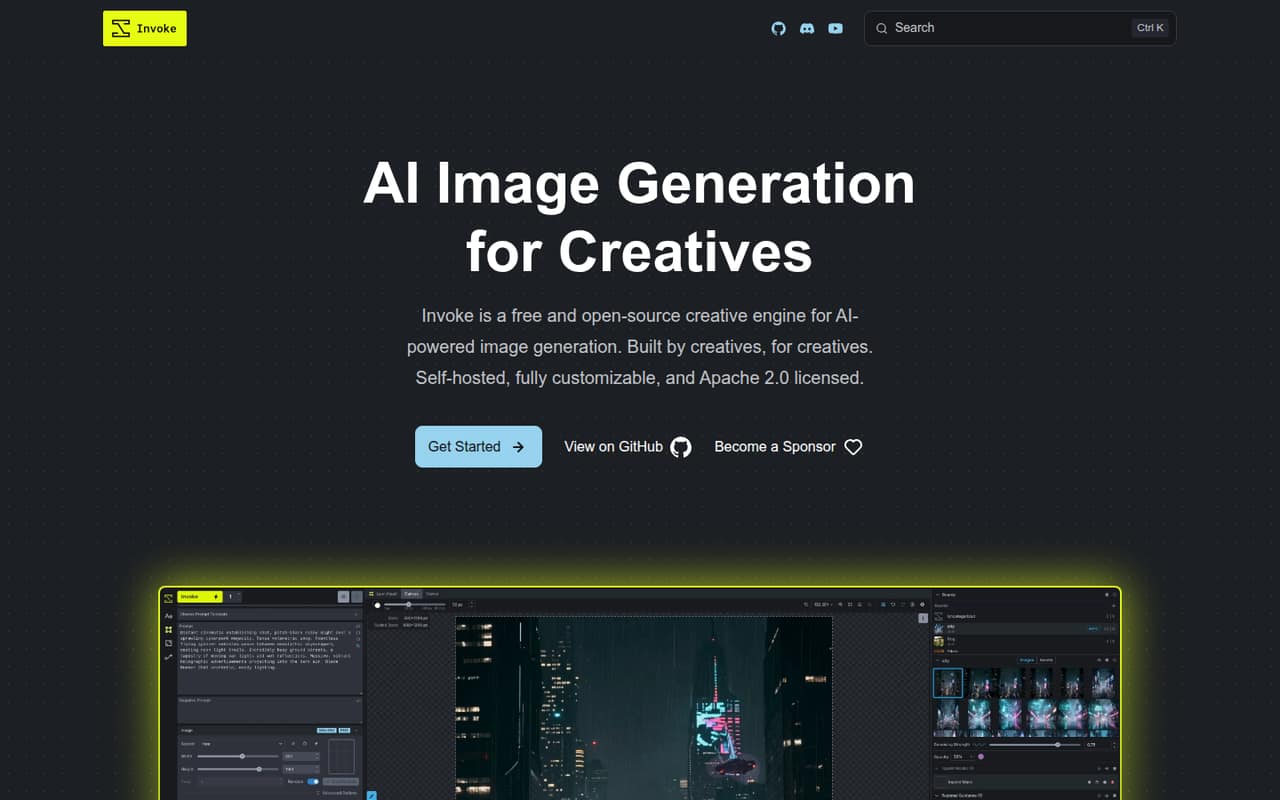
InvokeAI is a free, open-source image-generation app that runs on your own hardware. Its layer-based canvas and visual workflows suit teams that want to generate and edit images without sending prompts and creations to a hosted service.
The catch for budget-conscious teams: the listed hosted plans have been sunset, so the practical option is Community Edition. Reddit users praise its approachable interface, while others worry about development and support after the commercial team’s departure.
Good fit if
- Small teams with compatible local hardware
- Creators who edit images in layers
- Teams wanting a free local workflow
Skip it if
- Teams needing hosted workspaces today
- Buyers who need predictable vendor support
- Teams without compatible local hardware
ScoresHow it rates
What works
- Community Edition is free and open-source
- Unlimited generation on your own hardware
- Layer-based canvas for image editing
- Supports Flux, SDXL, SD 1.5, and ControlNets
- Visual workflows can be reproduced and customized
What doesn't
- Hosted plans have been sunset
- Local generation requires compatible hardware
- Hardware requirements are not published here
- Project development pace is a Reddit concern
- Community Edition has no listed dedicated support
01Who InvokeAI is for
InvokeAI is a fit for a one-to-ten-person creative team that wants image generation and editing without another per-seat subscription. The free Community Edition runs on your own hardware, so it may suit a team with compatible machines and someone willing to manage a local installation. The exact hardware requirements are not published on the vendor's site, so check them before you commit.
The app combines image generation with a layer-based canvas for drawing, painting, and editing. It also offers visual node workflows for building repeatable pipelines and supports models including Flux, SDXL, and SD 1.5, plus LoRAs and ControlNets. That makes it useful when the job involves more than generating a prompt once: a team can refine images, guide composition with inputs such as depth or pose, and upscale results. It is less suited to a team that wants a ready-made hosted workspace, since hosted tiers have been sunset.
02InvokeAI free plan and trial
Community Edition is the live free option listed for local users with compatible hardware. It includes unlimited local generation, self-managed local seats, and the open-source application under the Apache 2.0 license. Because it runs locally, prompts, data, and creations stay on your own hardware, according to the product description.
The old hosted plans are a different story. The pricing information lists a Starter trial, but its duration is not published, and the hosted tiers have since been sunset. Don’t count on a hosted trial or paid hosted workspace being available now. For a small team, the current entry point is Community Edition; budget for the hardware and the time needed to set it up. Exact hardware specifications and any current paid support options are not published.
03What a small team pays for InvokeAI
Community Edition costs $0, with unlimited local generation and self-managed seats. The pricing page lists hosted Starter at $19 monthly or $15 per month billed annually, but the hosted tiers have since been sunset. Those figures are historical listed rates, not a current hosted offer.
For seat maths, the listed Premier rate was $99 per user monthly or $79 per user per month billed annually. That works out to $99 monthly for one person, $297 for three, and $495 for five. On annual billing, the monthly equivalents are $79, $237, and $395; the corresponding annual bills are $948, $2,844, and $4,740. Premier also listed 36,000 monthly processing credits per user, multi-user Studio spaces, role-based access, and 200GB of asset storage per user—but it is among the sunset hosted tiers.
The listed add-ons were $5 per hour for Starter overages and $30 per user for Premier Flux for Commercial Use. Since hosted plans have been sunset, ask Invoke whether any current paid alternative exists before budgeting for those features.
04Getting started with InvokeAI
Plan for a local setup rather than a sign-up-and-go hosted service. You need compatible hardware, then you can point InvokeAI to models you already have or use its supported model types, including Flux, SDXL, SD 1.5, checkpoints, LoRAs, Textual Inversions, and ControlNets. Exact hardware specifications and setup time are not published on the vendor's site, so check current installation guidance before choosing a machine.
The interface may take some learning, especially for node workflows and composition controls. One Reddit user said they installed InvokeAI, showed it existing models, and got it working; that is an individual report, not a guarantee. Another praised the canvas for fixing image defects through inpainting. For day one, the essentials are local hardware and the models your team plans to use. No third-party integrations are listed in the published feature details.
05When small teams outgrow InvokeAI
The clearest reason to move on is needing a maintained hosted workspace, centralized support, or dependable vendor commitments. The listed Premier plan once offered shared Studio spaces, role-based access, and per-user storage, but hosted tiers have been sunset. Community Edition remains the free local option, with self-managed seats; ask the project about current collaboration and support before making it part of a production process.
There is also a project-continuity question. One Reddit discussion says the commercial team’s departure knocked the project back, while a maintainer reported that the team was rebuilding and had a pre-release available for testing. Other users express concern about the pace and organization of community development. That mix is a reason to keep your models and important workflow details organized so a change of tool is manageable. Some users find InvokeAI more approachable than node-heavy alternatives; others say it can lag behind on newer features.
From the threadsWhat users say
Reddit sentiment is split: users praise the interface and canvas, while others are uneasy about development continuity. That makes InvokeAI appealing for local creative work, but less reassuring for teams that depend on vendor-backed support.
Invoke is so pleasant and straightforward to work with
The canvas feature is such a joy to use
I share the same concern
They're handling that with pro-rated refunds for anyone who paid past the end of October
Questions people ask
How much does InvokeAI cost?
Community Edition is free for local generation on compatible hardware. The pricing page lists hosted plans from $15 per month when billed annually, but those hosted tiers have since been sunset. Treat those prices as historical, not as a current subscription offer, and ask Invoke about any present paid options.
Can a small team use InvokeAI for free?
Yes. Community Edition lists unlimited local generation and self-managed local seats at no charge. Your team needs compatible hardware and will manage the local setup. The published details do not publish exact hardware specifications or a current hosted team plan, so confirm those points before relying on it for shared production work.
Does InvokeAI run locally?
Yes. InvokeAI is described as running on your own hardware, with prompts, data, and creations kept local. That avoids a hosted generation subscription for the Community Edition, but it also means your team is responsible for having compatible hardware. Specific hardware requirements are not published on the vendor's site.
Which AI models does InvokeAI support?
The listed support includes Flux, SDXL, SD 1.5, checkpoints, LoRAs, Textual Inversions, and ControlNets. The product also describes composition controls using inputs such as depth maps, edges, and poses. Check current project documentation for version-specific compatibility before selecting models for a production workflow.
Is InvokeAI easier to use than ComfyUI?
There is no universal answer. Reddit users describe InvokeAI as straightforward and praise its canvas, while some say ComfyUI involves a steeper learning curve around nodes and workflows. Others prefer ComfyUI for newer features or flexibility. If you’re choosing between them, weigh the interface your team prefers against the workflows and models it needs.
Sources
- InvokeAI homepage
- InvokeAI pricing, compiled via web search from stork.ai, openfutureworld.org, promptquorum.com, plugnode.ai, toolify.ai, powerusers.ai, reddit.com, businesswire.com
- Reddit: InvokeAI was just acquired by Adobe!
- Reddit: After ComfyUI burnout, InvokeAI is such a breath of Fresh Air!
- Reddit: Looking for alternatives to InvokeAI? (Concerns about future development)
- Reddit: Made a local browser for my 17k+ InvokeAI images, thought you might find it useful