
We may earn a commission if you buy through links on this page. It never changes a score or a ranking. How we make money
The bottom line
Good free video calls for small teams, if the 95-minute limit and hosting choices fit.
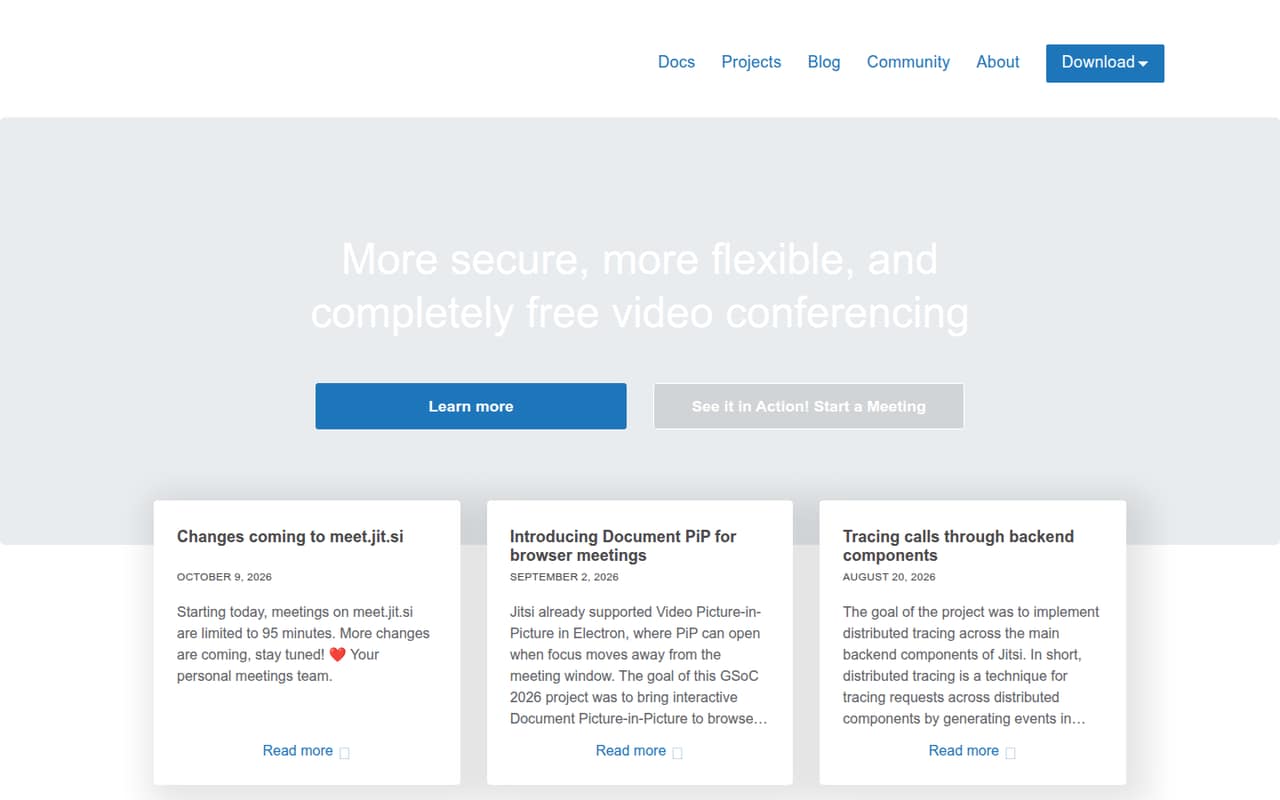
A small team that needs straightforward video meetings may not need a paid tool at all. Jitsi Meet offers free browser meetings, and its homepage says an account isn’t required. Meetings on meet.jit.si are limited to 95 minutes; self-hosting is free software, but you provide the server infrastructure.
For teams building video into an app, JaaS starts with a free Dev plan and paid tiers from $99 per month. That’s a different use case from buying seats for everyday team calls. Reddit users generally report positive experiences, while self-hosting comments show that setup and reliability can vary.
Good fit if
- Small teams watching every subscription
- Teams that need browser meetings
- Developers adding video to apps
Skip it if
- Teams needing longer hosted meetings
- Teams wanting managed self-hosting
- Teams needing remote desktop control
ScoresHow it rates
What works
- Free open-source software under Apache 2.0
- Browser meetings are available
- Homepage says no account is required
- Self-hosting gives teams control over infrastructure
- JaaS has a free developer plan
What doesn't
- meet.jit.si meetings are limited to 95 minutes
- Self-hosting depends on your server infrastructure
- JaaS prices are not per-seat plans
- Annual JaaS pricing is not published
- A Reddit user missed remote desktop control
01Who Jitsi Meet is for
Jitsi Meet fits a small team that needs video calls but would rather not add another subscription. It’s video conferencing software: start a meeting in the browser, or download an app. The homepage describes Jitsi as open source, and the free software is under Apache 2.0. Its homepage also quotes users saying meetings are encrypted and do not require an account.
For a team of one to ten people, the free hosted option may cover ordinary calls, with one important catch: meetings on meet.jit.si are limited to 95 minutes. If your team wants to run its own service, you can self-host, but the server infrastructure is your responsibility. JaaS is the hosted option for customers, with plans aimed at developers and apps that embed video. That makes it less like buying a meeting subscription per teammate and more like paying for video usage in a product.
02Jitsi Meet free plan and trial
Jitsi Meet has a free option, and the pricing page lists the software as open source under Apache 2.0. You can use meet.jit.si for hosted meetings, or self-host the software. The homepage says people can start a meeting in a browser, and quotes a user saying an account isn’t required.
The main published limit for meet.jit.si is 95 minutes per meeting. The pricing page doesn’t list a free-trial period, and self-hosting isn’t cost-free to operate: you need to provide the server infrastructure. For developers building video into apps, JaaS Dev is listed at $0 per month for 25 monthly active users (MAU), with $0.99 per MAU over that amount. That plan is for app usage, not a conventional team meeting subscription.
03What a small team pays for Jitsi Meet
For everyday calls on meet.jit.si, the listed price is $0 per month. That means one person, a team of three, or a team of five pays $0 in subscription fees, subject to the 95-minute meeting limit. Self-hosted software is also listed at $0, but you pay for and manage the server infrastructure; its cost depends on your setup.
JaaS is priced for apps, not per-seat team plans. JaaS Basic is $99 per month and includes 300 MAU. Dividing that flat fee among one, three, or five users would work out to $99, $33, or $19.80 each, respectively, but those are only allocations—not the vendor’s per-seat prices. JaaS Dev is free for 25 MAU, then $0.99 per extra MAU. JaaS Standard is $499 monthly for 1,500 MAU. Annual pricing isn’t published. Add-ons include recording at $0.01 per minute, RTMP streaming at $0.01 per minute, and transcription at $0.06 per minute.
04Getting started with Jitsi Meet
For a basic meeting, Jitsi supports browser calls, so a team can start there rather than set up a self-hosted server. The product also offers downloadable apps. The homepage describes Document Picture-in-Picture support for browser meetings. The vendor's site doesn’t list integrations a small team needs on day one.
Self-hosting takes more work because your team supplies the server infrastructure. One Reddit commenter said a quick-start on a fresh VPS worked well; another reported getting a VPS, HTTPS, and DNS set up in about 10 minutes. Those are individual accounts, not a guarantee. A commenter also said the official installation guides were spread across multiple pages, and another described difficulty getting a setup working consistently. If you don’t have someone comfortable managing a server, start with meet.jit.si instead.
05When small teams outgrow Jitsi Meet
The first clear limit is time: meet.jit.si meetings are listed as limited to 95 minutes. If that interrupts your team’s regular calls, ask whether a different service or a self-hosted setup better fits your needs. Self-hosting avoids that hosted option’s listed limit only if the setup works for you; the pricing page says server infrastructure is your responsibility, and doesn’t publish its cost.
JaaS may fit when you’re building video into an app, but its paid plans start at $99 per month and charge by monthly active users rather than seats. Recording, streaming, and transcription also have per-minute charges. Reddit users mention other trade-offs: one commenter said they missed remote desktop control, while another reported inconsistent results in a self-hosted setup with more than two participants and suspected a TURN-server issue. Those are individual reports, not stated product-wide limits.
From the threadsWhat users say
Reddit comments lean positive, with users praising Jitsi for private and everyday calls. Self-hosting feedback is more mixed: some describe quick setup, while others report configuration or reliability problems.
Works very well. I am a bit shocked that it was up and running with https in ~10 minutes
I’ve tried to get this working with the docker image on my home server a number of times but I can never get it to work consistently
I use it a lot, it´s great
Our company uses it and it works great. I only miss the possibility to control a remote desktop
Questions people ask
Is Jitsi Meet free?
Yes. The pricing page lists Jitsi Meet as free open-source software under Apache 2.0. You can use the hosted meet.jit.si service or self-host it. Hosted meetings on meet.jit.si are limited to 95 minutes, and self-hosting requires your own server infrastructure.
Does Jitsi Meet have a time limit?
The pricing page lists a 95-minute limit for meetings on meet.jit.si. It doesn’t list a time limit for self-hosted use. With self-hosting, your team is responsible for the server infrastructure, so check the setup and operating needs before relying on it for longer calls.
Do I need an account to join a Jitsi meeting?
The Jitsi homepage quotes a user saying an account isn’t required. It supports browser meetings, so people can start or join through the browser. Check with the person who invited you for the meeting link and any access instructions they’ve set.
Can my team self-host Jitsi Meet?
Yes. The pricing page lists self-hosted use of the free open-source software, with server infrastructure published by your team. That means you’ll need to handle the server setup and operation. Reddit users describe both quick installations and setups that took more troubleshooting.
Can I use Jitsi Meet in a browser?
Yes. Jitsi supports browser meetings, and the homepage describes Document Picture-in-Picture for browser use. Jitsi also offers downloadable apps. The published pricing information doesn’t list separate browser or app charges for Jitsi Meet.
Sources
- Jitsi Meet homepage
- Jitsi Meet pricing, compiled via web search from couponswift.com, meetrix.io, jitsi.org, saasradar.fr, massivegrid.com, samcomtechnologies.com, 8x8.vc, atria.gg, 8x8.com, 100ms.live
- Reddit: Jitsi Meet is Free open source self-hosted videoconferencing that just works, no registration / account needed. Try it at https://meet.jit.si
- Reddit: Jitsi Meet is Free open source self-hosted videoconferencing that just works, no registration / account needed. Try it at https://meet.jit.si
- Reddit: Video Guide: Free Alternatives to vMix Call (OBS.Ninja, Skype NDi, Jitsi Meet) - Maybe my tutorial is helpful to some of you :)
- Reddit: How is Jitsi meet? I am looking for Zoom alternatives