
We may earn a commission if you buy through links on this page. It never changes a score or a ranking. How we make money
The bottom line
A capable open-source notes app; expect to sort out syncing and team sharing yourself.
Joplin is a strong fit for a small team that wants notes, to-do lists, attachments, web clipping, and control over where notes sync. Its open-source app can use services such as Dropbox or OneDrive, while Joplin Cloud Basic adds a paid sync option starting at €2.99 monthly.
The trade-off is that the free app and paid Cloud plans are not the same thing: Joplin lists no free Cloud plan, and its pricing page does not explain team seat billing. Reddit users often praise syncing and customization, but Joplin is primarily a note-taking tool, not a full collaboration workspace.
Good fit if
- Small teams keeping shared notes
- Markdown and open-source fans
- Teams choosing their own sync
Skip it if
- Teams needing a full workspace
- People who want simple team billing
- Users avoiding setup and customization
ScoresHow it rates
What works
- Open-source app for notes and to-do lists
- Syncs through Joplin Cloud and other services
- Supports end-to-end encryption for notes
- Web clipper saves pages or screenshots
- Plugins, themes, and editor choices
What doesn't
- No free Joplin Cloud plan is listed
- Basic storage is capped at 2 GB
- Attachments have a 10 MB per-item limit
- Team seat billing is not published
- Pro plan details and price are not published
01Who Joplin is for
Joplin makes sense for a small team of one to 10 people that wants a practical place for notes, checklists, and reference material without committing to a broad workplace suite. The app is open source, and you can sync through Joplin Cloud or services such as Dropbox and OneDrive. That flexibility suits a budget-conscious team willing to choose and manage its sync setup.
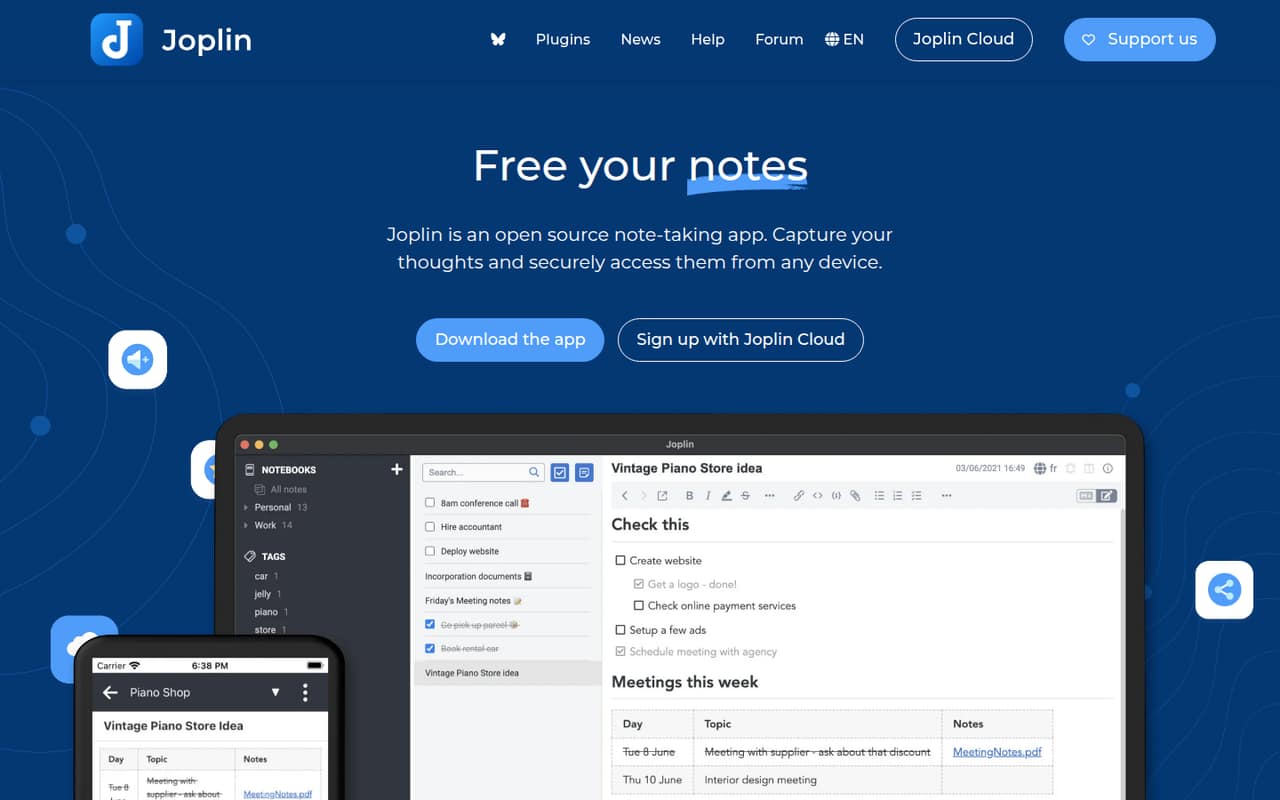
Notes can include images, videos, PDFs, and audio, and the web clipper can save pages or screenshots. Teams can also use plugins, themes, and either Rich Text or Markdown editing. Joplin Cloud supports sharing and collaboration, but Joplin is still a note-taking app; it is not presented as a CRM or an all-purpose team workspace. If you mainly need a shared grocery list or project notes, it may fit. If your team needs carefully defined roles, broad workflow features, or clear per-seat pricing, check those requirements before moving everyone in.
02Joplin free plan and trial
Joplin’s pricing page lists no free Joplin Cloud plan. It does list a 14-day trial, but does not say which plan the trial covers. The open-source app can sync through services beyond Joplin Cloud, including Dropbox and OneDrive; Reddit users also describe using self-hosted sync without paying Joplin for it. Those routes are separate from a free Joplin Cloud tier.
Basic is the cheapest listed Joplin Cloud plan. It includes 2 GB of storage, a 10 MB limit per note or attachment, and syncing for as many devices as you want. That may be enough for one person or a small set of devices, but the vendor does not publish a free Cloud allowance or explain team seat billing. Ask Joplin how the trial works and whether each teammate needs a separate subscription before relying on Cloud for a group.
03What a small team pays for Joplin
The pricing page lists Basic at €2.99 monthly, or €2.40 per month when billed annually; its billing note gives the annual charge as €28.69. If each person needs a Basic subscription, that works out to €8.97 monthly for three people or €14.95 for five. At the annual rate, the equivalent monthly totals are €7.20 for three and €12 for five; using the listed €28.69 yearly charge, the totals are €86.07 and €143.45 per year.
Those are per-person estimates, not confirmed team pricing: Joplin does not publish seat minimums or state how Cloud subscriptions are assigned to teams. Basic includes syncing for as many devices as you want, but storage is 2 GB and the limit is 10 MB per note or attachment. The pricing page names Pro but publishes no price or inclusions, and lists no add-ons. For a team, confirm whether shared notes require a particular plan and whether each collaborator needs a paid account.
04Getting started with Joplin
Getting started is straightforward if your team already knows where it wants to sync notes: Joplin supports Joplin Cloud, Dropbox, OneDrive, and other services. The app also offers Markdown and Rich Text editors, so people can choose how to write. If you choose a self-hosted sync route, expect extra setup compared with simply choosing a hosted option; Reddit users describe configuring their own sync server, but the setup steps depend on that choice.
The bigger learning curve is deciding how much to customize. Joplin supports plugins, themes, and custom scripts, which can shape the app around a team’s habits but also create choices to manage. The web clipper is available as a Chrome or Firefox extension. For day one, agree on a sync method, decide whether notes should be shared through Joplin Cloud, and settle on a basic folder and tagging approach. A Reddit commenter says switching to Markdown felt natural because they already wrote notes that way; that may not be true for everyone.
05When small teams outgrow Joplin
A team may outgrow Joplin when it needs more than shared notes: the vendor's site describes note sharing and collaboration through Joplin Cloud, but does not establish broader team-workspace features or publish seat rules. The Basic plan’s 2 GB storage and 10 MB per-note-or-attachment limits may also become a constraint for teams that save lots of media. Pro is listed, but its price and inclusions are not published, so there is no clear upgrade-cost path to compare.
Reddit discussions show both sides of the fit. Users report syncing across devices with Dropbox or OneDrive and value the plugins and open-source approach. Others describe Joplin as a single-user note-taking app, and one former user said they moved to another tool. Those are individual experiences, not a guarantee of what your team will see. Before adding people, confirm sharing behavior, account requirements, and what happens if you reach Basic’s storage or attachment limits.
From the threadsWhat users say
Reddit sentiment is generally positive about Joplin’s syncing, open-source approach, and customization, with users describing successful use across several devices. Some commenters prefer other tools or note that Joplin is better understood as a personal note-taking app than a multi-user workspace.
The sync between devices does work quite well
Joplin is open source
It is highly customizable
Both Joplin and Obsidian are basically single-user. It's a note taking app, not a CRM 😉
Questions people ask
Is Joplin completely free?
The Joplin app is open source, and Reddit users describe syncing through options such as Dropbox or a self-hosted server without paying Joplin. Joplin’s pricing page lists no free Joplin Cloud plan, though it does list a 14-day trial. Check which sync route fits your team before treating the app as a free hosted service.
Can a small team share notes in Joplin?
Joplin Cloud supports sharing and collaboration on notes, and the app can also publish a note online. The pricing information does not explain which Cloud plan enables each sharing feature or how collaborators are billed. Confirm those details with Joplin before setting up a team workspace.
Does Joplin sync across devices?
Yes. Joplin supports syncing through Joplin Cloud, Dropbox, OneDrive, and other services. The Basic Cloud plan lists syncing for as many devices as you want. Reddit users also report syncing across computers and mobile devices using services such as OneDrive and Dropbox.
Can Joplin encrypt my notes?
Joplin supports end-to-end encryption for notes, so only you can access encrypted notes, according to the product description. If you plan to share notes with teammates, check how encryption works with the sharing setup you choose and what each collaborator needs to access them.
Can I use Joplin on Ubuntu?
The vendor's site identifies Joplin as an app that syncs across devices, but does not specify Ubuntu installation steps or support details. Check Joplin’s current installation instructions for your Ubuntu version before setting it up, especially if you plan to use a particular sync service.