
We may earn a commission if you buy through links on this page. It never changes a score or a ranking. How we make money
The bottom line
A flexible recorder for small teams, with a useful free tier and clear per-seat pricing.
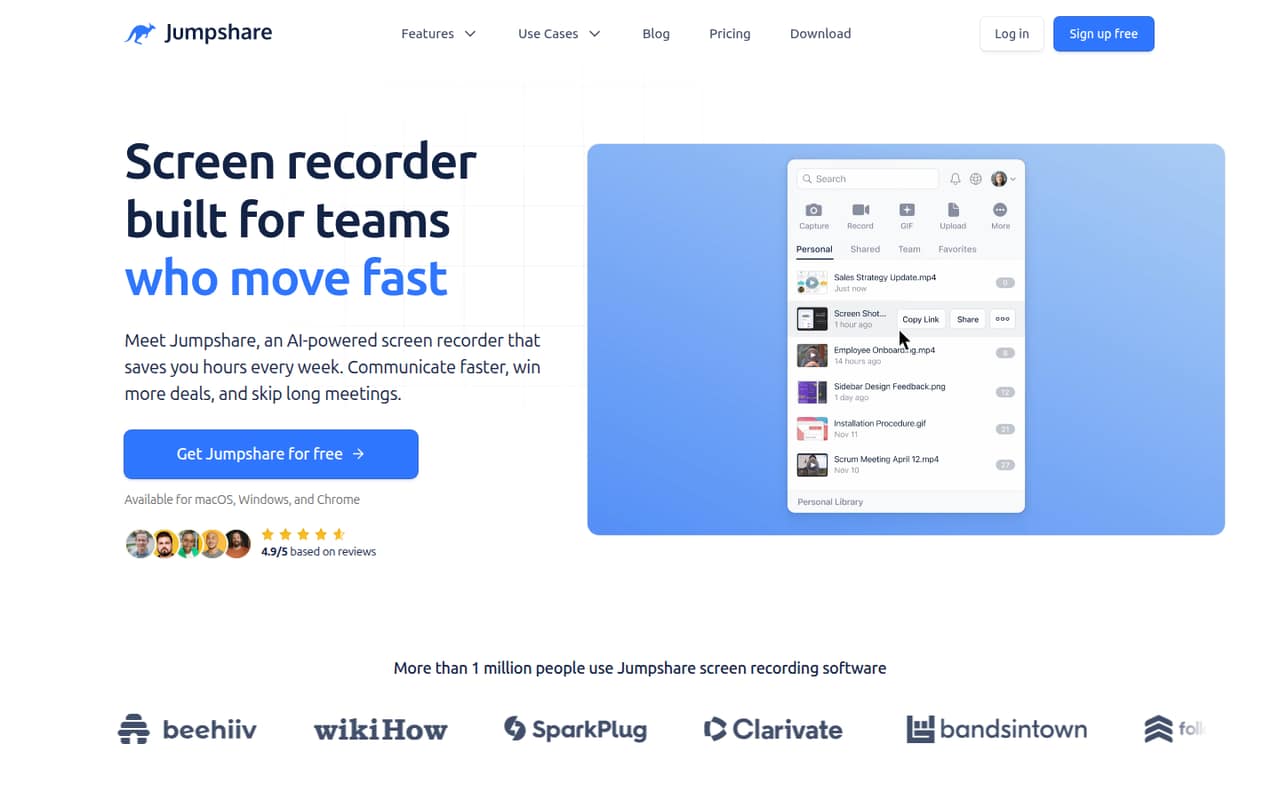
Jumpshare combines screen, webcam, screenshot, and GIF capture with editing and sharing. Its AI can title, transcribe, summarize, and chapter recordings, while analytics and video calls to action add options for sharing with customers or coworkers.
Basic is free but caps uploads and recording length. Plus is the practical plan for a small team that needs unlimited recording: it starts at $12 per user per month with annual billing, or $15 month to month.
Good fit if
- Small teams sharing screen recordings
- Customer-facing walkthroughs and demos
- Teams that need screenshots and GIFs
Skip it if
- Teams needing long free recordings
- Buyers who need published security details
- Teams avoiding per-seat subscriptions
ScoresHow it rates
What works
- Free Basic plan includes 25 uploads
- Records screen, webcam, or both
- Built-in trimming, splitting, and joining
- AI titles, transcripts, summaries, and chapters
- Plus includes unlimited recording and uploads
What doesn't
- Basic recordings are limited to five minutes
- Basic uploads max out at 250 MB
- Plus costs more when billed monthly
- Enterprise pricing is not published
- Security and integration details aren't specified
01Who Jumpshare is for
Jumpshare is aimed at people and small teams that need to explain work visually without stitching together separate recording, editing, and sharing tools. A team of one to ten can record a screen, webcam, or both, then trim or join clips and share the result. It also handles screenshots and GIFs, with tools to annotate and redact images.
The AI features can title, transcribe, summarize, and split recordings into chapters. For customer demos or internal walkthroughs, video analytics track views, clicks, and engagement, and a clickable call to action can point viewers to a site, trial, or booking page. Basic may suit occasional use; teams that record regularly will likely need Plus. At $12 per user per month with annual billing, that is a real subscription to weigh against how often your team shares recordings.
02Jumpshare free plan and trial
Basic is Jumpshare’s free plan. The pricing page lists 25 uploads, video recordings up to five minutes, GIF recordings up to 15 seconds, and a maximum upload size of 250 MB. That gives a small team room to try short clips and basic sharing, but the recording and upload caps can get in the way of regular walkthroughs or larger files.
The pricing page also lists a 14-day free trial, but doesn’t specify which plan or features the trial includes. Basic’s paid price is not listed; the next plan with a published price is Plus, starting at $12 per user per month with annual billing. Check the trial terms before relying on it for a team rollout.
03What a small team pays for Jumpshare
Plus is the lowest published paid plan for individuals and small teams. The pricing page lists $12 per user per month with annual billing, 20% below its $15 monthly rate. That works out to $36 per month, or $432 per year, for three people; five seats cost $60 per month, or $720 per year. Month to month, three seats cost $45 and five cost $75.
Plus includes unlimited uploads and recording, a 10 GB maximum upload, 2 TB starting storage, and 250 GB monthly bandwidth per user. Business is listed at $16 per user per month annually or $20 monthly. Three seats come to $48 per month equivalent annually ($576 per year), or $60 month to month. Five seats cost $80 per month equivalent ($960 per year), or $100 monthly. Business raises the upload limit to 20 GB, starting storage to 3 TB, and monthly bandwidth to 500 GB per user. No add-ons are listed. Enterprise pricing is not published.
04Getting started with Jumpshare
The basic workflow is straightforward to understand: capture a screen, webcam, screenshot, or GIF, make edits, then share it. Jumpshare also says users can trim, split, and join videos where they record. That keeps the core recording and editing steps together, though the vendor doesn’t publish a setup-time estimate or a detailed onboarding checklist.
The vendor doesn’t specify which integrations a small team needs on day one. Before choosing a plan, confirm supported operating systems, browser requirements, sharing permissions, and whether the tools your team already uses connect to Jumpshare. An older r/macapps thread describes a Mac app with screenshot annotation, screen recording, and file sharing, and a user praised its upload speed. That discussion is historical, so verify current app support and behavior with the vendor.
05When small teams outgrow Jumpshare
The first reason to move beyond Basic is its fixed ceiling: 25 uploads, five-minute video recordings, 15-second GIFs, and a 250 MB maximum upload. Plus removes the upload and recording caps, but its 10 GB maximum upload and 250 GB monthly bandwidth per user still set limits. Teams that need bigger uploads or more bandwidth may consider Business, which raises those figures to 20 GB and 500 GB per user; the price rises too.
Growing teams should also check whether the published storage and bandwidth fit their sharing volume, and ask the vendor about security controls and integrations before making Jumpshare a standard tool. Reddit feedback is mixed but limited: one user praised fast uploads in an older discussion, while another asked for image metadata export in a screenshot-focused thread. Those comments are individual experiences, not a current feature list.
From the threadsWhat users say
The Reddit comments are mixed, with one user praising upload speed and others raising feature requests or comparing options. The discussions are limited and include an older Mac app thread, so they offer a little context rather than a firm read on current user sentiment.
uploads are really fast
our web app that lets you preview over 200 file formats
Essential Missing Feature: Export all images with metadata
I think shottr has a few more options
Questions people ask
What is Jumpshare used for?
Jumpshare is a screen recording and visual communication tool for capturing, editing, and sharing videos, screenshots, and GIFs. Teams can record a screen, webcam, or both; edit video; and share clips. Its AI features can title, transcribe, summarize, and divide recordings into chapters.
How much does Jumpshare cost?
Basic is free. The pricing page lists Plus at $12 per user per month with annual billing or $15 month to month. Business is $16 per user per month annually or $20 monthly. Enterprise pricing is not published. For example, three Plus seats cost $36 per month equivalent annually or $45 month to month.
What does the Jumpshare free plan include?
Basic includes 25 uploads, video recordings up to five minutes, GIF recordings up to 15 seconds, and a maximum upload size of 250 MB. The pricing page also lists a 14-day free trial, but doesn’t specify which plan or features the trial covers. Plus is the first plan with unlimited uploads and recording.
Is Jumpshare secure?
The published details here don’t specify security controls, so we can’t assess whether Jumpshare meets your team’s requirements. Before uploading sensitive material, ask the vendor about encryption, access controls, data retention, and any compliance requirements that matter to your business.
Is Jumpshare legit?
Jumpshare is presented as a screen recording and file-sharing product with published Basic, Plus, and Business plan details. That alone doesn’t verify a company’s legal status or establish whether the service is right for your team. Review the current terms, privacy information, and security details before sharing sensitive files.
Sources
- Jumpshare homepage
- Jumpshare pricing page
- Reddit: I have made an open-source alternative to Jumpshare and CleanShot X
- Reddit: Jumpshare 2.0 - Incredibly fast, real-time file sharing - OS X 10.9 or later - Free
- Reddit: JumpShare - Screenshot, Edit & Upload
- Reddit: I have made an open source alternative to Jumpshare and CleanShot X