
We may earn a commission if you buy through links on this page. It never changes a score or a ranking. How we make money
The bottom line
Good breadth for serious video programs; less convincing for a budget-conscious team with simple needs.
Small teams only need Kaltura if video is central to their work: it covers events, webinars, portals, and video management, with AI-guided experiences for larger programs. The trade-off is a missing free plan and no clearly published price for the broader enterprise platform.
The listed Virtual Classroom plans start at $19 per host monthly with annual billing, or $23 month to month. Reddit users report playback problems and confusion around downloading or uploading videos, so teams should confirm their intended setup and support path before committing.
Good fit if
- Teams running recurring video events
- Organizations building video portals
- Universities managing video content
Skip it if
- Teams seeking a permanent free plan
- Simple one-off video sharing
- Buyers needing fully published platform pricing
ScoresHow it rates
What works
- Supports events, webinars, portals, and video management
- Agentic Avatars use approved organizational content
- Avatars can respond with video, visuals, or text
- Standard Classroom allows unlimited sessions
- 14-day trial is listed
What doesn't
- No free plan is listed
- Broader enterprise platform pricing is unclear
- Standard Classroom limits sessions to 10 participants
- Extra cloud recording costs $3 per hour
- Reddit users report playback and workflow frustrations
01Who Kaltura is for
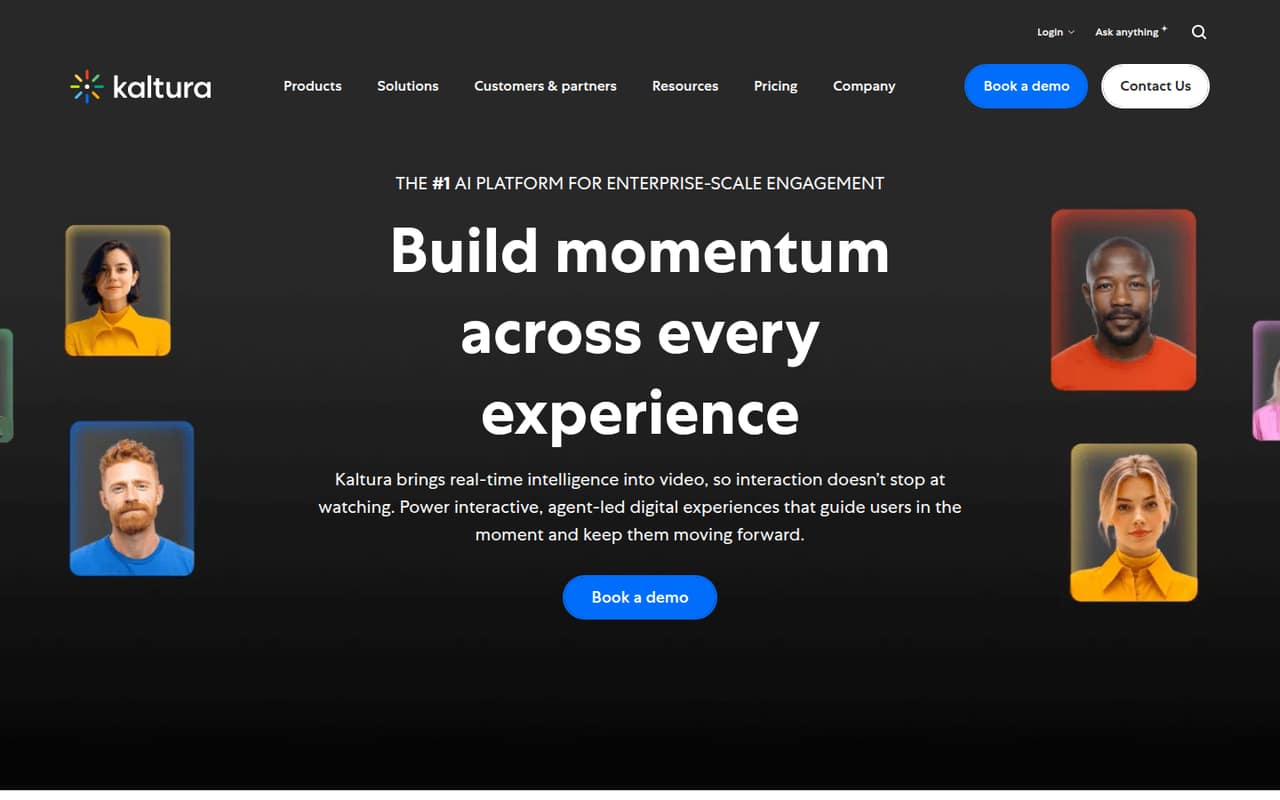
Kaltura makes sense when video is a regular part of how your team teaches, trains, hosts events, or shares company knowledge. Its platform includes tools for events and webinars, video portals, and video management. The homepage also describes Agentic Avatars that use an organization’s approved content to answer questions and guide people in real time.
For a team of 1–10, the fit depends less on headcount than on whether you need a managed video program. A small team hosting classroom-style sessions can look at Virtual Classroom Standard, which lists up to 10 participants per session. But a team buying Kaltura for a broader portal, content management, or event program should ask for a quote: the listed classroom prices do not establish what those wider products cost. If you only need occasional recordings or a place to share a few videos, the paid entry point may be more than you need.
02Kaltura free plan and trial
Kaltura does not list a free plan in the available pricing details. It does list a 14-day free trial, but the trial’s feature access, participant limits, and what happens when it ends are not specified. Ask Kaltura which products the trial covers before building a workflow around it.
The cheapest published way in is Virtual Classroom – Standard Classroom: $23 per month, or $19 per month when billed annually. The plan lists up to 10 participants per session, 10 hours of cloud recording, unlimited sessions, and a maximum of 13 hours per session. Those are classroom limits, not confirmation that the plan includes Kaltura’s wider events, portal, or video-management products. For those needs, ask the vendor for the right product and a written price.
03What a small team pays for Kaltura
The pricing page lists Virtual Classroom – Standard Classroom at $23 per month or $19 per month billed annually, for virtual classroom hosts. Assuming each host needs a plan, one host pays $23 month to month or $19 monthly on annual billing. Three hosts come to $69 or $57 per month; five come to $115 or $95 per month. Annual billing works out to $228 per host, $684 for three, or $1,140 for five for the year.
Virtual Classroom – Pro Classroom is listed at $55 per month, but its annual price and included features are not published. The listed Standard add-on is $3 per extra recording hour. Standard includes 10 cloud recording hours, so teams that regularly exceed that allowance should budget for the add-on. These prices are for Virtual Classroom; Kaltura does not provide a comparable starting price here for its broader enterprise video platform. Confirm how host billing works for your account and get a quote for any other products you need.
04Getting started with Kaltura
Setup effort is not published as a time estimate. Before signing up, decide what you’re setting up: classroom sessions, webinars or events, a video portal, or broader video management. The product covers several distinct jobs, so a small team should confirm which product and configuration match its workflow rather than assume one classroom plan covers everything.
For day one, ask what users need to join or publish video, how recordings are stored, and which integrations your team’s existing tools require. A specific integration list and step-by-step setup sequence are not published in the pricing details; ask Kaltura for documentation for your selected product. User discussions show that some workflows can take explaining: one student described spending hours with IT trying to upload a presentation, while another eventually shared a workaround. That is a reason to test your actual publishing path during the trial, not a measure of every team’s setup experience.
05When small teams outgrow Kaltura
A classroom team may need a different plan when it needs more than 10 participants in a session, more than 10 cloud recording hours, or sessions longer than 13 hours. The listed Pro plan costs $55 per month, but Kaltura does not publish its annual price or what the plan adds. Ask whether it removes the limits that matter to you before upgrading. Extra recording hours are listed at $3 each.
A team may also outgrow the published classroom options when it needs Kaltura’s events, portals, video management, or Agentic Avatars; the classroom prices do not tell you what those products will cost. Reddit users describe playback that was slow or unavailable, difficulty downloading recordings, and confusion with presentation uploads. Those reports are individual experiences, not a guarantee of service quality, but they make reliability, download controls, and support escalation sensible questions for a growing team. If video is occasional rather than core, compare the full quote with simpler tools before expanding.
From the threadsWhat users say
The overall Reddit sentiment leans negative, with complaints about playback reliability and confusing workflows. Some commenters share practical workarounds or report that a suggestion helped, but that does not erase the frustration in other threads.
Half the time it's down, and half the time it's slow and glitchy
Sometimes there will be a download button on the same level as the play/pause button (poke around and see if you find anything), but some instructors turn it off/don't know they can turn it on
It worked. Thank you so much!
I have spent 3 hours on the phone with IT
Questions people ask
Is Kaltura free?
Kaltura does not list a free plan in the pricing details here. It lists a 14-day trial, but the trial’s product coverage and limits are not specified. The cheapest published plan is Virtual Classroom – Standard Classroom, at $23 per month or $19 per month billed annually.
How do I record using Kaltura?
The pricing details list 10 hours of cloud recording with Virtual Classroom – Standard Classroom, but do not describe the recording steps or whether every Kaltura product records the same way. Ask for the instructions for your specific product and check whether the included recording hours cover your expected use.
What is my Kaltura media?
Kaltura media refers to video content managed or shared through Kaltura. The platform’s stated uses include video portals and video content management. What you can view, publish, or download depends on how your organization has configured access and permissions.
How do I get Kaltura on my computer?
The available product and pricing details do not specify a computer installation process or whether your use requires a desktop app. Ask your organization’s Kaltura administrator or Kaltura which access method applies to your product. Users on Reddit discuss Kaltura video playback in a browser, but that does not establish every setup’s requirements.
Why is Kaltura not working?
A playback issue could be specific to a video, browser, network, or service status; the available details do not identify a single cause. Reddit users report slow or unavailable playback, while one commenter points to scheduled maintenance. Check your organization’s status and support channels, then share the affected video and any error message with your administrator.