
We may earn a commission if you buy through links on this page. It never changes a score or a ranking. How we make money
The bottom line
A capable free workspace streamer, with a five-session cap and setup work to weigh.
Small teams that need browser-based access to desktops, apps, or isolated browsing should take a close look at Kasm Workspaces. Its Community Edition is free and lists five concurrent sessions, making it a low-cost way to start if your team can work within that cap.
The trade-off is setup: Kasm is aimed at self-hosted deployments, so it’s a better fit for teams with someone comfortable managing that work than for teams seeking a plug-and-play service. Starter costs $10 per user/month with annual billing; the pricing page doesn’t publish its month-to-month price.
Good fit if
- Teams needing isolated browser sessions
- Self-hosters streaming desktops and apps
- Small teams with light concurrency
Skip it if
- Teams needing over five free sessions
- Teams avoiding self-hosted setup
- Buyers needing clear monthly pricing
ScoresHow it rates
What works
- Community Edition is free
- Free plan lists five concurrent sessions
- Streams desktops, apps, and browsers to a web browser
- Starter annual pricing is $10 per user/month
- Reddit users praise mobile-friendly remote access
What doesn't
- Community Edition has a five-session cap
- Starter month-to-month pricing is not published
- $20 per-session billing term is unclear
- Enterprise pricing is by request
- Self-hosting puts deployment work on your team
01Who Kasm Workspaces is for
Kasm Workspaces is for small teams that need to stream a desktop, application, or browser session to a web browser, rather than install that software on every device. It may suit a team of one to ten people handling remote work, secure browsing, or access to sensitive environments. The homepage also presents it for IoT and OT access and private AI.
The free Community Edition makes it worth considering when the team has a tight software budget and no more than five sessions need to run at once. That can mean five people working concurrently, or fewer people opening multiple sessions; the limit is sessions, not a stated user count. Kasm is especially relevant to teams with someone who can handle a self-hosted deployment. If you want a hosted service with little setup, or need more than five concurrent sessions without paying, the fit is weaker.
02Kasm Workspaces free plan and trial
Community Edition costs $0 per month and lists five concurrent sessions, with no license minimum. The pricing listing gives no separate free-trial term. A Reddit commenter describes the Community Edition as including most of Kasm’s functionality, but the concrete limit on the pricing listing is the five-session cap.
That makes the free plan a practical starting point for a small team that can keep concurrent use within five sessions. It is not the same as five named users: the source describes concurrent sessions, and a person may need more than one. If the team regularly exceeds the cap, Starter is the cheapest listed paid plan. Its annual price is $10 per user/month; the standalone monthly price is not published.
03What a small team pays for Kasm Workspaces
The Community Edition costs $0 and includes five concurrent sessions. For teams that need paid licenses, Starter is listed at $10 per user/month with annual billing. That works out to $10 per month for one person, $30 per month for three, or $50 per month for five, billed annually. The pricing page does not publish a separate month-to-month Starter price.
Starter supports licensing by named user or concurrent session. The pricing calculator also lists $20 per concurrent session, but its billing term is unclear, so ask Kasm to confirm the total before choosing that option. Starter is for organizations with fewer than 25 licenses; Enterprise is for organizations requiring more than 25, with pricing by request.
Enterprise add-ons that may matter as your needs grow include Managed Egress, Professional Services, Kasm Support, and Kasm Hosted SaaS. Their prices are not published. For a small team, the main cost to pin down is whether Starter’s annual per-user option or concurrent-session licensing matches how people actually work.
04Getting started with Kasm Workspaces
Plan for more setup than you would with a basic browser-based SaaS tool: Kasm’s Community Edition is described by users as self-hosted, so your team needs to take responsibility for deployment. The published pricing information does not give a setup time or list technical prerequisites; check Kasm’s documentation against the infrastructure you already have before committing.
Reddit users report running Kasm with Proxmox, and one commenter says it is available as a Docker container through linuxserver.io. Those are user-reported approaches, not a guarantee that either is the right fit for your deployment. A user also describes pairing Kasm with Cloudflare Tunnel and MFA, but the homepage does not present these as required integrations. For day one, decide where sessions will run, who will administer access, and how your team will secure remote access.
05When small teams outgrow Kasm Workspaces
The clearest point where a free deployment stops fitting is when five concurrent sessions are not enough. Starter offers paid licensing by named user or concurrent session, but its listed $20 per-session price has no stated billing term. Get that clarified before budgeting for busy periods. If your organization needs more than 25 licenses, the listed route is Enterprise, with pricing by request.
Feature needs can also be a reason to reassess. In one Reddit thread, users say restrictions on the Community Edition blocked their use cases, and one commenter calls out the concurrent-session limit. That does not establish which specific features are restricted, so ask Kasm whether your must-haves are included before upgrading. Growing teams should also ask for prices on Enterprise add-ons such as support or hosted SaaS. If self-hosting becomes too much work, compare the full service cost and administration effort with alternatives before adding licenses.
From the threadsWhat users say
Reddit sentiment is mostly positive, with users praising Kasm for remote access and mobile use. The main frustration in the discussions is the Community Edition’s concurrent-session limit, while some users say restrictions make their use cases unworkable.
The Community Edition includes most of Kasm’s functionality, so you can run a full setup without paying
I was pleasantly surprised to see it was so mobile friendly
My main gripe is the amount of concurrent sessions on the community version
Let's me remote into a unit on my home network, with full encryption, on devices with nothing more than a web browser
Questions people ask
What does Kasm Workspaces do?
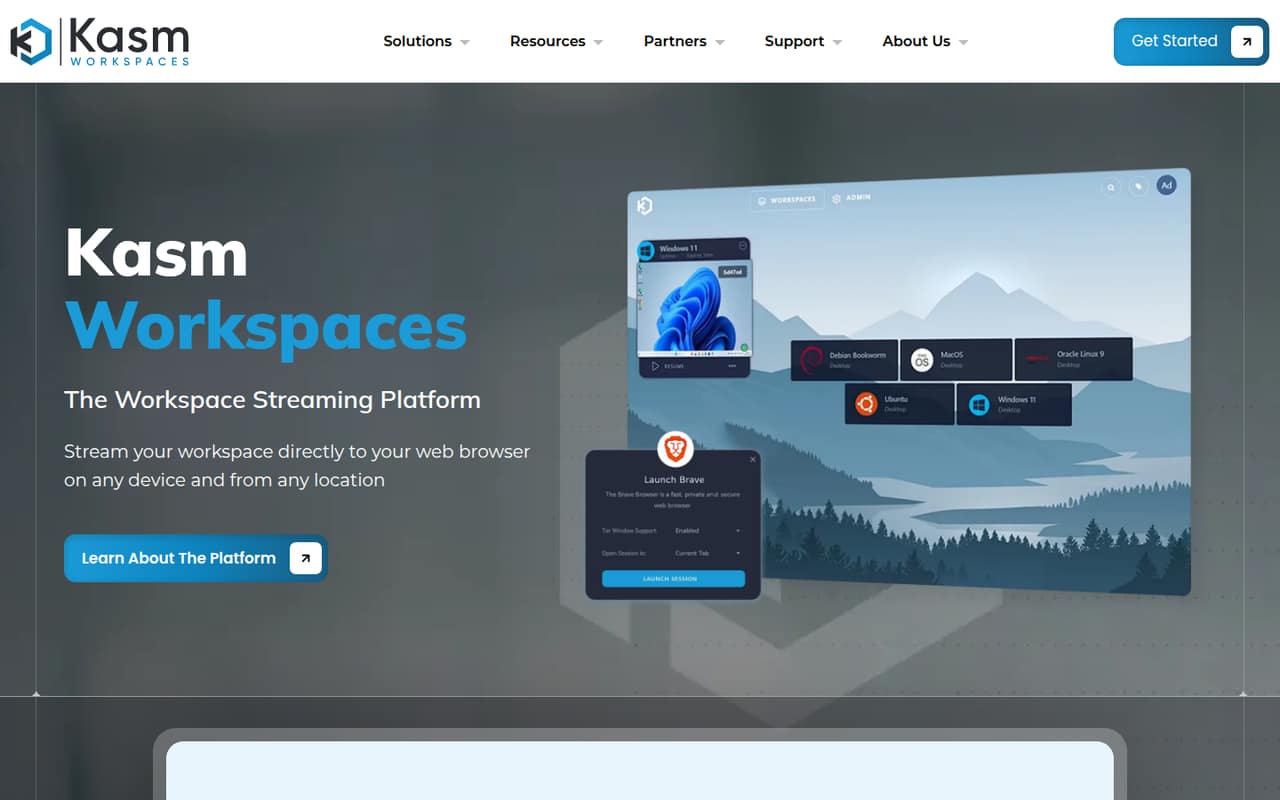
Kasm Workspaces streams browser sessions, desktops, and applications to a web browser. The homepage positions it for secure browsing, remote work, application access, and controlled access to sensitive environments. Its listed use cases also include IoT and OT access and running private AI on your data.
Is Kasm Workspaces free?
Yes. Community Edition is listed at $0 per month and includes five concurrent sessions, with no license minimum. That is a session limit, not a stated cap on the number of named users. The pricing listing does not give a separate free-trial period.
How many people can use Kasm Workspaces for free?
The Community Edition lists five concurrent sessions, not five named users. The number of people who can use it over time depends on how many sessions are active at once. If your team needs more than five concurrent sessions, ask Kasm about paid licensing.
Does Kasm Workspaces require self-hosting?
Reddit users describe the Community Edition as self-hosted, and commenters report running Kasm with Proxmox or through a Docker container. The pricing page does not spell out deployment prerequisites. Check Kasm’s documentation and confirm hosting options with the vendor before choosing a plan.
What happens when my team outgrows Community Edition?
Starter is the listed paid plan for organizations with fewer than 25 licenses. It supports named-user or concurrent-session licensing; annual per-user billing is listed at $10 per user/month. The $20 per-session billing term is unclear. Enterprise is for organizations requiring more than 25 licenses, with pricing by request.
Sources
- Kasm Workspaces homepage
- Kasm Workspaces pricing, compiled via web search from gappsy.com, kasm.com
- Reddit: Using Kasm Workspaces with Proxmox for a Self-Hosted VDI Setup (with Autoscaling capability)
- Reddit: An appreciation post for Kasm workspaces
- Reddit: Kasm Workspaces v1.18 Release
- Reddit: Kasm Workspaces is now an official Proxmox partner - autoscaling VDI for your homelab and enterprise stack