
We may earn a commission if you buy through links on this page. It never changes a score or a ranking. How we make money
The bottom line
A capable, low-cost time tracker if you can live with unpublished plan limits.
Kimai is worth considering if your small team tracks hours by customer, project, and activity and wants reports, exports, or invoicing in the same tool. The cloud Standard plan starts at €2.99 per user per month with annual billing, and there is also a self-hosting option.
There is no free cloud plan listed, though Kimai offers a 30-day trial. The main buying caveat is that user, customer, and project limits are not published. Ask the vendor about your expected team size and workflows before committing.
Good fit if
- Project-based service teams
- Teams that need invoice templates
- Budget-conscious time tracking
Skip it if
- Teams that need a free cloud plan
- Buyers needing published capacity limits
- Teams wanting named integrations upfront
ScoresHow it rates
What works
- Standard starts at €2.99 per user monthly with annual billing
- Tracks time by user, customer, project, activity, tag, or period
- Includes reports across users, customers, and projects
- Exports timesheets in XLSX, PDF, CSV, and HTML
- Can be hosted in the cloud or self-hosted
What doesn't
- No free cloud plan is listed
- User, customer, and project limits are not published
- Professional plan limits are not published
- Named integrations are not listed
- Expense tracking requires the Expenses plugin
01Who Kimai is for
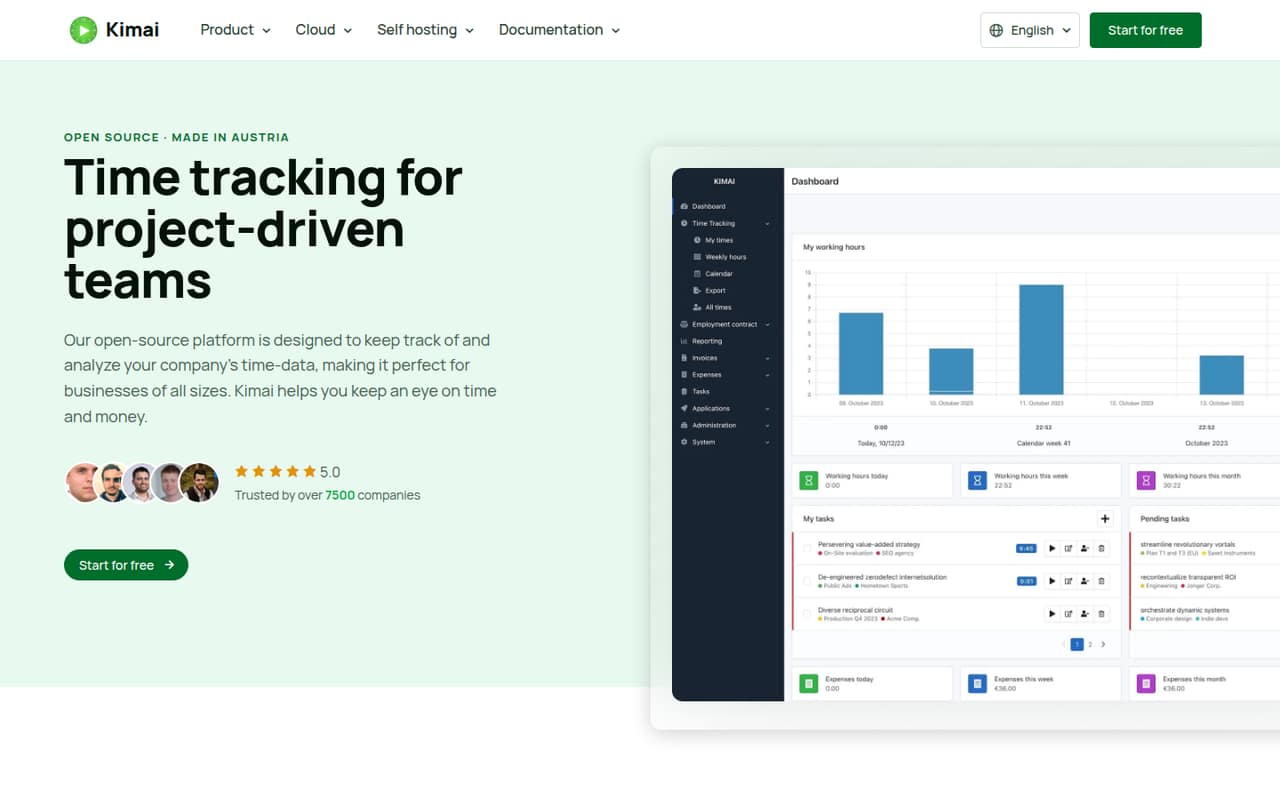
Kimai fits small, project-driven teams that need to know where their hours go: agencies, consultancies, and other service businesses are natural examples. It records time against users, customers, projects, activities, tags, or periods, then provides reports and statistics for reviewing that work. Teams can also group users and control access to customers and projects.
For a team of one to ten, the cloud Standard plan is the straightforward starting point if basic time tracking and five custom invoice templates are enough. Annual billing starts at €2.99 per user per month. Kimai also offers self-hosting, which may suit a team that wants to manage its own installation rather than use the cloud. The product can export timesheets and supports invoice configuration, with expenses available through a plugin. Before choosing it, ask the vendor to confirm limits for your users, customers, and projects: those limits are not published.
02Kimai free plan and trial
Kimai's cloud pricing lists no free plan, but it does list a 30-day free trial. The trial is the way to assess the hosted product before paying; the pricing details do not specify which plan features or limits the trial includes, so confirm those with the vendor.
Kimai is open-source software and can be self-hosted. That gives teams an alternative to the cloud subscription, but it is not the same as a listed free cloud tier. Hosting and maintenance costs for a self-managed setup are not published in the pricing details. If you want a hosted service with a predictable monthly bill, the cheapest listed option is Standard at €3.99 per user month-to-month, or €2.99 per user per month with annual billing.
03What a small team pays for Kimai
The pricing page lists two cloud plans in euros, billed per user per month. Standard costs €3.99 monthly or €2.99 per month with annual billing. That works out to €3.99 or €2.99 for one seat, €11.97 or €8.97 for three seats, and €19.95 or €14.95 for five seats, respectively. Annual billing saves 20% against the listed monthly rate.
Standard includes five custom invoice templates. Professional costs €4.99 month-to-month or €3.99 per user per month with annual billing: €4.99 or €3.99 for one seat, €14.97 or €11.97 for three, and €24.95 or €19.95 for five. The pricing page describes Standard as basic time tracking and Professional as professional time tracking, but does not list enough feature detail to compare them feature by feature.
No add-ons are listed in the pricing material. Expenses require the Expenses plugin, but its price is not published. User, customer, and project limits are also not published, so ask about them before budgeting for a larger team.
04Getting started with Kimai
Kimai offers two routes: use its cloud service or host it yourself. Cloud avoids setting up your own hosting; self-hosting means your team takes responsibility for running the installation. The vendor does not publish a setup-time estimate in the published product details, so we would not assume either route is a same-day job.
For day one, decide how you want to organize customers, projects, activities, and users. That structure matters because Kimai reports time across those categories and lets teams control access to customers and projects. If you need invoices, plan the templates and numbering; if you need expense tracking, check the Expenses plugin. Kimai describes connections to existing systems, but named integrations and setup instructions are not listed here. Ask the vendor whether your accounting or project tools connect and what configuration they require before choosing a plan.
05When small teams outgrow Kimai
The first reason to pause before scaling is uncertainty about capacity: Kimai's pricing page does not publish user, customer, or project limits for either plan. A team with many clients or a growing project catalog should confirm those limits with the vendor rather than assume the plan will accommodate expansion.
Cost rises per seat, though the listed rates remain predictable: a five-person Standard team is €14.95 per month with annual billing or €19.95 month-to-month. Professional costs €19.95 or €24.95 for five seats on the same billing schedules. The pricing material does not explain which extra capabilities justify Professional, so ask what changes before upgrading. Teams may also need to account for the Expenses plugin, whose price is not published. If your next stage depends on specific integrations, higher capacity, or built-in expense tracking, verify those needs before moving more of your workflow into Kimai.
Questions people ask
Does Kimai have a free plan?
The cloud pricing lists no free plan, but it does list a 30-day trial. Kimai is open-source software and can be self-hosted; hosting and maintenance costs for that option are not published in the cloud pricing.
How much does Kimai cost for a small team?
Standard costs €2.99 per user per month with annual billing or €3.99 month-to-month. For five seats, that is €14.95 per month annually billed or €19.95 month-to-month. Professional costs more: €19.95 or €24.95 for five seats.
Can I host Kimai myself?
Yes. Kimai is open-source software and teams can host it themselves, as well as use Kimai Cloud. The pricing material does not list self-hosting costs, so factor in your own hosting and maintenance needs when comparing options.
Can Kimai track expenses and create invoices?
Kimai supports invoice configuration, including templates, numbering, entry grouping, and PDF or DOCX formats. Expense tracking is available through the Expenses plugin. The plugin's price is not published in the listed pricing details.
What can I export from Kimai?
Kimai can export timesheets in XLSX, PDF, CSV, and HTML formats. Its reports cover recorded times and statistics across users, customers, projects, and other categories.