
We may earn a commission if you buy through links on this page. It never changes a score or a ranking. How we make money
The bottom line
Koofr's free 10 GB is handy, but teams need published paid pricing before they can budget to grow.
Koofr is worth considering if your small team needs straightforward cloud storage, file sharing, and a useful free starting point. Its 10 GB free plan is clear; what a team pays to add storage is not.
Good fit if
- Small teams sharing modest files
- Budget-conscious cloud storage users
- Teams wanting a private Vault option
Skip it if
- Teams needing published seat pricing
- Large shared file libraries on free
- Teams requiring encryption for every file
ScoresHow it rates
What works
- 10 GB free forever
- Unlimited file size on the free plan
- Office for the web collaboration
- Expiring links and user permissions
- Client-side encrypted Koofr Vault
What doesn't
- Paid plan prices aren't published
- Free plan has 10 GB storage
- Free public transfers capped at 50 GB daily
- Free plan allows up to 10 public links
- Reddit users report mixed speeds
01Who Koofr is for
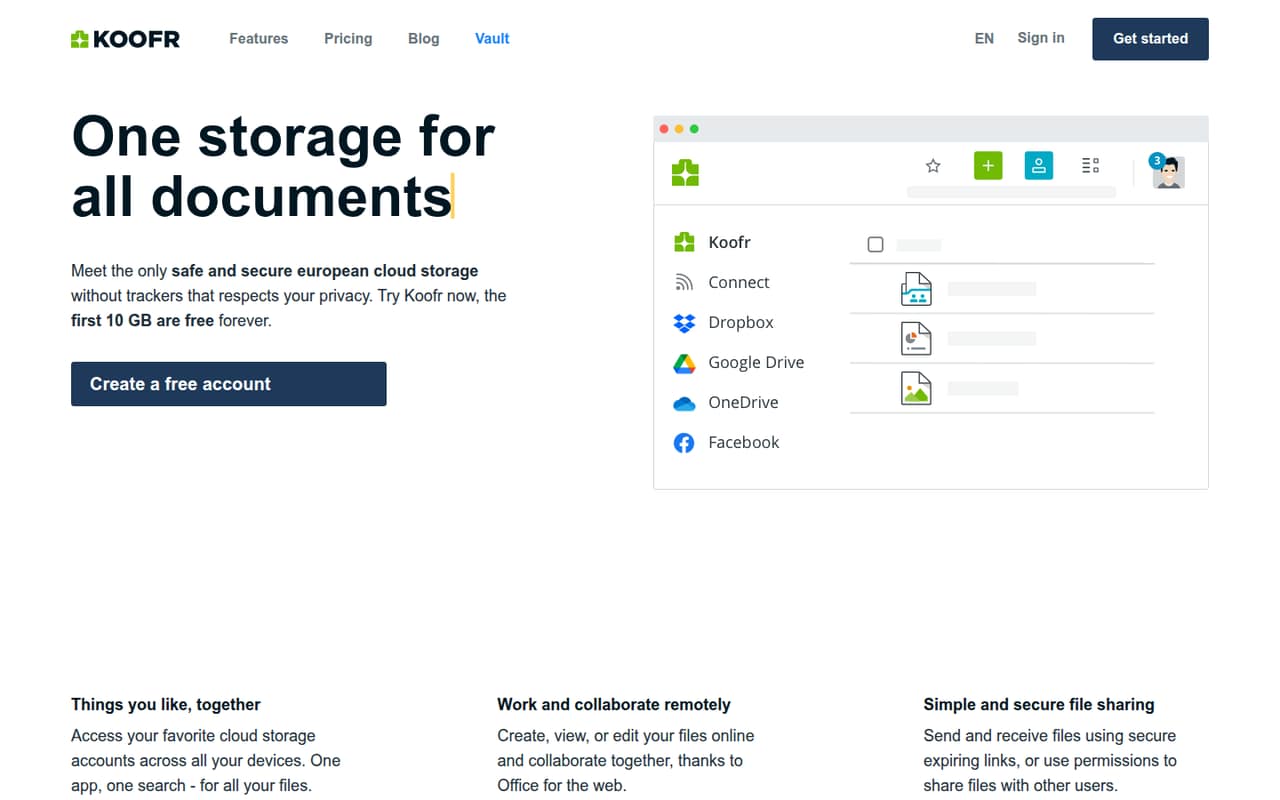
Koofr is a sensible starting point for a one-to-five-person team that needs a place to store, sync, and share everyday files without adding a bill. The service offers 10 GB free forever, access across devices, and online file work with Office for the web. You can share files through expiring links or give other users permissions.
For a team of up to 10, the fit depends on how much storage you use and how you handle privacy. Koofr Vault provides client-side encrypted storage for important files, while the regular storage service is not described as end-to-end encrypted. The pricing page lists no paid prices, so we would treat Koofr as a free option first, not assume it will be a predictable paid team workspace. It suits file sharing better than teams that need a documented seat plan.
02Koofr free plan and trial
Koofr's Free plan is listed as free forever and includes 10 GB of storage, unlimited file size, and 50 GB of daily public transfer. Deleted files are retained for seven days. You can have up to 10 public links, each time-limited to 14 days. These allowances make it practical to try basic storage and sharing without putting a subscription on the budget.
The free tier is the only priced plan listed. Koofr does not publish paid monthly or annual prices, and a separate paid trial is not listed. For a team, the main constraint is storage: 10 GB can fill quickly if people share large folders or keep many versions. The transfer and link limits also apply to public sharing, so check your workflow against them before making Koofr the team's main file hub.
03What a small team pays for Koofr
The pricing page lists Koofr Free at $0 per month. That makes the listed price $0 for one user, or $0 for three or five users if each uses the free plan. That is simple arithmetic, not a published team package: Koofr does not publish per-seat pricing or paid monthly and annual rates, so we can't give a reliable cost for a team that needs more storage.
The only listed plan includes 10 GB, so don't read the zero-dollar total as a shared 30 GB or 50 GB pool. Storage allocation across accounts is not specified in the listed pricing. Paid add-ons and their prices are not listed either. Before moving work files into Koofr, ask the vendor how paid storage is priced, whether multiple users can share a storage pool, and what billing terms apply. Until then, a small team can budget only for the free tier, not a likely upgrade.
04Getting started with Koofr
The basic setup should be light for a team that only needs cloud storage and sharing: decide which files belong in Koofr, choose who needs access, and set permissions or expiring links for shared files. Koofr also describes access across devices, connections to favorite cloud storage accounts through one app and search, and online file work with Office for the web. Those options could reduce the need to move every file into one service.
The vendor's listed features don't spell out a team onboarding process, admin controls, or the exact steps for connecting other clouds, so ask Koofr before planning a formal rollout. We would also decide which sensitive files belong in Vault, since its client-side encryption is distinct from the regular storage. Reddit users describe using Koofr for backups and syncing, though reports of speed differ.
05When small teams outgrow Koofr
The obvious point to reassess is when 10 GB no longer covers the team's files. The free plan also caps daily public transfer at 50 GB, limits you to 10 public links, and keeps deleted files for seven days. Those are concrete boundaries for a free account; Koofr doesn't publish paid prices, so a team cannot compare its upgrade cost with other tools from the listed rates.
Privacy needs can be another reason to move or change how you use the service. Koofr Vault is client-side encrypted, but Reddit users note that the main service is not end-to-end encrypted. Speed reports also vary: one commenter said Koofr was slower for them, while another described it as fast. As your team grows, ask about storage pooling, paid plan limits, administration, and support before committing. If those answers don't fit, a service with clear team pricing or broader encryption may suit you better.
From the threadsWhat users say
Reddit sentiment is generally favorable about Koofr's usefulness for storage and syncing, but comments raise concerns about speed and encryption outside Vault. Experiences vary, so treat those reports as individual accounts rather than guarantees.
They don't scan files by default
Koofr the most and it works well and fast
significantly lower speed for me compared to all other providers
Performance are good and the service is efficient and just work as it should
Questions people ask
How much free storage does Koofr include?
Koofr lists 10 GB of storage on its Free plan, which is described as free forever. The plan also includes unlimited file size, 50 GB of daily public transfer, seven-day deleted-file retention, and up to 10 public links that expire after 14 days.
How much does Koofr cost for a small team?
Koofr lists its Free plan at $0 per month. Paid monthly and annual prices are not published, so we can't calculate a reliable paid cost for one person or a team of three or five. Ask Koofr about storage pooling and billing before relying on it for a growing team.
Does Koofr offer end-to-end encryption?
Koofr offers client-side encrypted storage through Koofr Vault. Reddit users distinguish Vault from the regular storage service, which they say is not end-to-end encrypted. If encryption is a requirement for every file, confirm how Vault works for your workflow before choosing Koofr.
Can I share files with other people using Koofr?
Yes. Koofr describes sharing through links that can expire, as well as permissions for other users. The Free plan lists up to 10 public links, each time-limited to 14 days, and 50 GB of daily public transfer.
Can a team edit files online in Koofr?
Koofr lists online collaboration with Office for the web, including creating, viewing, and editing files online. It also says users can access favorite cloud storage accounts across devices through one app and search. Confirm the specific collaboration and cloud connection details you need with Koofr.
Sources
- Koofr homepage
- Koofr pricing, compiled via web search from koofr.eu, techzella.com, dealkeep.io
- Reddit: Internxt, Koofr, Filen, Drone, pCloud, which one to choose?
- Reddit: Mega vs Filen vs OpenDrive vs Koofr vs kDrive – Which cloud storage should I go for and why?
- Reddit: Koofr review: why I got the Koofr 1 TB lifetime deal, and impressions so far
- Reddit: Ente, pCloud, Mega, Koofr, Immich, etc?