
We may earn a commission if you buy through links on this page. It never changes a score or a ranking. How we make money
The bottom line
Laurel connects timekeeping and work economics, but its custom pricing makes small-team value hard to judge.
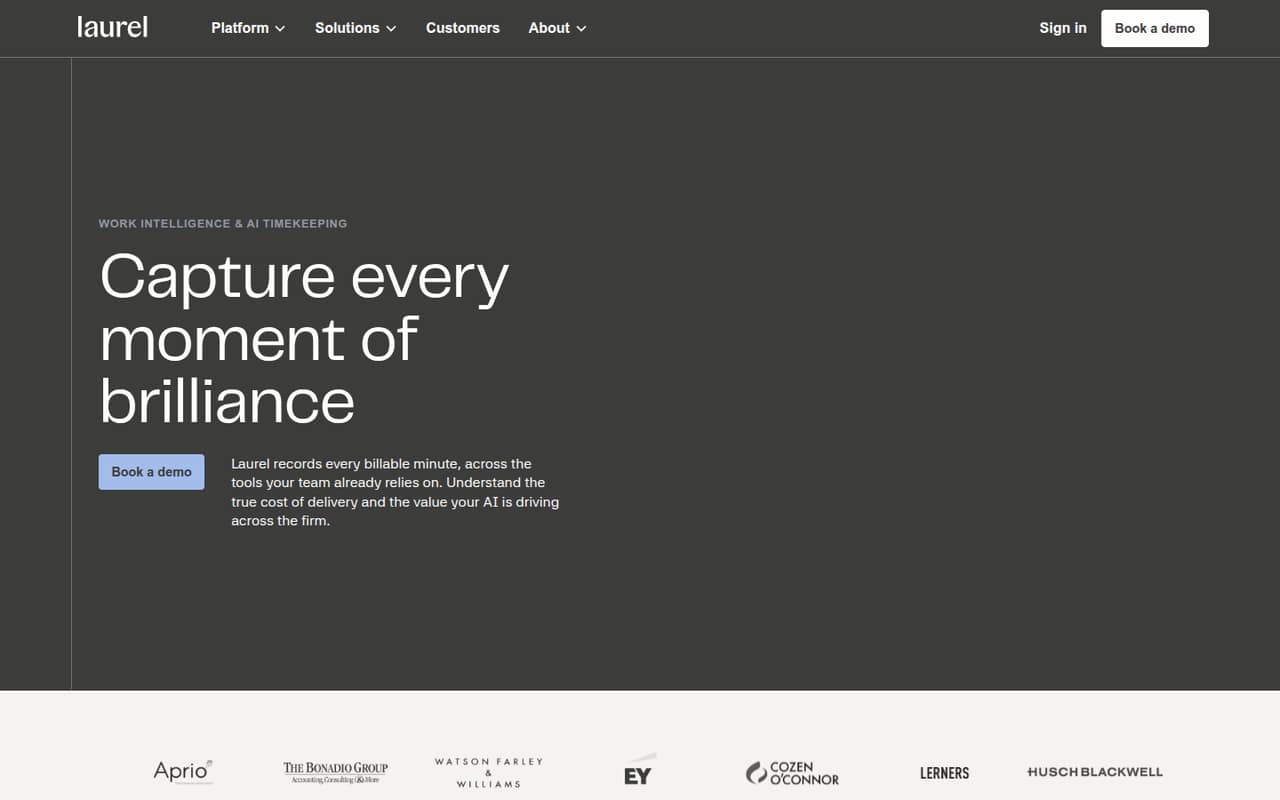
Laurel is built for professional services firms that need automated timekeeping, entry compliance checks, matter profitability, and a view of how people, AI, and tools contribute to work. Its feature set is specialized rather than a basic timer for any small business.
The pricing page lists Enterprise as a custom quote, with no published seat limits or billing terms. There is no free plan, and trial availability is not published. We’d ask for a quote for the whole team and confirm setup requirements before budgeting.
Good fit if
- Billable professional services firms
- Teams tracking matter profitability
- Firms measuring AI work outcomes
Skip it if
- Teams needing a free time tracker
- Buyers requiring clear per-seat pricing
- Nonprofessional-services teams seeking basic timers
ScoresHow it rates
What works
- Automatically records work across tools teams already use
- Checks entry compliance rules at the point of entry
- Shows where matters earn or lose money
- Maps the mix of people, AI, and tools
- Connects AI use to work outcomes
What doesn't
- No free plan
- Enterprise pricing requires a custom quote
- Seat limits are not published
- Monthly and annual billing terms are not published
- Named integrations and setup requirements are not published
01Who Laurel is for
Laurel is aimed at professional services firms where time entries, compliance, and matter economics affect the work. For a team of 1–10, the fit is strongest when people need to account for billable work and leaders want to understand which matters earn or lose money. It is less compelling if the only need is a simple timer or a low-cost way to log hours.
In plain terms, Laurel says it records work across tools a team already uses, checks entry rules, and gives firms views of service delivery costs and the mix of people, AI, and tools involved. That makes it relevant to firms trying to understand AI’s contribution as well as labor costs. The budget fit is harder to judge: the pricing page lists custom Enterprise quotes, not a per-seat rate. A small firm should ask for a quote covering its actual headcount and confirm which features are included.
02Laurel free plan and trial
Laurel does not list a free plan. The pricing information lists Enterprise as the plan for professional services firms and gives its price as a custom quote. A free trial is not published, so a small team should ask Laurel whether it can evaluate the product before signing and what that evaluation includes.
The cheapest published way in is Enterprise, but there is no public starting price to put against a small-team budget. The vendor also does not publish a seat minimum or a self-serve entry tier. Before investing time in a sales process, ask whether a team of your size can buy the full offering, whether any features are optional, and whether the quote requires an annual commitment. Those details are not published in the pricing information.
03What a small team pays for Laurel
The pricing page lists one plan, Enterprise, at a custom quote. It does not publish a per-person price, so we cannot calculate a supported cost for one person or a three- or five-person team. Monthly and annual prices and billing terms are also not published. There is no public starting price to use as a budget baseline.
The vendor does not publish seat limits or a list of paid add-ons. That means a small team cannot tell from the pricing page whether the quote changes by headcount, whether all listed capabilities are included, or whether extra costs apply to features such as AI ROI, Work Studio, or enterprise security. Ask for itemized pricing for your seat count, billing schedule, and any required services before comparing Laurel with a per-seat time tracker. Until Laurel provides those figures, the cost for a few seats is unknown, not a price we should estimate.
04Getting started with Laurel
Laurel describes its timekeeping as recording work across tools a team already uses, but the vendor does not publish named integrations or a step-by-step setup process in the pricing information. We therefore can’t say which tools connect on day one or how much configuration a small firm should expect. Ask Laurel to confirm that your current work apps are supported and whether setup needs help from your team or the vendor.
The product’s job is broader than starting and stopping a timer: it includes entry compliance, matter profitability, Work Studio, and AI ROI. That may mean teams need to agree on matters and compliance rules before the resulting views are useful; the vendor’s setup requirements are not published. Laurel also lists single-tenant AI, BYOK, SSO, SCIM, and in-region storage as security capabilities. Confirm which apply to your quote and what your team must configure. The learning curve is not published.
05When small teams outgrow Laurel
Laurel’s published offer is already Enterprise, so the usual path from a free or entry plan to a higher tier is not listed. A small team may find the tool is too much if it only needs basic hour logging, or too expensive if its custom quote does not fit the budget. The pricing page provides no seat thresholds or plan limits to mark a specific point when an upgrade is required.
A growing firm should reassess the quote as headcount, matter volume, and security needs change. Ask whether the same Enterprise plan covers added seats, whether pricing changes at particular team sizes, and whether single-tenant AI, BYOK, SSO, SCIM, and in-region storage are included. The vendor does not publish those commercial boundaries. If Laurel cannot provide clear terms or the integrations your team needs, that is a practical reason to compare other tools—not a published product limit.
Questions people ask
How much does Laurel cost?
The pricing page lists Enterprise at a custom quote. Laurel does not publish a starting price, per-seat rate, or prices for a one-, three-, or five-person team. Monthly and annual billing terms are also not published. Ask the vendor for an itemized quote based on your headcount and required features.
Does Laurel have a free plan or free trial?
Laurel does not list a free plan. The pricing information lists Enterprise as its plan for professional services firms. Trial availability is not published, so ask the vendor whether your team can evaluate Laurel before buying and what access that evaluation would include.
What does Laurel do for professional services firms?
Laurel describes itself as work intelligence and AI timekeeping for professional services firms. It automatically records work across tools teams already use, checks entry rules, shows matter profitability, and connects AI use to work outcomes. It also offers a view of the mix of people, AI, and tools involved in work.
Which apps does Laurel integrate with?
Laurel says it captures work across the tools a team already uses, but named integrations are not published in the available pricing information. Before buying, give the vendor your current work apps and ask which are supported, what data Laurel captures from each, and whether any setup is required.
What security features does Laurel list?
Laurel lists single-tenant AI, bring your own key (BYOK), SSO, SCIM, and in-region storage as enterprise security capabilities. The pricing information does not say which are included in a quote or whether any have separate costs. Ask the vendor to confirm coverage and availability for your firm.