
We may earn a commission if you buy through links on this page. It never changes a score or a ranking. How we make money
The bottom line
Good model variety and a free first image; budget carefully once your team starts generating.
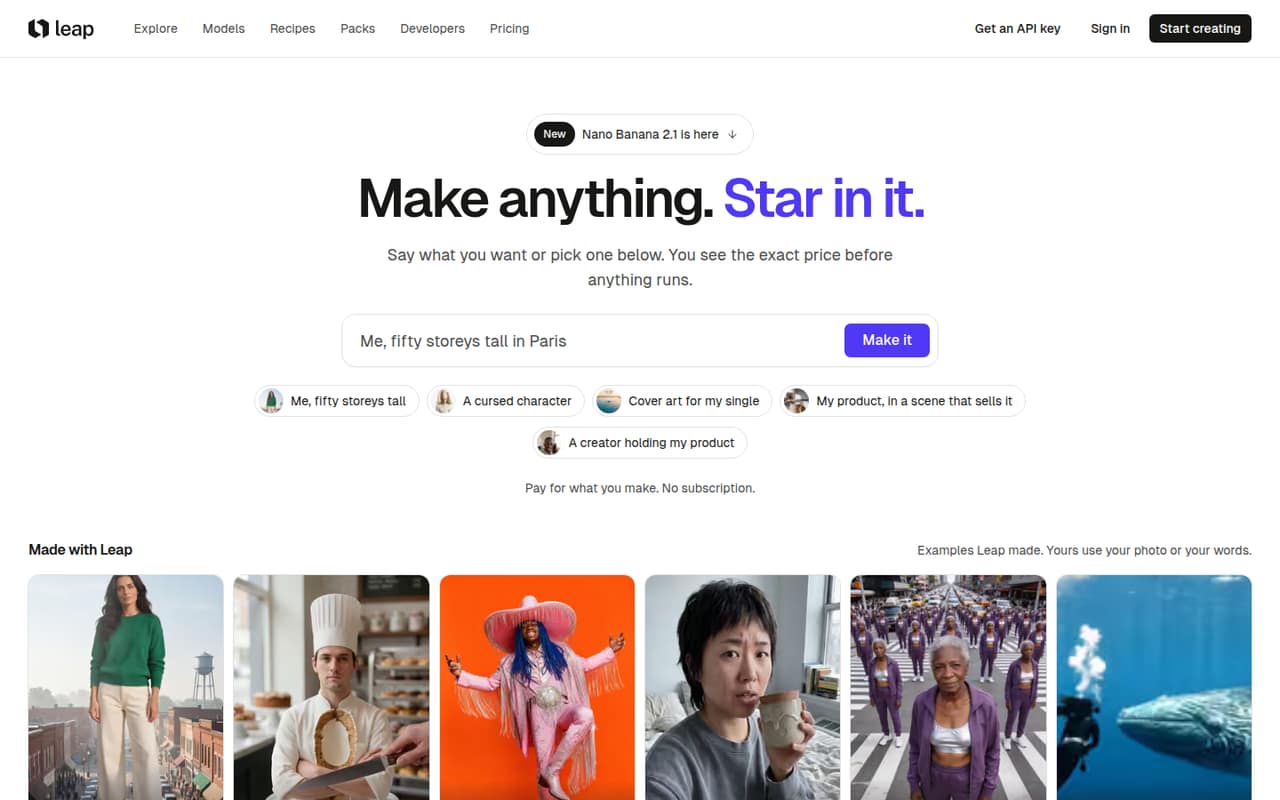
Leap AI brings image, video, voice, music and design tools into one studio, with 173 models listed from providers including Google and Black Forest Labs. Guided tools can help with prompts, and the studio, API and agents share a dollar balance.
For a small team, the main trade-off is flexible access versus predictable billing. The first studio image is free, but ongoing use is pay as you go, and Leap does not publish a flat monthly team price. A prepaid $9 pass covers some Nano Banana 2 image use, with daily and concurrency limits.
Good fit if
- Small teams making varied creative assets
- Creators who want to compare models
- Teams sharing API and studio spend
Skip it if
- Teams needing fixed monthly costs
- High-volume image production
- Teams requiring published seat pricing
ScoresHow it rates
What works
- 173 models listed across several providers
- First studio image is free
- Failed runs cost nothing
- Run price appears before it starts
- Studio, API and agents share a balance
What doesn't
- No monthly or annual subscription option
- Total team spend depends on usage
- Pass covers only Nano Banana 2 at 1K
- Pass limits use to 15 images daily
- Seat-based pricing is not published
01Who Leap AI is for
Leap AI suits a small creative team—roughly one to ten people—that needs to make different kinds of assets without committing to separate tools for every format. The studio brings image, video, voice, music and design models together, and offers guided tools such as Character Studio, effects and recipes alongside custom prompts.
That can fit a founder, marketer or designer who creates occasional social graphics, product visuals, short videos or narration. Leap lists 173 models, including options from Google, Black Forest Labs, ByteDance, Kuaishou and Alibaba. The range is useful if your team wants model choice, but it does not make the cost fixed: pay-as-you-go spending depends on what you generate. The first studio image is free, and the cheapest paid entry is a top-up from $5. For teams that need a firm per-seat budget, Leap’s usage-based approach may be a poor fit.
02Leap AI free plan and trial
Leap’s free start is limited: your first image in the studio is free. That gives a new user a way to try image creation, but it is not a stated monthly allowance, a free team plan or a general free trial across all formats. Leap does not list a recurring free balance in its pricing details.
After the free image, the cheapest listed way to continue is Pay as you go, with top-ups starting at $5. The studio, API and agents draw from the same dollar balance, and Leap says a run’s price appears before it starts. Failed runs cost nothing. If you want frequent Nano Banana 2 images instead, the separate Unlimited Images pass costs $9 prepaid for seven days, but its fair-use limit is 15 images per day at 1K. Other models and sizes cost extra.
03What a small team pays for Leap AI
Leap does not publish monthly or annual subscriptions or per-seat prices. Pay as you go starts with a $5 top-up; the first studio image is free, and the homepage lists image generation starting at $0.10 per image. Actual costs depend on the model and run, so that starting figure is not a reliable budget for every image or format. Leap shows a run’s price before it starts.
For one person, the listed entry is a $5 balance top-up, not a monthly plan. For a team of three or five, there is no published seat calculation: you top up a balance, and the studio, API and agents share it. The price of a team’s output therefore depends on how much it generates. The $9 Unlimited Images pass lasts seven days, does not renew automatically, and covers Nano Banana 2 at 1K with a 15-image daily limit and up to two runs at once. Other models and sizes cost extra. After the first top-up, top-ups below $20 incur a 5.5% card fee; top-ups of $20 or more have no fee.
04Getting started with Leap AI
The simplest starting point is the studio: choose a creative task, use a guided tool or write a custom prompt, then check the displayed run price before starting. Leap says failed runs cost nothing, which helps limit the risk of a misfire. The first studio image is free, so a user can begin without choosing a paid plan.
Leap also offers an API and agents, all using the same dollar balance. That could suit a team that wants to connect creative generation to a workflow, but Leap’s published feature details do not specify setup time, required technical skills or which integrations are available. We would ask Leap about those points before making the API part of a deadline-sensitive process. For a team using only the studio, there is no published seat setup or onboarding requirement to factor into the budget; confirm account and collaboration options with Leap if several people need access.
05When small teams outgrow Leap AI
Leap may stop fitting when your team needs predictable monthly spending or a clear per-seat budget. Pay as you go has no published monthly cap or team rate, so frequent generation can make costs harder to forecast. The price shown before each run helps with individual decisions, but does not give a team a fixed bill in advance.
The Unlimited Images pass can help with frequent Nano Banana 2 work, but it is narrow: $9 buys seven days at 1K, with a fair-use limit of 15 images per day and up to two concurrent runs. Other models and sizes cost extra, and runs beyond the daily limit use the usual price. A team generating more than that, or relying on several models and formats, should compare its actual usage against pay-as-you-go costs before buying passes. If you need published seat costs, monthly allowances or annual discounts, ask Leap whether those options are available before scaling.
Questions people ask
What is Leap AI?
Leap AI is a creative studio for making images, video, voice, music and designs. It brings models from multiple providers into one studio, with guided tools and custom prompts. Leap also offers an API and agents, and those use the same dollar balance as the studio.
Does Leap AI have a free plan?
Leap includes the first image in the studio for free. Its pricing does not list a recurring free plan or free monthly balance. After that first image, the listed pay-as-you-go option starts with a top-up of $5.
How much does Leap AI cost for a team?
Leap does not publish monthly, annual or per-seat prices. Pay as you go starts with a $5 top-up, and team spend depends on usage. The studio, API and agents share a balance. Leap also lists a $9 prepaid pass for seven days of limited Nano Banana 2 image use.
Does the Leap AI Unlimited Images pass cover every model?
No. The $9 pass covers Nano Banana 2 at 1K, with fair use of 15 images per day and up to two runs at a time. Leap says other models and sizes cost extra, and runs after the daily limit are charged at the usual price.
Do Leap AI top-ups have fees?
After the first top-up, Leap lists a 5.5% card fee on top-ups below $20. Top-ups of $20 or more have no fee. Leap says failed runs cost nothing, and the price for a run appears before it starts.