
We may earn a commission if you buy through links on this page. It never changes a score or a ranking. How we make money
The bottom line
A practical image enhancer for small batches; costs and credit limits need a closer look as a team grows.
Let's Enhance is worth considering if your small team needs to enlarge, clean up, or restore images without installing desktop software. The free plan gives you 10 credits to try it, but adds a watermark and limits upscaling to 8 megapixels.
For a few people, Starter works out to $27 a month for three separate subscriptions when billed annually, or $36 month to month. That's a meaningful recurring cost for occasional edits, and the vendor doesn't publish business-plan prices.
Good fit if
- Teams preparing images for print
- Small shops cleaning product photos
- Occasional photo restoration work
Skip it if
- Teams needing published seat pricing
- High-volume users on a tight budget
- Workflows requiring listed integrations
ScoresHow it rates
What works
- Free plan includes 10 signup credits
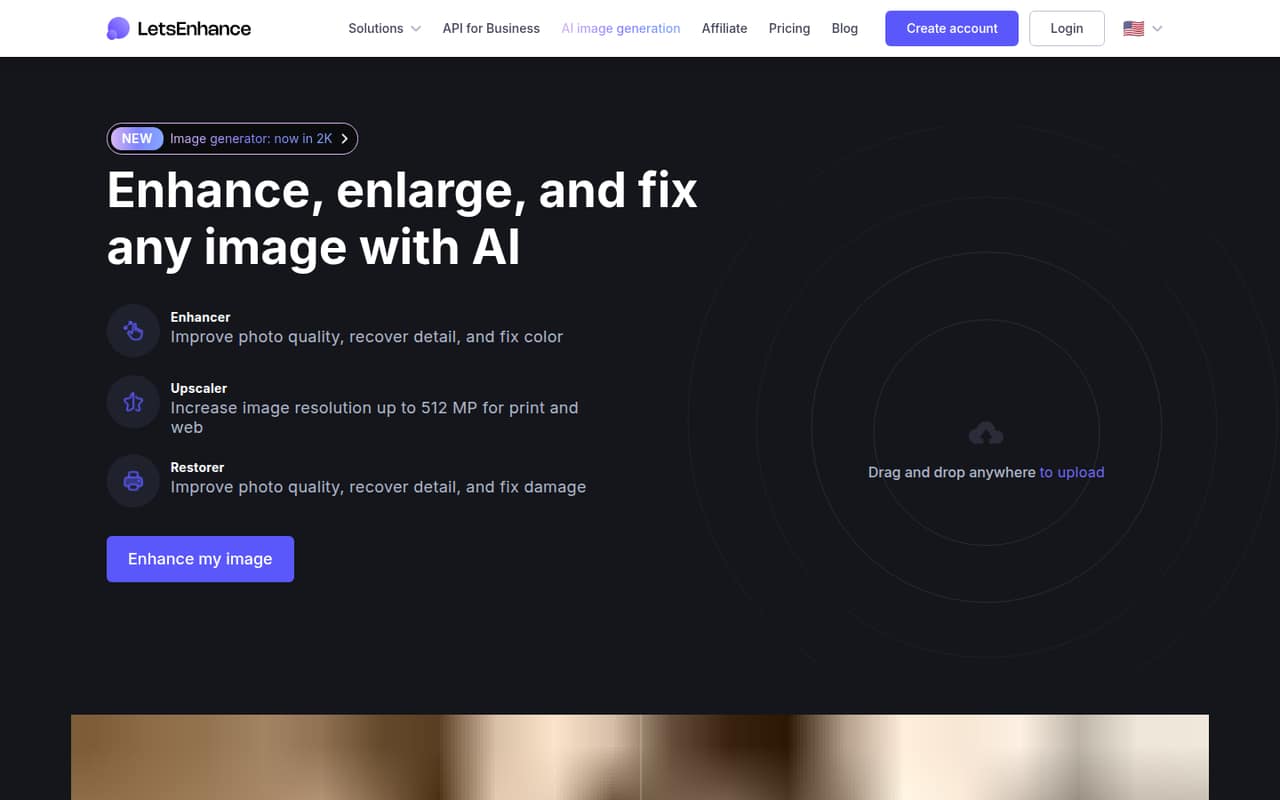
- Upscales images up to 512 megapixels
- Batch editing handles 20 images
- Accepts JPG, PNG, and WebP
- Starter credits can accumulate to 600
What doesn't
- Free images carry a watermark
- Free upscaling stops at 8 megapixels
- Business plan prices aren't published
- Business credits don't accumulate
- Integration availability isn't listed
01Who Let's Enhance is for
Let's Enhance fits a small team of one to 10 people that needs better-looking images now and then, rather than a full-time image production system. It can enhance photo quality, enlarge images, repair old or scanned photos, and work on product photos or AI-generated art. The homepage also describes batch editing for up to 20 images at a time.
For a lean team, the clearest use case is preparing a handful of images for print or improving photos that look blurry, noisy, or damaged. The web-based editor accepts JPG, PNG, and WebP uploads, so the basic job is to upload an image and choose an enhancement task. The free plan can help you see whether the results suit your work before paying. If several teammates need regular access, budget for separate Starter subscriptions unless the vendor confirms a different team arrangement; published team-seat pricing isn't listed.
02Let's Enhance free plan and trial
The Free plan includes 10 credits at signup. It accepts images up to 24 megapixels or 50MB, allows upscaling up to 8 megapixels, and stores images for six months. The main catch is a watermark on images, which makes the free tier better for trying the workflow than delivering finished client or shop assets.
A separate time-limited free trial isn't listed; the free plan is the low-risk way in. It doesn't match the paid plans' stated input and output limits: Starter, Pro, and Max accept inputs up to 64 megapixels or 50MB, while their upscale limits range from 256 to 512 megapixels. If you need watermark-free finished files or more than 10 signup credits, you'll need to compare paid plans.
03What a small team pays for Let's Enhance
Starter is the cheapest paid plan: $12 per month, or $9 per month when billed annually. Treating each user as a separate Starter subscription, one person pays $12 month to month or the equivalent of $9 monthly on annual billing. Three subscriptions work out to $36 monthly or $27 per month on annual billing; five cost $60 monthly or $45 per month on annual billing. The vendor doesn't publish a separate team-seat rate, so confirm how multiple users are handled before committing.
Starter includes 100 credits per month and lets you store up to 600 unused credits. Pro is $32 monthly or $24 per month billed annually; Max is $45 monthly or $34 per month billed annually. Those plans provide 300 and 500 monthly credits, respectively. Business plans list 1,000, 2,500, or 5,000 monthly credits, but their prices aren't published and unused credits don't accumulate. Pay-as-you-go image bundles are available, though their sizes and prices aren't shown.
04Getting started with Let's Enhance
Setup looks modest for a team that just needs image editing: Let's Enhance is web-based, and the listed upload formats are JPG, PNG, and WebP. That means there's no desktop editor to install for the core workflow. You can begin with the free signup credits and see whether its enhancement, upscaling, or restoration options suit your images.
The product details describe batch editing for up to 20 images at once, which may help when preparing a group of product shots or other similar images. The vendor doesn't publish an integration list in its product details, so ask whether it connects to the storage, shop, or design tools your team already uses. For day one, plan on uploading images directly; don't assume a shared team library or connected workflow without checking. The learning curve and setup steps beyond that aren't published.
05When small teams outgrow Let's Enhance
The first pressure point is volume. Starter offers 100 credits a month, and Pro and Max raise that to 300 and 500. If your team regularly needs more, the listed Business tiers offer 1,000, 2,500, and 5,000 credits, but the vendor doesn't publish their prices. Business credits also don't accumulate, unlike the unused-credit storage limits listed for personal plans. Ask for a quote before building a recurring workflow around those tiers.
Output limits can be another reason to move up: Starter allows upscaling to 256 megapixels, Pro to 350, and Max to 512. The Free plan's 8-megapixel limit and watermark may stop being useful once you're producing final files. One Reddit thread praises the service for making images suitable for poster-sized printing, while commenters disagree about whether upscaling preserves source detail. If image fidelity matters, review the results carefully before making it part of a production process.
From the threadsWhat users say
The Reddit discussion is mixed: one post recommends Let's Enhance for making images large enough to print, while commenters dispute whether upscaling loses source detail. That makes user sentiment cautiously positive rather than settled.
It's really great for turning a favorite image into a poster sized image that you can print out without seeing the digital artifacts
Just a note though, you will lose some of the detail of your image
Hmm. Not true. If you have an array of 4 squares, pull them apart, fill in the space with the corresponding missing colored square, you haven't lost any details and made the image bigger
It's certainly more advanced than simply stretching
Questions people ask
Does Let's Enhance have a free plan?
Yes. The Free plan includes 10 credits at signup, accepts images up to 24 megapixels or 50MB, and allows upscaling up to 8 megapixels. Storage lasts six months, and images have a watermark. It's useful for trying the editor, but the watermark and limits may rule it out for finished work.
How much does Let's Enhance cost for a small team?
Starter costs $12 per month, or $9 per month when billed annually. Three separate Starter subscriptions work out to $36 monthly or $27 per month on annual billing; five cost $60 or $45, respectively. The vendor doesn't publish a separate team-seat price, so confirm how multiple users are billed.
What image formats does Let's Enhance accept?
The listed upload formats are JPG, PNG, and WebP. The product description also includes image enhancement, upscaling, photo restoration, blur and noise fixes, and color correction. Check with the vendor if your team needs another format or has a specific file-handling requirement.
How many images can Let's Enhance edit at once?
The homepage describes batch editing for up to 20 images at once. The pricing details don't say how credits are counted for a batch or how long a batch takes, so ask the vendor about your expected image volume before choosing a plan.
How far can Let's Enhance upscale an image?
The product description advertises upscaling up to 16x, and the Max plan lists an upscale limit of 512 megapixels. Plan-specific limits differ: Free allows up to 8 megapixels, Starter 256, and Pro 350. Check the limit that applies to your plan and image before relying on a particular output size.