
We may earn a commission if you buy through links on this page. It never changes a score or a ranking. How we make money
The bottom line
Good for trying document extraction free; pricey when several teammates need access.
Lido turns PDFs, scans, images, and emails into structured data for spreadsheets and other systems. Its free plan gives you 50 pages with no expiration, so a small team can try the core extraction workflow before paying.
The catch is seats: Standard costs $29 a month for one user, while Scale is listed at $583.33 per user/month, billed annually. That makes Lido easier to justify for a solo workflow than for a budget-conscious team of three or five.
Good fit if
- Solo document-processing work
- Teams handling varied document formats
- Trying extraction before committing
Skip it if
- Teams needing several low-cost seats
- Workloads beyond plan page limits
- Buyers needing clear setup estimates
ScoresHow it rates
What works
- Free 50 pages do not expire
- Accepts PDFs, scans, images, and emails
- Exports to Excel and CSV
- Can validate data against internal systems
- Scale includes API and workflow access
What doesn't
- Free plan stops at 50 pages
- Standard includes just one user
- Scale requires annual billing
- Scale costs $583.33 per user/month
- Setup effort and overage rates are not published
01Who Lido is for
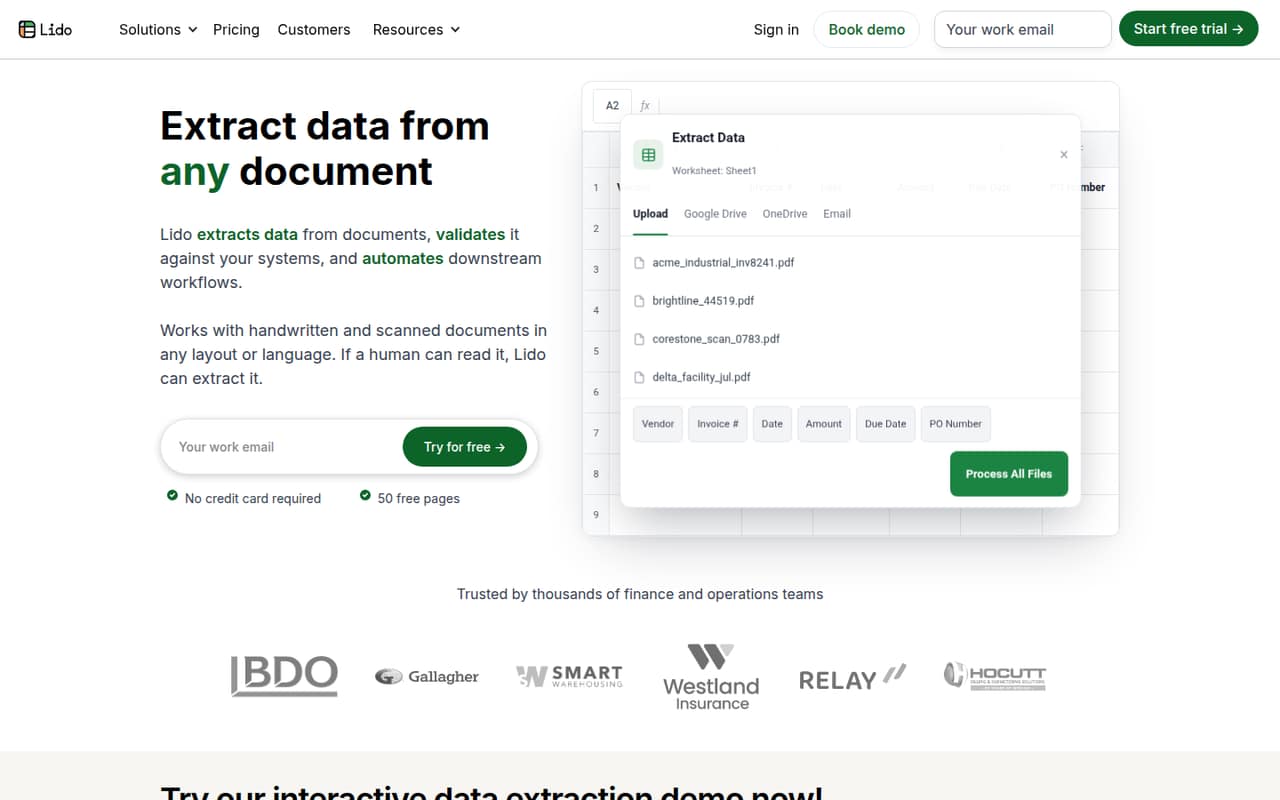
Lido is for a solo operator or a small team that spends time moving information from documents into spreadsheets or business systems. It extracts structured data from PDFs, scans, images, and emails, then can export the results to Excel, Google Sheets, or CSV. The homepage says it can handle handwritten and scanned documents in different layouts and languages.
That makes it worth considering if your recurring job is processing invoices, forms, or other incoming paperwork; the vendor does not publish specific document templates or industry limits in the pricing details. The free plan is a low-risk way to see whether your documents fit. For a one-person operation, Standard is $29 per month and includes 100 pages per month. For a team of three to five, the relevant listed plan is Scale, whose per-user annual pricing is a much bigger commitment. We would compare that bill with the staff time the workflow is meant to save.
02Lido free plan and trial
Lido’s Free plan includes 50 pages with no expiration and does not require a credit card. The pricing page lists any document type plus Excel and CSV export, so you can try extraction without starting a monthly subscription. It is a useful option for a small team evaluating whether Lido can read the kinds of files it receives.
The main stop is volume: the free allowance is 50 pages, not a monthly quota. The vendor does not publish what counts as a page or list an overage rate, so ask before relying on it for ongoing work. The plan details also do not list API or workflow access for Free. If one person needs regular processing, Standard is the cheapest paid option at $29 per month for one user and 100 pages per month.
03What a small team pays for Lido
For one person, Standard is $29 per month, or $348 over 12 months, and includes 100 pages each month. It is listed for one user, so it does not cover a three- or five-person team as a multi-seat plan.
Scale is priced at $583.33 per user/month, billed annually. If all seats are billed, three users work out to about $1,750 per month equivalent, or about $21,000 for a year. Five users come to about $2,917 per month equivalent, or about $35,000 for a year. Scale includes 42,000 pages per year, up to 10 users, API and workflow access, and priority email and chat support. The listing does not say whether pages are shared across users, so confirm that with Lido.
No add-ons are listed. The costs to check are the annual commitment, the number of billed seats, and what happens if you exceed the page allowance. Enterprise starts at $35,000 per year, so it is not a small-team bargain tier.
04Getting started with Lido
Lido’s described workflow is straightforward in outline: upload documents in batches or bring them in from connected folders and inboxes, extract data, then export it or use it in follow-up workflows. Listed destinations include Excel, Google Sheets, and CSV; the feature description also mentions matching extracted information against internal systems.
The vendor does not publish a setup-time estimate, a step-by-step onboarding path, or a list of specific folder, inbox, and business-system integrations in the pricing details. It also does not state how much configuration is needed for validation or workflow automation. So we would not assume this is plug-and-play for a live process. Before budgeting, ask Lido to walk through your document source, export destination, validation rules, and any follow-up actions you need. Scale includes live onboarding only on Enterprise; Scale lists priority email and chat support.
05When small teams outgrow Lido
The first limit is page volume. Free ends at 50 pages with no expiration, while Standard provides 100 pages per month for one user. A team processing more documents, or needing a regular multi-person workflow, will need to look beyond those entry plans. The listed Scale allowance is 42,000 pages per year and up to 10 users; confirm whether that page pool is shared and ask about overages before moving production work onto it.
The second limit is the bill. Scale’s $583.33 per-user monthly price is billed annually, so even three seats add up to about $21,000 a year. Teams that need more than 10 users, custom page limits, or custom ERP integrations are pointed toward Enterprise, which starts at $35,000 per year. The pricing page does not list an intermediate team tier or overage rates. If your team needs a modest number of seats at a lower cost, compare alternatives before committing to Scale.
Questions people ask
Is Lido free?
Yes. Lido’s Free plan includes 50 pages with no expiration, does not require a credit card, and lists Excel and CSV export. It is a limited allowance rather than an ongoing monthly page quota. Standard starts at $29 per month for one user and 100 pages per month.
What does the Lido app do?
Lido extracts structured information from documents such as PDFs, scans, images, and emails. It can send extracted data to spreadsheets or other systems, validate information against internal systems, and automate follow-up steps such as file handling, scheduled outputs, and document generation.
How much does Lido cost for a team?
Standard is $29 per month for one user. Scale is listed at $583.33 per user/month, billed annually; three seats work out to about $21,000 per year and five to about $35,000. Scale includes up to 10 users and 42,000 pages per year.
Can Lido export data to Google Sheets?
The product description lists Google Sheets as an export destination, along with Excel and CSV. The Free and Standard plan details specifically mention Excel and CSV export. Check with Lido whether the Google Sheets export you need is available on your intended plan.
What happens when I use all my pages?
The listed allowances are 50 pages for Free, 100 pages per month for Standard, and 42,000 pages per year for Scale. Lido’s pricing details do not list overage rates or explain what happens at the limit, so ask the vendor before planning a recurring workload around those caps.