
We may earn a commission if you buy through links on this page. It never changes a score or a ranking. How we make money
The bottom line
A capable app-building toolkit for teams willing to pay per seat from day one.
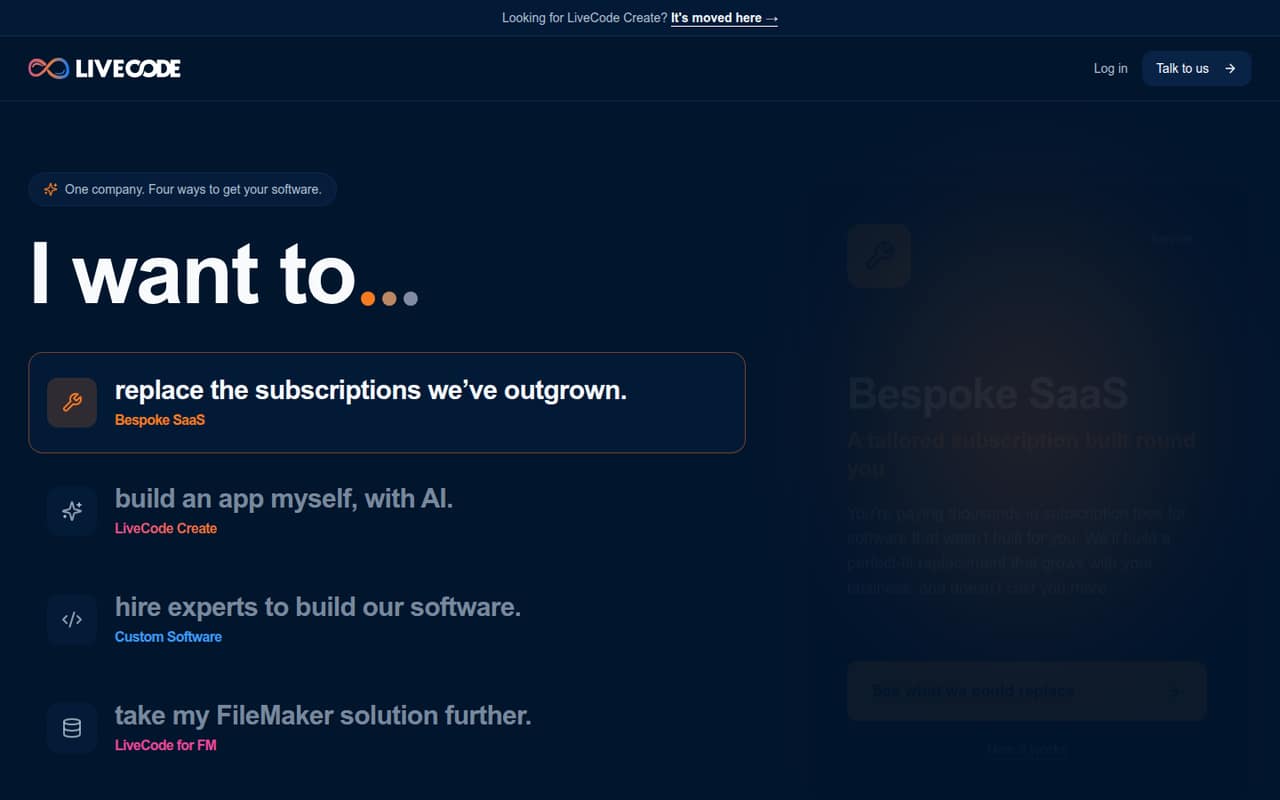
LiveCode Create combines AI assistance with a visual editor, workflow tools and a datastore for building web and native apps. The company also offers custom software services and tools to extend FileMaker solutions.
There’s no free plan, and Web or Native costs $36 per user/month billed monthly, or $440 per seat annually. That can work for a team that needs its deployment options, but the upfront cost is a drawback for budget-conscious builders.
Good fit if
- Teams building web or native apps
- FileMaker users extending to mobile
- Businesses replacing custom software
Skip it if
- Teams requiring a free plan
- One-person projects on tight budgets
- Teams needing published setup guidance
ScoresHow it rates
What works
- AI Copilot helps shape app ideas
- Visual editor plus UI and workflow tools
- Readable output can be edited
- Web, native and universal deployment plans
- Custom software and FileMaker services available
What doesn't
- No free plan or published free trial
- Web and Native require paid seats
- Internal app users also need seats
- Commercial apps have a transaction fee
- Setup and integration details aren't published
01Who LiveCode is for
LiveCode is for small teams that want to build apps without assembling a traditional development stack, or that need help replacing business software. LiveCode Create pairs an AI Copilot with a visual editor, UI Builder, Workflow Editor and Datastore. It can deploy to browsers, mobile devices and desktops, depending on the plan.
For a team of 1–10, the fit comes down to the job and the budget: each person building or using an internal app needs a paid seat, so even a small group pays from day one. Businesses that would rather hire help can also ask LiveCode about custom systems, automation and AI work. FileMaker customers have another option: LiveCode for FM extends FileMaker solutions to iOS, Android and Mac, with offline use and database sync. The pricing page lists $36 per user/month for Web or Native, making this a better fit when those app-building or deployment needs justify a recurring per-person cost.
02LiveCode free plan and trial
LiveCode does not list a free plan, and the pricing details do not list a free trial. That means there’s no no-cost tier to use for a small team’s first app or to keep around for occasional projects.
The cheapest listed way in is Web or Native at $36 per user/month with monthly billing, or $440 per user for an annual bill. Web covers browser deployment; Native covers iOS, Android and desktop deployment. Both include full LiveCode Create access, the UI Builder, Workflow Editor and Datastore, plus app and data hosting. If you’re unsure whether the visual tools fit your team, ask LiveCode whether it offers a demo or evaluation option before buying; the pricing details don’t specify one.
03What a small team pays for LiveCode
The pricing page lists Web and Native at $36 per user/month with monthly billing. That’s $36 for one person, $108 for three, or $180 for five each month. Annual billing is $440 per seat: $440 for one person, $1,320 for three, and $2,200 for five. Those annual bills work out to about $36.67 per seat/month, despite the page’s stated 20% saving.
Universal costs $55 per user/month, or $660 per seat annually. That works out to $55 monthly for one person, $165 for three or $275 for five; annual bills total $660, $1,980 or $3,300, respectively. Universal adds deployment to all platforms. Enterprise pricing is custom and lists options including your own backend, data-region choice, dedicated support and volume licensing.
Watch the seat rules and fees: every person building or using an internal app needs a seat, but commercial app end users do not. Commercial apps also have a transaction fee of 5% or less, with the rate falling as volume grows; ask LiveCode for the full details. Volume discounts are available above 12 seats.
04Getting started with LiveCode
LiveCode describes Create as a visual app-building platform: start with an idea for Copilot, then shape the app in the visual editor using the UI Builder, Workflow Editor and Datastore. That suggests a route for teams that prefer visual tools, but it does not tell us how much training a beginner will need or how long a first app takes.
The pricing details cover app and data hosting, but do not specify setup steps, migration help or integrations for common small-team tools. LiveCode also does not publish integration details in the information available for these plans. Before signing up, ask whether your data sources and login, payment or communication tools are supported, and what work is needed to connect them. The Reddit discussion about LiveCode focuses on what programming language to learn next, not setup help, so it offers little practical guidance on the learning curve.
05When small teams outgrow LiveCode
The first pressure point is cost: internal app users need seats as well as builders, so adding coworkers raises the bill. For teams deploying across web, mobile and desktop, Universal is $55 per seat/month, compared with $36 for Web or Native. Commercial apps have a transaction fee of 5% or less; ask LiveCode for the rate that would apply to your volume.
A team may also need Enterprise if it wants its own backend, a chosen data storage region, dedicated support or SLAs, or volume licensing. Those terms are custom-priced, so get a quote before building them into your budget. The pricing details do not publish usage caps or technical limits, so ask LiveCode about capacity and deployment needs as your app grows. Reddit users in the available discussion do not report scaling problems or product limits; the thread is about choosing what to learn next, so it is not a useful signal on when teams outgrow the platform.
From the threadsWhat users say
The Reddit discussion offers little direct feedback about using or buying LiveCode. It is a thread about what to learn next, with replies focused on programming interests rather than the product.
What do you want to get into?
As in front end or back end or both?
At some point you should learn Prolog
I would say HTML Its the easiest
Questions people ask
Does LiveCode have a free plan?
LiveCode does not list a free plan in its pricing details, and those details do not list a free trial. The cheapest listed plans are Web and Native, at $36 per user/month with monthly billing or $440 per seat annually. Ask LiveCode whether it offers a demo or evaluation option before purchasing.
How much does LiveCode cost for a small team?
Web and Native are listed at $36 per user/month with monthly billing, or $440 per seat when billed annually. That makes three seats $108 monthly or $1,320 annually; five seats cost $180 monthly or $2,200 annually. Annual totals work out to about $36.67 per seat/month.
What is the difference between Web, Native and Universal?
Web covers browser deployment, while Native covers iOS, Android and desktop deployment. Both include full LiveCode Create access, the UI Builder, Workflow Editor, Datastore, and app and data hosting. Universal includes deployment to all platforms and costs $55 per user/month or $660 per seat annually.
Do internal app users need a LiveCode seat?
Yes. LiveCode’s pricing details say each person building or using an internal app needs a seat. Commercial app end users do not need seats. Commercial apps do have a transaction fee of 5% or less, with the rate falling as volume increases; ask LiveCode for the full fee details.
Can LiveCode extend FileMaker apps to mobile?
LiveCode for FM extends FileMaker solutions to iOS, Android and Mac, with offline use and database sync. If you’re considering it, ask LiveCode about setup, supported devices and pricing for your FileMaker solution; those details are not listed in the plan prices.