
We may earn a commission if you buy through links on this page. It never changes a score or a ranking. How we make money
The bottom line
A capable QuickBooks reporting toolkit, but unpublished pricing makes the small-team math difficult.
LiveFlow connects QuickBooks Online data to Excel and Google Sheets for reporting, and offers consolidation, dashboards, budgeting and access for AI assistants. For a small team that already works in spreadsheets, it could reduce manual report handling.
The catch is cost clarity: pricing is listed as tailored, with no published starting price, free plan or trial. Ask for a quote for your actual number of users and products before deciding whether it fits a careful budget.
Good fit if
- QuickBooks Online finance teams
- Spreadsheet-based reporting workflows
- Accounting firms reusing client reports
Skip it if
- Teams needing published prices
- Businesses seeking a free tier
- Finance teams not using QuickBooks Online
ScoresHow it rates
What works
- Syncs QuickBooks reports to Excel and Google Sheets
- MCP connection gives AI assistants QuickBooks data access
- Offers multi-company consolidation and visual dashboards
- FinanceIQ supports department budgeting
- Reusable reports can roll out across clients
What doesn't
- Starting price is not published
- No free plan or free trial is listed
- Monthly and annual billing details are not published
- A Reddit user reported a quote far above expectations
- Setup effort and support details are not published
01Who LiveFlow is for
LiveFlow is aimed at finance teams and accounting firms that use QuickBooks Online and do reporting in spreadsheets. For a team of 1–10, the clearest fit is a small finance group that wants QuickBooks reports in Excel or Google Sheets, rather than downloading and updating reports by hand. It can also consolidate multiple QuickBooks companies, build visual dashboards and support department budgets through FinanceIQ.
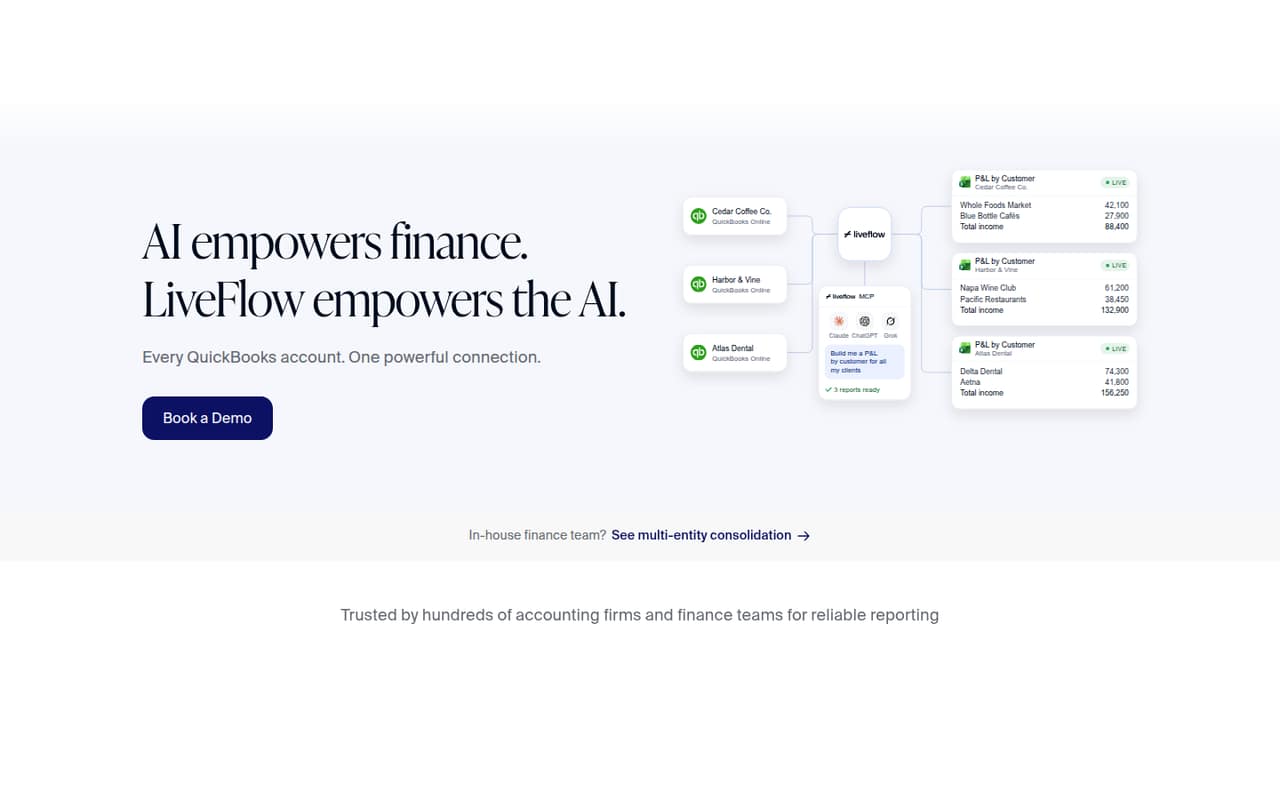
Accounting firms may value the ability to build a report once and reuse it across clients. LiveFlow also has an MCP connection for bringing QuickBooks reports, balances and transactions into Claude, ChatGPT or Grok. Those features may suit a team already exploring AI-assisted finance work. But the budget fit is hard to judge before a sales conversation: pricing is tailored, and no starting price is published. We’d ask for a quote based on the number of users, companies and products you actually need.
02LiveFlow free plan and trial
The available pricing information lists no free plan and no free trial. It also doesn’t describe a limited free version, so a small team shouldn’t plan on trying the full reporting workflow at no cost. The listed option is Tailored pricing for businesses seeking a custom arrangement.
That means the cheapest way in is to request a quote; the vendor doesn’t publish a starting price. Ask whether the quote covers the spreadsheet connection, AI assistant access, consolidation, dashboards and budgeting, or whether those products are priced separately. Also ask if there’s a demo or trial available for your team. Neither monthly nor annual billing details are published, so confirm the billing schedule before committing.
03What a small team pays for LiveFlow
LiveFlow’s pricing information lists a Tailored plan, but the price is not published. That leaves the cost for one person, three people or five people unknown; there’s no per-seat figure to multiply. Monthly and annual billing details are also not published, so we can’t give a reliable monthly-versus-annual comparison. The practical next step is to ask for separate quotes for one, three and five users, and confirm whether each quote is monthly or annual.
The same uncertainty applies to add-ons. The pricing information doesn’t list add-on prices or say whether products such as consolidation, dashboards, FinanceIQ budgeting or MCP access are included in a quote. One commenter on r/FPandA said their quote was much higher than expected, even after a reported discount. That’s one buyer’s account, not a standard price, but it’s a reason to request an itemized quote and check the full cost before choosing LiveFlow over manual spreadsheet work.
04Getting started with LiveFlow
The core workflow connects QuickBooks Online data to Excel or Google Sheets, where reports can be refreshed from the workbook. For an AI workflow, LiveFlow’s MCP connection can provide QuickBooks reports, balances and transactions to Claude, ChatGPT or Grok. Those are the main integrations to consider on day one; make sure your team uses the right spreadsheet and assistant before requesting a quote.
The vendor doesn’t publish setup time or a step-by-step effort estimate in the pricing information, so we wouldn’t assume it’s a quick self-serve setup. A commenter on r/FPandA said their company’s financials synced to Google Sheets in real time, but that’s one user’s report, not a setup guarantee. Ask LiveFlow what access and permissions are needed, who configures the reports, and whether onboarding is included. Those answers matter especially for a small team without a dedicated finance systems owner.
05When small teams outgrow LiveFlow
LiveFlow may stop fitting when a team’s accounting setup moves beyond QuickBooks Online, or when its needs and budget require clearer pricing before committing. The features described center on QuickBooks Online, spreadsheets, consolidation, dashboards, budgeting and AI access. The vendor doesn’t publish a user limit or a price threshold for upgrading, so ask how a quote changes as you add people, companies or products.
Price is the bigger warning sign in the available buyer feedback. One r/FPandA commenter said a quote was much higher than expected, even after a reported discount, and compared the overall spend with larger finance systems. That’s an individual experience, not a typical quote, but growing teams should revisit costs as requirements expand. An accounting firm may also need to check whether reusable reports cover its client workflows. Get the included features, onboarding and renewal terms in writing before the team depends on it.
From the threadsWhat users say
Reddit sentiment is mostly positive about the reporting workflow and potential time savings, but not uniformly so. One commenter warned that LiveFlow’s quote was much higher than expected, so cost deserves a close look.
for us this is a near "perfect" solution that gives us back at least 20 person-hours per month
However, we received the quote and it was MUCH higher than anticipated, and that was after a 70% discount
LiveFlow automatically syncs our financials into Google Sheets in real time, so we're not spending hours downloading reports or doing manual updates anymore
Is it perfect? Of course not. Is it fully built out? Nope
Questions people ask
Does LiveFlow have a free plan?
The available pricing information lists no free plan or free trial. It lists a Tailored option for businesses seeking custom pricing, but does not publish a starting price. Ask LiveFlow whether it offers a demo or trial for your team and what features would be included.
How much does LiveFlow cost for a small team?
LiveFlow’s starting price is not published, and monthly and annual billing details are also unavailable. That means the cost for one, three or five people can’t be calculated from public rates. Request an itemized quote for your team size and confirm which products and integrations it covers.
Does LiveFlow work with Excel and Google Sheets?
Yes. LiveFlow connects QuickBooks Online data to Excel and Google Sheets for live reporting, and reports can be refreshed from the workbook. A Reddit commenter also reported syncing financials to Google Sheets in real time. Confirm with LiveFlow which spreadsheet workflows your quote includes.
Can I connect LiveFlow to an AI assistant?
LiveFlow’s MCP connection lets AI assistants access QuickBooks Online reports, balances and transactions. The listed assistants include Claude, ChatGPT and Grok. Before adopting this workflow, ask what setup and permissions are needed and whether MCP access is included in your quote.
Is LiveFlow suitable for accounting firms?
It may suit firms that report on QuickBooks Online clients: LiveFlow supports multi-company consolidation and reusable client reports. One Reddit poster said they implemented it in their practice, while another commenter reported time savings. Ask for a quote covering your client count and reporting needs.