
We may earn a commission if you buy through links on this page. It never changes a score or a ranking. How we make money
The bottom line
Good for turning research into maps; less clear for teams that need predictable shared pricing.
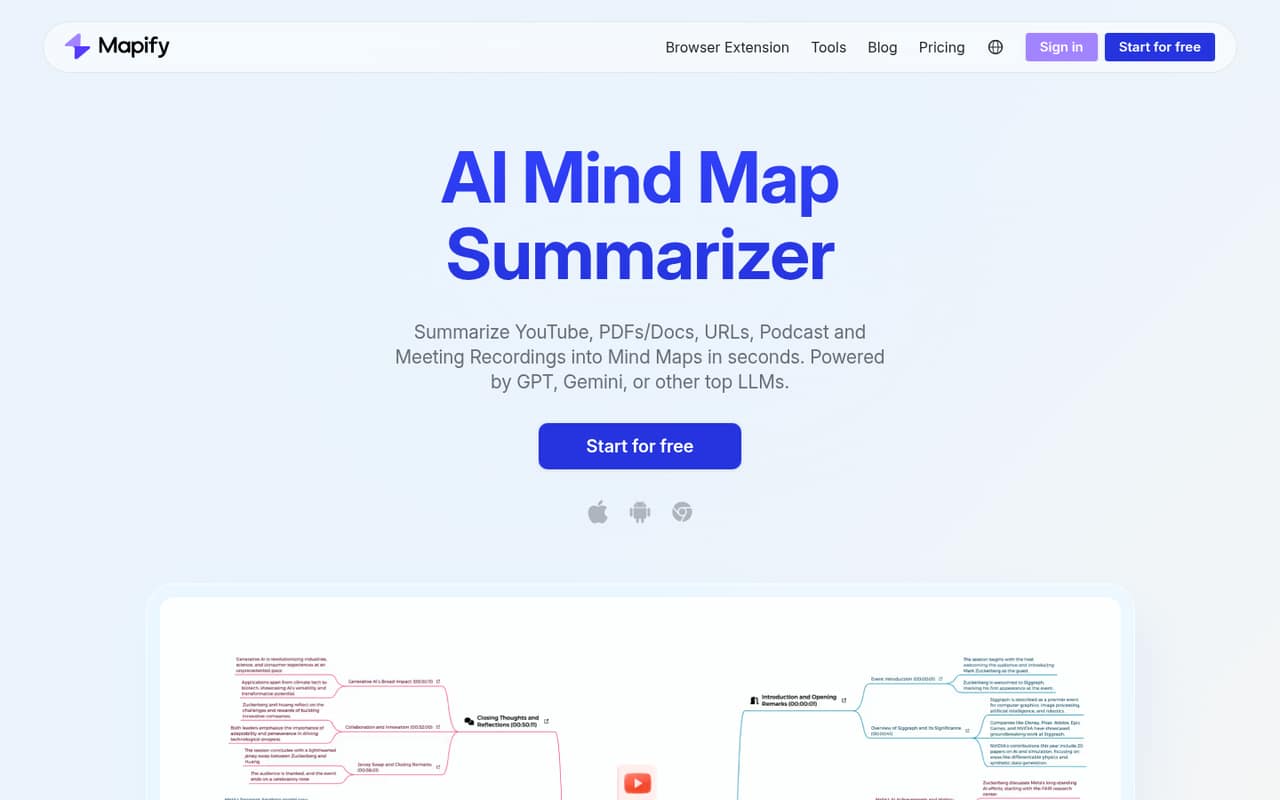
Mapify turns videos, PDFs, webpages, audio, images, and text into editable mind maps. The free plan gives a small team a way to try the core workflow, while paid plans start at $5.99 per month with annual billing or $9.99 month to month.
For a few people, the catch is cost: Mapify lists individual plans and a custom Team plan, but no public team-seat price. Reddit users have also raised concerns about confusing quotas and editing access, so confirm the current limits before relying on the free tier.
Good fit if
- Small teams summarizing research
- People learning from long videos
- Teams sharing visual notes
Skip it if
- Teams needing published seat pricing
- Heavy users on a tight budget
- Teams needing established integrations
ScoresHow it rates
What works
- Maps content from several common formats
- Free plan includes 30 one-time AI credits
- Free plan lists map editing
- Pro supports files up to 10M words
- Exports include PDF, Markdown, and SVG
What doesn't
- Free plan limits PDFs and videos to five each
- Free credits are one-time, not monthly
- Team pricing requires contacting sales
- Unlimited plan credit description is inconsistent
- Reddit users report quota and editing confusion
01Who Mapify is for
Mapify is for small teams that spend time turning published material into notes, outlines, or presentations. It can summarize YouTube videos, PDFs, webpages, audio, images, and text as editable mind maps. That may suit a one-to-five-person research, learning, or content team that wants a visual starting point rather than another general-purpose project tracker.
The free plan is enough to try a few documents and videos. For regular use, Basic starts at $5.99 per person per month with annual billing, or $9.99 month to month. That is a modest entry point for one person, but costs add up if each teammate needs a separate subscription. Mapify lists a custom Team plan, but not a public seat price. We would consider it when mind maps are a useful output of your work, not when you need a full team knowledge base or predictable shared-seat billing.
02Mapify free plan and trial
Mapify’s Free plan lists 30 one-time AI credits, five PDFs or documents to mind maps, five YouTube videos to mind maps, and the ability to edit mind maps. It is a useful way to check whether the output fits your workflow, but those credits are a one-time allowance rather than a monthly refill. The listed free limits are specific to PDFs and YouTube videos; other free-use quotas are not published in the plan details.
A separate free trial is not listed. Basic is the cheapest paid plan: $9.99 per month, or $5.99 per month with annual billing. There is a wrinkle: a Reddit thread says editing was paywalled, which conflicts with the current plan listing. Confirm editing access and current free limits before making the free tier part of a team process.
03What a small team pays for Mapify
The pricing page lists Basic at $9.99 per month, or $5.99 per month with annual billing. That is $119.88 for one person paying monthly or $71.88 for a year at the annual rate. Assuming each teammate buys one Basic plan, three people cost $29.97 monthly or $17.97 per month on annual billing ($215.64 for the year). Five cost $49.95 monthly or $29.95 per month on annual billing ($359.40 for the year).
Those are per-person calculations, not published team-seat prices. Mapify lists a custom Team plan that requires contacting sales, with no public price. Pro is $19.99 monthly or $11.99 per month with annual billing; it adds 2,000 monthly AI credits, AI chat, audio and image summaries, and support for files up to 10M words. The Unlimited listing is internally inconsistent: it says unlimited AI credits, while its introduction says 6,000 Powerful credits per month. The pricing lists no add-ons. Ask sales about seats and shared billing before budgeting for a larger group.
04Getting started with Mapify
The basic workflow looks simple from the features Mapify lists: bring in a supported source, generate a mind map, then edit or share it. Supported inputs include videos, documents, webpages, audio, images, and text. Mapify also lists web-powered search, source links, and video timestamps that jump from a map point to a moment in the video.
The vendor does not publish a setup-time estimate in the plan details, so we would not promise a five-minute rollout. For day one, a team can start with a small set of PDFs or YouTube videos and decide how it wants to share or export the resulting maps. Export options listed on Basic include PDF, Markdown, and SVG. Specific third-party integrations, team onboarding steps, and account administration details are not published in the plan information. If your workflow depends on connecting another app, ask Mapify whether that connection is supported before buying.
05When small teams outgrow Mapify
You may outgrow Mapify when several teammates need regular access, predictable shared billing, or more capacity than the included credits allow. The public prices are for individual plans; the Team plan is custom, so there is no published per-seat figure to compare against buying separate subscriptions. Free is also a sampler, with 30 one-time credits and five each of PDF/document and YouTube conversions.
Pro may be the next step for heavier work: it lists 2,000 AI credits per month, audio and image summaries, chat with content, and support for files up to 10M words. Before choosing Unlimited, ask the vendor to clarify its conflicting credit descriptions. A Reddit thread describes the quota system as complex and says editing was paywalled; that editing claim conflicts with the current free-plan listing. If clear limits or shared team controls are essential, confirm them with sales before moving a whole team over.
From the threadsWhat users say
The available Reddit discussion is limited and mixed: users compare free plans, with one post calling out editing access and a commenter warning that quota types are not alike. It is not enough to establish broad satisfaction, so we would treat sentiment as uncertain.
It's interesting to see that only Mapify is paywalling the editing of mind maps completely
The problem is that Mapify Mind Map AI and GitMind all have a free quota system, which is quite complex
Some tools stop after a few lifetime uses, others reset credits monthly so you can keep using them
This is so relatable, it makes me want to cry, but I’m laughing! Thank you!
Questions people ask
What does Mapify’s free plan include?
The Free plan lists 30 one-time AI credits, five PDFs or documents to mind maps, five YouTube videos to mind maps, and map editing. The credits are one-time rather than monthly. A Reddit thread disputes the editing access, so confirm the current free-plan terms with Mapify if editing is essential.
How much does Mapify cost for a small team?
Basic costs $9.99 per person per month, or $5.99 per person per month with annual billing. Assuming separate Basic subscriptions, three people would pay $29.97 monthly or $17.97 per month on annual billing. Mapify lists a custom Team plan, but does not publish its price.
Can Mapify summarize PDFs and YouTube videos?
Yes. Mapify lists PDF and YouTube video summaries as supported features. The Free plan includes five PDFs or documents and five YouTube videos to mind maps. Basic also lists PDF and YouTube summaries, while the pricing details do not specify a conversion count for that plan.
What file formats and content can Mapify turn into maps?
Mapify lists videos, PDFs and other documents, webpages, audio, images, and text as inputs for mind maps. Pro specifically lists audio and image summaries and support for files up to 10M words. The listed features do not give a complete file-extension compatibility list, so check with the vendor about a particular format.
Does Mapify have a team plan?
Mapify lists a custom Team plan and says to contact sales to discuss requirements. It does not publish a Team price or seat count in the plan details. For a budget estimate, ask sales about per-seat costs, shared billing, and the features included before comparing it with separate individual subscriptions.