
We may earn a commission if you buy through links on this page. It never changes a score or a ranking. How we make money
The bottom line
A capable workday memory aid, but its per-seat price and local-only data are real trade-offs.
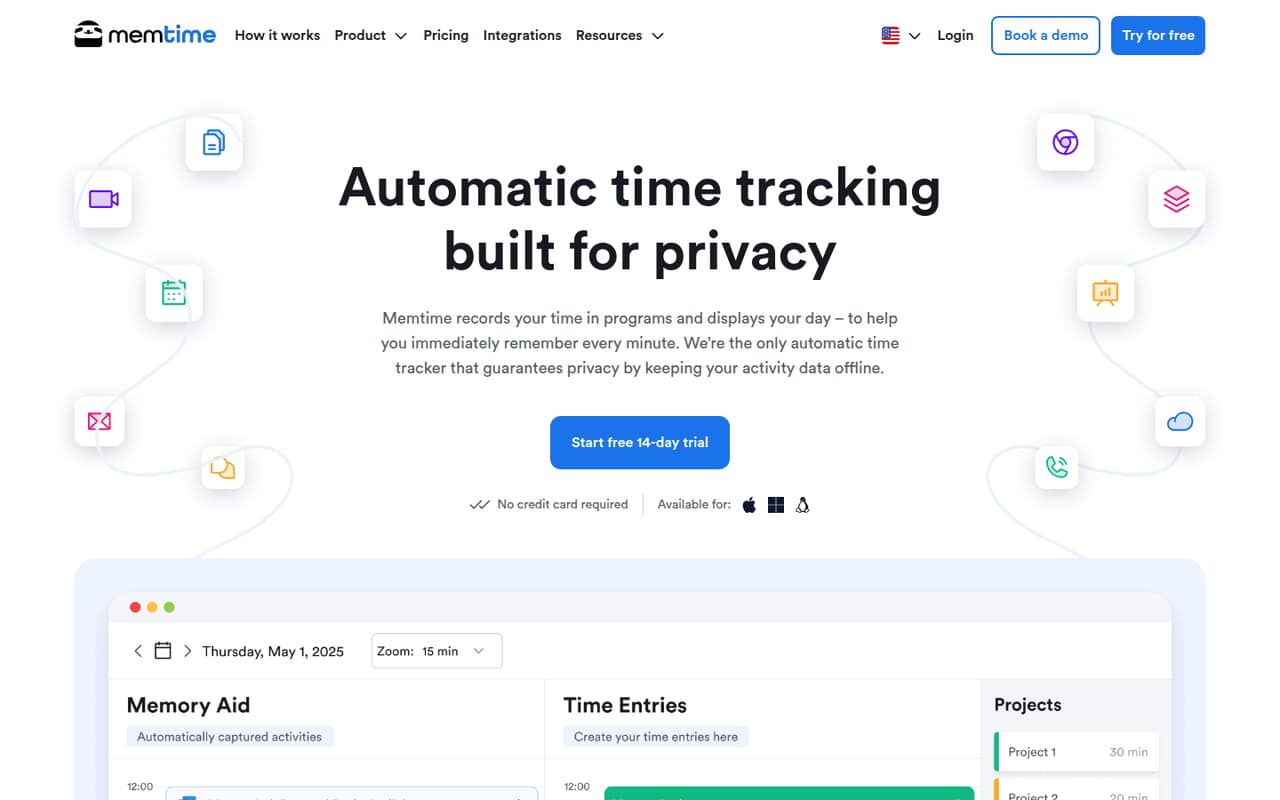
Memtime automatically records activity in programs, then gives you a timeline to review and turn into project time entries. Offline storage may suit teams concerned about privacy, but it also means activity data stays on the device.
There’s no free plan, and the cheapest plan starts at $14 per user/month with annual billing. That can add up quickly for a small team; Reddit comments also raise concerns about billing and support.
Good fit if
- People who forget timesheet details
- Small teams tracking billable work
- Teams wanting offline activity records
Skip it if
- Teams needing a free tracker
- Budget-conscious teams with many seats
- Teams needing account-backed data storage
ScoresHow it rates
What works
- Automatically records time spent in programs
- Offline storage keeps activity data on the device
- Timeline helps reconstruct past workdays
- Create project entries from captured activity
- Basic includes unlimited custom reports
What doesn't
- No free plan
- Basic starts at $14 per user/month annually
- Basic allows at most two software integrations
- Activity data is stored locally, per a user report
- Reddit users report billing and support concerns
01Who Memtime is for
Memtime suits solo workers and small teams that lose billable time trying to remember what they did at the end of the day. It automatically records time spent in programs, then presents an activity timeline so you can review the day and create project time entries. That makes it a fit for consultants, freelancers, and teams whose work is spread across several applications.
The trade-off is cost. There’s no free plan, and Basic starts at $14 per user/month with annual billing; the pricing page lists $18 per user/month on its other billing options. For a team of five, that’s $70 per month at the annual rate, before considering any higher-tier features. Memtime is worth considering if better timesheets could recover meaningful billable time. If you only need a basic timer, or need to keep every subscription lean, the price may be hard to justify.
02Memtime free plan and trial
Memtime has no free plan. The pricing page lists a 14-day free trial, but does not publish which paid-plan features or seat limits the trial includes. Ask the vendor whether the trial covers the integrations and reporting your team needs before relying on it to evaluate those features.
After the trial, the cheapest option is Basic: $14 per user/month with annual billing, or $18 per user/month on the pricing page’s other listed billing options. Basic includes automatic and offline time tracking, calendar integrations, unlimited custom reports, built-in project management, and up to two software integrations. The pricing page does not list a monthly-only price, so confirm the billing term and total due before signing up. There’s no permanent free tier to keep using if the trial ends and the paid plan doesn’t fit.
03What a small team pays for Memtime
Basic is the entry plan: the pricing page lists $18 per user/month on its other billing options and $14 per user/month with annual billing. That works out to $18 or $14 for one person, $54 or $42 for three, and $90 or $70 for five. The annual-rate totals are monthly equivalents; the annual bill is $168 per person, $504 for three, or $840 for five. The page does not list a monthly-only price, so check the term before budgeting.
Basic includes up to two software integrations. If your team needs more, Connect lists unlimited integrations and sync with project software; it costs $26 per user/month on the other listed billing options or $21 with annual billing. At those rates, three seats come to $78 or $63 monthly, and five to $130 or $105. The pricing page lists no add-ons. Premium adds call-system integrations and SSO options, but most small teams should first check whether Basic’s two integrations are enough.
04Getting started with Memtime
Memtime’s basic workflow is straightforward in concept: it captures activity in programs, shows a timeline, and lets users create project entries from that record. The vendor does not publish a setup-time estimate, so we can’t put a reliable number on onboarding or say how quickly a team will have its reports ready.
For day one, decide which project software needs to receive time entries and check whether it is among Basic’s maximum of two integrations. Connect is the plan for teams that need unlimited integrations and project-software syncing; the pricing page lists 100+ software integrations on that tier. A commenter on r/AustralianAccounting says they set up categories for admin and breaks, suggesting teams may want to agree on categories as part of their process. That commenter also describes the tool as easy enough to use, but that is one user’s view, not a guarantee of setup effort for your team.
05When small teams outgrow Memtime
The clearest upgrade trigger is integrations. Basic caps software integrations at two; Connect raises that to unlimited and adds project-software syncing. The jump is $7 per user/month at the annual rate, or $5 on the pricing page’s other listed billing options. For five people, that’s an extra $35 or $25 per month, respectively. Teams that need call-system integrations, premium integrations, or the listed SSO options will need to look at Premium, which starts at $29 per user/month annually.
There are also reasons to consider whether Memtime fits your risk tolerance. One commenter on r/AustralianAccounting reports losing entries and presets after a computer problem and says the data was stored locally rather than in their account. Reddit users in another thread complain about billing practices and customer service; those are individual reports, not a measure of every customer’s experience. Before expanding use, ask the vendor about data recovery, billing terms, and support expectations.
From the threadsWhat users say
Reddit sentiment is mixed: one user says automatic activity capture made timesheets much easier, while other commenters raise concerns about billing, support, and locally stored data. Those complaints are individual accounts, but they are worth weighing alongside the tool’s price.
it made a HUGE difference to my time tracking
The cost is crazy high for what it is
Customer service is 0/10
Turns out, Memtime DOES NOT save your data to your account
Questions people ask
What does Memtime do?
Memtime automatically records time spent in programs and organizes that activity into a timeline. You can review past workdays, create project time entries from captured activity, and export time entries as reports. It also offers integrations to sync entries with project software.
Does Memtime have a free plan?
No. The pricing page lists a 14-day free trial, but no permanent free plan. After the trial, Basic is the least expensive plan, starting at $14 per user/month with annual billing. The vendor does not publish a monthly-only price.
Where does Memtime store activity data?
Memtime’s product description says activity information is stored on the device. A Reddit commenter also reports that entries and presets were lost after a computer problem. Ask the vendor about backup and recovery options before relying on Memtime for records you can’t recreate.
Which Memtime plan supports project software sync?
Connect includes sync with project software and unlimited integrations. Basic includes up to two software integrations. The pricing page lists Connect at $21 per user/month with annual billing or $26 per user/month on its other listed billing options.
How long does Memtime take to set up?
The vendor does not publish a setup-time estimate. Setup will depend partly on which integrations and project categories your team needs. Basic allows up to two software integrations; Connect includes unlimited integrations and project-software syncing.