
We may earn a commission if you buy through links on this page. It never changes a score or a ranking. How we make money
The bottom line
Morgen unifies calendars and tasks, but there’s no free plan and team seats add up.
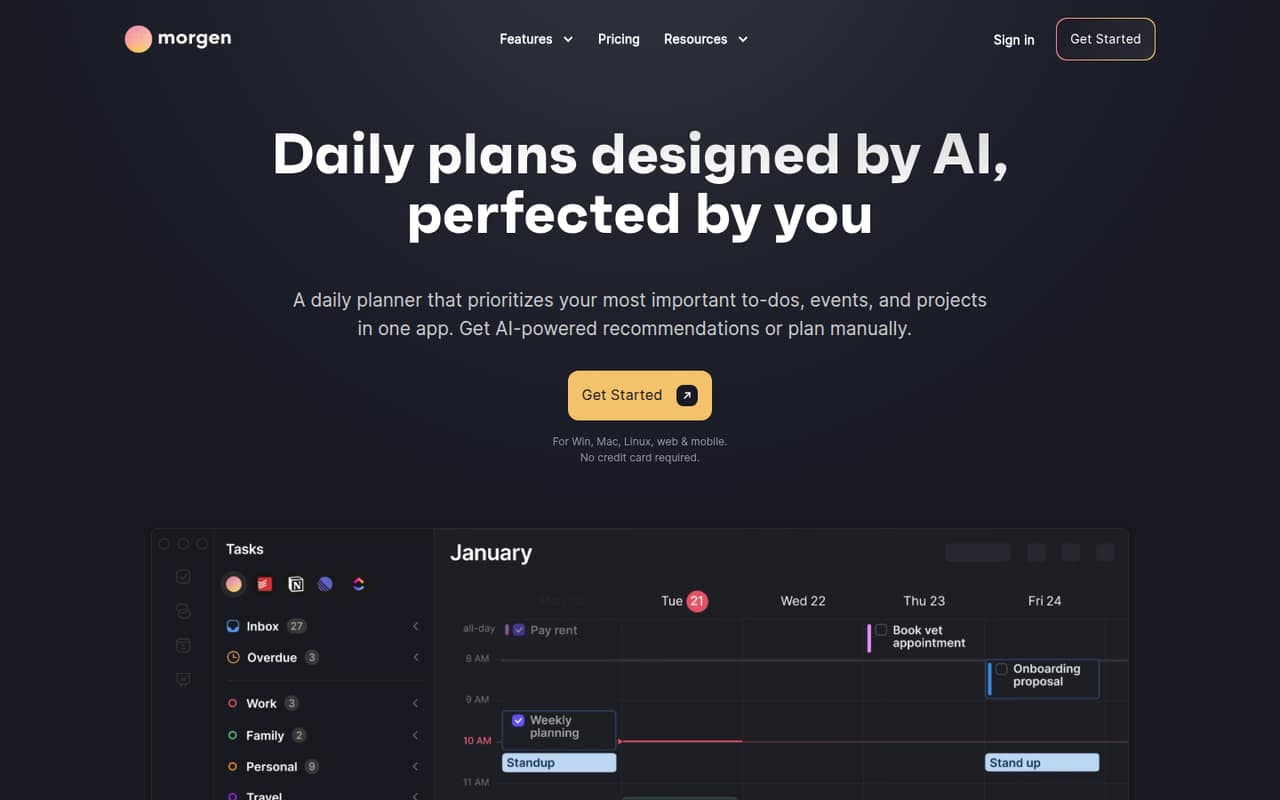
Morgen combines calendars, tasks, and projects, with an AI Planner that recommends schedules and adjusts them when conflicts arise. It also supports booking links, calendar automations, and task scheduling from tools including Notion, ClickUp, Linear, and Todoist.
There’s no free plan: the trial lasts 14 days, and paid plans start at $15 per month when billed annually. For a team, the cheapest option is Team Yearly at $10 per seat per month, with a two-seat minimum.
Good fit if
- Small teams consolidating calendars and tasks
- People who want AI-assisted time blocking
- Teams sharing scheduling links
Skip it if
- Teams that need a permanent free plan
- Solo users on a tight monthly budget
- Teams that only need a basic calendar
ScoresHow it rates
What works
- Combines calendars, tasks, and projects
- AI Planner recommends and adjusts schedules
- Connects Google, Outlook, Apple, and Fastmail calendars
- Schedules tasks from Notion, ClickUp, Linear, and Todoist
- Includes booking links and calendar automations
What doesn't
- No free plan
- Trial lasts only 14 days
- Pro Monthly costs $30 per month
- Team plans require at least two seats
- Yearly prices are billed annually
01Who Morgen is for
Morgen suits solo professionals and small teams of roughly two to ten people who need calendars and tasks to work together. It brings calendars from Google, Outlook, Apple, and Fastmail into one app, and lets users schedule tasks from tools such as Notion, ClickUp, Linear, and Todoist.
The main draw is planning: its AI Planner recommends time blocks and adapts schedules when conflicts come up, while users can still review, change, or plan manually. Booking links, colleague availability, and calendar automations add useful coordination features for teams. The trade-off is price. There’s no permanent free plan, and the lowest team rate is available only with annual billing and a two-seat minimum. For a team that already spends time juggling calendars and task lists, Morgen may earn its subscription. If everyone only needs to check appointments, it may be more tool than the budget calls for.
02Morgen free plan and trial
Morgen does not offer a free plan. The vendor lists a 14-day free trial, but does not publish trial-specific limits or say which paid-plan features it includes. Check those details before starting if your team needs a particular integration or feature during the trial.
After the trial, the cheapest listed option is Pro Yearly at $15 per month, billed annually. That’s for one individual and includes the Pro features, such as AI Planner time blocking, unlimited calendars and task integrations, calendar automations, booking links, and apps for desktop, mobile, and browser. If you want monthly billing as an individual, Pro Monthly costs $30 per month. Teams need at least two seats and start at a different rate.
03What a small team pays for Morgen
For one person, Pro Monthly costs $30 per month. Pro Yearly is $15 per month, billed annually, or $180 for the year. The yearly plan lists the same Pro features and says it saves 50% compared with monthly billing.
Teams pay per seat and must buy at least two. Team Monthly costs $25 per seat per month: three people cost $75 monthly, and five cost $125 monthly. Team Yearly costs $10 per seat per month, billed annually: three people cost $30 per month equivalent, or $360 per year; five cost $50 per month equivalent, or $600 per year. The Team Yearly listing says it saves 60% compared with monthly and can be canceled anytime.
The listed plans have no add-ons. The practical cost to watch is the seat count: each added teammate adds another per-seat charge. Confirm with Morgen whether any other charges apply to your account before subscribing.
04Getting started with Morgen
Morgen does not publish a setup-time estimate or a detailed onboarding checklist. From the listed features, expect to connect the calendars your team uses, then add the task tools you want to schedule from. Supported calendars include Google, Outlook, Apple, and Fastmail; task integrations include Notion, ClickUp, Linear, and Todoist.
For day one, start with the calendars and task sources that matter most. Then decide whether you want to use AI Planner time blocking, share booking links, or set up automations such as syncing events and adding travel or buffer time. Those choices can add setup work, especially if several people need shared availability. The vendor does not publish a learning-curve estimate, so teams should use the 14-day trial to check whether the planning workflow fits before paying.
05When small teams outgrow Morgen
Morgen’s listed plans do not publish a maximum team size or a cap on calendars and task integrations; the Pro plans list unlimited calendars and task integrations. That means the clearest pressure point for a growing team is cost, not a stated usage ceiling. Each additional team member adds another seat, and the lowest team rate requires annual billing.
At five people, Team Yearly works out to $600 billed annually, while Team Monthly totals $125 each month. If your team grows beyond that, price the extra seats against your budget before expanding. Morgen may also be a poor fit if you need a permanent free tier: the trial lasts 14 days, then a paid plan is required. The vendor does not publish details about enterprise features or larger-team limits, so ask about those needs before committing.
Questions people ask
Does Morgen cost money?
Yes. Morgen lists a 14-day free trial but no free plan. After the trial, individual plans start at $15 per month when billed annually, or $30 per month with monthly billing. Team plans start at $10 per seat per month billed annually, with a two-seat minimum.
Can you use Morgen for free?
Morgen does not list a permanent free plan. It offers a 14-day free trial, but the vendor does not publish trial-specific feature limits. Check whether the trial includes the features your team needs, then compare the paid plans before signing up.
Does Morgen calendar cost money?
Morgen’s calendar app is part of its paid plans. Individuals can choose Pro Monthly at $30 per month or Pro Yearly at $15 per month billed annually. Teams pay per seat, with a minimum of two seats.
Can Morgen schedule tasks from other apps?
Yes. Morgen lists task scheduling from Notion, ClickUp, Linear, and Todoist. Its calendar consolidation supports Google, Outlook, Apple, and Fastmail calendars. The vendor lists unlimited calendars and task integrations on its Pro plans.
What does Morgen’s AI Planner do?
The AI Planner recommends schedules and adapts plans when conflicts arise. Its time-blocking feature is included in the listed Pro and Team plans. Users can review and change the proposed plan or plan their day manually.