
We may earn a commission if you buy through links on this page. It never changes a score or a ranking. How we make money
The bottom line
A generous free entry point for UI generation, with separate costs to watch as your team grows.
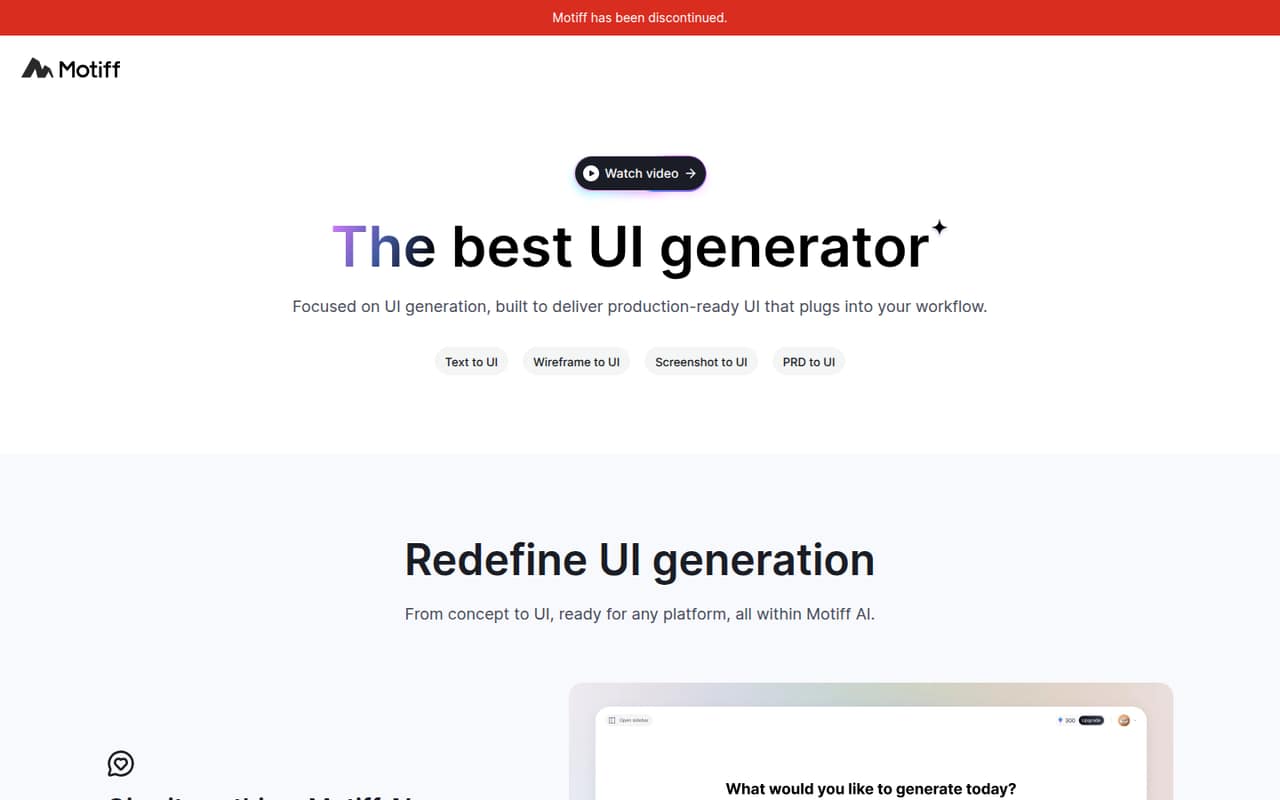
Motiff turns text, screenshots, wireframes and other inputs into editable UI, with preset styles and options to export designs or code. Its free AI plan includes 100 credits and up to 10 UIs, so a small team can try the core idea before paying.
The catch is that AI generation and team design are priced separately. Core Professional starts at $4 per designer monthly with annual billing, while AI Pro lists $16 per month annually; check the seat terms and your credit needs before budgeting.
Good fit if
- Small teams exploring AI UI generation
- Designers who need React or HTML exports
- Teams already working with Figma
Skip it if
- Teams needing unlimited free AI generation
- Organizations needing published setup guidance
- Buyers wanting one simple all-in price
ScoresHow it rates
What works
- AI Free includes 100 monthly credits
- Free AI plan allows up to 10 UIs
- AI Pro exports HTML and React code
- Presets include Material Design and shadcn/ui
- Core Starter includes unlimited personal files
What doesn't
- AI credits and design seats have separate pricing
- Free AI exports are limited to image formats
- Core Starter allows only three shared files
- Professional AI 2.0 adds $20 per seat monthly
- Reddit users mention quirks and legal concerns
01Who Motiff is for
A small product team can use Motiff to turn a written idea, screenshot, wireframe, PRD, PDF or markdown file into an editable interface. It is a fit for teams of one to ten that want to explore UI concepts quickly without paying for a full design-team setup on day one. Motiff offers styles such as Minimalist, Material Design, Ant Design and shadcn/ui, then lets you select an element and describe a change.
The budget-friendly route is to start with the free AI plan, then add paid design seats if collaboration becomes important. Motiff can export designs to other tools, and AI Pro lists Figma copying plus HTML and React exports. That makes it relevant to teams handing designs to developers, too. The homepage says generations receive automated testing and daily expert review; that is a vendor claim, not a guarantee that every generated screen will be ready to ship.
02Motiff free plan and trial
Motiff has two free entry points. AI Free includes 100 credits per month, generation of up to 10 UIs, and PNG, JPEG and WebP exports. Core Starter is for personal design work and includes unlimited personal files, three shared Motiff files, 30 days of version history and basic inspection. Both plans list a price of $0.
The AI limits matter if your team generates many options or needs editable code: AI Free does not list HTML or React exports, and its monthly credits cap generation. AI Pro lists those code exports, along with 1,000 credits per month. The pricing page does not publish free-trial terms, but the free plans give a no-cost way to start. Keep in mind that the free AI and free Core design offerings have different limits.
03What a small team pays for Motiff
For shared design work, Core Professional is the clearest small-team paid plan. The pricing page lists designer seats at $5 per month, or $4 per month with annual billing. That works out to $15 monthly for three designers or $25 for five; annual billing is $12 or $20 per month, respectively. Developer seats are listed at $1 per month, but an annual developer price is not published.
AI Pro lists $20 per month, or $16 per month with annual billing, and includes 1,000 credits, Figma copying, HTML and React exports, and IDE-ready ZIP downloads. The listed plan price does not state a per-seat unit, so confirm how it applies to your team before multiplying it across seats. Motiff AI 2.0 is a separate add-on: $20 per seat monthly on Professional or $40 per seat monthly on Organization. Organization lists $15 per user monthly, with no annual price published.
04Getting started with Motiff
The basic workflow looks approachable for a small team: provide a prompt or reference, choose a preset style, review the generated interface, then select elements for targeted edits. Motiff lists inputs including screenshots, wireframes, PRDs, PDFs and markdown, so a team can start with material it already has. The vendor does not publish a setup-time estimate or a detailed learning curve; expect to spend time refining prompts and reviewing results rather than assuming the first output is final.
For handoff, AI Pro lists copying generated UI to Figma, plus HTML and React exports and IDE-ready project ZIP downloads. The specific tools supported by the general design-export feature are not listed, so confirm any must-have connection with Motiff before committing. One Reddit user said the AI had quirks, while another described playing with the app to see whether it could fit their workflow. That points to a sensible first step: try a real team brief on the free plan.
05When small teams outgrow Motiff
You may hit the AI Free ceiling when you need more than 100 credits or 10 generated UIs in a month, or when you need code exports. AI Pro raises the listed allowance to 1,000 credits and adds HTML and React exports. For collaboration, Core Starter's three shared files and 30 days of version history may be limiting; Core Professional adds unlimited Motiff files and version history, a team component library, shared and private projects, and Develop Mode.
Costs can rise if you add designer seats and the AI 2.0 add-on together, so price those separately before expanding. Motiff's Organization plan adds administration and content-management features, but its listed $15 monthly price is per user. Reddit feedback is mixed: one user praised the cost savings but noted quirks. Another commenter raised a lawsuit concern and linked a Bloomberg Law report about Figma's allegations; treat that as a due-diligence flag, not a finding about the product.
From the threadsWhat users say
The small amount of Reddit feedback leans positive about Motiff's AI and value, though one user mentions quirks. Another commenter raises a legal concern, so the overall sentiment is promising but too limited to call settled.
the cost savings and streamlined workflow have been worth it for me
It’s not without its quirks
yep and there goes the lawsuit
I'm currently playing around with it to see if i can possibly incorporate it into my workflow
Questions people ask
What is Motiff?
Motiff is AI-powered UI design software. It can generate editable interfaces from prompts and references such as wireframes, screenshots, PRDs, PDFs and markdown. Users can choose preset styles, refine selected elements with instructions, and export designs. AI Pro lists HTML and React code export, as well as IDE-ready project ZIP downloads.
Does Motiff have a free plan?
Yes. AI Free lists 100 credits per month, up to 10 UIs, and PNG, JPEG and WebP exports. Core Starter is also free and lists unlimited personal files, three shared Motiff files, 30 days of version history and basic inspection. Those are separate offerings with different limits.
How much does Motiff cost for a small team?
Core Professional lists designer seats at $5 per month, or $4 per month with annual billing. Three designer seats cost $15 monthly or $12 per month on annual billing; five cost $25 or $20, respectively. AI Pro lists $20 monthly or $16 with annual billing, but the pricing page does not state a per-seat unit for that plan.
Can Motiff export code?
AI Pro lists HTML and React code export and IDE-ready project ZIP downloads. AI Free lists PNG, JPEG and WebP exports instead. Motiff also says designs can be exported to other tools, and AI Pro includes copying generated UI to Figma. Check with Motiff if your team needs a particular export destination or format.
Does Motiff offer a free trial?
Motiff lists free AI and Core Starter plans, which let you try parts of the product without paying. The pricing page does not publish separate free-trial terms. AI Free has a 100-credit monthly limit and allows up to 10 UIs; paid AI Pro lists 1,000 monthly credits and code-export features.