
We may earn a commission if you buy through links on this page. It never changes a score or a ranking. How we make money
The bottom line
Good for straightforward desktop edits, but the free version is too limited for finished videos.
Movavi Video Editor is a desktop editor for teams that want templates, effects, captions, and basic editing tools without starting from a blank timeline. The pricing page lists a free version, but exports are capped at 60 seconds and carry a watermark.
The cheapest listed paid option without those export limits is the one-year subscription at $4.58 per month, per PC. That can work for a small team, but check licensing for monetized videos and how device transfers work before buying.
Good fit if
- Short social and marketing videos
- Teams that like templates
- One-PC-per-editor workflows
Skip it if
- Watermark-free free exports
- Shared multi-device licenses
- Teams needing confirmed commercial terms
ScoresHow it rates
What works
- Templates, effects, transitions, titles, and stickers
- Tools to cut, crop, adjust color, and speed
- Automatic subtitles from speech
- Noise removal and silence removal
- Annual editor plan listed at $4.58 monthly equivalent
What doesn't
- Free exports are limited to 60 seconds
- Free exports include a watermark
- Paid editor plans cover one PC
- Monetized-video licensing needs checking
- Some users report a steep learning curve
01Who Movavi Video Editor is for
Movavi Video Editor suits a solo creator or a small team of roughly one to five people making social clips, product explainers, training videos, or other straightforward edits. It is desktop software, and the listed paid editor plans cover one PC, so each person who needs their own computer should budget for a separate license.
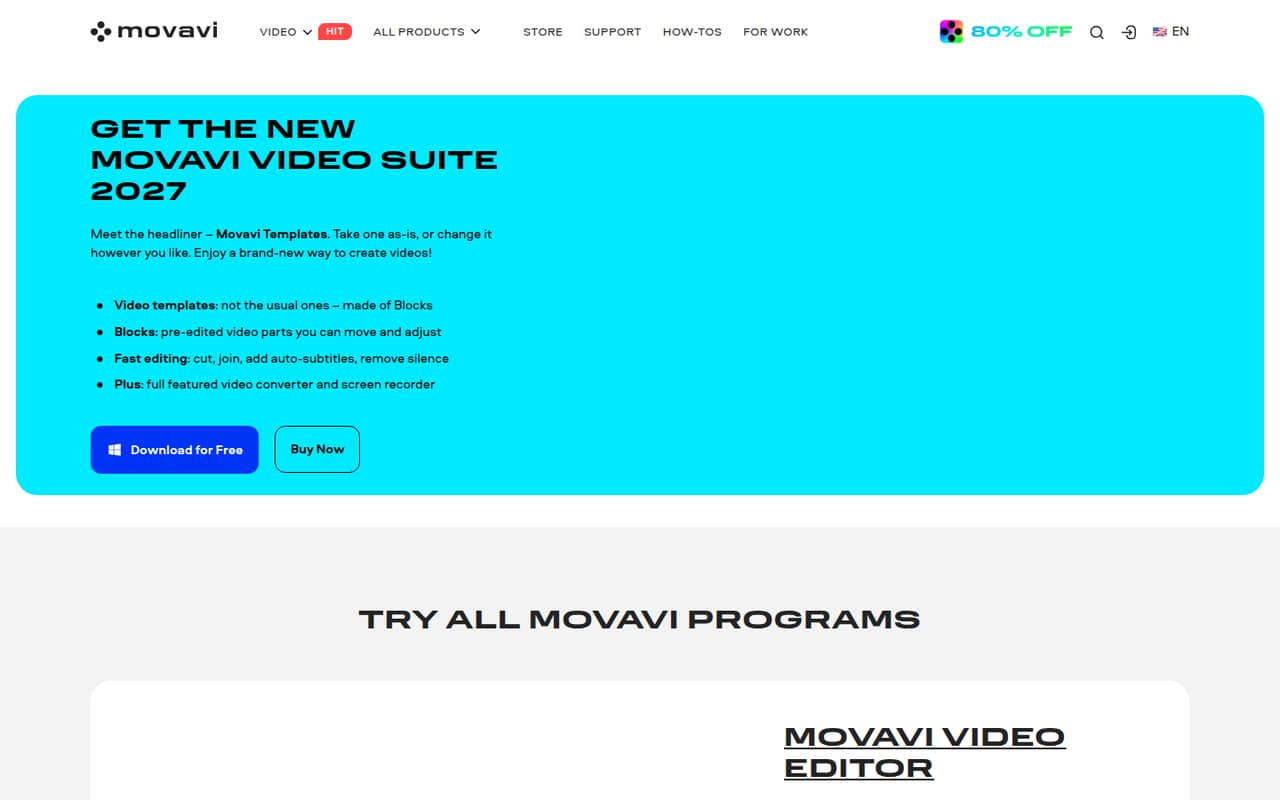
The editor combines common tasks—cutting, cropping, adjusting color and speed—with templates, effects, titles, transitions, overlays, and stickers. It also lists automatic subtitles, silence removal, noise removal, and motion tracking. That mix is useful when a small team wants to turn existing footage into a finished-looking video without assembling every element from scratch.
We would not treat it as a team-wide shared editing workspace: the listed plans describe a one-PC license, not a shared seat or collaboration setup. And if videos will earn money, check the license terms first. One Reddit commenter says Movavi support told them a business license was needed for monetized YouTube videos.
02Movavi Video Editor free plan and trial
The pricing page lists a Video Editor Free Version for one device. It lets a team try basic editing, but exports are capped at 60 seconds and include a watermark. That is enough to explore the editor or make a short draft; it is not a way to deliver a full-length, watermark-free video.
The listed paid plans remove both restrictions. The cheapest is Video Editor (1-Year Subscription), at $4.58 per month equivalent, for one PC. A one-month subscription is also listed at $19.95 per month. The pricing page does not list a separate free trial for Video Editor. Movavi Effects has an optional seven-day trial, but that is an add-on, not a trial of the editor plan. Check checkout details carefully: one Reddit user reports being signed up for two monthly subscriptions after expecting a trial.
03What a small team pays for Movavi Video Editor
The lowest paid option with no watermark or video-length cap is Video Editor (1-Year Subscription), listed at $4.58 per month equivalent for one PC. That works out to $13.74 per month equivalent for three licenses or $22.90 for five. The equivalent annual totals are $164.88 and $274.80, respectively. The pricing page lists minor and major updates for one year with this plan.
For month-to-month billing, Video Editor (1-Month Subscription) is $19.95 per PC each month: $59.85 for three people or $99.75 for five. Video Editor (Lifetime) costs $119.95 per PC as a one-time purchase, with major upgrades excluded. That means $359.85 for three licenses or $599.75 for five.
Watch the add-ons: Movavi Effects is $49.95 per month after an optional seven-day trial; Movavi Templates is listed at $49.95, but its billing period is not published. Movavi Guide is $9.95 lifetime. The pricing page does not publish overage costs. Compare the actual checkout total and terms before adding extras.
04Getting started with Movavi Video Editor
Movavi is desktop editing software, so start by choosing the PC that will hold each paid license. The listed plans cover one PC, and the free version covers one device. The pricing page does not describe team setup, integrations, or a shared project workflow; ask Movavi about those needs before committing if several people will handle the same videos.
The editing basics are familiar tasks: cut, crop, change color or speed, then add titles, transitions, music, or effects. Templates offer pre-edited segments that teams can adjust, while the listed AI tools include automatic subtitles and noise removal. Those features give a new editor several ways to build a polished result, but one Reddit commenter describes the learning curve as too big. Plan time for whoever will edit to learn the interface, rather than assuming templates remove all setup work.
For device changes, one Reddit user says they had to contact support to get a new key, while other commenters describe transfers differently. Confirm the current transfer process with Movavi before buying.
05When small teams outgrow Movavi Video Editor
The first limit is the free plan: a 60-second export cap and watermark make it unsuitable for finished, longer videos. The next is licensing. The listed paid editor plans cover one PC, so a team of five needs five licenses if all five people need to edit on their own computers. At the annual plan’s listed monthly equivalent, that is $22.90 per month for five licenses; month-to-month billing is $99.75.
A team may also outgrow the fit if it needs a shared editing setup, or if its videos are monetized and the license terms are unclear. Movavi’s pricing details do not describe shared collaboration or publish overage costs, so ask the vendor about the exact workflow and license before scaling up.
Reddit feedback is mixed and includes complaints about learning curve, value, and lifetime-license transfers. One commenter says support helped them move a license between PCs, while another buyer describes trouble activating on a replacement computer. Treat that as a reason to confirm transfer terms, not as a guarantee of either outcome.
From the threadsWhat users say
Reddit sentiment is mixed, with some users liking the simple editor and others warning about cost, learning curve, or license questions. Reports about moving a lifetime license between computers conflict, so confirm the process with Movavi.
The video editor is very simple but has great potential
Too big of a learning curve
I've been through 4 PC changes so far, and it's working just fine
You should use a business license for monetized videos
Questions people ask
Is Movavi Video Editor free?
Movavi lists a Video Editor Free Version for one device. Its exports are limited to 60 seconds and include a watermark. The listed paid editor plans remove the watermark and video-length cap, starting at $4.58 per month equivalent with an annual subscription.
Does Movavi Video Editor put a watermark on exports?
Yes, the listed Free Version puts a watermark on exports and caps them at 60 seconds. The paid Video Editor subscription plans list exports with no watermark and no video or audio length cap. Check the plan details at checkout to confirm what applies to your purchase.
Can I use Movavi Video Editor for monetized videos?
Check the license terms with Movavi before publishing monetized work. One Reddit commenter says Movavi support told them a business license was needed for monetized YouTube videos. That is an individual report, so ask the vendor to confirm which license fits your use.
Can I transfer a lifetime license to another computer?
Reddit users report different experiences. One says they contacted support for a new key when changing PCs; another describes trouble activating a lifetime license on a replacement computer. Ask Movavi to confirm the current transfer process and any device limits before buying.
Does Movavi Video Editor have a free trial?
The pricing page lists a free version, but does not list a separate free trial for Video Editor. Movavi Effects has an optional seven-day trial, which is an add-on rather than an editor trial. Review the checkout summary before paying, especially if a trial is offered.
Sources
- Movavi Video Editor homepage
- Movavi Video Editor pricing, compiled via web search from movavi.com
- Reddit: Movavi Video Editor 2026 Lifetime License Lie — Keep This in Mind Before Buying!!
- Reddit: Has anyone here used Movavi Video Editor? How is it?
- Reddit: Can you transfer projects from Movavi to other softwares?
- Reddit: Movavi free trial scam