We may earn a commission if you buy through links on this page. It never changes a score or a ranking. How we make money
The bottom line
Useful payment and sales tools, with custom pricing that makes the budget hard to judge.
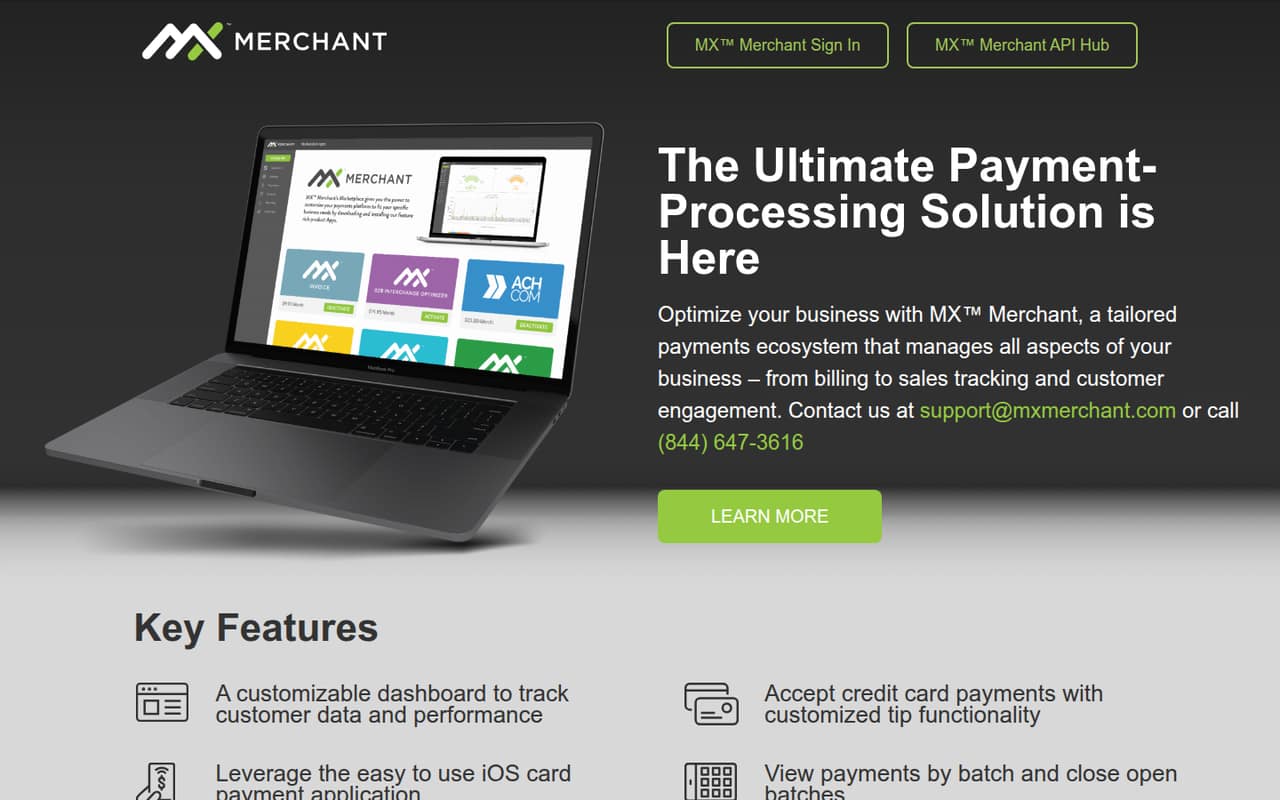
MX Merchant brings card payments, payment adjustments, batch management and digital receipts into a payments platform. Its customizable dashboard also tracks customer data and business performance, and an iOS app supports card payments.
The catch for a small team is cost clarity: the pricing information lists custom, account-specific pricing, with no published starting price, free plan or trial terms. Ask for a quote that covers every user and the features you need before deciding.
Good fit if
- Small teams accepting card payments
- Businesses managing payment batches
- Teams that need digital receipts
Skip it if
- Teams requiring published seat prices
- Businesses shopping for a free plan
- Teams needing confirmed integrations upfront
ScoresHow it rates
What works
- Dashboard tracks customer data and business performance
- Supports card payments through an iOS app
- Payment history supports voids and returns
- Tip adjustments are available
- Receipts can be printed, emailed or texted
What doesn't
- Pricing is custom and account-specific
- No public starting price is listed
- No free plan is listed
- Trial terms are not published
- Specific integrations are not named
01Who MX Merchant is for
MX Merchant is worth considering for a 1–10-person business that takes card payments and wants payment activity, customer data and receipts handled in one ecosystem. It fits teams that need to track payments by batch, close open batches, adjust tips or void and return transactions, rather than just collect a payment and move on.
The dashboard is described as customizable and can track customer data and business performance. The iOS card payment application gives teams another way to take card payments. Digital receipts can be printed, emailed or sent by text. Those tools may suit small retailers and service businesses, but the right fit depends on how your team takes payments and what it pays for processing. MX Merchant’s pricing is account-specific, so a small team should get a quote before treating it as a budget option.
02MX Merchant free plan and trial
MX Merchant does not list a free plan. Trial terms are not published, so don’t assume you can test the full platform for free. The vendor’s pricing information describes pricing as custom and account-specific, with no public starting price.
That makes a quote the cheapest way to find out what MX Merchant would cost your team. Ask whether the quote includes the features you need, how payment processing is priced, and whether any account or monthly fees apply. Confirm whether a trial or demo is available and what it includes before signing up. Without those details, there’s no published free option to use for a low-risk evaluation.
03What a small team pays for MX Merchant
The pricing information lists custom, account-specific pricing and does not publish a starting price or monthly or annual billing terms. That means we can’t calculate a reliable cost for one person, three people or five people. There is no published per-seat rate to multiply, and the vendor does not list add-on prices in the pricing information.
Before accepting a quote, ask for the full monthly cost for your actual team size and whether pricing changes with the number of users. Ask separately about payment processing, account fees and any paid features or add-ons that your business needs. Get the same quote with monthly and annual terms if both are available; neither billing option is published. Until the vendor supplies those numbers, MX Merchant’s cost for a small team is unknown, not a predictable per-seat subscription.
04Getting started with MX Merchant
The product description names the main jobs the platform covers: card payments, customer and sales tracking, payment adjustments, batch management and receipts. It also identifies an iOS card payment application. Setup time, onboarding steps and the learning curve are not published, so we can’t say how quickly a 1–10-person team can be ready to take payments.
Specific integrations are not named in the public product description either. Before choosing MX Merchant, ask the vendor what hardware, accounting tools or other systems it connects with, and whether those connections are included in your quote. Confirm how staff get access to the iOS payment app and dashboard, and who can help configure batches and digital receipts. That conversation should reveal whether setup matches your team’s needs and budget.
05When small teams outgrow MX Merchant
The available pricing information does not publish user limits, seat costs or feature tiers, so there is no clear team-size threshold at which MX Merchant becomes more expensive or restrictive. A growing team should ask whether a larger number of users changes the quote, and whether all staff can use the dashboard and iOS payment application under the proposed terms.
The other likely pressure point is fit: a business may need integrations or capabilities beyond card payments, batches, adjustments, customer data and receipts. The public product description does not name specific integrations or additional plan features, so verify those needs with the vendor rather than assuming they are included. If the quote or capabilities don’t match your expanding workflow, compare other payment platforms before committing to a longer-term arrangement.
Questions people ask
Does MX Merchant have a free plan?
No free plan is listed in the pricing information. Trial terms are also not published. Ask the vendor whether it offers a demo or trial, what features that access includes, and whether you need to provide payment details or accept other terms before trying the platform.
How much does MX Merchant cost?
The pricing information describes MX Merchant pricing as custom and account-specific. It does not publish a starting price or monthly and annual billing terms, so the cost for one person or a small team is not available as a public figure. Request a quote for your team size.
What can MX Merchant do?
MX Merchant is a payments platform with tools for card payments, customer data and business performance tracking, payment adjustments, tips, batch management and digital receipts. Receipts can be printed, emailed or sent by text. Its product description also identifies an iOS card payment application.
Can MX Merchant accept card payments on iOS?
The product description identifies an iOS card payment application. It does not specify supported devices, card readers or setup requirements. Ask the vendor what equipment is compatible, whether it is included in your quote, and what steps staff must complete before taking payments.
Does MX Merchant support voids, returns and batch closing?
Yes. The product description lists payment adjustments, including voids and returns, as well as tip adjustments in payment history. It also says teams can view payments by batch and close open batches. Ask the vendor whether access to these features affects your quote.