
We may earn a commission if you buy through links on this page. It never changes a score or a ranking. How we make money
The bottom line
Strong intranet and learning features, but unpublished pricing makes small-team value hard to judge.
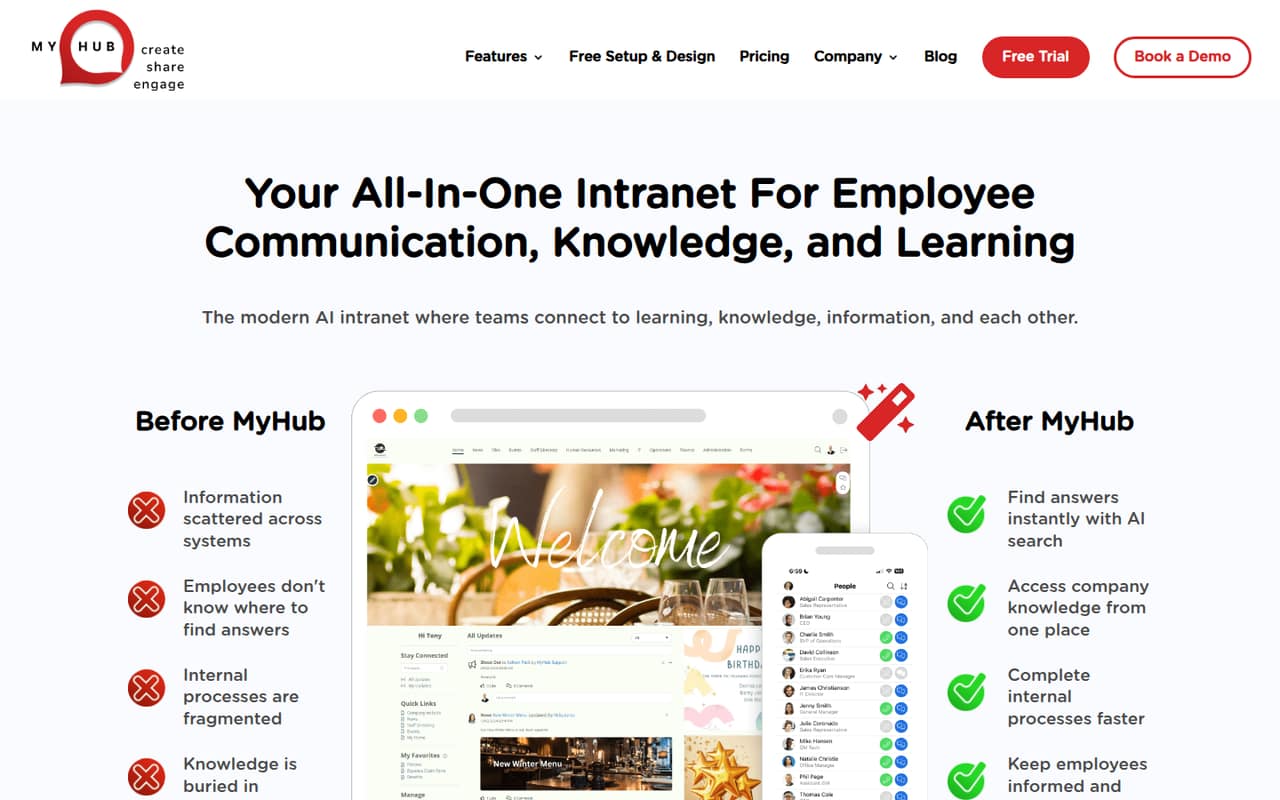
MyHub brings company information, communication, publishing, AI search, and employee learning into one intranet. That combination can suit a small team trying to put scattered resources in one place.
There’s no free plan or published starting price, and the Learning Management System costs extra. For a budget-conscious team, get a quote for your actual headcount and LMS needs before weighing it against simpler tools.
Good fit if
- Teams centralizing company information
- Small organizations needing employee training
- Nonprofits asking about the discount
Skip it if
- Teams that need a free intranet
- Buyers requiring transparent seat pricing
- Teams needing published integration details
ScoresHow it rates
What works
- Combines communication, knowledge, and learning
- AI search helps find company information
- Unlimited data storage listed on plans
- Mobile app supports access away from desks
- 30% nonprofit discount listed
What doesn't
- No published starting price
- No free plan or trial listed
- LMS costs extra; price is not published
- Seat costs and overages are not published
- Integration and setup details are not published
01Who MyHub is for
MyHub is for small organizations that want a shared home for company news, policies, documents, calendars, forms, staff directories, and employee learning. A team of one to ten could use it to reduce the number of places employees check for information, but MyHub does not publish a user limit for its plans, so confirm that your headcount is supported.
The Core plan is listed for smaller organizations and includes two site administrators and unlimited data storage. Business is aimed at growing organizations and includes four site administrators. Both list an optional Learning Management System (LMS). That makes MyHub a better fit when you need an intranet plus training features than when you only need basic document sharing. Budget-conscious teams should request a quote first: monthly and annual prices are customized, not published. Nonprofits should ask how the listed 30% discount applies to their quote.
02MyHub free plan and trial
MyHub has no free plan listed, and a free trial is not listed either. That means a small team cannot use a free tier to check whether the intranet suits its day-to-day needs before budgeting for it.
The cheapest listed route in is Core, described for smaller organizations. It includes two site administrators, unlimited data storage, and an optional LMS. The monthly price, annual price, and LMS fee are not published; MyHub customizes pricing upon request. Ask for a quote that states the cost for your full employee count, whether the LMS is included, and what happens if your needs change. Nonprofits can also ask about the listed 30% discount. Without a published trial or price, those details matter before you commit.
03What a small team pays for MyHub
MyHub does not publish monthly or annual prices, per-seat costs, or overage costs. Its pricing is customized upon request, so we can’t calculate a reliable cost for one person or a team of three or five—or compare monthly billing with annual billing. Ask for a written quote covering your exact headcount and billing term.
The plans are organized by organization size and administrator count, not by a published employee-seat price. Core lists two site administrators; Business lists four; Enterprise lists unlimited site administrators. All three list unlimited data storage and an optional LMS. The LMS price is not published, so ask whether it is included in your quote and what the add-on covers. The listed 30% nonprofit discount may help eligible organizations, but the quote should confirm how it is applied. For a small team watching every subscription, the missing seat and add-on prices make the total cost difficult to assess upfront.
04Getting started with MyHub
MyHub brings several kinds of work into one platform: company information, communication, content publishing, AI search, and learning. Admins can use AI Assist to draft, edit, and update intranet content; employees can use the mobile app to reach information away from their desks. The product description does not spell out how long setup takes or how much work is needed to organize existing content.
Integration details and a list of supported third-party services are not published in the pricing information. For a small team, ask MyHub whether your key tools connect, what data or content can be imported, and who handles setup. Also confirm what training is available for site administrators and whether mobile access is included in your quote. With those answers, you can judge the effort against your team’s time; without them, plan for a vendor conversation before estimating a launch date.
05When small teams outgrow MyHub
The clearest published upgrade signal is administrator capacity: Core lists two site administrators, Business lists four, and Enterprise lists unlimited site administrators. If more people need to manage the intranet, ask MyHub which plan fits and what the price change would be. The published plan details do not set employee-seat limits, so they do not establish a headcount at which you must upgrade.
Storage is less likely to be the published constraint: each listed plan includes unlimited data storage. The LMS is optional, but its cost is not published, so training needs may change your quote. Before expanding, ask about added administrators, employee access, LMS pricing, and overages. If your team needs transparent per-person pricing or confirmed integrations to compare vendors, MyHub’s unpublished costs and integration details may make it harder to plan. Get those details in writing before assuming a larger plan is the right next step.
Questions people ask
Is MyHub necessary for a small team?
Not for every team. MyHub is most relevant if you need one place for company information, communication, and employee learning. A small team that only needs basic document sharing may not need an intranet with an optional LMS. Since pricing is customized, compare the quote with the work the platform would replace.
What is the MyHub app?
MyHub is an employee intranet for company information, communication, content publishing, and learning. Its feature list includes AI search, AI Assist for intranet content, an LMS, and a mobile app for access away from desks.
Is MyHub safe?
The pricing information does not state security certifications or specific security controls. Ask MyHub for details on access management, data protection, hosting, and any certifications your organization requires before uploading sensitive company information.
Who is MyHub for?
MyHub lists Core for smaller organizations, Business for growing organizations, and Enterprise for large organizations. The plans differ in included site administrators. Employee-seat limits and prices are not published, so ask MyHub to confirm that your team size and budget fit.
Does MyHub include a learning management system?
The listed plans offer an optional Learning Management System. MyHub describes learning features such as course creation, personalized learning paths, notes, and reporting. The LMS price is not published, so ask whether it is included in your quote or charged as an add-on.