
We may earn a commission if you buy through links on this page. It never changes a score or a ranking. How we make money
The bottom line
Worth a look for occasional voice and video work; check team access before buying.
Narakeet combines text-to-speech, subtitle dubbing and narrated video creation, with a free account for small tests. Its listed starting price is $6, and paid credits are one-time purchases that never expire.
For a small team, the main catch is unclear seat pricing: Narakeet sells capacity, not published monthly or annual seats. The free account has tight script and upload limits, and product-specific Reddit sentiment is not established.
Good fit if
- Small teams making occasional videos
- Subtitle dubbing and narration
- Teams automating video production
Skip it if
- Teams needing published seat pricing
- High-volume creators on a fixed budget
- Users who need extensive support evidence
ScoresHow it rates
What works
- Free account includes 20 conversions
- Lists 100 languages and 900 voices
- Dubs SRT and WebVTT subtitles to timestamps
- Works with PowerPoint, Google Slides and Keynote
- Paid credits never expire
What doesn't
- Free scripts and uploads have small limits
- Monthly and annual prices are not listed
- Team and per-seat costs are not published
- Additional top-up credit prices are not published
- Reddit sentiment specific to Narakeet is unclear
01Who Narakeet is for
Narakeet suits a small team that needs occasional voice-overs or narrated videos, rather than a dedicated studio or a large volume of weekly content. It turns text and documents into audio, and can make videos from scripts, slides, images and audio. The feature list also includes subtitle dubbing, automatic captions, and video automation through an API or command-line client.
For a team watching subscriptions, the appeal is buying capacity once instead of committing to monthly or annual billing. The pricing information lists a $6 starting price, but does not publish a per-seat rate or a full team plan. That makes Narakeet easier to assess as a tool for project-based work than as a predictable cost for every employee. It is a fit if one or a few people handle production and the team can confirm how shared access works before paying.
02Narakeet free plan and trial
Narakeet’s Free Account includes 20 conversions, a 1 KB audio script limit, a 10 KB video script limit, 30 video scenes and a 10 MB upload limit. That is enough to try voice options and test a small script or video workflow, but the script and upload caps can stop a real project quickly.
The free account is not listed as a time-limited trial. For more room, the pricing information lists one-time capacity packs, with a starting price of $6. It lists the paid credits as deducted by the second and says they never expire. The free-account details do not specify whether its conversions expire, so check that with Narakeet if you plan to test over a longer period.
03What a small team pays for Narakeet
Narakeet lists a $6 starting price and one-time credit packs, not monthly or annual subscriptions. The pricing information lists 30-, 300-, 1,000- and 2,500-minute packs, but does not give separate prices for those packs. It also does not tie the $6 starting figure to a named pack, so confirm the amount of capacity at checkout.
For one person, the listed entry price is $6 one-time. For a three-person or five-person team, Narakeet does not publish a seat price or a group total; per-person math and monthly-versus-annual comparisons are therefore not available. Ask whether your team can share a credit balance and whether each person needs a separate account before budgeting for multiple seats.
The pricing information lists additional top-up packs but does not publish their prices. It also says there are no automated overage fees. Credits are deducted by the second and never expire, which helps with irregular work, but teams with steady output should estimate their usage before choosing capacity.
04Getting started with Narakeet
The listed workflows start with familiar inputs: Word documents or scripts for audio, SRT or WebVTT files for dubbing, and PowerPoint, Google Slides or Keynote presentations for narrated videos. That should make a small first project relatively straightforward if your team already has those files ready. The free account gives you a way to try conversions before buying capacity.
More involved video work has a learning curve. Narakeet supports Markdown scripts with images, screen recordings, video clips and stage directions, while automation uses its API or command-line client. Those options may suit a technically comfortable teammate, but the feature details do not specify setup time or required coding skills. For day one, choose one input format and make a small sample; confirm the exact workflow and access requirements in Narakeet’s docs before planning a team rollout.
05When small teams outgrow Narakeet
The first limit may arrive before the team grows: the free account caps audio scripts at 1 KB, video scripts at 10 KB, uploads at 10 MB and projects at 30 scenes. Paid packs raise the listed audio-script limit to 1,024 KB and uploads to 350 MB for the 30-, 300- and 1,000-minute options. The 2,500-minute pack’s listed limits are not specified.
A team may also outgrow the buying model if it needs a predictable monthly bill, published team seats or transparent prices for larger packs. Narakeet lists one-time credits and says there are no automated overage fees, but those details do not answer how multiple people share access. Reddit sentiment specific to Narakeet is not established; the available comments concern other learning resources, not this product. Ask Narakeet about team access and high-volume pricing before moving regular production onto it.
Questions people ask
Is Narakeet an AI voice generator?
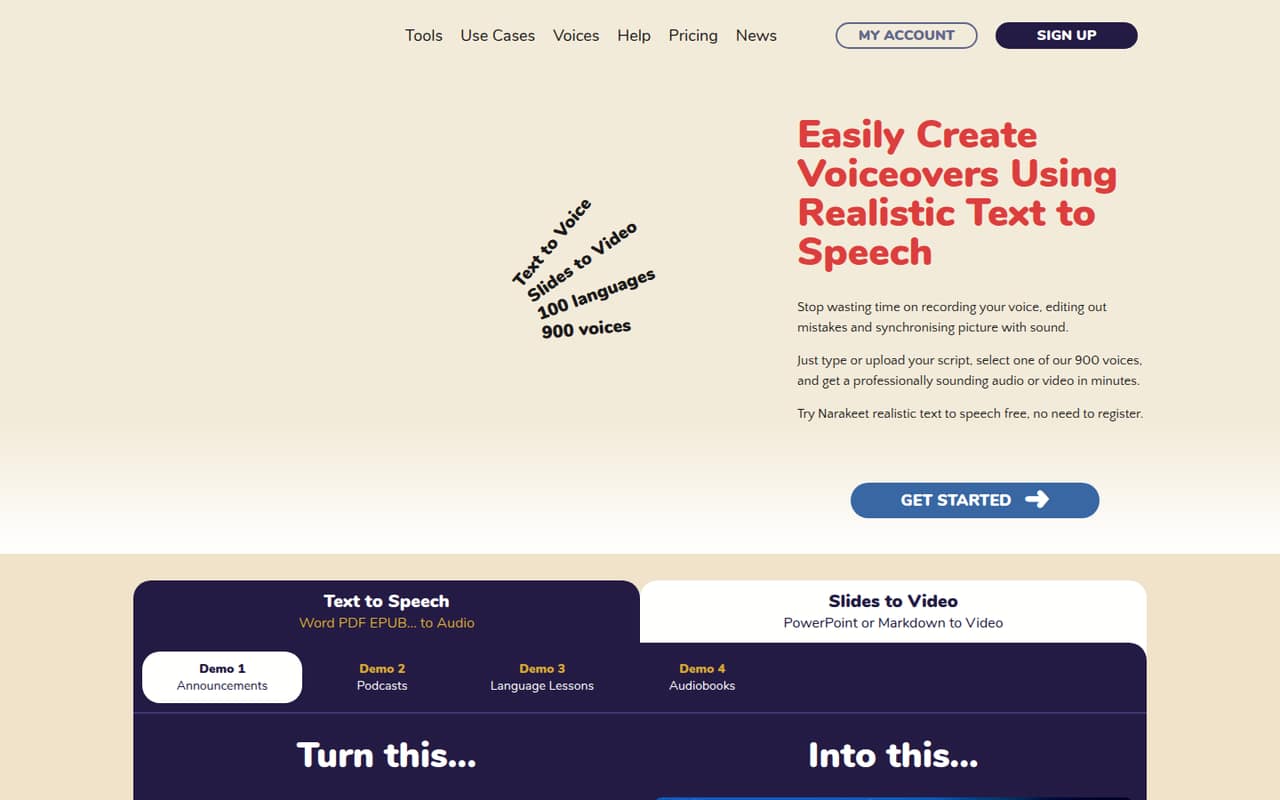
Yes. Narakeet converts text and documents into spoken audio using voices it describes as realistic AI voices. Its homepage lists text-to-speech in 100 languages with 900 voices. It also offers related tools for dubbing subtitles and creating narrated videos, so it goes beyond a basic text-to-audio converter.
Can Narakeet create narrated videos?
Yes. Narakeet can make narrated videos from scripts, slides, images and audio. Its listed slide inputs include PowerPoint, Google Slides and Keynote. It also supports Markdown scripts with images, screen recordings, video clips and stage directions, plus automatic subtitles and closed captions.
What does Narakeet’s free account include?
The Free Account includes 20 conversions, a 1 KB audio script limit, a 10 KB video script limit, 30 video scenes and a 10 MB upload limit. Those caps make it better for testing voices and small projects than for larger production work.
Does Narakeet charge monthly?
The listed pricing uses one-time credit packs rather than monthly or annual billing. Credits are deducted by the second and never expire. Narakeet’s listed starting price is $6, but the price details do not connect that figure to a named pack, so confirm the capacity before purchase.
Can a team automate Narakeet video production?
Narakeet lists an API and command-line client for automating video production. The available feature details do not specify the setup requirements, team permissions or whether several people can share one credit balance. Check Narakeet’s docs and ask the vendor about access rules before building a team workflow.