
We may earn a commission if you buy through links on this page. It never changes a score or a ranking. How we make money
The bottom line
NativeForms starts at $10/month for unlimited users, but Starter caps you at 100 responses.
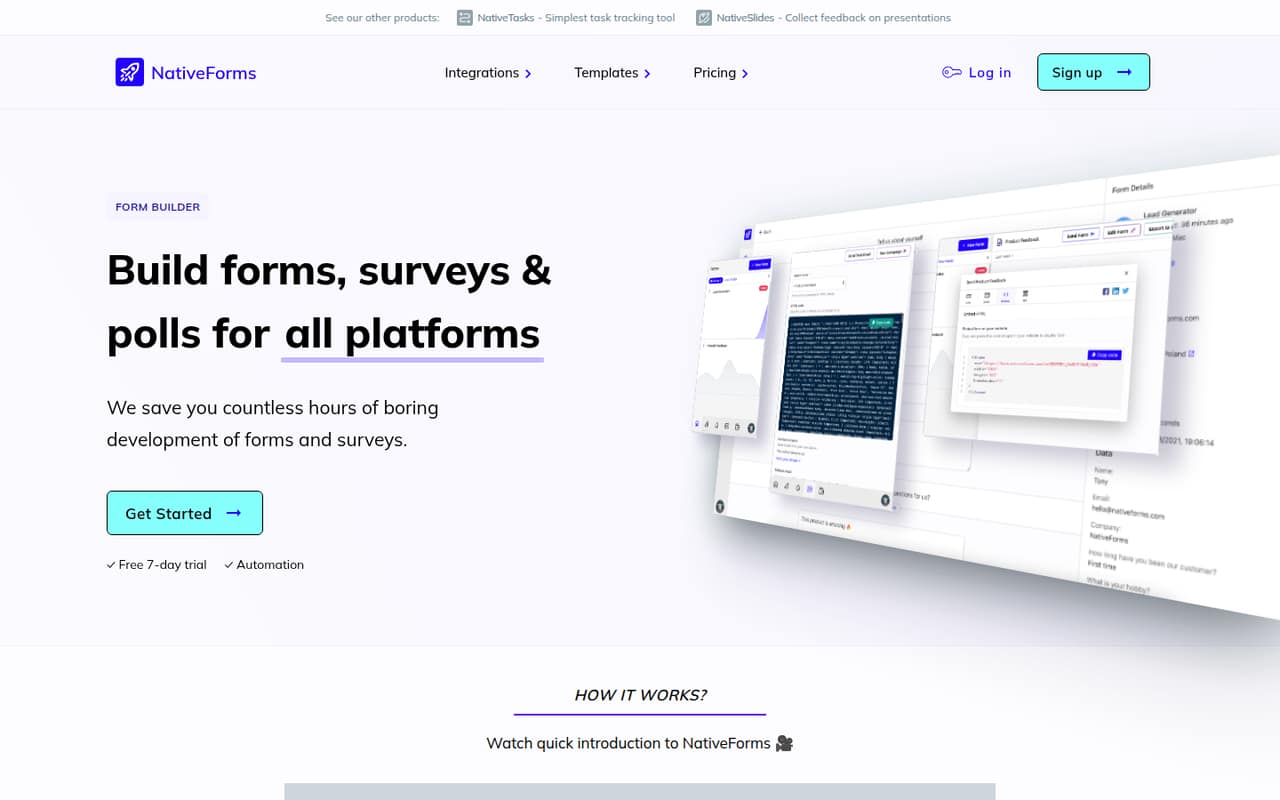
NativeForms builds forms, surveys, and polls for websites and React Native apps. It can connect responses to business tools and trigger actions, including CRM updates and notifications.
The pricing page lists Starter at $10/month for 100 responses and unlimited users, with no free plan. It’s a reasonable entry price for a small team, but check your response volume before committing.
Good fit if
- Small teams sharing one form account
- Teams collecting fewer than 100 responses
- React Native app form projects
Skip it if
- Teams that need a free plan
- High-volume response collection on a budget
- Buyers needing published setup instructions
ScoresHow it rates
What works
- Starter costs $10/month for unlimited users
- Unlimited integrations, storage, and widgets on Starter
- Build forms, surveys, and polls
- Supports Stripe payment collection
- Connects to WordPress, Wix, and React Native apps
What doesn't
- No free plan is listed
- Starter is limited to 100 responses monthly
- Regular costs $20/month for 250 responses
- Annual billing and discounts are not published
- Setup time and support details are not published
01Who NativeForms is for
NativeForms suits a one-to-ten-person team that needs forms or surveys without paying per user. The pricing page lists unlimited users on Starter, so a small team can share the same plan rather than buying separate seats. At $10/month, it’s a modest starting expense if 100 responses a month cover your needs.
The product is for teams collecting information on a website or in a React Native app, then connecting responses to business tools. NativeForms also describes workflows that can trigger actions such as creating CRM leads or sending notifications. That may fit a small team handling inquiries, registrations, or customer feedback. It also supports one-time payments and subscriptions through Stripe, per the product feature list. The key budget question is response volume, not headcount: Starter has a 100-response limit, and Regular raises that to 250 for $20/month. If you need more than that, Business is $30/month with unlimited responses.
02NativeForms free plan and trial
NativeForms has no free plan listed. The pricing page lists a 7-day free trial, but does not publish what plan features the trial includes or whether a payment method is required. Confirm those details with the vendor before starting if you need to avoid an unexpected charge.
The cheapest ongoing option is Starter at $10/month. It includes 100 form responses per month, unlimited users, unlimited integrations, unlimited storage, and unlimited widgets. Those limits make the entry plan more generous on seats and storage than on response volume. If your team gathers more than 100 responses in a month, Regular costs $20/month and includes 250. There’s no listed free tier to keep using after a trial, so budget for a paid plan if NativeForms becomes part of your workflow.
03What a small team pays for NativeForms
The pricing page lists Starter at $10/month, Regular at $20/month, and Business at $30/month. These are plan prices, not per-seat prices: Starter includes unlimited users. One person pays $10/month on Starter; a three-person team also pays $10 total, or about $3.33 per seat; five people pay $10 total, or $2 per seat. Those per-seat figures are simple divisions, not separate billing rates.
Regular keeps unlimited users and raises the response limit from 100 to 250 per month. At $20 total, that works out to about $6.67 per seat for three people or $4 for five. Business costs $30/month and lists unlimited responses, unlimited users, integrations, and storage; it also removes the Powered By badge. Annual billing and discounts are not published, and no add-ons are listed. Custom pricing is not published. Check whether your expected response count fits before comparing the apparent per-seat cost.
04Getting started with NativeForms
NativeForms describes a form builder for creating forms, surveys, and polls, but does not publish a setup-time estimate or a learning-curve guide. We’d treat the initial effort as unknown rather than assume you can launch in a particular number of minutes. Ask the vendor for a walkthrough if your form needs a more involved workflow.
For day one, the product lists website forms for WordPress and Wix, forms for React Native apps, CRM connections, and Stripe payment collection. It also describes automated actions after a form is completed, such as creating or updating CRM records and sending notifications. The exact supported CRM tools and setup steps aren’t specified in the available feature details, so confirm that your current stack is supported before buying. A basic form may be a straightforward starting point; payment, app, or CRM workflows may need more coordination. NativeForms does not publish how much configuration those connections require.
05When small teams outgrow NativeForms
The first sign you’ve outgrown Starter is response volume: its monthly limit is 100. Regular doubles that to 250 for $20/month, while Business costs $30/month and lists unlimited responses. If your response count regularly exceeds 250, Business is the listed step up. Its plan also removes the Powered By badge, which may matter if you want forms without that branding.
Seat count alone doesn’t force an upgrade because Starter, Regular, and Business all list unlimited users. That keeps costs predictable as a small team grows, but it doesn’t mean every plan has the same capacity. Check monthly response volume and whether the Business feature set fits before moving up. Teams that need custom branding, custom integrations, or custom solutions may need the Custom plan; its price is not published. Annual prices and add-ons are also not listed, so ask the vendor for a quote if those affect your decision.
Questions people ask
Does NativeForms have a free plan?
No free plan is listed. The pricing page lists a 7-day free trial, but does not publish which plan features the trial includes or whether you need to provide payment details. The lowest listed paid option is Starter at $10/month, with 100 form responses per month.
How much does NativeForms cost for a small team?
Starter costs $10/month and includes unlimited users, so one, three, or five people pay the same total plan price. That works out to about $3.33 per seat for three people or $2 for five. Regular is $20/month, and Business is $30/month.
How many responses do NativeForms plans include?
Starter includes 100 form responses per month, and Regular includes 250. Business lists unlimited responses. The pricing page lists unlimited users on all three plans, so the main published capacity difference is response volume rather than team size.
Can NativeForms collect payments?
Yes. NativeForms lists payment collection through Stripe for one-time payments and subscriptions. The feature details do not specify whether payment collection is available on every plan or describe any transaction fees, so confirm those points with the vendor before setting up paid forms.
Does NativeForms work with websites and apps?
NativeForms lists website forms for WordPress and Wix, along with forms for React Native apps. It also describes connections to business tools and CRMs. The exact supported CRM products and setup requirements aren’t specified in the feature details, so verify that your tools are supported.