
We may earn a commission if you buy through links on this page. It never changes a score or a ranking. How we make money
The bottom line
A capable free self-hosted workspace, if your team can handle setup and upkeep.
Nextcloud brings file storage, sync, chat, conferencing, groupware and browser-based office tools into a self-hosted platform. Its free option is compelling for a small team with someone who can manage a server.
The trade-off is hands-on upkeep: users on Reddit describe both years of smooth operation and frustrating setup or upgrades. Paid business plans have 100-seat minimums, so a team of 1–10 should look at the free self-hosted edition or ask about Nextcloud One.
Good fit if
- Teams with server skills
- Budget-conscious private file sharing
- Groups wanting one collaboration hub
Skip it if
- Teams wanting zero server upkeep
- Small teams needing paid vendor plans
- Groups expecting identical cloud-office workflows
ScoresHow it rates
What works
- Free, open-source self-hosted option
- Files, chat, conferencing and groupware in one hub
- Browser-based collaborative office tools
- Works through web, desktop and mobile interfaces
- Branded desktop and mobile apps are free
What doesn't
- Paid Files and Talk tiers require at least 100 users
- Nextcloud One pricing is not published
- Self-hosting means your team manages the instance
- Users report difficult setups and risky-feeling upgrades
- Storage and usage limits for managed service are not published
01Who Nextcloud is for
Nextcloud is for small teams that want to keep file storage and collaboration on infrastructure they control. It can suit a founder, nonprofit or 1–10-person company that has a technically confident person to manage a server and wants to avoid a per-seat subscription for its core platform.
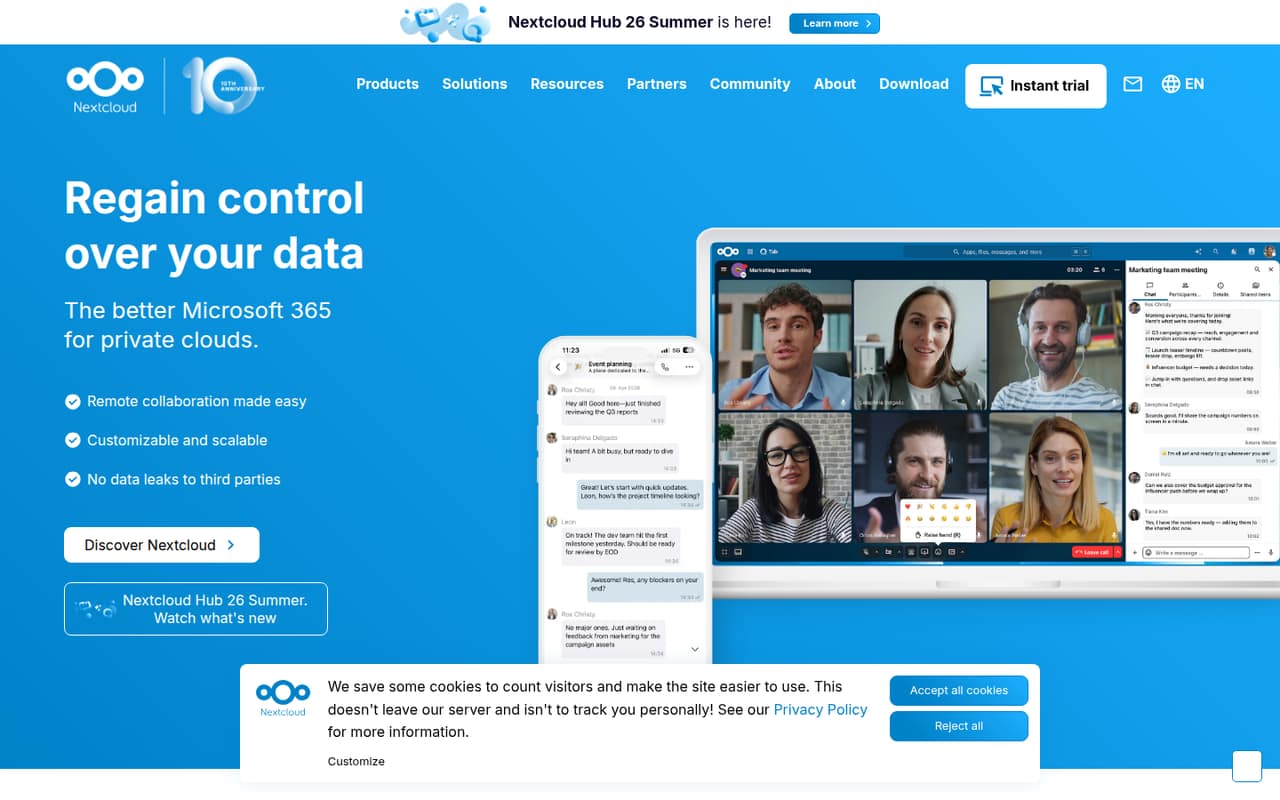
In plain terms, Nextcloud is a private cloud workspace: people can store and sync files, use chat and audio or video calls, manage calendars and contacts, and edit office documents in a browser. The Hub also combines an AI assistant and workflow automation. Those features make it broader than a file drive, though the paid tiers include some specific extras.
If your team wants someone else to run the service, Nextcloud One is the managed option for organizations with fewer than 100 users. Its price and usage limits are not published, so ask for a quote before budgeting.
02Nextcloud free plan and trial
Nextcloud has a free option: its open-source platform can be self-hosted without buying one of the paid enterprise subscriptions. That gives a small team a way to run file storage and sync, with collaboration features available through the Hub. The vendor does not publish free-edition seat or storage limits in the pricing details here, so check the terms and your own hosting capacity before rollout.
The free option is not the same as a managed service: your team needs to arrange and maintain the server. Enterprise trials are available for paid Nextcloud Files tiers, but the vendor does not publish their duration. Nextcloud One is the managed route for teams under 100 users, but its price is not published. For a small team that can self-host, the free edition is the cheapest way in.
03What a small team pays for Nextcloud
The pricing page lists Nextcloud Files - Standard at €5.94 per user per month, billed annually, with a 100-user minimum. At that rate, the seat math for one, three or five people would be €5.94, €17.82 or €29.70 monthly equivalents, or €71.28, €213.84 or €356.40 a year. Those are hypothetical totals: the actual minimum is 100 seats, or €594 monthly equivalent and €7,128 annually.
Files - Premium is €8.75 per user monthly equivalent, with the same minimum; Files - Ultimate is €17.06. Nextcloud Talk - Standard is €3.50 per user monthly equivalent and also requires 100 users. Monthly billing prices are not published. Nextcloud One, meant for fewer than 100 users, has no published price.
Add-ons can add cost: Whiteboard is extra on Files - Standard and Premium, while support and custom services are optional and unpriced. Ask Nextcloud for a small-team quote before treating any paid tier as an option.
04Getting started with Nextcloud
Expect more setup work than with a hosted file-sharing service. Nextcloud is self-hosted, so someone on your team needs to deploy and maintain the instance, keep files available, and plan for backups and updates. A commenter on Reddit recommends following the documentation and building up in small steps; another says a default official Docker setup has worked well for years. Experiences differ.
Start with the basics your team needs: file sync on web, desktop and mobile, then add Talk, Calendar, Contacts, Mail or browser-based office editing as needed. Nextcloud’s Hub brings those tools together, but the team still needs to decide which features to enable and how to manage them. One Reddit user describes using external storage so files remain accessible if the Nextcloud instance needs to be redeployed. Another advises setting up off-site backups. If nobody owns server upkeep, budget for managed Nextcloud One and request its price and limits.
05When small teams outgrow Nextcloud
The first pressure point is usually operations, not seats. If updates, troubleshooting or server maintenance keep taking time away from the team’s work, a self-hosted platform can become a poor fit. Reddit comments range from people reporting years without issues to users describing fragile setups, troublesome upgrades and a desire to move to simpler tools.
The next limit is the paid-plan minimum. Nextcloud Files and Talk subscriptions require at least 100 users, which makes their listed per-user rates a poor guide to a three- or five-person bill. Nextcloud One is intended for organizations under 100 users, but its price, storage and usage limits are not published. Ask for those details as your team grows.
You may also outgrow the all-in-one approach if your team only needs file sync or expects office apps to behave exactly like its current tools. Reddit users report both satisfaction with basic file sync and frustration with missing features or bugs. Compare needs before moving data.
From the threadsWhat users say
Reddit sentiment is mixed: some users report long-running, reliable setups, while others describe frustrating installation and upgrades. The platform’s breadth is attractive, but that breadth can also mean more to manage.
it took me a solid couple weeks to get it set up correctly using docker images
I’ve been running nextcloud for over a year. I only use it for file sync and it's been amazing
I haven’t found anything else with as many features
Recently ditched it as every update was a damn adventure, got sick of it
Questions people ask
Is Nextcloud free?
Yes. Nextcloud is open-source and can be self-hosted without buying a paid enterprise subscription. Your team still needs to provide and manage the hosting. The vendor does not publish free-edition seat or storage limits in the pricing details here, so confirm what applies to your setup before inviting the team.
Can a small team use Nextcloud without self-hosting?
Nextcloud One is the managed service for organizations with fewer than 100 users. Its price, storage and usage limits are not published, so ask Nextcloud for a quote and the limits that apply to your team. The paid Files and Talk subscriptions listed separately have 100-user minimums.
What can a team do in Nextcloud Hub?
Nextcloud Hub combines file storage, chat and conferencing, groupware, office tools, an AI assistant and workflow automation. Teams can sync files across web, desktop and mobile interfaces, use Talk for calls and chat, and edit documents, spreadsheets and presentations in modern browsers.
Can people edit office documents together in Nextcloud?
Yes. Nextcloud lists online office tools for collaboratively editing documents, spreadsheets and presentations in modern browsers. If your team depends on specific document features or familiar workflows, confirm those meet your needs before switching; users on Reddit report differing experiences with Nextcloud and office tools.
Does Nextcloud include chat and video calls?
Nextcloud Talk supports private audio and video conferencing, text chat, screen sharing and SIP integration. The pricing details say a SIP bridge requires a Talk subscription, but do not publish participant limits or the SIP bridge price. Check those details with Nextcloud if calls are central to your rollout.
Sources
- Nextcloud homepage
- Nextcloud pricing, compiled via web search from blitz.cloud, devpartners.co.uk, nexoria-systems.de, nextcloud.com, devhunt.org, massivegrid.com
- Reddit: Is there anything better than nextcloud? It's so damn fragile
- Reddit: NextCloud sucks, there must be something better.
- Reddit: Need an alternative to Seafile and Nextcloud
- Reddit: is nextCloud still the go to for a Google Drive replacement ?