We may earn a commission if you buy through links on this page. It never changes a score or a ranking. How we make money
The bottom line
A capable spreadsheet interface for databases, with a free tier and a notable paid-plan catch.
A small team may not need a new database tool if a spreadsheet already does the job. NocoDB is worth considering when you want spreadsheet-style views on a database, with options to start from scratch or connect Postgres or MySQL.
The free cloud plan covers up to three users, but its 1,000-record limit is tight. Plus starts at $12 per seat per month with annual billing; external database connections require Business, which starts at $24 per seat per month annually.
Good fit if
- Teams turning data into shared views
- Small teams starting with hosted data
- Database users who want spreadsheet layouts
Skip it if
- Teams needing Postgres on the cheapest plan
- Projects with large free-tier datasets
- Teams needing published setup-time estimates
ScoresHow it rates
What works
- Free cloud plan covers up to three users
- Grid, Kanban, Gallery, Form, and Calendar views
- Imports from Airtable, CSV, and Excel
- API and SQL access are available
- Free Community plan offers unlimited seats
What doesn't
- Free cloud plan caps records at 1,000
- Plus does not support external database connections
- Postgres and MySQL connections require Business
- Paid cloud plans charge per seat
- Community edition limits workflows and interfaces
01Who NocoDB is for
If a team of one to ten people already manages data in a spreadsheet, it may not need NocoDB. But if records need a database behind them and teammates want a familiar way to browse or edit those records, NocoDB is worth a look. It provides a spreadsheet-style interface for databases created in NocoDB or connected to Postgres or MySQL.
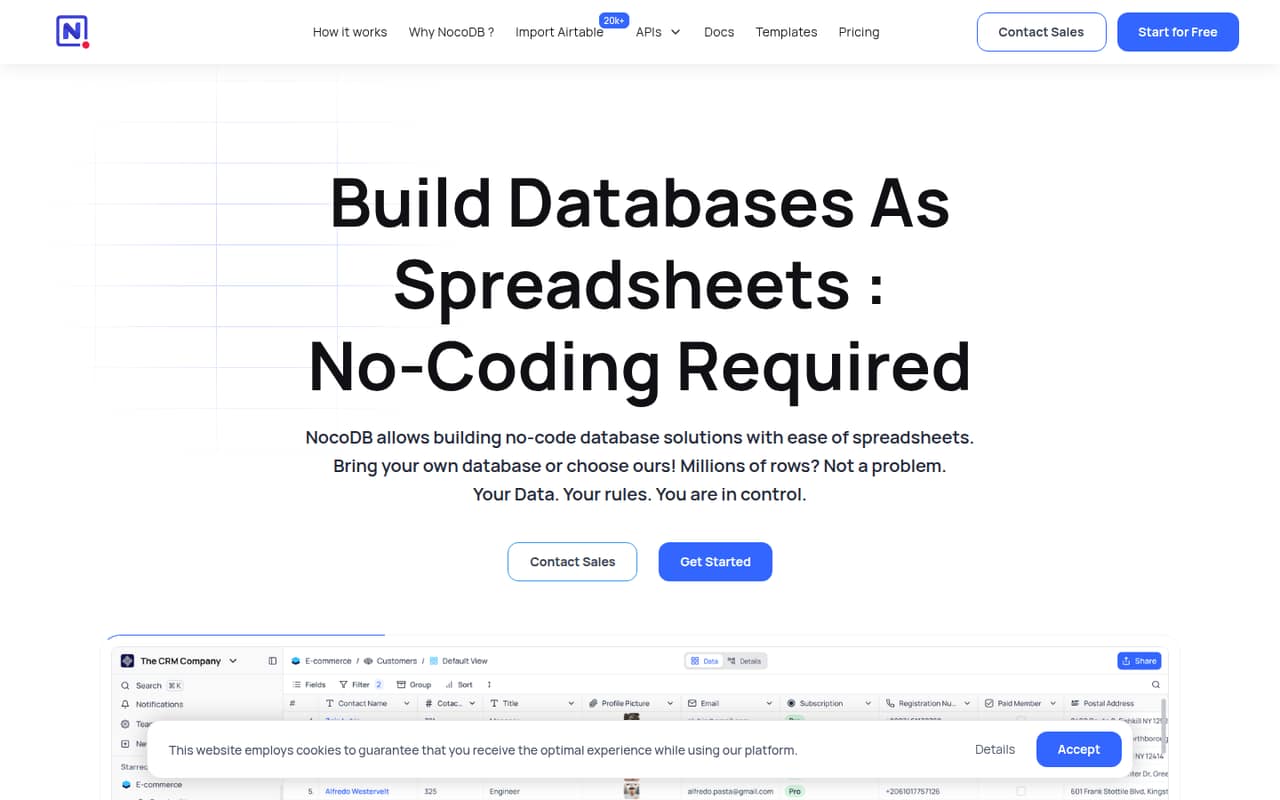
The feature list includes Grid, Kanban, Gallery, Form, and Calendar views, plus API and SQL access. Teams can import data from Airtable, CSV, Excel, and more. The free cloud plan is a low-cost starting point, while Plus is $12 per seat per month with annual billing. One catch for budget-conscious teams: Plus doesn't support external database connections. If connecting an existing Postgres or MySQL database is essential, Business starts at $24 per seat per month with annual billing.
02NocoDB free plan and trial
NocoDB lists a free cloud plan for up to three users, with three editor seats and ten commenter seats. It includes 1,000 records, 1 GB of storage, 100 automation runs, and 1,000 API calls per month. That can be enough to try a small, contained workflow, but the record and storage limits leave little room for a growing dataset.
The free Community plan is a separate self-hosted option. It lists unlimited records, storage, and seats, plus six views, up to two workflows per base, and up to two interfaces per workspace. That means your team handles self-hosting rather than paying for the cloud plan. NocoDB does not list a free trial period; the paid cloud plans are available monthly or with annual billing.
03What a small team pays for NocoDB
The pricing page lists Plus at $15 per seat per month on monthly billing, or $12 per seat per month when billed annually. One person pays $15 monthly or $12 per month on an annual commitment ($144 for the year). Three people pay $45 monthly or $36 per month billed annually ($432 for the year). Five pay $75 monthly or $60 per month billed annually ($720 for the year). The page says annual billing saves 20%.
Plus includes 50,000 records, 20 GB of storage, 30,000 automation runs, and 100,000 API calls per month, but it does not support external database connections. If the team needs to connect Postgres or MySQL, Business is the relevant listed plan: $30 per seat monthly or $24 per seat per month billed annually. That makes a three-person team $90 monthly or $72 per month annually; five people cost $150 monthly or $120 per month annually. Plus and Business also list unlimited-seat options priced as nine users: $135 or $108 per month for Plus, and $270 or $216 for Business, depending on billing.
04Getting started with NocoDB
The first decision is whether to use NocoDB's hosted database or connect an existing Postgres or MySQL database. The pricing page lists external database connections as unavailable on Plus, so teams using an existing database should check Business before planning a setup. Community is the self-hosted plan; the amount of setup work will depend on the team's own hosting arrangements, and NocoDB does not publish a setup-time estimate in the pricing details.
For the data itself, the feature list names imports from Airtable, CSV, Excel, and more. Teams can then work with Grid, Kanban, Gallery, Form, or Calendar views, and use API or SQL access when needed. That gives nontechnical teammates visual ways to work with records while technical teammates have other access paths. We would keep the first project narrow: decide where the database will live, import or connect the data, and choose the views people need. A Reddit user has reported search frustrations, so check that workflow with your own data before relying on it.
05When small teams outgrow NocoDB
The first pressure point may be data volume: the free cloud plan stops at 1,000 records and 1 GB of storage. Plus raises those limits to 50,000 records and 20 GB, but it still does not support external database connections. A team that needs an existing Postgres or MySQL database has to consider Business, starting at $24 per seat per month with annual billing. That change can matter more than the headline Plus price.
Growing teams may also need more capacity for automations or API calls: Plus lists 30,000 automation runs and 100,000 API calls per month, while Business lists 120,000 runs and 1,000,000 calls. Business also lists private bases and SAML single sign-on. Reddit sentiment is mixed: one self-hosting thread complains that features are moving behind a paywall, while another user reports search problems. Those are individual reports, not a guarantee of what your team will experience, but they are reasons to review the features and workflows you depend on before committing.
From the threadsWhat users say
Reddit discussion is mixed. Some users value NocoDB as a self-hosted spreadsheet interface, while others raise concerns about paywalled features and search.
With every update lore features sliding behind the paywall and mor and more greyed out features in community edition UI
NocoDB simply works by transforming your MySQL/Postgres databases into a smart spreadsheet
Nocodb search don’t work very well as you need to always select the column you want to search in
each collaborator is a billable seat
Questions people ask
Is NocoDB free?
Yes. NocoDB lists a free cloud plan for up to three users, with 1,000 records, 1 GB of storage, 100 automation runs, and 1,000 API calls per month. It also lists a free self-hosted Community plan with unlimited records, storage, and seats, but limits workflows and interfaces.
Can NocoDB connect to Postgres or MySQL?
NocoDB supports connecting to Postgres or MySQL, but the listed Plus plan does not support external database connections. Business lists ten external database connections. Check the plan details against your intended database setup before choosing a cloud subscription.
What can you do with NocoDB?
NocoDB provides a spreadsheet-style interface for databases. Its listed views include Grid, Kanban, Gallery, Form, and Calendar. Teams can import data from Airtable, CSV, Excel, and more, and access data through APIs or SQL. It also lists an ERD view for exploring database structure.
Is NocoDB open source?
NocoDB lists a free Community plan that teams can self-host, and Reddit users describe NocoDB as open source. For a decision based on licensing or modification rights, review NocoDB's current license terms directly; the plan details alone do not spell out those rights.
Does NocoDB offer a free trial?
NocoDB lists a free cloud plan and a free self-hosted Community plan. A separate trial period is not listed. The free cloud plan has limits of 1,000 records and 1 GB of storage, while Community has unlimited records, storage, and seats with limits on workflows and interfaces.
Sources
- NocoDB homepage
- NocoDB pricing page
- Reddit: NocoDB paywall creep: looking for self-hosted FOSS alternative
- Reddit: Airtable vs Baserow (and others, e.g. Rowy, NocoDB, etc)
- Reddit: NocoDB : Self-hostable Airtable ( 2 Million Docker downloads + 17.5 Github Stars < 15 weeks!!!! )
- Reddit: Grist vs Nocodb vs Baserow