We may earn a commission if you buy through links on this page. It never changes a score or a ranking. How we make money
The bottom line
Worth trying for Notion teams; less compelling if you just need a standard calendar.
Notion Calendar costs $0 and brings Google Calendar events and dated Notion database items into one view. For a small team already using Notion, that can keep meetings and project work closer together without another calendar subscription.
The catch: the calendar is a separate app, and Reddit users describe gaps in how it connects with Notion and other calendars. The calendar is free, but a team that needs more Notion workspace capacity may pay for Plus.
Good fit if
- Small teams already using Notion
- People coordinating meetings and project tasks
- Google Calendar users who want one view
Skip it if
- Teams relying on Exchange calendars
- People wanting a calendar inside Notion
- Teams needing deep task time-blocking
ScoresHow it rates
What works
- Standalone calendar is listed at $0
- Shows dated Notion database items alongside events
- Can overlay Google Calendar accounts
- Scheduling links adjust to recipients’ time zones
- Meeting notes can link to Notion pages
What doesn't
- Calendar is a separate app from Notion
- Notion Free has limits for multi-member workspaces
- Plus costs $10–$12 per member monthly
- Reddit users report gaps in Notion integration
- Reddit users ask for more calendar-provider support
01Who Notion Calendar is for
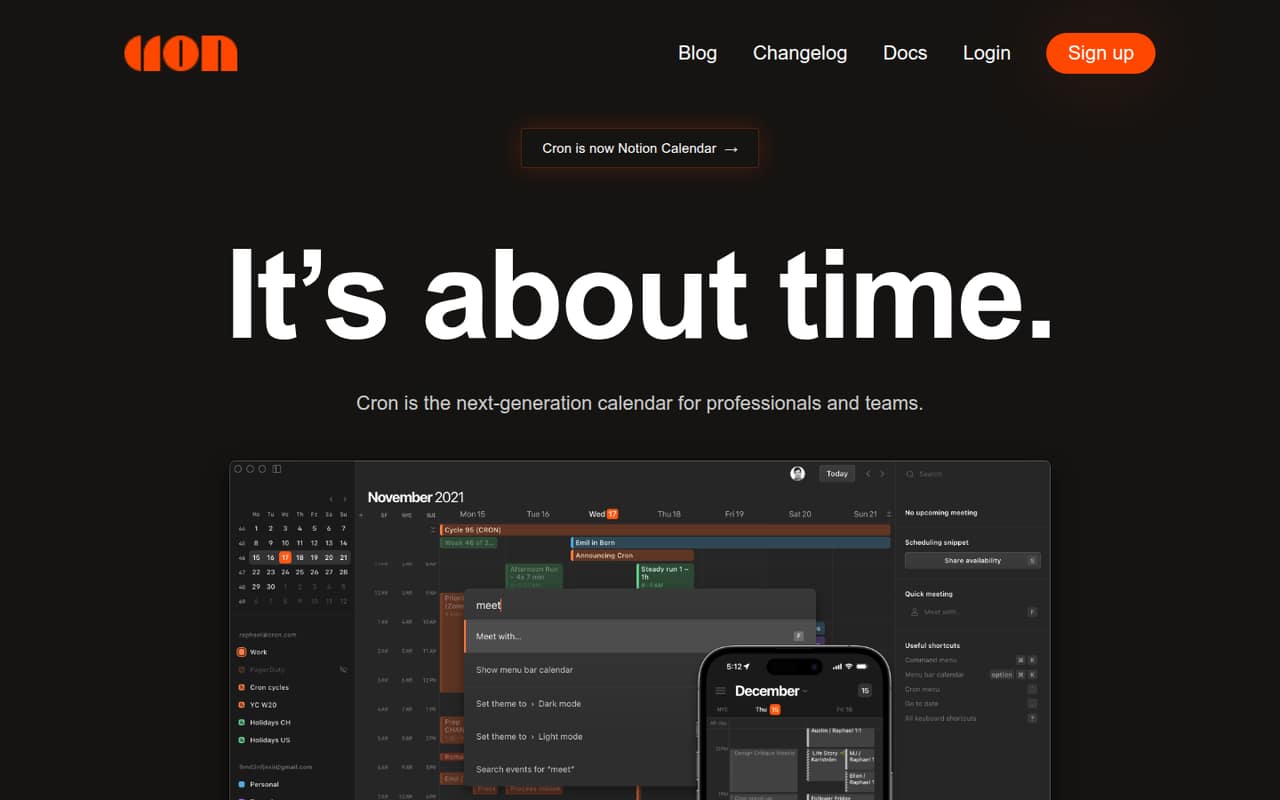
Notion Calendar is best for a one-to-ten-person team that already keeps project plans, tasks, or meeting notes in Notion and wants to see dated items alongside meetings. It connects with Google Calendar and lets you view, edit, and reschedule items from date-enabled Notion databases on a calendar grid.
The calendar itself is listed at $0, so a small team can try it without adding a calendar subscription to the budget. Its value is less clear if your team only needs a shared meeting calendar, or if it depends on a calendar service other than Google. Reddit users have asked for Apple Calendar and Outlook support, and some say the separate app feels like an unnecessary extra. We’d start with it if Notion is already where your team organizes work; otherwise, the added connection may not justify changing your calendar routine.
02Notion Calendar free plan and trial
Notion Calendar (Standalone) is listed at $0 per month, and the pricing information does not list a separate paid calendar tier or trial. The calendar can connect Google Calendar accounts and dated Notion database items, with scheduling links, time-zone displays, and meeting-note links among its listed features.
Keep the calendar price separate from the Notion workspace plan. Notion Free is also $0 per member monthly and includes unlimited pages and blocks for individuals, 5 MB file uploads, seven-day page history, and up to 10 guests. Its listing notes a block trial limit with two or more members. If your team hits that workspace limit, Plus is the cheapest listed paid plan with unlimited blocks. The calendar itself does not require a paid Notion plan in the listed pricing.
03What a small team pays for Notion Calendar
The calendar is listed at $0 per month, whether one person or a small team uses it. The potential bill comes from the Notion workspace, not a paid calendar tier. Notion Free costs $0 per member, with a block trial limit noted for workspaces with two or more members.
If your team needs unlimited blocks, Notion Plus is listed at $12 per member monthly or $10 per member per month billed annually. That works out to $12 monthly or $10 annually for one person; $36 monthly or $30 per month on annual billing for three; and $60 monthly or $50 per month on annual billing for five. Annual prices are per month, billed annually.
Business is listed at $24 per member monthly or $20 with annual billing, and adds features such as SAML SSO and private teamspaces. Optional add-ons include custom domains and branding at $10 monthly or $8 per month billed annually per domain. Custom Agents are free to try, then listed at $10 per 1,000 monthly Notion credits.
04Getting started with Notion Calendar
Plan to connect a Google account and choose the date-enabled Notion databases your team wants to see. The listed workflow lets you show or hide calendars and databases, then edit or reschedule database items from the calendar grid. If you want shared meeting context, you can attach a Notion page or create meeting notes from an invite.
The setup is likely simplest when your team already keeps dates and project information in Notion. It takes extra sorting out if people expect Google events to appear inside Notion itself: Reddit users report confusion between seeing events in Notion Calendar and syncing them into Notion. One commenter described the database connection as working for adding Notion events to the calendar, but not the reverse flow they expected. Before rolling it out, agree on which app is the source of truth for events, database items, and notes.
05When small teams outgrow Notion Calendar
The first reason to spend more may be a Notion workspace limit, not the calendar. Notion Free lists a block trial limit for workspaces with two or more members; Plus, at $12 per member monthly or $10 with annual billing, is the cheapest listed plan with unlimited blocks. A growing team should also check whether Plus’s 100-guest limit and 30-day page history are enough for its workspace needs.
A different calendar may make sense if your team depends on a provider beyond Google or expects deeper links between meetings and database records. Reddit users have described missing Apple Calendar or Outlook support, one-way sync expectations, and difficulty carrying database properties and relations through duplicated meetings. Others say the combined view of Google events and Notion tasks is useful for project coordination. Those reports point to a fit question: if your team needs a general-purpose calendar first, Notion Calendar may feel narrow; if Notion is central to your project work, its shared view may be enough.
From the threadsWhat users say
Reddit sentiment is mixed: some people value seeing Notion work beside Google Calendar events, while others call the app barebones or want deeper integrations. Complaints focus on the separate app and perceived gaps in calendar-provider and database connections.
The calendar will be a massive addition for folks doing collaborative project management
The other thing I love is having my Google Calendar and my Notion tasks and projects in one place
I don’t see the benefit of using 2 apps
I wish there was outlook support, so I could add my work calendar to it
Questions people ask
Is Notion Calendar free?
Yes. The pricing information lists Notion Calendar (Standalone) at $0 per month. Notion workspace plans are separate: Notion Free is also $0 per member, while Plus is listed at $12 per member monthly or $10 per member per month with annual billing.
Can I use Notion Calendar without a paid Notion plan?
The listed pricing gives Notion Calendar its own standalone $0 price and lists Notion Free separately. The calendar connects with Google Calendar and dated Notion database items. The pricing information does not say that a paid Notion workspace is required to use the standalone calendar.
Can Notion Calendar show my Notion tasks and projects?
It can show, edit, and reschedule items from date-enabled Notion databases on the calendar grid. Your team needs to choose the databases to connect. Reddit users note that seeing database items in the calendar is not the same as syncing every calendar event into Notion.
Does Notion Calendar support multiple calendars and time zones?
The listed features include overlaying Google Calendar accounts in one view and automatically blocking busy time across accounts. You can also display multiple time zones side by side and move the time column to align meetings. Scheduling links adjust available slots to the recipient’s time zone.
How much does Notion Calendar cost for a five-person team?
The calendar itself is listed at $0. If the team needs Notion Plus for unlimited blocks, five members cost $60 per month on monthly billing or $50 per month with annual billing, billed annually. Notion Free is $0 but lists a block trial limit for workspaces with two or more members.
Sources
- Notion Calendar homepage
- Notion Calendar pricing, compiled via web search from softwr.com, notion.site, thesaassource.co, notion.com, lifestack.ai, toolswithoutcode.com, toolguide.io, usecarly.com, vendr.com
- Reddit: I’m so disappointed with Notion Calendar — Here is why
- Reddit: Notion Calendar, 1 year later, what are we thinking?
- Reddit: Notion Calendar — first impressions 📆✨
- Reddit: Does anyone use notion calendar?