
We may earn a commission if you buy through links on this page. It never changes a score or a ranking. How we make money
The bottom line
A good-fit team wiki if you value simplicity more than advanced project controls.
Nuclino brings team knowledge, project work, and idea sharing into one workspace, with search and hotkeys for finding and working with content. The free plan costs nothing, but caps items, canvases, and storage.
Starter is the practical paid option when those limits get in the way: $6 per person monthly with annual billing, or $8 month to month. For a small team, check the seat math and remember that guests are billable.
Good fit if
- Small teams building a shared wiki
- Teams organizing notes alongside projects
- Budget-conscious groups with modest storage
Skip it if
- Teams needing a published free seat cap
- Groups requiring advanced project controls
- Teams wanting a known support rating
ScoresHow it rates
What works
- Free plan includes up to 50 items
- Free plan includes up to three canvases
- Search and hotkeys support quick workflows
- Starter removes item and canvas limits
- Business includes SAML SSO and audit log
What doesn't
- Free plan storage is capped at 2GB
- Free plan seat cap is not published
- Starter bills guests as well as members
- Paid costs rise with every billable seat
- Business is needed for SAML SSO and audit log
01Who Nuclino is for
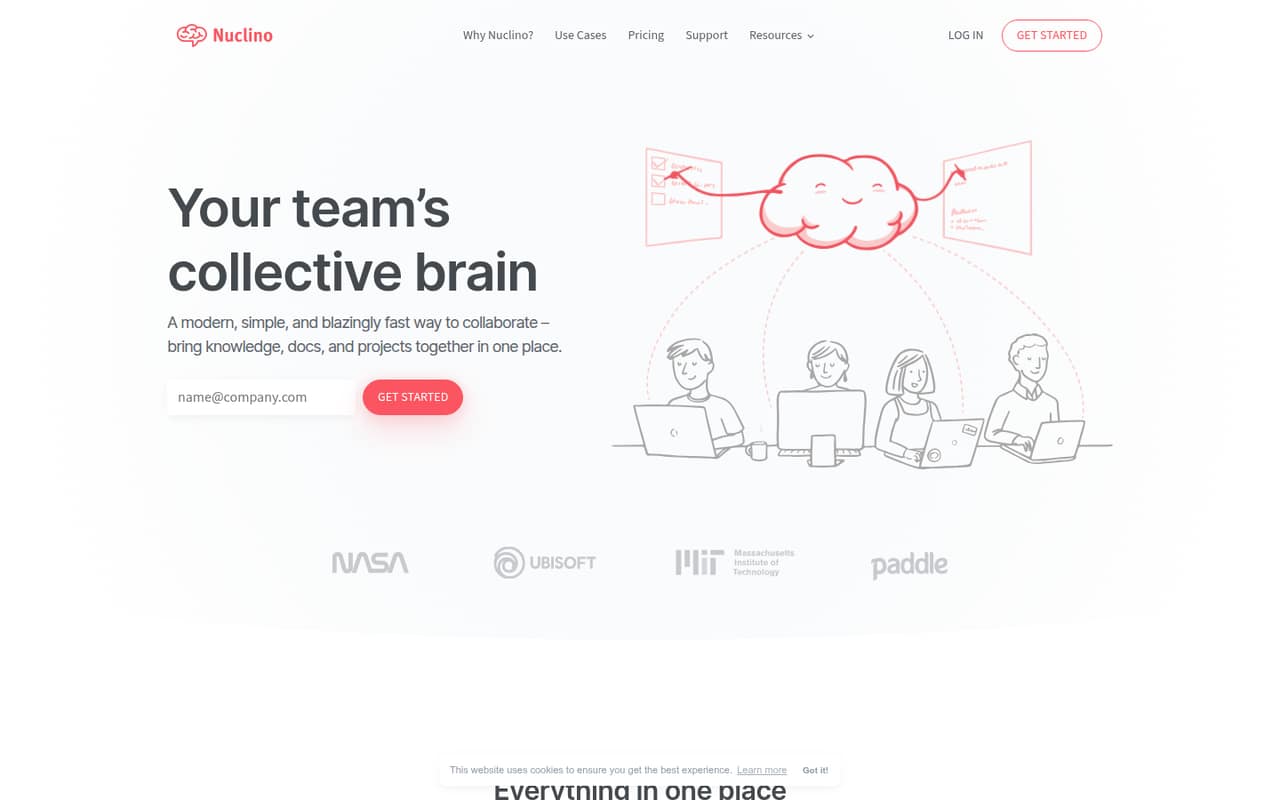
Nuclino suits a small team that needs one shared place for guides, project notes, and ideas, rather than separate tools for every kind of information. Its homepage describes a collaboration workspace for organizing knowledge, managing projects, and sharing ideas, with instant search and hotkeys to help people find and work with content.
For a team of one to five, the free plan is a low-risk starting point if the workspace stays within 50 items, three canvases, and 2GB of storage. The seat limit is not published, so ask Nuclino before treating Free as a confirmed fit for a group. Teams that hit those caps can move to Starter at $6 per user monthly with annual billing, or $8 month to month. We’d consider it when you want a lightweight team wiki and project context together, not when you need a documented set of advanced project controls.
02Nuclino free plan and trial
Nuclino’s Free plan costs $0 and includes up to 50 items, three canvases, and 2GB of total storage. That can be enough for a small shared knowledge base, but the vendor doesn’t publish a seat cap, so confirm team eligibility before moving everyone in. Free has no listed version-history allowance in the published plan details.
The pricing page lists a 14-day free trial, but doesn’t identify which plan the trial covers. Ask Nuclino to confirm what features and billing terms apply before starting. If the free workspace becomes too cramped, Starter is the cheapest listed paid plan: $8 per user monthly, or $6 per user per month with annual billing. It adds unlimited items and canvases, 10GB of storage per user, and 30-day version history.
03What a small team pays for Nuclino
The pricing page lists Starter at $8 per user per month with monthly billing, or $6 per user per month when billed annually. That makes one seat $8 monthly or $6 monthly equivalent on an annual commitment. Three seats cost $24 month to month or $18 monthly equivalent ($216 for the year); five cost $40 monthly or $30 monthly equivalent ($360 for the year).
Business costs $12 per user monthly, or $10 per user per month billed annually. Three seats are $36 monthly or $30 monthly equivalent ($360 for the year); five are $60 monthly or $50 monthly equivalent ($600 for the year). Business adds 20GB per user, unlimited version history, Sidekick AI, SAML SSO, an audit log, team insights, advanced security controls, and a custom publishing domain. No add-ons are listed. Starter makes all members, including guests, billable, so count guest accounts in your budget.
04Getting started with Nuclino
Nuclino’s homepage describes setup as quick and highlights a simple interface, instant search, and hotkeys. It does not publish a setup-time estimate or name specific integrations on the homepage, so we wouldn’t budget for a particular onboarding timeline or assume a day-one connection is available without checking with the vendor.
A Reddit commenter who uses Nuclino for personal notes says they link to OneDrive, Google Drive, Box, and Dropbox, but that is a user report rather than confirmation of official integrations. For a small team, a sensible first step is to check whether the tools you rely on connect the way you need, then organize a few shared guides and project notes. Another commenter says Google Docs can work for a small group, while a wiki can be more useful as projects and teams grow. That’s a useful bar: Nuclino should make shared information easier to structure and find.
05When small teams outgrow Nuclino
The first trigger is capacity: Free stops at 50 items, three canvases, and 2GB total storage. Starter removes the item and canvas limits, but charges per user and makes guests billable. Storage is 10GB per user on Starter and 20GB per user on Business, so teams with lots of files should include that allowance in their plan decision.
The next step up is Business, which adds unlimited version history, SAML SSO, audit logs, team insights, advanced security controls, and a custom publishing domain. Those controls may matter as a team grows, but the price rises to $10 per person monthly with annual billing or $12 month to month.
Reddit discussion is limited and mixed: one Nuclino user reports that it suits their personal wiki needs but calls out the free plan’s 2GB cap. Another commenter says a wiki can be more useful than linked documents for larger projects and teams. If your work needs more specialized project planning, compare those needs with Nuclino’s listed features before committing.
From the threadsWhat users say
The available Reddit comments are mixed but lean positive about Nuclino as a personal wiki and wiki-style project resource. The feedback is limited, so it offers little evidence about larger team use or support.
it suits me and my needs really well
the 2gb workspace cap on the free plan
Sites like Notion (or Nuclino) and wiki-type software in general can be a lot more useful, however
I think search is going to be heavily used
Questions people ask
How much does Nuclino cost?
The pricing page lists Starter at $8 per user per month with monthly billing, or $6 per user per month billed annually. Business costs $12 per user monthly or $10 with annual billing. Free costs $0 and has limits on items, canvases, and storage.
Is Nuclino free?
Yes. Nuclino’s Free plan includes up to 50 items, three canvases, and 2GB of total storage. The seat cap is not published, so check with Nuclino before assuming a particular team size can use the free workspace.
Does Nuclino offer a free trial?
The pricing information lists a 14-day free trial, but does not say which plan or features the trial includes. Ask Nuclino to confirm the trial terms and whether payment details or an automatic paid renewal are involved.
What does Nuclino Starter include?
Starter includes unlimited items and canvases, 10GB of storage per user, and 30-day version history. It costs $8 per user per month with monthly billing or $6 per user per month when billed annually. Members and guests are both billable.
Can Nuclino manage projects as well as team knowledge?
Nuclino describes its workspace as a place to organize team knowledge, manage projects, and share ideas. Its listed features include search and hotkeys. If your team needs specific project controls beyond that, confirm the details with Nuclino before choosing it as your project-management tool.
Sources
- Nuclino homepage
- Nuclino pricing, compiled via web search from g2.com, saascrmreview.com, conversiongems.com, nuclino.com, lotsnotes.com, docsie.io
- Reddit: what notion alternatives are people actually sticking with?
- Reddit: Which tool do you use for game design documents?
- Reddit: Slab or Nuclino
- Reddit: Best free private wiki software for a collaborative worldbuilding project?