
We may earn a commission if you buy through links on this page. It never changes a score or a ranking. How we make money
The bottom line
A capable, free-to-start network monitor; production pricing is per installation, not per seat.
Observium is worth considering if your small team needs network health, performance history, alerts, and automatic device discovery. Its Community plan is free, and the pricing page lists no user or device limits; production teams can pay for Professional by the installation rather than by the seat.
The trade-offs are a one-year billing term for paid plans, no published monthly price, and reports of limited customization and polling gaps. It looks like a better fit for routine network visibility than for teams needing highly tailored monitoring or very frequent checks.
Good fit if
- Small teams monitoring network devices
- Home labs and non-critical deployments
- Teams wanting historical network metrics
Skip it if
- Teams needing frequent polling
- Highly customized monitoring workflows
- Mostly Windows environments without validation
ScoresHow it rates
What works
- Free Community plan for non-critical use
- No published user or device limits
- Automatic discovery of supported devices
- Current and historical performance data
- Professional licensing is not per seat
What doesn't
- Paid plans require one-year terms
- Monthly billing prices are not published
- Customization may feel limited
- A Reddit user reports five-minute polling concerns
- Windows support may need confirmation
01Who Observium is for
Observium is aimed at teams responsible for keeping network devices healthy, not at every small business that needs a dashboard. If one or two people look after your switches, routers, firewalls, or other supported devices, it can collect performance metrics, show current and historical data, and alert on thresholds, state changes, or syslog events. Automatic discovery can also help build a view of the network.
For a small team on a tight budget, Community is listed as free for home, lab, or non-critical deployments. Professional is the paid option for a single-system production deployment, at £250 for one year. The license is based on installations rather than user seats, and the pricing page publishes no user or device limits. That makes it worth a look when several coworkers need visibility into one production installation. Teams that need extensive customization, or very frequent polling to catch brief outages, should check those needs before committing.
02Observium free plan and trial
Observium Community is the free plan. The pricing page lists a QPL Open Source license and no published user or device limits, and positions Community for home, lab, or non-critical deployments. It includes a way to get started without a subscription, but the available plan details do not list a free trial or a trial period.
The main dividing line is intended use: Professional is listed for single-system production deployments. Community has no published user or device caps, but that does not establish that every feature, support option, or production use case is included. If you plan to rely on Observium for an operational network, confirm the license terms and support expectations with the vendor. The cheapest listed paid route is Professional at £250 for one year, or £20.83 per month as an annual equivalent.
03What a small team pays for Observium
The pricing page lists Professional at £250 for a one-year term, equivalent to £20.83 per month. It covers one production installation plus two testing or development installations. Monthly billing is not published. Since Professional is priced by installation and has no published user limit, a one-person, three-person, or five-person team using that same single production installation would pay the same £250 annual fee—not a per-seat amount. That is £250 total for the year in each case; the vendor does not publish a separate monthly payment option.
Enterprise is £1,500 for a year, or £125 per month as an annual equivalent. It covers one instance using one or more systems, 10 hours of support, and priority consideration for new features. The listed add-ons can change the bill: Basic Installation costs £200 for a two-hour minimum, then £100 per additional hour. Feature Development is £1,000 per day. Ask the vendor whether those services fit your deployment before budgeting for them.
04Getting started with Observium
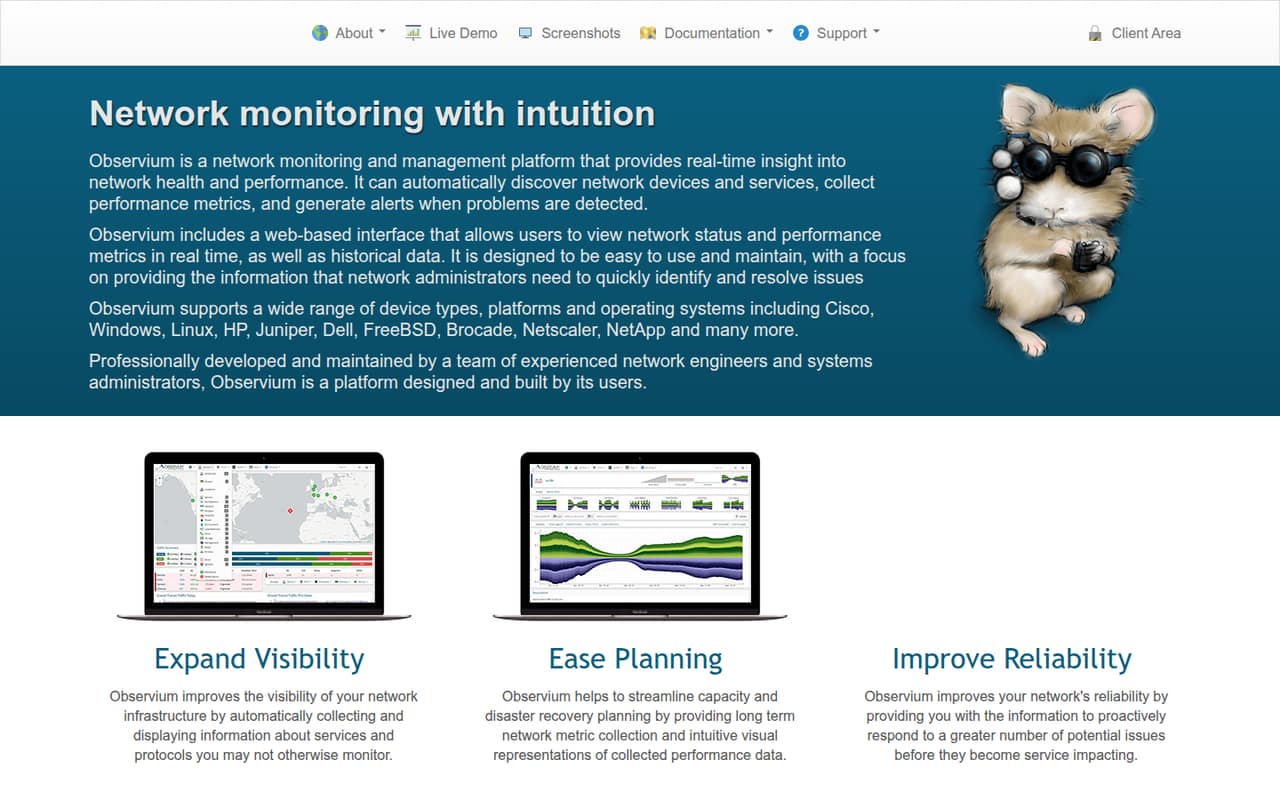
Observium’s automatic discovery is meant to find supported network devices and metrics, while its mapping feature uses discovery protocols to map networks. After discovery, the interface displays current and historical performance information; alerts can be based on thresholds, device state, or syslog. Those functions give a small team a practical starting point for monitoring, but the published plan details do not specify installation prerequisites or a setup time.
A Reddit user described the setup as “Dead simple to set up,” while also saying some parts were hard to customize. Treat that as one user's account, not a guarantee that every network will be quick to configure. Observium also lists integrations with collectd, Munin, Smokeping, and RANCID. If you rely on any of them on day one, check the vendor’s documentation for setup steps and compatibility. A mostly Windows environment may warrant extra validation: one Reddit user said they could not find evidence of Windows support beyond the vendor’s claim.
05When small teams outgrow Observium
The first reason to move on may be the monitoring detail you need, not the number of people using the tool. A Reddit thread from a small ISP describes difficulty spotting customer outages lasting 30–60 seconds amid much larger traffic volumes, and raises Observium’s five-minute polling interval as a concern. If brief interruptions matter to your team, verify the polling behavior and whether it meets your requirements before relying on it.
Customization is another possible sticking point: a Reddit user who was otherwise impressed said Observium lacked the ability to customize some things. A mostly Windows shop should also confirm support for its environment rather than assume the monitoring experience will fit. On cost, adding seats does not automatically raise the listed Professional price, but moving beyond one production installation or needing more support may change which plan fits. Enterprise costs £1,500 per year and includes 10 support hours; further installation or support pricing is not published.
From the threadsWhat users say
Reddit sentiment is broadly favorable about the overall experience, but not unanimous. Users raise concerns about customization, polling intervals, and confidence in Windows support.
Dead simple to set up and it looks pretty nice as well
Unfortunately, the customers might only be doing 50-100Mbps at the time, and we're normally pushing 3Gbps over our main peering link
Observium has been treating us fine
outside of them stating they supported windows couldn't find any evidence of it
Questions people ask
Is Observium open source?
The pricing page lists the free Community plan under a QPL Open Source license. It is positioned for home, lab, or non-critical deployments. The same page lists paid Professional and Enterprise plans for production and support needs, so check the license terms and plan details with the vendor for your intended use.
How much does Observium cost for a small team?
Community is free. Professional costs £250 for one year, equivalent to £20.83 per month, and covers one production installation plus two testing or development installations. The pricing is not per seat, and no user limits are published. Monthly billing is not listed, so ask the vendor if you need a different payment term.
Does Observium offer a free trial?
A free trial is not listed on the pricing page. Observium does offer Community at no cost for home, lab, or non-critical deployments. If you need to evaluate a production deployment or paid-plan features before buying, ask the vendor what evaluation options are available.
How does Observium work?
Observium automatically discovers supported network devices and metrics, collects performance data, and displays current and historical information in its web interface. It supports threshold, state, and syslog alerts, plus network mapping through discovery protocols. It also lists integrations with collectd, Munin, Smokeping, and RANCID.
What should I check before installing Observium?
Confirm that your devices and operating environment are supported, and review the vendor’s installation instructions for prerequisites and setup steps. A Reddit user described setup as easy, but another user questioned the evidence for Windows support. If you need to catch very brief outages, verify polling behavior for your monitoring requirements before deployment.
Sources
- Observium homepage
- Observium pricing, compiled via web search from observium.org, comparecamp.com
- Reddit: My Experience with Observium Management
- Reddit: Observium alternatives due to polling intervals
- Reddit: Observium, SolarWinds NPM or Something else?
- Reddit: Best Network monitoring software for Mostly windows based environment.