We may earn a commission if you buy through links on this page. It never changes a score or a ranking. How we make money
The bottom line
Good for visual, no-code scraping; confirm paid-plan seats and monthly billing before committing.
A small team doesn’t need Octoparse unless it regularly collects website data and wants to avoid building scrapers in code. Templates, visual task building, and local or managed cloud runs make it a practical option for recurring jobs.
The free plan includes 10 tasks and a 50,000-row monthly export limit. Standard costs $69 per month on annual billing, but the pricing page doesn’t list paid-plan user limits or the monthly-billing price. Confirm both before treating that as your team’s total.
Good fit if
- Teams scraping recurring website data
- Nontechnical users building visual tasks
- Small projects with capped exports
Skip it if
- Teams needing published seat pricing
- Scraping that needs little maintenance
- Users requiring a specific integration
ScoresHow it rates
What works
- Free plan includes 10 tasks and 50,000 monthly export rows
- Templates cover sources such as Amazon and Google Maps
- Build tasks with templates, AI assistance, or visual tools
- Run scrapers locally or on managed cloud infrastructure
- Standard includes unlimited export and the Data Export API
What doesn't
- Paid-plan user and device limits are not listed
- Monthly-billing prices are not published
- Free exports stop at 50,000 rows per month
- Add-ons can add proxy, CAPTCHA, or setup costs
- A Reddit commenter reports limited integration choices
01Who Octoparse is for
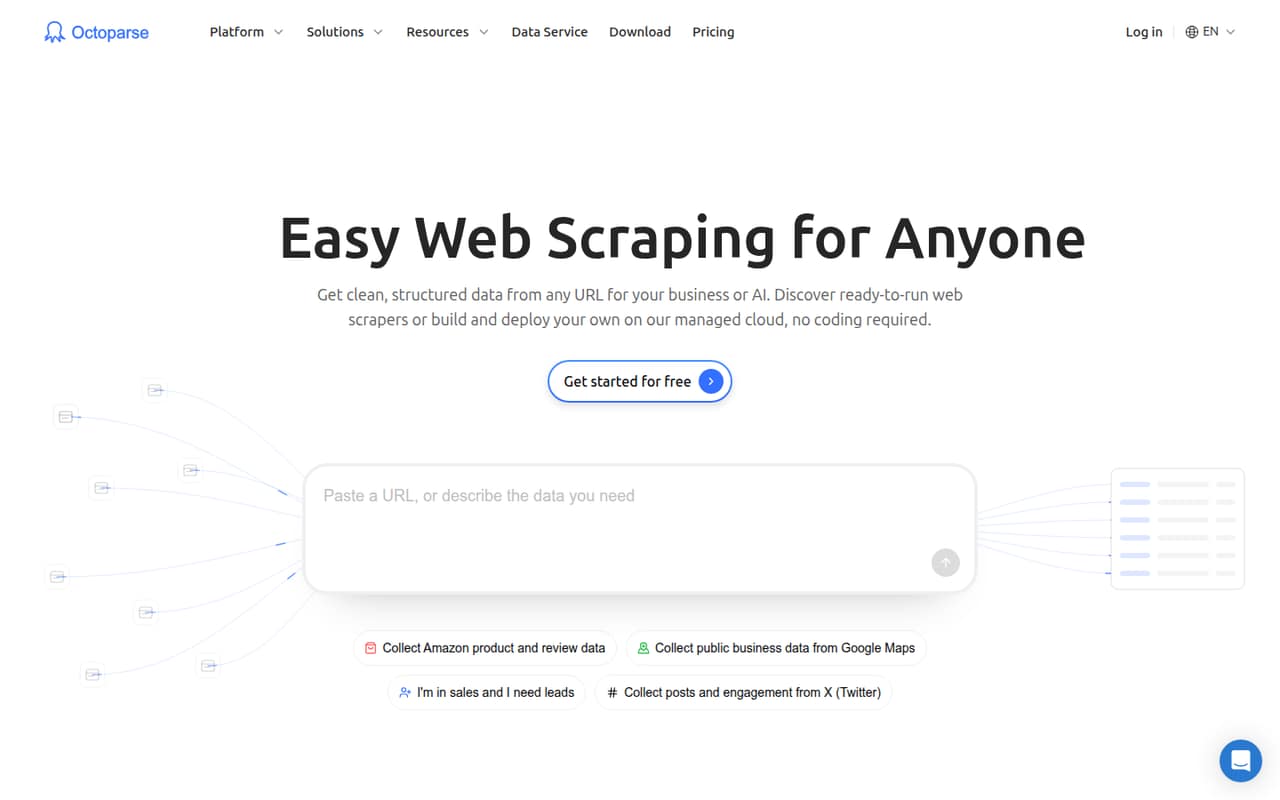
Octoparse fits a solo operator or a small team of roughly 1–10 people that needs structured data from websites on a recurring basis. It’s a web-scraping platform: users can start with a ready-made template or build a task in the desktop app using visual tools or an AI assistant. Scrapers can run on a computer or on managed cloud browsers.
That makes it worth considering when a team wants to collect listings, search results, or other site data without writing scraper code. The free plan gives a solo user room to try small projects; recurring work may call for Standard, listed at $69 per month with annual billing. The pricing page doesn’t state how many users that plan supports, so a team should confirm the seat terms before budgeting. If scraping is occasional, or a site needs constant fixes, a paid plan may be more tool than the team needs.
02Octoparse free plan and trial
Octoparse has a Free plan, not just a time-limited trial. The pricing page lists 10 tasks, one device and one user, two concurrent local runs, 50,000 data-export rows per month, and up to 10,000 rows per export. The plan costs $0 per month.
That’s enough room for a solo user to explore templates and build a few small scraping jobs. The limits matter if a task needs more than 10,000 rows in a single export or the account needs to run beyond two local tasks concurrently. Free also does not list cloud processes, unlimited exports, or the Data Export API; those appear in Standard. Octoparse does not list a free-trial period separately. For paid cloud features, Standard is the cheapest listed plan.
03What a small team pays for Octoparse
The pricing page lists Standard at $69 per month on annual billing, or $828 for a year. That is the lowest paid plan and includes 100 tasks, up to three concurrent cloud processes, and unlimited data export. The page says paid plans can be billed monthly or annually and annual billing saves 16%, but it does not publish Standard’s monthly-billing price.
For one person, the listed annual-billing equivalent is $69 per month. For a team of three, that would be $23 per person per month if one Standard subscription covers all three; for five, it would be $13.80 each on the same assumption. These are arithmetic examples, not confirmed seat prices: Octoparse doesn’t publish Standard’s user allowance or whether those seats are included. Ask the vendor to confirm before budgeting. Free is limited to one user. Potential extras include residential proxies at $3 per GB, CAPTCHA solving at $1–$1.50 per thousand, and crawler setup starting at $399.
04Getting started with Octoparse
Octoparse offers three starting points: a ready-made template, an AI assistant for building tasks, or the desktop app’s Auto-detect and drag-and-drop tools. The stated workflows cover tasks such as navigating pages, filling forms, authentication, and handling CAPTCHAs. Teams can run tasks locally or use managed cloud runs, so decide early where the work and data should live.
The setup effort will depend on the site and workflow; Octoparse does not publish a typical setup time. One commenter on r/automation described the visual workflow as good for beginners and smaller projects. Another Reddit commenter said integration choices felt limited and suggested using n8n or Make to connect Google Sheets with a CRM. Octoparse describes connections to AI tools, databases, cloud services, and business apps, but check that your exact apps and desired export path are supported before building a process around them.
05When small teams outgrow Octoparse
The first reason to upgrade is a limit you can name: Free is capped at 10 tasks, two concurrent local runs, and 50,000 export rows per month. Standard raises the task allowance to 100, adds up to three concurrent cloud processes, and includes unlimited export. Professional, listed at $249 per month on annual billing, raises the allowance to 250 tasks and up to 20 concurrent cloud processes, with monitoring and advanced export options.
The harder question is team size. Octoparse doesn’t publish paid-plan user limits, so a growing team should get seat terms and total costs in writing. Add-ons such as proxies or CAPTCHA solving can also change the bill. In one Reddit discussion, a commenter said site layout changes create ongoing upkeep, while another reported limited integration choices. If tasks break often or the team needs a specific connection, compare the maintenance effort and integration fit before upgrading.
From the threadsWhat users say
The Reddit comments are mixed: some describe Octoparse as beginner-friendly and affordable for smaller projects, while others flag upkeep when sites change and limited integration choices. These are individual reports, not a guarantee of how a particular workflow will perform.
it’s good for beginners and smallerbiz or personal projects
that’s where the upkeep hits you, no matter how fancy the tool looks in demos
Unfortunately, they don’t have many integration choice
for smaller projects I stuck to Octoparse. Cheaper you know what I mean
Questions people ask
Is Octoparse free?
Yes. The Free plan costs $0 per month and lists 10 tasks, one user and device, two concurrent local runs, and 50,000 data-export rows per month. Each export can contain up to 10,000 rows. It’s a useful starting point for solo projects, but not an unlimited plan.
How much does Octoparse cost for a small team?
Standard is listed at $69 per month with annual billing, or $828 for the year. The pricing page doesn’t publish the monthly-billing price or the number of users included in paid plans. Ask Octoparse to confirm the seat allowance and total cost for your team before you subscribe.
Does Octoparse include an AI assistant?
Octoparse says users can build tasks with an AI assistant, alongside ready-made templates and the desktop app’s Auto-detect and drag-and-drop tools. The published pricing details don’t identify a separate AI plan or an AI add-on price, so ask the vendor if you need those specifics.
Can Octoparse run scrapers in the cloud?
Yes. Octoparse offers managed cloud runs using cloud browsers, with parallel processing and automatic IP rotation. Standard lists up to three concurrent cloud processes; Professional lists up to 20. The Free plan lists concurrent local runs rather than cloud processes.
Does Octoparse connect to other business apps?
Octoparse describes connections to AI tools, databases, cloud services, and business apps, plus exports and notifications. The exact integration options matter: one Reddit commenter reported limited choices and mentioned connecting Google Sheets with a CRM through n8n or Make. Confirm your required apps before setup.
Sources
- Octoparse homepage
- Octoparse pricing page
- Reddit: Has Anyone Actually Used Web Scraping Tools for Real Multi-Step Data Workflows?
- Reddit: Reviews after getting into web scrape tools (Apify Brightdata Octoparse..)
- Reddit: Thoughts on what are the best web scraping tools solutions for startups these days? Bright data vs Phantombuster vs Apify vs Octoparse