
We may earn a commission if you buy through links on this page. It never changes a score or a ranking. How we make money
The bottom line
Good for controlled file sharing and data rooms; seat minimums rule it out for many solo buyers.
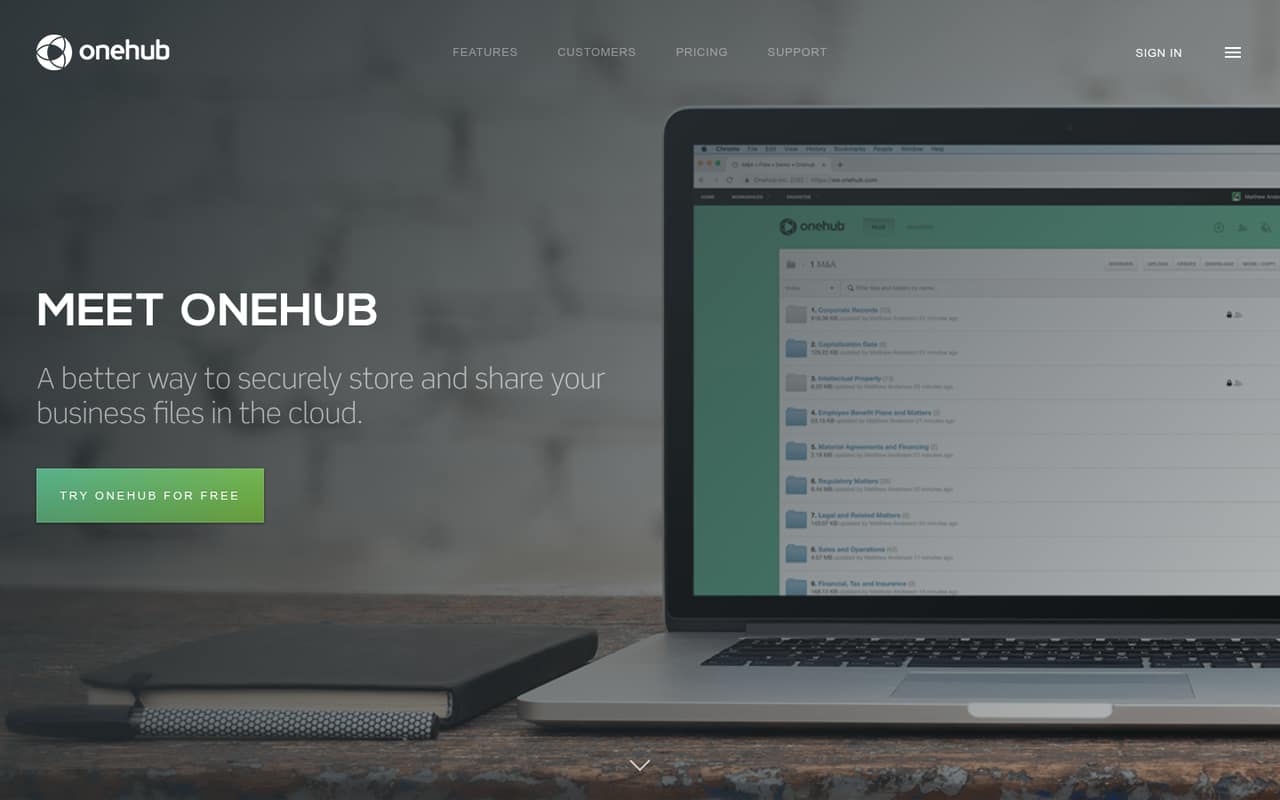
Onehub combines cloud file storage, secure sharing, role-based permissions, workspaces, and tools for virtual data rooms and client portals. It fits teams that need more control over who can see and manage business files than a basic shared folder provides.
There’s no free plan, and Standard starts with three paid users. That makes the minimum $45 per month on monthly billing or $37.50 per month billed annually. A 14-day trial gives you a chance to evaluate it before committing.
Good fit if
- Small teams sharing client files
- Businesses managing sensitive documents
- Deal teams needing virtual data rooms
Skip it if
- Solo users seeking a free plan
- Teams needing low-cost basic storage
- Buyers who need published integration details
ScoresHow it rates
What works
- Stores files while keeping existing folder structures
- Viewer, Creator, and Administrator roles control access
- Virtual data rooms support sensitive file sharing
- Audit trails are included on Advanced
- Client portals can use your logo and brand colors
What doesn't
- No free plan
- Standard requires at least three paid users
- Advanced requires at least five paid users
- Password-protected links require Advanced
- Integration list and setup time are not published
01Who Onehub is for
Onehub is for small businesses that need to store and share work files with more control than a basic shared folder offers. A team of three to ten people can use it to organize files in workspaces, keep existing folder structures, assign Viewer, Creator, and Administrator roles, and share documents with clients or partners.
It is a better fit when secure collaboration, client portals, or virtual data rooms are part of the job—not just a place to put everyday documents. A three-person team can start on Standard, while Advanced requires five paid users and adds features including password-protected links and audit trails. Data Room Edition is aimed at sensitive file sharing and deal teams.
Budget matters: there is no free plan, and Standard starts at three paid users. That sets the minimum at $45 per month with monthly billing or $37.50 per month when billed annually. A solo buyer can’t buy just one Standard seat at the listed starting rate.
02Onehub free plan and trial
Onehub does not have a free plan. The pricing page lists a 14-day free trial, but its pricing details do not say which plan features or limits the trial includes. Confirm those terms with Onehub before relying on the trial for a particular workflow.
The cheapest ongoing option is Standard, which starts at three paid users. It includes 1 TB of cloud storage, 50 workspaces, and up to 200 total users. The listed rate is $15 per user per month on monthly billing or $12.50 per user per month billed annually. So even a team that only needs one seat faces a three-seat minimum: $45 monthly or $37.50 per month on annual billing. If you only need basic storage and sharing, compare that minimum against a service with a free tier before signing up.
03What a small team pays for Onehub
Standard is the entry plan: $15 per user per month, or $12.50 per user per month billed annually, with a three-paid-user minimum. One seat is not available at that starting rate; the minimum bill is $45 monthly or $37.50 per month on annual billing. For a three-person team, those are also the total plan costs. Five Standard seats cost $75 monthly or $62.50 per month billed annually.
Advanced starts at five paid users and costs $25 per user monthly or $20 per user per month billed annually. Five seats therefore cost $125 monthly or $100 per month billed annually. It adds unlimited storage, password-protected links, and audit trails. Data Room Edition includes five paid users for $375 per month or $300 per month billed annually.
Watch the seat price if you add people: an additional Standard user is listed at $15 monthly or $12.50 on annual billing; an additional Advanced or Data Room user is $25 or $20, respectively. Advanced custom domain and white label costs $100 per month. Account hibernation is $5 per month.
04Getting started with Onehub
Onehub’s listed features give a small team a clear starting point: create workspaces, bring in business files while keeping their folder structure, then set access with Viewer, Creator, or Administrator roles. For client sharing, the product also supports branded portals and private workspaces for each client. Those basics suggest a workflow teams can map to existing folders and permissions.
The vendor does not publish a setup-time estimate in its plan details, so we would budget time to organize workspaces and decide who should have each role rather than assume setup is instant. Onehub’s plan details also do not list integrations. If your team depends on connections to other tools, ask Onehub which integrations are supported before choosing a plan. The 14-day trial is a practical window to check that your file structure and sharing process fit, but confirm which features the trial includes.
05When small teams outgrow Onehub
Onehub’s published user and workspace limits are generous for many small teams, but costs can rise before those limits become a problem. Standard starts at three paid users and includes 50 workspaces and 1 TB of storage. Adding Standard seats costs $15 monthly or $12.50 per month on annual billing. Teams that need password-protected links, audit trails, or unlimited storage have to move to Advanced, which starts at five paid users and costs $25 per seat monthly or $20 on annual billing.
That upgrade can be a big jump for a team of three: the listed five-seat Advanced minimum is $125 monthly or $100 per month billed annually. Data Room Edition is a separate option with five paid users included, priced at $375 monthly or $300 per month billed annually. Ask the vendor about integrations if your workflows depend on them; they are not listed in the plan details. If your needs are mostly basic file storage and your team is small, the lack of a free tier and these minimums may be reason enough to move to a lower-cost tool.
Questions people ask
What does Onehub do?
Onehub stores business files in the cloud and lets teams share them with role-based permissions. It also offers workspaces, virtual data rooms, audit trails, and branded client portals for sharing business information.
How much does Onehub cost for a small team?
Standard starts at $15 per user per month with monthly billing or $12.50 per user per month billed annually, and requires at least three paid users. That makes the minimum $45 monthly or $37.50 per month billed annually.
Does Onehub have a free plan?
No. Onehub lists a 14-day free trial, but its pricing details do not specify which plans or features the trial includes. Standard is the lowest-priced ongoing plan and has a three-user minimum.
What is the difference between Standard and Advanced?
Standard starts at three paid users and includes 1 TB of storage and 50 workspaces. Advanced starts at five paid users and adds unlimited storage, password-protected links, and audit trails.
Is Onehub suitable for sensitive files?
Onehub offers virtual data rooms for sensitive business information. Data Room Edition lists watermarks, NDAs, and stealth mode; Advanced lists password-protected links and audit trails.