
We may earn a commission if you buy through links on this page. It never changes a score or a ranking. How we make money
The bottom line
A broad set of handy file tools, with unclear free limits and paid plans priced by credits.
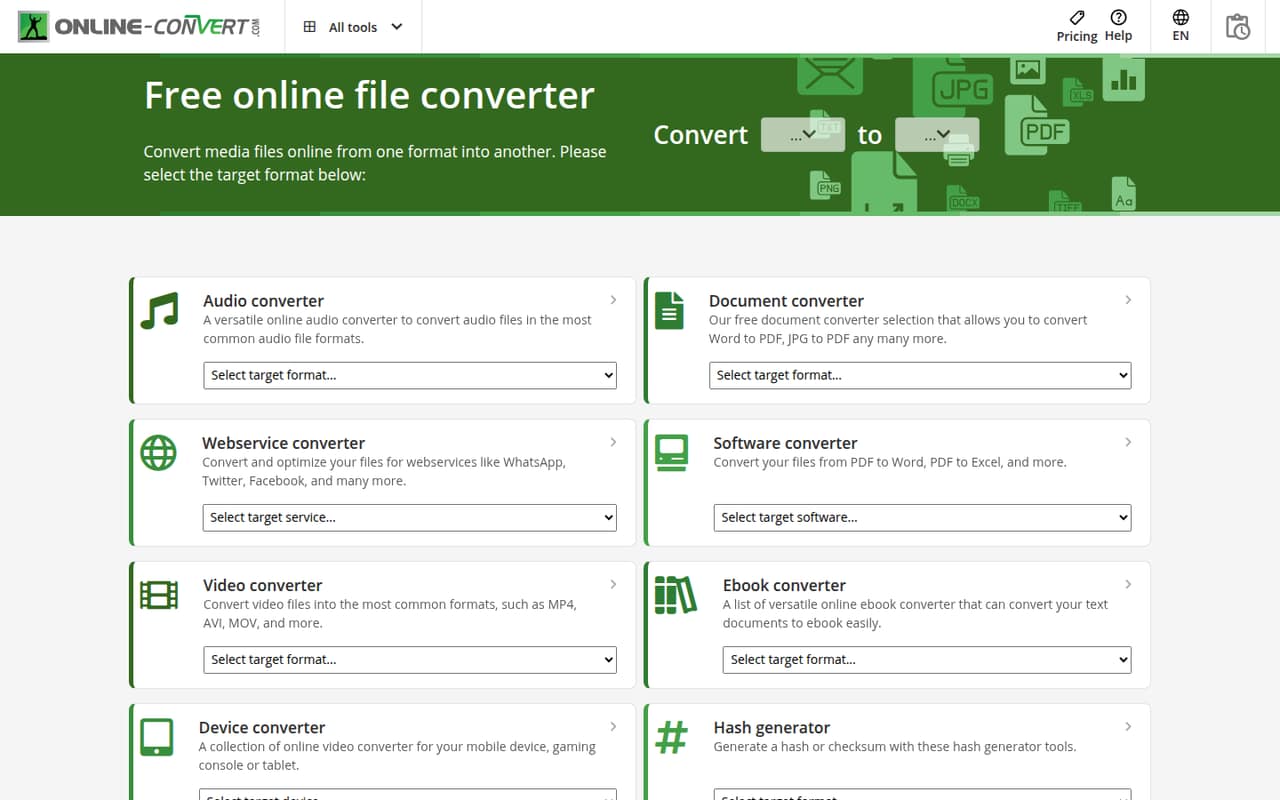
A small team that only needs occasional file conversions may not need another subscription: Online-Convert.com has a free option and covers documents, images, audio, video, ebooks, and archives. It also lists compression, OCR, website screenshots, hashes, and presets for services such as WhatsApp and YouTube.
The free option has unpublished caps, so frequent users may need credits. Paid subscriptions start at a $6.42 monthly equivalent with annual billing; the lowest tier’s month-to-month price isn’t published. It looks useful for one-off utility jobs, not a shared team workspace.
Good fit if
- Teams with occasional conversion jobs
- People who need varied file formats
- Verified students and educators
Skip it if
- Teams needing published file limits
- Teams wanting shared credit pools
- Teams needing a collaboration workspace
ScoresHow it rates
What works
- Converts documents, images, audio, video, ebooks, and archives
- Free option is available
- Compression, OCR, screenshots, and hash tools included
- Presets cover WhatsApp, Instagram, YouTube, and TikTok
- Pay As You Go credits roll over
What doesn't
- Free file and usage caps are not published
- The 480-credit monthly price is not published
- Subscription credits do not roll over
- Team pricing and pooled credits are not published
- Pay As You Go credits expire after one year
01Who Online-Convert.com is for
A small team of one to ten people may not need a dedicated converter subscription if file jobs are rare. Online-Convert.com is a browser-based option for people who occasionally need to change a document, image, audio file, video, ebook, or archive into another format. Its homepage also lists compression, OCR, website screenshots, and hash generation.
That range can suit a lean team that handles mixed file tasks and wants to keep its software budget low. The service lists presets for WhatsApp, Instagram, YouTube, and TikTok, which may help when preparing files for those services. It is a utility, not a team document workspace: the pricing page lists credit plans, but does not publish a shared team plan or pooled credit option. If several people convert files frequently, compare the per-account cost with the value of keeping those jobs in one service.
02Online-Convert.com free plan and trial
The free option is aimed at occasional users. It has limits on file size, processing time, concurrent tasks, and batch processing, but the vendor does not publish the exact caps. The free trial includes test credits, though the credit amount is not published, and it does not require payment details.
Verified students and teachers can get free access to paid tools; the vendor does not publish the credit limits for that offer, and eligibility requires verification. So the free option is worth checking for light or irregular jobs, but it is hard to know in advance whether a particular large file or batch will fit. Ask the vendor about the relevant limits if you need to rely on it for time-sensitive work.
03What a small team pays for Online-Convert.com
The lowest recurring tier is 480 credits for $6.42 per month as an annual-billing equivalent, or $77.04 per year per subscription. The vendor does not publish a month-to-month price for that tier. If each person needs a subscription, three people would cost $19.26 per month equivalent ($231.12 a year), and five would cost $32.10 per month equivalent ($385.20 a year). These are per-subscription calculations, not a published team quote.
For a month-to-month option, the 2,800-credit plan is listed at $29 per month. At one subscription each, that is $87 monthly for three people or $145 for five. Annual billing lists that tier at a $23.17 monthly equivalent. The 480-credit tier includes up to 480 tasks or 60 AI-supported tasks; the 2,800 tier lists up to 2,800 tasks or 350 AI-supported tasks. Monthly subscription credits do not roll over. Pay As You Go starts at $8 for 240 credits, and those credits roll over but expire one year after payment. Automatic overage and other add-on prices are not published.
04Getting started with Online-Convert.com
Setup appears light for occasional jobs: the service is web-based, so the listed workflow is to choose a conversion or tool, provide a file or website, and use the available options. The homepage groups its tools by file type and task, including conversion, compression, OCR, screenshots, and hashes. The listed service presets include WhatsApp, Instagram, YouTube, and TikTok.
That should be a short learning curve for a team that already knows which output format it needs. The available pricing details do not describe a team onboarding process, shared workspace, or integrations with a team’s storage and project tools. We would check those needs before standardizing on the service. For a one-off conversion, there is little reason to coordinate setup across the whole team; for repeated work, agree on who buys credits and how files are handled.
05When small teams outgrow Online-Convert.com
The first pressure point is usage: free file-size, processing-time, concurrent-task, and batch limits are not published, while monthly subscription credits expire instead of rolling over. A team doing regular work may have to move from the free option to a paid credit tier, then buy Pay As You Go credits if it needs more. Since the vendor does not publish shared team pricing or pooled credits, costs can add up if each person needs a separate subscription.
A growing team may also want shared workflows or integrations; the available pricing details do not list those features. Reddit discussion about Online-Convert.com is critical of an AI-art promotion, with commenters objecting to off-topic AI features. That thread does not report conversion reliability or team use, so it is not evidence about file-processing quality. If your buying decision depends on the limits, shared access, or support process, ask the vendor directly before building routine work around it.
From the threadsWhat users say
The available Reddit discussion is sarcastic and critical about an AI-art promotion, not a review of conversion quality. It offers little evidence about day-to-day use, so we would treat sentiment as a weak signal rather than a verdict on the core tools.
Thanks, online-convert.com, creating AI-generated art is really relevant to file conversion and I was looking for that
funny how these picture shitters are constantly shoved into everyone's faces by every app despite the fact that most people have no interest whatsoever
As someone who uses a lot of creative and coding tools, it really gets my blood boiling when they stuff this crap into everything. Nobody asked for it
We have performed extensive AI-powered research, and have made the following improvements to Cornflakes: We hope that the GIGO principle somehow doesn't apply to our "AI", and the generated probabilistic alphabet soup that so-called "experts" branded as "complete and utter stupidity" somehow contains actual facts
Questions people ask
Is Online-Convert.com free?
Yes. The pricing page lists a free option with limits on file size, processing time, concurrent tasks, and batch processing. The vendor does not publish the exact caps. A free trial includes test credits and does not require payment details, but the credit amount is also not published.
What is the cheapest Online-Convert.com paid plan?
The lowest recurring tier lists 480 credits for $6.42 per month as an annual-billing equivalent, or $77.04 per year. The month-to-month price for that tier is not published. A 480-credit Pay As You Go purchase costs $14 and expires one year after payment.
Do Online-Convert.com credits roll over?
Credits in monthly subscriptions do not roll over. Pay As You Go credits do roll over, but expire one year after payment. If your usage varies month to month, compare that expiry rule with how quickly your team expects to use its credits.
What can Online-Convert.com convert?
The service lists conversion for documents, images, audio, video, ebooks, archives, and other formats. Its homepage also lists compression for PDF, JPG, PNG, and MP4 files; OCR tools; website screenshots; and hash generation. Presets are listed for WhatsApp, Instagram, YouTube, and TikTok.
Does Online-Convert.com offer team pricing?
The pricing page lists credit subscriptions and Pay As You Go purchases, but does not publish a team plan, per-seat discount, or shared credit pool. If several people need access, ask the vendor whether credits can be shared and whether there is a separate team rate before budgeting.