
We may earn a commission if you buy through links on this page. It never changes a score or a ranking. How we make money
The bottom line
OnShift covers key care-workforce jobs, but small teams must request a quote before judging the cost.
OnShift is workforce software built for post-acute care and senior living organizations. It covers hiring, scheduling, payroll and HRIS through partners, employee engagement, analytics, and Payroll-Based Journal reporting.
There’s no free plan, and the pricing page lists only custom quotes. That makes it difficult for a 1–10-person admin team to compare costs or know whether a small deployment fits its budget. Reddit comments also describe access problems and outages, though one user reports no trouble when remembering their password.
Good fit if
- Post-acute care organizations
- Senior living employers
- Teams managing care staffing
Skip it if
- Teams needing a free plan
- Buyers requiring upfront seat pricing
- Businesses outside care settings
ScoresHow it rates
What works
- Built for post-acute care and senior living
- Includes hiring and candidate lifecycle tools
- Supports workforce scheduling
- Offers engagement and retention tools
- Streamlines Payroll-Based Journal reporting
What doesn't
- No free plan
- Pricing is available by custom quote
- Trial terms are not published
- Payroll and HRIS are accessed through partners
- Reddit users report outages and slow navigation
01Who OnShift is for
OnShift is built for post-acute care and senior living organizations, not for a small office looking for a basic time-off calendar. A 1–10-person HR or operations team could consider it if it manages hiring, schedules, workforce data, and compliance reporting for a larger care workforce. The buyer’s admin team may be small even when the organization and its staffing needs are not.
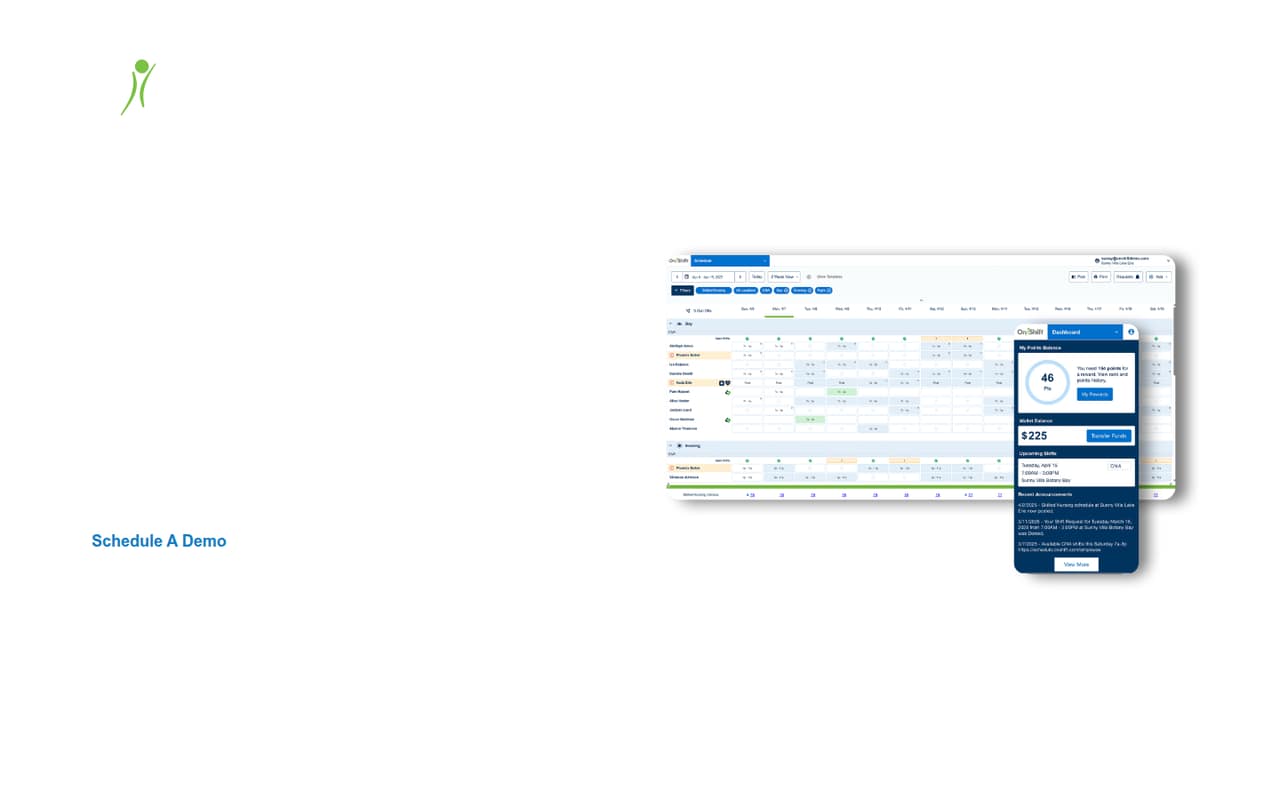
In plain terms, OnShift brings together candidate management, staff scheduling, employee engagement, analytics, and Payroll-Based Journal reporting. Payroll and HRIS are available through OnShift partners. That breadth may suit a care organization trying to coordinate several workforce jobs in one software setup. For a lean team watching every subscription, the main question is whether it needs those care-specific workflows enough to justify a custom quote. Ask the vendor which modules and partner services are included before comparing it with simpler tools.
02OnShift free plan and trial
OnShift does not offer a free plan, and a free trial is not published. That means a small team cannot use a no-cost tier to check whether scheduling, hiring, or reporting fits its workflow before committing.
The cheapest way in is to request a custom quote. The pricing page does not list a starting price, a per-user rate, or what features come with the quoted package. It also does not publish trial terms. Before asking for a quote, make a list of the workflows you need—such as scheduling, candidate management, or Payroll-Based Journal reporting—and ask whether each is included. If you want to test the software before paying, ask the vendor whether it offers a demo or trial and what access that includes.
03What a small team pays for OnShift
The pricing page lists one option: a custom quote. It does not publish a monthly or annual price, a per-seat rate, or a starting price. So we can’t calculate a reliable cost for one person, three people, or five people, or compare monthly billing with annual billing. Ask the vendor for a written quote showing the fee for your admin seats and any other users who need access.
The add-ons and their prices are not published either. Payroll and HRIS are accessed through OnShift partners, so ask whether partner products are separate line items and what they cost. Also confirm which OnShift features are included in the quote, including scheduling, talent acquisition, engagement, analytics, and compliance reporting. For a budget-conscious team, get the total price for the users and workflows you actually need before comparing options; a custom quote alone does not show whether a small deployment is affordable.
04Getting started with OnShift
OnShift does not publish a setup timeline or the steps a small team should expect, so we can’t say how many hours or how much implementation support it takes. Its feature set points to several workflows to clarify before kickoff: hiring and candidate management, scheduling, employee engagement, analytics, and Payroll-Based Journal reporting. Ask which items require configuration and who handles that work.
Payroll and HRIS are accessed through OnShift partners. Before signing, confirm which partner products are available, what data passes between systems, and whether setup or support carries a separate cost. The public feature description does not name specific integrations or explain technical requirements.
User reports suggest access reliability is worth discussing during a demo. One Reddit thread describes users unable to reach schedules during an outage, while another commenter says the service can log them out weekly. Ask the vendor what support and outage communication look like.
05When small teams outgrow OnShift
OnShift is already aimed at post-acute care and senior living organizations, so a small admin team may be supporting a much larger workforce rather than outgrowing it by adding a few employees. The pricing page does not publish seat limits, usage caps, upgrade thresholds, or add-on rates. Ask the vendor how costs change as users, locations, or required workflows increase.
A team may need to reconsider the fit if it wants a free entry point, transparent per-seat pricing, or payroll and HRIS outside OnShift’s partner approach. Those are buyer priorities to check, not published product limits. Reddit feedback also raises a practical concern: users in one thread reported being unable to access schedules during an outage, and a staffing coordinator described frequent issues and slow navigation. These are individual reports, not a measure of overall reliability, but schedule access is important enough to ask about before choosing the tool.
From the threadsWhat users say
The Reddit comments are mixed but lean negative: several users report login, outage, or navigation problems affecting schedule access. One commenter says they usually have no trouble, while another says the service had been down at their facility.
I mean it logs me out every week but as long as I remember my password I have no trouble with it
I just started at a new facility that uses it and literally havent been able to get my schedule because theyre saying it's been down all week
It’s either completely down, or takes 5 minutes to navigate to another page
It's been down today at my facility as well. Its usually slow, but today I can't see my schedule
Questions people ask
How much does OnShift cost per month?
OnShift’s pricing page lists custom quotes and does not publish monthly or annual rates. It also does not list a per-seat price or starting price. Ask the vendor for a quote that separates user costs, included features, and any partner charges for payroll or HRIS.
Does OnShift have a free plan or trial?
OnShift does not offer a free plan, and trial terms are not published. The listed way to get pricing is to request a custom quote. Ask the vendor whether a demo or trial is available and what features and access it includes before deciding.
How does payroll work with OnShift?
OnShift provides access to payroll and HRIS through partners. The public pricing information does not detail partner options, fees, or how payroll is configured. Ask which partner services are available, whether they cost extra, and what is included in your quote.
What can OnShift do for scheduling?
OnShift’s workforce scheduling feature supports staff scheduling and workforce optimization. The public feature description does not specify scheduling rules, limits, or how the software handles your organization’s particular shift patterns. Ask the vendor to demonstrate the workflows your team needs.
Why might OnShift not be working?
Reddit users have reported trouble logging in, viewing schedules, and navigating the service, including during a reported outage. Those comments are individual experiences, not a confirmed cause for a particular problem. If access fails, contact your organization’s scheduling or HR team and ask OnShift support about service status.