
We may earn a commission if you buy through links on this page. It never changes a score or a ranking. How we make money
The bottom line
A capable free editor with no per-seat cost, but reliability reports are a real caveat.
OpenShot is worth considering if your small team needs a free editor for timeline-based video work. The pricing page lists unlimited use, no project limits, and no watermarks, so the cost for a few editors is $0.
The trade-off is confidence: Reddit users report lag, freezes, and instability, particularly on longer projects. Try it on a representative project before making it part of a deadline-critical workflow.
Good fit if
- Budget-conscious small teams
- Editors making straightforward videos
- Teams avoiding per-seat fees
Skip it if
- Deadline-critical editing workflows
- Teams needing published collaboration tools
- Editors wary of stability reports
ScoresHow it rates
What works
- Free for personal, commercial, and educational use
- No project limits or watermarks
- Unlimited timeline tracks
- Keyframes cover position, scale, rotation, and more
- Includes color, effects, masks, and audio visualizations
What doesn't
- Reddit users report freezes and bugs
- Some users report lag on longer videos
- No paid desktop plan for added support is listed
- Vendor does not publish a day-one integration list
- Cloud API hosting compute and bandwidth cost extra
01Who OpenShot is for
OpenShot suits a small team that needs video editing without adding a subscription to the budget. It makes the most sense when one or a few people handle editing, rather than when the whole team needs a shared review or collaboration workspace; the vendor does not publish collaboration features in the product details here.
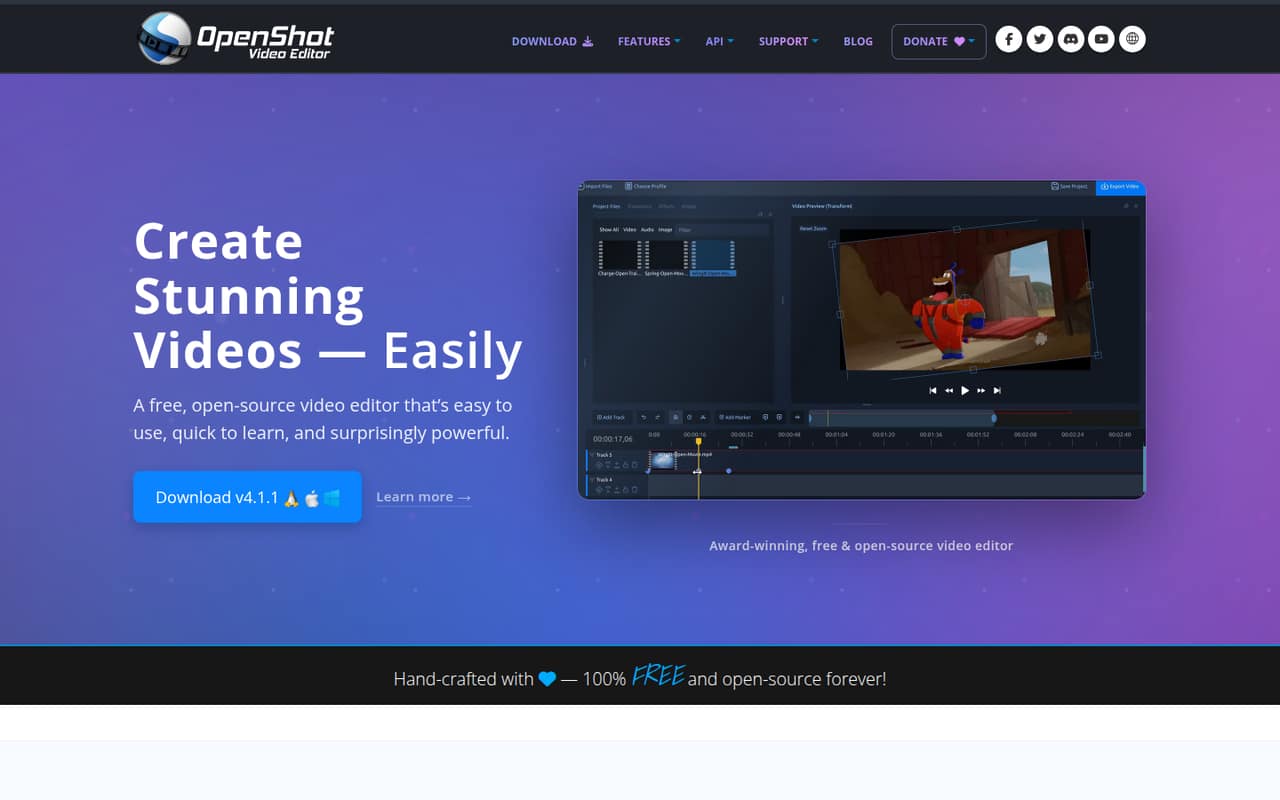
In plain terms, it lets you arrange video, audio, and images on a timeline, then add effects, color adjustments, masks, and animation. The homepage highlights unlimited tracks, keyframes, audio visualizations, and tools such as chroma key and blur. That is a broad set of creative tools for a $0 editor.
The practical fit depends on your tolerance for troubleshooting. Reddit users describe both an easy start and frustrating freezes or lag. For a one-to-ten-person team, we’d consider it for non-critical projects or as a low-cost first editor, then check how it handles your own project length and files before relying on it for a delivery deadline.
02OpenShot free plan and trial
OpenShot Video Editor is free and open-source under GPL v3.0. The pricing page lists unlimited use, no project limits, and no subscriptions or watermarks. It is available for personal, commercial, and educational users, so a small business does not need a separate paid desktop plan to edit its videos.
There is no paid desktop tier to unlock more projects or remove watermarks in the listed offer. The pricing page does not list a free trial; the editor itself is free. OpenShot also offers a separate Cloud API for teams building cloud video workflows. That service is not the price of the desktop editor: it is billed by instance hour, and hosting compute and bandwidth are billed separately by cloud providers. Most teams looking only to edit videos should distinguish that optional service from the free editor.
03What a small team pays for OpenShot
The pricing page lists OpenShot Video Editor at $0 per month. That makes the desktop editor $0 for one person, $0 for three editors, and $0 for five. Annual cost is also $0 at those seat counts because the editor is free; there is no paid annual desktop price listed. The editor is not priced per seat, and the listed offer includes unlimited use.
The separate OpenShot Cloud API is for teams building cloud video workflows, not a required editor subscription. Its pay-as-you-go rate is $0.15 per instance hour. The pricing page estimates about $108 for one continuously running 30-day instance. That rate is per instance hour, not per editor, so the cost for a three- or five-person team depends on instances and usage rather than headcount. No annual API price is published. Cloud hosting compute and bandwidth are billed separately by providers such as AWS, Azure, or GCP, so ask your provider to estimate those charges before budgeting for a cloud workflow.
04Getting started with OpenShot
OpenShot describes its editor as easy to use and quick to learn. Its timeline approach is familiar in concept: arrange video, audio, and images across tracks, then apply effects or keyframes. The feature list includes snapping and waveforms, plus tools for color, masks, and audio visualizations. That gives a new editor several ways to work without buying another product.
The vendor does not publish a day-one integration list in the product details here, so check whether it fits your team's file-sharing, review, and delivery process before you standardize on it. The Cloud API is a separate option for cloud video workflows, with hosting costs on top; it is not listed as a requirement for using the editor.
Reddit users report very different experiences: one describes it as easy to use, while others report freezes or lag. A sensible setup is to learn on a short, representative project and confirm that your own machine and workflow behave acceptably before putting a deadline on the result.
05When small teams outgrow OpenShot
You may outgrow OpenShot when the cost of an unreliable edit matters more than saving on software, or when your team needs published collaboration and integration features that are not described in the product details. There is no paid desktop tier listed to upgrade into for extra seats or project limits; moving to a different tool may be the answer if your needs change.
Stability is the main caution in the user reports. One Reddit poster says videos over five minutes froze their computer and describes a failed export; other commenters also report lag or bugs, while one says the editor worked smoothly on their setup. These are individual experiences, not a guarantee of what your team will see. A commenter says they split longer work into shorter projects, but that workaround adds editing steps.
If you are considering the Cloud API, budget for its $0.15-per-instance-hour rate and separate hosting compute and bandwidth. For ordinary desktop editing, the listed editor remains free; the decision to move is more about workflow fit and confidence than seat costs.
From the threadsWhat users say
Reddit sentiment is mixed but leans negative, with multiple users describing bugs, lag, or instability. A few commenters report smooth performance or call it a good starter editor, suggesting experiences vary by setup and project.
This program is easy to use and when it works it exports quickly
True, Openshot is very laggy when making long videos with some editing
The combination of the updated openshot + linux + SSD drive make everything smooth
I gave up with Openshot too due to its instabilities
Questions people ask
Is OpenShot actually free?
Yes. The pricing page lists OpenShot Video Editor as free and open-source under GPL v3.0, with unlimited use, no project limits, no subscriptions, and no watermarks. The separately priced Cloud API is optional and intended for teams building cloud video workflows.
Is OpenShot trustworthy?
OpenShot is listed as open-source software under GPL v3.0, but that fact alone does not establish security or reliability. Reddit users report a mix of positive and negative experiences, including freezes and bugs. For important work, evaluate it with your own files and workflow before depending on it.
What are the downsides of using OpenShot?
The main reported downside is reliability: Reddit users describe freezes, lag, bugs, and instability, including on longer videos. Experiences differ, and another commenter reports smooth performance on their setup. The vendor's listed desktop offer also does not describe a paid tier for additional features or support.
How much does OpenShot cost for a small team?
The desktop editor costs $0 per month for one person or a team of three or five; the listed offer has no per-seat charge. The optional Cloud API costs $0.15 per instance hour, with hosting compute and bandwidth billed separately by cloud providers. The pricing page does not publish an annual API price.
Does OpenShot support team collaboration?
The product details list editing features such as timeline tracks, effects, masks, and keyframes, but do not describe team collaboration or review tools. If shared projects, approval workflows, or integrations are essential, ask the vendor whether those needs are supported before choosing OpenShot.