
We may earn a commission if you buy through links on this page. It never changes a score or a ranking. How we make money
The bottom line
Orshot automates asset production, but a team of three needs the $160/month Grow plan.
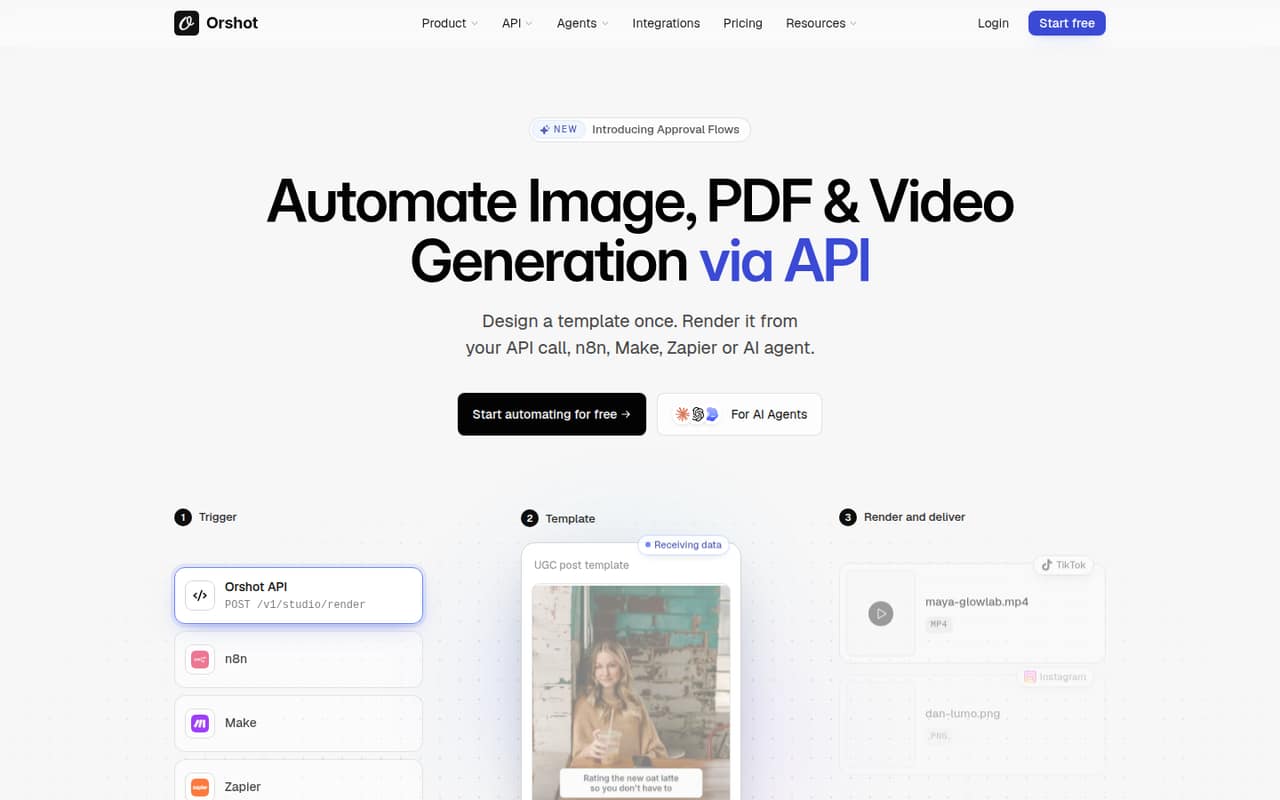
Orshot turns reusable templates into images, PDFs and videos from API calls, no-code workflows or AI agents. It also offers social publishing, analytics and a white-label editor for teams building their own workflows.
The free plan includes 100 monthly credits but no team seats. Launch costs $39/month and supports two team members; a team of three or five needs Grow at $160/month. That makes Orshot a better fit when automating repeat asset production matters enough to justify the plan cost.
Good fit if
- Teams automating repeat branded assets
- Small teams using Canva or Figma templates
- Workflows that need API-based rendering
Skip it if
- Teams needing several seats for free
- One-off or occasional image creation
- Buyers requiring published annual prices
ScoresHow it rates
What works
- Renders images, PDFs and videos from templates
- Offers API, SDK, webhook and no-code routes
- Imports designs from Canva or Figma
- Supports scheduled social publishing
- Launch includes two team members
What doesn't
- Free plan has no team seats
- Three team members require the $160 Grow plan
- Monthly credit and automation limits apply
- Annual prices are not published
- Dedicated support is listed for Enterprise
01Who Orshot is for
Orshot is for small teams that repeatedly produce branded images, PDFs or videos and want those assets generated from templates rather than assembled one by one. A marketing team creating campaign variations, a product team generating visuals from data, or an agency building a client-facing editor may find the workflow relevant.
The product turns templates into reusable outputs through API calls, SDKs, webhooks, no-code connectors or AI agents. Designs can be imported from Canva or Figma, and Smart Resize adapts a template to different sizes. Orshot also lists social publishing, analytics and a white-label editor with custom buttons and multi-tenancy.
For a solo operator, the free plan may be enough to explore light use. Launch at $39 per month is the first paid plan and includes two team members. A team of three to five needs Grow at $160 per month. The fit depends on having recurring production work that can make those monthly costs worthwhile.
02Orshot free plan and trial
Orshot’s free plan costs $0 and includes 100 render credits per month, 50 AI credits as a one-time allowance and one workspace. It includes no team seats, so it is suited to trying the product or light individual use rather than a shared team workflow. The vendor does not list a separate free trial.
The free plan’s credit and workspace limits make it a constrained way to assess ongoing production needs. The pricing details do not specify how many credits a particular render consumes, so ask Orshot or check its product documentation before estimating how many assets the allowance will cover.
For a paid plan, Launch is the cheapest option at $39 per month. It includes 1,500 monthly render credits, 300 monthly AI credits, 200 automation runs and one workspace for two team members.
03What a small team pays for Orshot
Orshot lists flat monthly plan prices, not a per-seat rate. A solo user can start free if the limits work; the first paid option is Launch at $39 per month. Launch covers up to two team members, so one or two people pay the same listed plan price: $39 per month.
A team of three or five needs Grow, which includes six team members and costs $160 per month. That is the listed monthly plan cost for either team size, not a per-person charge. Grow includes 20,000 render credits, 1,200 AI credits and 800 automation runs per month, plus four workspaces.
The pricing page says annual billing offers two months free, but does not publish annual prices. We can’t calculate an exact annual total from the listed rates. Scale is $349 per month for up to 14 team members, and Enterprise has custom pricing. No add-ons are listed, so check with Orshot about any extra costs that may apply to your setup.
04Getting started with Orshot
Getting started means preparing a reusable design, making the relevant elements into parameters, then connecting the template to the way your team wants to trigger renders. Orshot lists Canva and Figma imports, API rendering, SDKs, webhooks and connectors for n8n, Make and Zapier. The best starting route depends on whether your team already runs a workflow in one of those tools or has developer help for an API integration.
The vendor does not publish a setup-time estimate in the pricing details. Expect some work to prepare templates and configure the workflow; the amount will depend on your designs and integration needs. Smart Resize can adapt a template to different sizes, while social publishing can send renders to accounts now or on a schedule.
For day one, choose one template and one output workflow before adding more variations. That keeps the initial configuration focused. Check the vendor’s docs for the steps and requirements for your chosen connector or API route.
05When small teams outgrow Orshot
The first clear constraint is team size: Free has no team seats, and Launch tops out at two members. A three-person team must move to Grow at $160 per month, even if it does not need all six seats. That is a substantial step up from Launch’s $39 monthly price, so confirm that the extra capacity and workflow allowances suit your use before upgrading.
Usage can also push a team to a higher plan. Grow includes 20,000 render credits, 1,200 AI credits and 800 automation runs per month. Scale raises those allowances to 75,000 render credits, 2,100 AI credits and 2,500 automation runs, and supports 14 team members for $349 per month. Scale also includes more workspaces than Grow.
If you need custom limits, APIs, integrations or Embed instances, Enterprise offers customized terms and dedicated support. Its price is not published. Ask Orshot to confirm costs and limits before committing.
Questions people ask
What does Orshot’s free plan include?
The free plan includes 100 render credits each month, 50 AI credits as a one-time allowance and one workspace. It has no team seats, so it is aimed at trying Orshot or light use rather than a shared team setup. The vendor does not list a separate free trial.
How much does Orshot cost for a team of three?
A team of three needs the Grow plan, which costs $160 per month and includes six team members. Orshot lists flat plan prices rather than per-seat rates, so the monthly price is the same for a team of three or five. Annual prices are not published.
Does Orshot offer annual billing?
The pricing page says annual billing offers two months free, but it does not publish annual prices. That means the exact yearly cost cannot be calculated from the listed plan prices. Ask Orshot for the annual quote for your chosen plan before budgeting.
Which integrations does Orshot support?
Orshot lists API rendering, SDKs and webhooks, plus no-code connectors including n8n, Make and Zapier. It also supports importing designs from Canva or Figma. Check the vendor’s docs for the requirements and setup steps for the particular integration your team plans to use.
What can Orshot create and publish?
Orshot renders images, PDFs and videos from reusable templates through API calls, no-code workflows or AI agents. It also lists social publishing, including publishing now or on a schedule, and analytics. The exact limits for each capability depend on the plan and its included credits or automation runs.