
We may earn a commission if you buy through links on this page. It never changes a score or a ranking. How we make money
The bottom line
A straightforward way to write LaTeX together, if its compile limits and seat costs suit your team.
Small teams writing scientific or technical documents can use Overleaf to edit LaTeX in a browser, work together, and manage citations. The Free plan covers unlimited projects, but limits collaboration to one collaborator per project and uses a basic compile timeout.
Paid plans start at $8.25 per month with annual billing or $13 month to month for Student. The pricing page lists larger compile allowances on paid plans; Reddit users still report hitting compile limits and some prefer compiling locally.
Good fit if
- Small academic writing groups
- Teams sharing LaTeX documents
- Researchers using templates
Skip it if
- Teams needing unlimited free collaboration
- Writers avoiding compile-time limits
- Groups needing published SSO pricing
ScoresHow it rates
What works
- Free plan includes unlimited projects
- Visual and code editing options
- Shared editing and commenting
- Thousands of free templates
- Citation and bibliography tools
What doesn't
- Free plan allows one collaborator per project
- Free plan has a basic compile timeout
- Paid plans cost more month to month
- Pro is needed for unlimited collaborators
- Organizations pricing is not published
01Who Overleaf is for
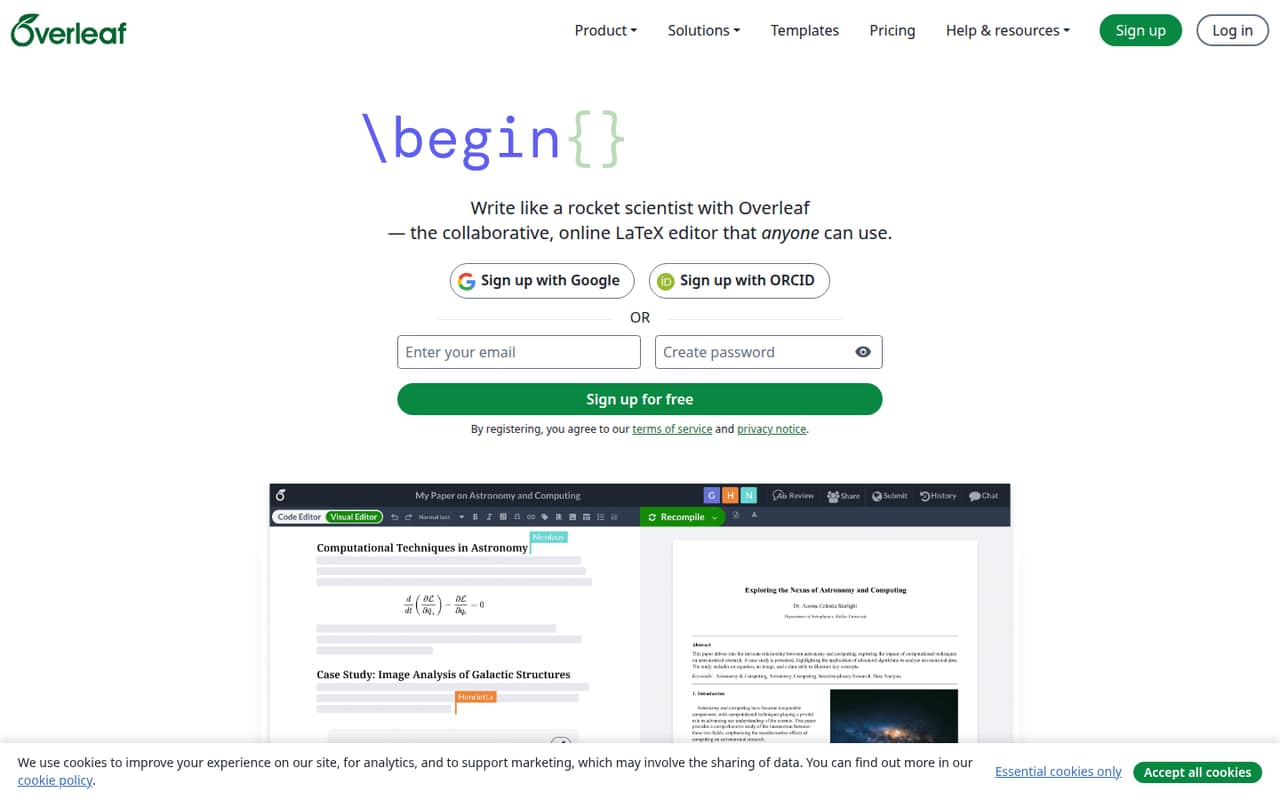
Overleaf is for people writing scientific or technical documents in LaTeX, especially small groups that need to edit and comment on the same work. It runs in a browser and offers visual and code editing, so a new writer can start without downloading an editor or knowing LaTeX first. Templates, formulas, figures, tables, citations, and bibliographies cover common document needs.
For a solo writer or a pair working on modest projects, the Free plan may be enough. A group that needs more collaborators on each project will likely need Student or Standard. Those plans allow 10 collaborators per project, at listed annual rates of $8.25 and $16.75 per month, respectively. Pro allows unlimited collaborators per project, but costs more. That makes Overleaf a better fit for teams that value shared online editing than for budget-focused writers who are comfortable compiling locally. Reddit users point to local tools as an alternative, while noting that collaboration can be less straightforward.
02Overleaf free plan and trial
The Free plan costs $0 and includes unlimited projects, five AI uses per day, one collaborator per project, and a basic compile timeout. That is a reasonable starting point for solo work or a small project where one collaborator is enough. It also gives you access to Overleaf’s visual and code editing, templates, and document collaboration features.
The main trade-offs are the collaborator limit and basic compile timeout. If a project needs more people or longer compile time, the pricing page lists Student as the first paid option: $8.25 per month with annual billing or $13 month to month. It includes 10 collaborators per project and 24 times the basic compile timeout. The pricing page lists a seven-day free trial, but does not specify which plans it covers or how the trial works.
03What a small team pays for Overleaf
The pricing page lists Student at $13 per month with monthly billing, or $8.25 per month with annual billing. Using those listed rates as per-person math, one person costs $13 monthly or $8.25 per month on an annual plan ($99 for the year). Three people come to $39 monthly or $24.75 per month annually ($297 for the year). Five people come to $65 monthly or $41.25 per month annually ($495 for the year). These totals assume each person needs a paid seat.
Student includes 10 collaborators per project, five AI uses per day, the AI Assistant, and 24 times the basic compile timeout. If you need more AI use, Standard lists 10 uses per day at $25 monthly or $16.75 per month annually. That works out to $75 monthly for three people or $125 for five; annual-billing equivalents are $50.25 and $83.75 per month. Pro is $45 monthly or $33.25 per month annually and removes the project collaborator cap. No add-ons are listed. Organizations is for 20 or more users, and its price is not published.
04Getting started with Overleaf
Overleaf is an online editor, so the core setup does not require downloading a LaTeX editor or compiler. The product description says you can write visually or work with the LaTeX code, and that prior LaTeX knowledge is not required. You can start with a template, then use the editor’s collaboration, commenting, and citation features as needed.
For a small team, the main first-day check is whether the Free plan’s one-collaborator limit per project is enough. If not, Student or Standard lists space for 10 collaborators per project. The product description includes learning resources for LaTeX fundamentals and advanced topics, which can help new users get oriented. It does not list specific third-party integrations in the feature details, so teams that depend on an integration should confirm availability with Overleaf before choosing a plan. Reddit users discuss local editors and self-hosting, but describe self-hosting as a more involved setup.
05When small teams outgrow Overleaf
A team may need to upgrade when more than one collaborator needs access to a Free project, when 10 collaborators per project is not enough, or when the basic compile timeout becomes a problem. Student and Standard both list 10 collaborators per project and 24 times the basic compile timeout; Pro lists unlimited collaborators and a max AI allowance subject to fair use. Annual-billing rates range from $8.25 per month for Student to $33.25 for Pro, with monthly billing costing more.
Reddit users report compile problems and recommend compiling locally when online limits get in the way. Some commenters say they prefer local tools for speed or control, while others value Overleaf for live collaboration. One commenter describes running a personal Overleaf instance as complicated, and another says self-hosting is most worthwhile for organizations with many users and a capable admin. For a growing team, the choice is usually paying for larger limits or moving to a local workflow—not just adding more people to the Free plan.
From the threadsWhat users say
Reddit discussion is mixed: users value online collaboration, but recurring comments recommend local compiling when limits or reliability become a concern. Some users also say self-hosting takes meaningful setup effort.
running a personal overleaf is quite complicated
Queue the flood of comments telling you to compile locally
This is the most complicated option to set up and only worth it if you have lots of Overleaf users and a capable admin
I'm still confused about "live collaborating on the same document" that every Overleaf user keeps telling me about
Questions people ask
Does anyone use LaTeX anymore?
Overleaf is made for scientific and technical writing in LaTeX. Its templates cover articles, reports, and presentations, and the editor supports formulas, figures, tables, citations, and bibliographies. It is most relevant when your document or collaborators already use LaTeX.
Can I edit a document with other people in Overleaf?
Yes. Overleaf supports shared editing and commenting, including simultaneous work on a document. The Free plan allows one collaborator per project; Student and Standard allow 10, while Pro lists unlimited collaborators per project.
Does Overleaf have both a visual editor and a code editor?
Yes. Overleaf offers visual and code editing, so you can work through the document visually or edit the LaTeX behind it. The product description says it is designed for people without prior LaTeX knowledge as well as those who want to edit the code.
Can I use templates and manage citations in Overleaf?
Yes. Overleaf offers thousands of free templates for articles, reports, and presentations. It also includes tools for managing citations and bibliographies in documents. The product details do not specify a separate charge for these features.
What happens if a project takes too long to compile?
The Free plan lists a basic compile timeout. Student, Standard, and Pro list 24 times the basic compile timeout. Reddit users report hitting compile limits and suggest local compiling as an alternative; check the current plan details if compile time is critical.