
We may earn a commission if you buy through links on this page. It never changes a score or a ranking. How we make money
The bottom line
Good for custom Shopify pages and CRO; less compelling if your theme already does the job.
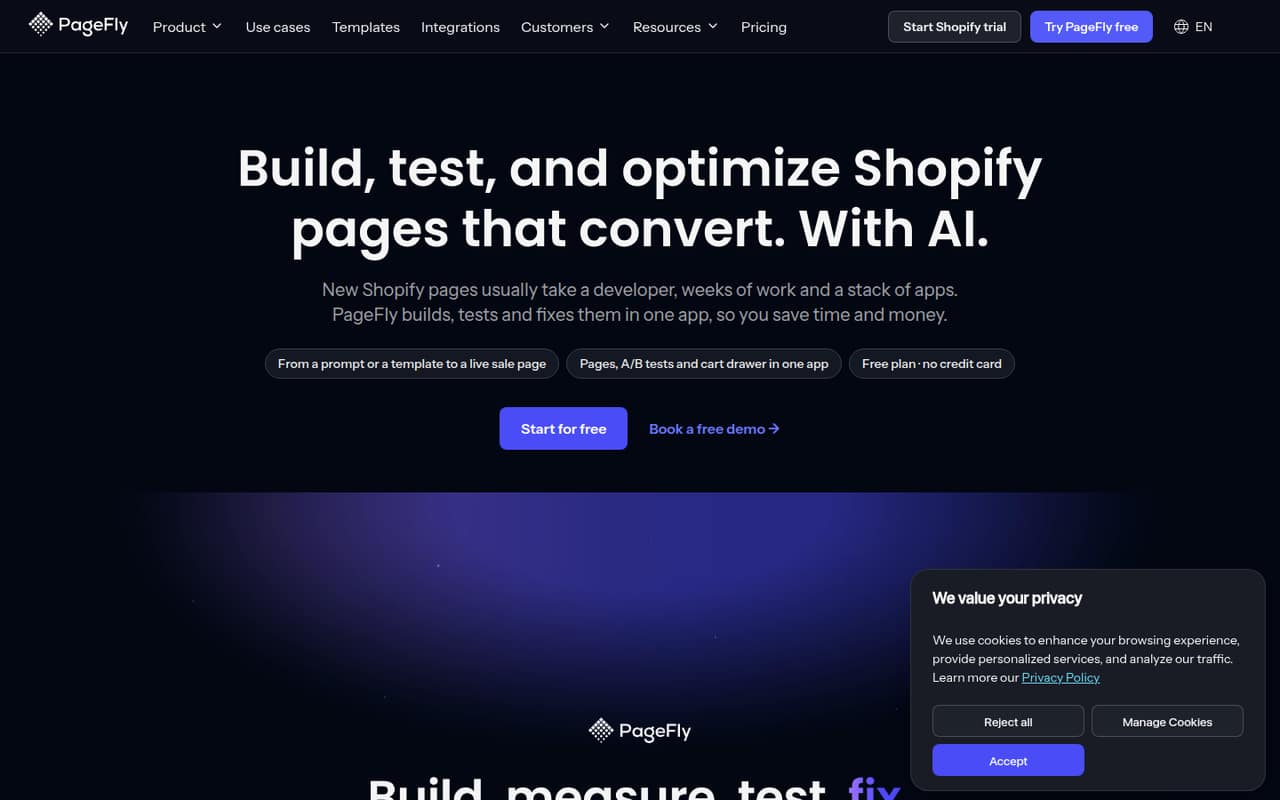
PageFly gives Shopify merchants a visual editor, AI page creation, templates and conversion tools in one app. The free plan is a low-risk way to build a first page, while Builder costs $24/month and Optimize costs $39/month for A/B testing and heatmaps.
Reddit users disagree about whether page builders are worth the extra layer. Some like the drag-and-drop control; others report slower pages, design inconsistencies and headaches when changing or removing a builder. We’d start free and keep the page count modest until you know the app fits your store.
Good fit if
- Shopify stores needing custom layouts
- Small teams testing landing pages
- Merchants wanting built-in CRO tools
Skip it if
- Stores happy with their theme editor
- Teams avoiding extra Shopify apps
- Merchants prioritizing lean page code
ScoresHow it rates
What works
- Free plan includes one page or section slot
- 320+ templates are listed on every plan
- Visual drag-and-drop editor
- A/B testing and heatmaps on higher plans
- AI translation and page checkup features
What doesn't
- Free plan is limited to one slot
- A/B testing starts at $39/month
- Extra AI credit pack prices are unpublished
- Users report speed and design consistency concerns
- Changing or removing builder pages may take care
01Who PageFly is for
PageFly is for Shopify merchants who need landing pages, product layouts or seasonal pages that their theme editor doesn’t readily provide. A solo founder can use the free plan to build one page or section; a small team can start at $24/month for Builder, or $39/month for Optimize if it needs conversion testing.
The app combines a prompt-based or template-based page builder with a drag-and-drop editor. Higher plans add tools such as A/B testing, heatmaps and sales-funnel reporting. That can suit a team that wants to create and improve pages without commissioning every layout.
But a page builder is an extra layer on top of a Shopify theme. Reddit users warn that this can mean slower pages, inconsistent styling or extra work when the store changes. If your theme already handles your layouts, PageFly may be another subscription and app to maintain rather than a must-have.
02PageFly free plan and trial
PageFly’s Free plan costs $0 per month and includes one page or section slot, 10 AI credits per month, 320+ templates, AI Page Checkup and 24/7 support. That is enough to explore the editor and make a first page, but the one-slot allowance is a tight ceiling for a store that needs several custom layouts.
The pricing lists no free trial period; the free plan is the way to start without a subscription. Builder is the cheapest paid plan at $24/month. It includes 5–15 slots, 80–120 AI credits per month, built-in analytics and AI Translator. The vendor lists extra AI credit packs on every plan, including Free, but does not publish their prices. Check the slot allowance that applies to your account before planning a larger rollout.
03What a small team pays for PageFly
The listed price is per plan, not per seat: Builder is $24/month and Optimize is $39/month. At those plan prices, the average is $24 or $39 per person for one user, $8 or $13 for three, and $4.80 or $7.80 for five. The pricing page does not publish seat limits, so confirm how many team members can access a subscription before budgeting on that basis.
Builder is the cheapest paid option for a small team that wants several page slots, analytics and translation. Optimize is the first listed plan with A/B testing—three tests at a time—and heatmaps for 10 pages. Its listed slot range is 20–75, and it includes sales-funnel and section-performance reporting.
Accelerate is $99 monthly or $82.50 per month equivalent when billed annually; Power is $199 monthly or $165 per month equivalent annually. Annual billing is listed for those two plans only. Extra AI credit packs are available, but their prices are not published.
04Getting started with PageFly
PageFly is built for Shopify, and the basic workflow is to start from a prompt or template, then edit the page in its drag-and-drop visual editor. That should be approachable for a small team that is comfortable working in Shopify, though the vendor does not publish a setup-time estimate. Shopify is the main platform to account for on day one; other integration requirements are not listed in the pricing details.
A little planning can save rework: decide which pages need a custom layout and agree on basic styles before building. In one Reddit thread, a commenter said a strict, documented design and brand guide could make a page builder work better. Other commenters describe the harder part as maintaining pages after the initial build, especially when the theme or other store features change. Treat setup as more than choosing a template: plan who will own future edits, too.
05When small teams outgrow PageFly
The first limit is space: Free has one slot, and Builder lists 5–15. A growing store may need Optimize at $39/month for A/B testing and heatmaps, which are limited to three simultaneous tests and 10 pages on that plan. Accelerate raises those caps to 10 tests and 50 heatmap pages for $99 monthly, or $82.50 per month equivalent with annual billing.
A team may also outgrow the app itself. Reddit users report that page builders can add code, slow a site or create styling inconsistencies with the theme. One commenter described changing or removing a builder after a theme upgrade as a hurdle; another said editing already-published pages became difficult after their available publishing allowance changed. Those are individual reports, not a guarantee of what will happen to your store, but they’re a reason to document layouts and check the cost of moving pages before building many of them.
From the threadsWhat users say
Reddit sentiment is mixed, with several commenters criticizing page-builder overhead and maintenance. Others value the extra drag-and-drop control, but the discussions do not establish a consensus that PageFly is the right fit for every Shopify store.
It gives you more simple drag and drop customization options
They tend to slow the site down and add layers of design inconsistencies due to the fact that there’s a theme underneath it all
It does allow fine control of most things
I was able to publish 5 pages and then couldn't make changes to any of them because somehow i now only had 1 publish available after i launched the website
Questions people ask
What is PageFly used for?
PageFly is a Shopify page builder and conversion app. Merchants can create pages from prompts or templates, edit them in a visual drag-and-drop editor, and use tools such as A/B testing, heatmaps and AI Page Checkup to assess and improve pages.
Can I use PageFly for free?
Yes. The Free plan costs $0 per month and includes one page or section slot, 10 AI credits per month, 320+ templates, AI Page Checkup and 24/7 support. If you need more slots or built-in analytics, Builder starts at $24/month.
Does PageFly include A/B testing?
A/B testing is listed on Optimize and higher plans, not Free or Builder. Optimize costs $39/month and allows three tests at a time. Accelerate includes 10 tests at a time, while Power lists unlimited A/B tests.
Can PageFly translate my Shopify pages?
The Builder plan lists AI Translator, and higher plans include it as well. The feature is described as one-click localization of page content. The pricing details do not publish supported languages or translation limits, so check with the vendor if you need a particular language or volume.
Will PageFly slow down my Shopify store?
Some Reddit commenters say page builders can add code and slow a site, while others value the extra design control. Those posts don’t establish what will happen on your store. If speed is a priority, keep the page scope focused and review the impact of any added app with your own setup.