
We may earn a commission if you buy through links on this page. It never changes a score or a ranking. How we make money
The bottom line
A promising design-to-code canvas, with a useful free tier and a clear Pro seat cost.
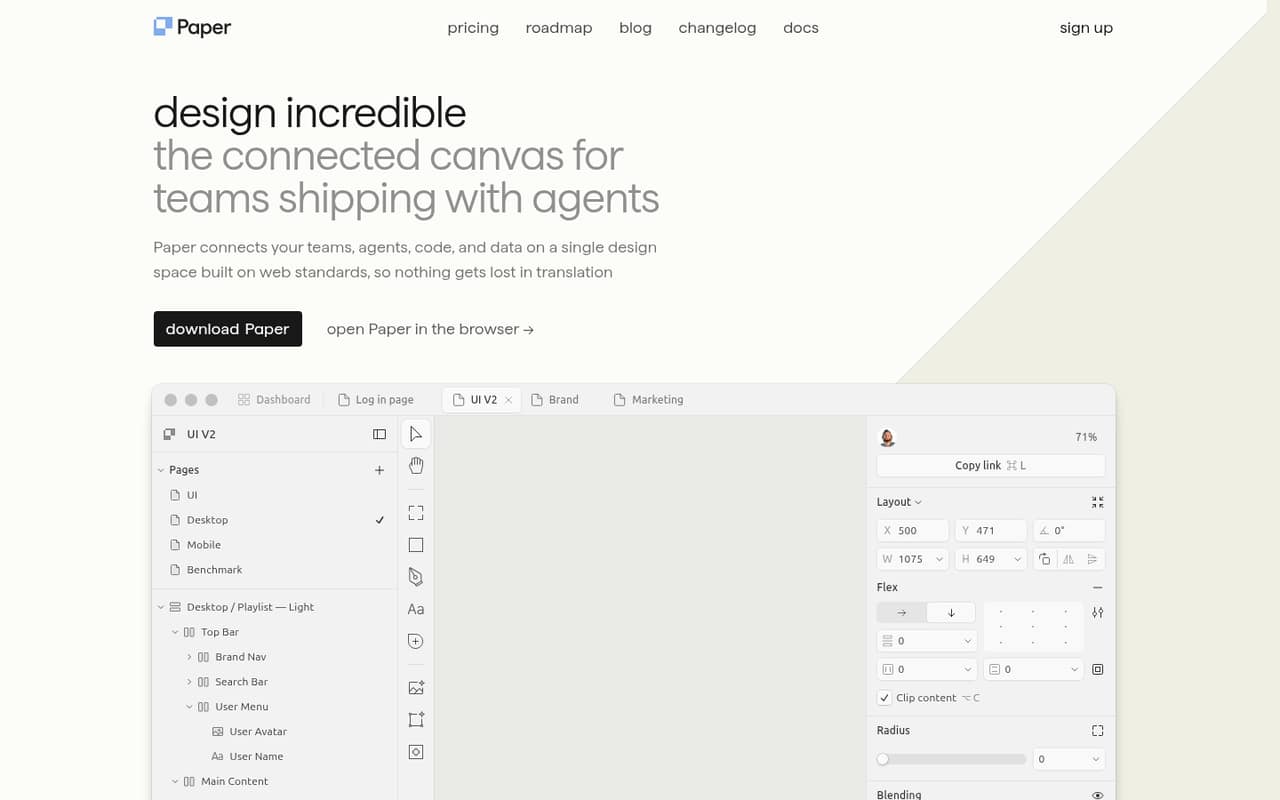
Paper brings a design canvas, code, content, and agents together. That focus could suit a small product team that wants design work to stay connected to its codebase, rather than living in a separate mockup.
The free plan includes unlimited viewers and editors, but caps MCP tool calls at 100 per week. Pro costs $20 per editor monthly, or $16 per editor monthly with yearly billing. That makes it worth a close look for teams that will use the agent connections and code sync; less so for teams needing only a basic canvas.
Good fit if
- Product teams bridging design and code
- Small teams exploring agent workflows
- Teams sharing live content in designs
Skip it if
- Teams wanting only basic mockups
- Buyers needing published setup estimates
- Teams avoiding per-editor subscriptions
ScoresHow it rates
What works
- Free plan includes unlimited viewers and editors
- HTML/CSS canvas is designed for code export
- Connects agents through a shared layer
- Can connect files, CMSs, databases, and APIs
- Pro includes video export and priority feedback
What doesn't
- Free plan allows 100 MCP tool calls weekly
- Pro costs per editor
- Free plan limits image size to 25 MB
- Organizations pricing is custom
- Setup effort and onboarding steps aren't specified
01Who Paper is for
Paper is aimed at teams that want design work connected to code, content, and AI agents. For a product team of one to ten people, that can be useful when designers and developers need to work from the same canvas, or when agents should help update layouts and keep styles consistent.
The canvas uses HTML and CSS and is designed to move work between design and code. Paper also connects files, CMSs, databases, and APIs to canvas layers, so teams can work with real content rather than only placeholder copy. The fit is strongest when those connections matter to the daily workflow. If the team mainly needs a place to draw screens and share them, the agent and code features may be more than the budget needs. The Free plan gives a team a way to start without a subscription; Pro is the paid option when free-plan limits get in the way.
02Paper free plan and trial
Paper’s Free plan costs $0 and includes unlimited viewers and editors. It allows 100 MCP tool calls per week, limited image generation, and a maximum image size of 25 MB. That gives a small team a no-cost way to share a canvas and try the connected workflow, without a per-seat fee.
The main pinch points are agent usage and image generation. Paper does not list a free trial; the Free plan is the free way in. Teams needing more MCP calls, 100 times more image generation per week, video export, a 100 MB image limit, or priority feedback need Pro. That plan costs $20 per editor monthly, or $16 per editor monthly with yearly billing. The pricing page doesn't define the exact amount of image generation included in Free, so ask Paper if that limit could affect your work.
03What a small team pays for Paper
Pro is the relevant paid plan for a small team. The pricing page lists it at $20 per editor per month with monthly billing, or $16 per editor per month with yearly billing. One editor therefore costs $20 monthly or $16 per month on the yearly rate. Three editors cost $60 monthly or $48 per month on the yearly rate; five cost $100 monthly or $80 per month on the yearly rate. The yearly figures are monthly equivalents, and the pricing page describes the discount as 20%.
Free has no per-editor charge and includes unlimited viewers and editors, though MCP calls, image generation, and image size are limited. Paper lists no add-ons. The main cost to watch is the number of Pro editors: adding seats increases the bill at the same per-editor rate. Organizations includes Pro features plus SAML/SSO, admin controls, custom contracts, dedicated support, and priority onboarding, but its price is custom. Ask Paper for a quote if your team needs those controls.
04Getting started with Paper
Paper is web-based, and its product description centers on a shared canvas connected to agents, code, and data. That means a team can begin with the canvas, then connect the parts of its workflow it actually needs. The listed connection types include IDE or CLI agents, files, CMSs, databases, and APIs.
The setup effort will depend on which connections you want: sharing a canvas is a smaller step than connecting a codebase and configuring agent workflows. Paper describes agent connections and design-code sync for tokens, styles, and components, but doesn't publish a setup-time estimate or a step-by-step onboarding path here. For a small team, start by choosing one codebase or content source to connect, then confirm with Paper what configuration that requires. The HTML/CSS approach may feel familiar to web-focused teams, but teams without that background should allow time to learn the workflow.
05When small teams outgrow Paper
A team is likely to hit Free’s limits when it regularly needs more than 100 MCP tool calls a week, more image generation, or support for images larger than 25 MB. Pro raises the MCP allowance to 1 million calls per week, offers 100 times more image generation per week, and raises the image-size maximum to 100 MB. It also adds video export and priority feedback.
The next constraint is budget: Pro is billed per editor, so each additional paid seat adds $20 per month, or $16 per month at the yearly rate. A team needing organization-wide SAML/SSO, admin controls, custom contracts, or dedicated support will need to ask about Organizations, whose price is custom. If your team doesn't need agent connections, code sync, or real-content layers, paying for Pro seats may be hard to justify; compare the workflow benefit against the ongoing seat cost before expanding.
Questions people ask
What is Paper?
Paper is a web-based design canvas that connects teams, agents, code, and data. Its HTML/CSS canvas is designed to move work between design and code, and its agent connections can help with repetitive design tasks.
Does Paper have a free plan?
Yes. Free costs $0 and includes unlimited viewers and editors, 100 MCP tool calls per week, limited image generation, and a 25 MB maximum image size.
How much does Paper Pro cost?
Pro costs $20 per editor per month with monthly billing. The pricing page lists a yearly-billing rate of $16 per editor per month, a 20% saving.
Can Paper connect to a codebase?
Paper describes connections between IDE or CLI agents and a shared layer, plus design-code sync for tokens, styles, and components. The product description doesn't specify which code hosts or setup steps are supported.
What does Paper Organizations include?
Organizations includes everything in Pro, plus SAML/SSO, admin controls, custom contracts, dedicated support, and priority onboarding. Its price is custom, so ask Paper for a quote.